

 FSX Scenery
Walney Island
Walney Island Scenery. Barrow/Walney Island Airport (IATA: BWF, ICAO: EGNL) i…
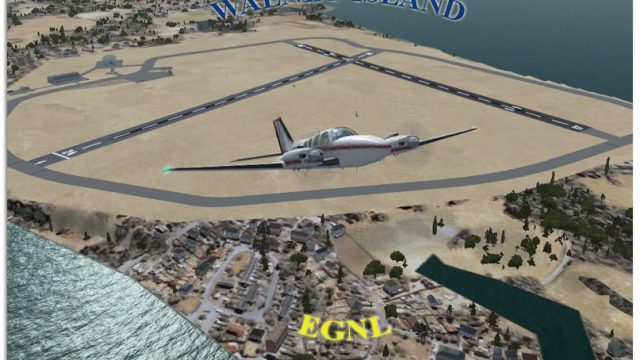
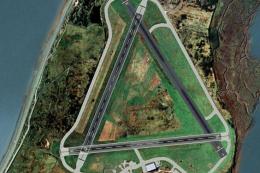
Walney Island Airport (EGNL) scenery brings the BAE Systems airfield near Barrow-in-Furness to life in FSX, recreating key layout details from satellite imagery, including the distinctive World War–era triangular runway pattern. It captures the site’s RAF heritage and modern private-flight role for more immersive UK regional operations.
 Rate
Rate
 United Kingdom
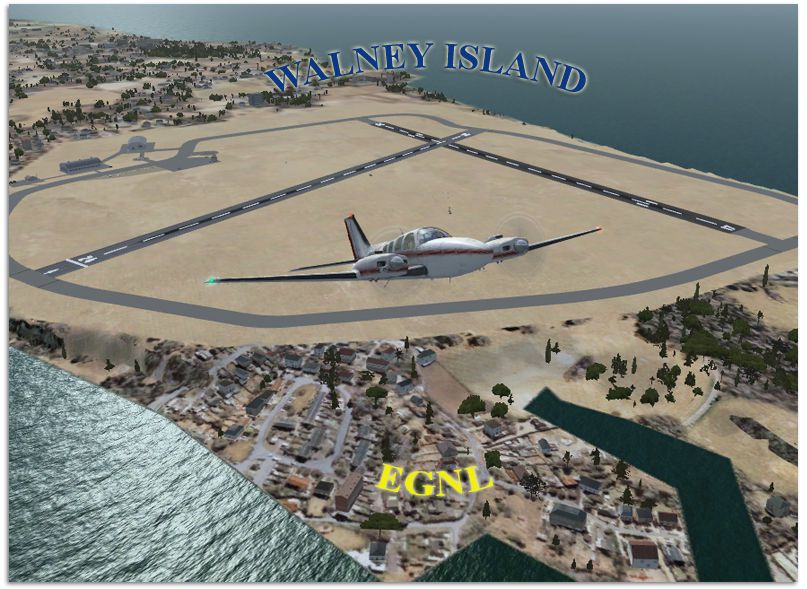
Scenery Walney Island Airport (EGNL) UK. The airport is owned by BAE Systems, who operate private communication flights to various locations across the United Kingdom. Barrow/Walney Island airport was opened during World War II, though the site had been used as an airship station since World War I. Three runways were constructed, laid out in a triangular arrangement, for use by the based Royal Air Force flying units. The airfield was left disused after WWII, and was sold on in 1959 to Vickers, the company that owned Barrow shipyard at the time. The triangular shaped runway system can be seen from 140 miles above sea level. By Gordon Barnes.
Walney Island Airport Scenery.
I have tried to re-create this airport from google earth images.
Installation Instructions:
1. Just place the two files into the Addon Scenery folder, within the Scenery folder.
EGNL_ADEX_GB.BGL
EGNL_ADEX_GB_CVX.bgl
eg.
c:\Games\FSX\Addon Scenery\Scenery
2. Navigate to your flightsim Scenery folder eg.
C:\Games\FSX\scenery\0501\scenery\
Rename the APX46120.bgl file to APX47120_bgl_original
G Barnes
UK.
Free for all simmers · 440.74 KB · Scanned clean Oct 2026
Download speed: Free tier is capped at 0.5 Mbps. PRO members download at full line speed.
FSX\Addon Scenery\ containing scenery and texture sub-folders.readme.txt or README file. It tells you exactly where files go, what dependencies are needed, and any quirks specific to this add-on.Use these coordinates to fly directly to this location once the mod is installed.
54.13170000,-3.26370000
Launch FSX or Prepar3D and use Flights → Load to open the downloaded .pln file. Your aircraft will be positioned at this location.
The archive walneyisland.zip has 7 files and directories contained within it.
This list displays the first 500 files in the package. If the package has more, you will need to download it to view them.
| Filename/Directory | File Date | File Size |
|---|---|---|
| Walney Island | 02.24.10 | 0 B |
| EGNL_ADEX_GB.BGL | 02.24.10 | 7.31 kB |
| EGNL_ADEX_GB_CVX.bgl | 02.08.10 | 269 B |
| ReadMe.txt | 02.24.10 | 1.30 kB |
| Walney Island.jpg | 02.24.10 | 452.32 kB |
| flyawaysimulation.txt | 10.29.13 | 959 B |
| Go to Fly Away Simulation.url | 01.22.16 | 52 B |
Only PRO members can place votes.
More FSX & P3D add-ons hand-picked based on this download.
FSX Scenery
Walney Island Scenery. Barrow/Walney Island Airport (IATA: BWF, ICAO: EGNL) i…
 FSX Scenery
Barrow (Walney) Airport (EGNL) UK. Designed to blend with Horizon GenX photo …
 FSX Scenery
Long Island Mac Arthur Airport (KISP), Islip, New York (NY). Includes termina…
 FSX Scenery
Friday Harbor Airport And Lopez Island. This package was made using Airport D…
 FSX Scenery
Experience an updated rendition of KISP that transforms the default layout in…
 FSX Scenery
Scenery Long Island Mac Arthur Airport (KISP), Islip, New York (NY). This sce…
 FSX Scenery
St Barthelemy island (TFFJ) is situated in the Caribbean Sea. It's small slop…
 FSX Scenery
Island Of Saba. Includes redesign of all coasts and land class; SABA airport;…
Be the first to leave a comment on this download.
Be the first to share your thoughts on this download.