

 FSX Scenery
Dallas-Fort Worth International
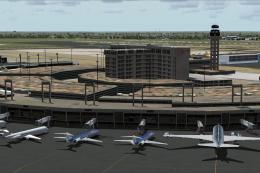
Dallas-Fort Worth International Airport (KDFW), Texas (TX), with Terminal D. …
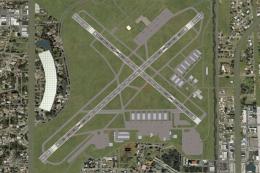
Dallas/Fort Worth International Airport (KDFW) scenery refreshes runway and airport layout to better match current real-world dimensions, including 13,401‑foot parallels and corrected lengths across the field. Designed for FSX, it also tidies select building placements and gate assignments for more accurate ground operations and traffic flow.
 Rate
Rate
 United States of America
Scenery Dallas/Fort Worth International Airport (KDFW), Texas (TX). Extends runways to their current length.
This is not my design I use this afcad myself and I found it. I do not take any credit for the design of terminal D and assigning gates.
The only thing I did was to make the runways accurate because they are extended to there current lenght.
18L-36R (13,401)feet
18R-36L (13,401)feet
17C-35C (13,401)feet
17R-35L (13,401)feet
All the other runways are at there correct lenght and I just a little design by putting some of the building to normal. That's it. Just place the 2 bgl file in your C/program files/microsoft games/microsoft flight simulator/addon scenery/scenery folder.
That's it and start fsx and it will make the changes.
Free for all simmers · 250.79 KB · Scanned clean Oct 2026
Download speed: Free tier is capped at 0.5 Mbps. PRO members download at full line speed.
FSX\Addon Scenery\ containing scenery and texture sub-folders.readme.txt or README file. It tells you exactly where files go, what dependencies are needed, and any quirks specific to this add-on.Use these coordinates to fly directly to this location once the mod is installed.
32.89680000,-97.03800000
Launch FSX or Prepar3D and use Flights → Load to open the downloaded .pln file. Your aircraft will be positioned at this location.
The archive kdfw-dallas.zip has 5 files and directories contained within it.
This list displays the first 500 files in the package. If the package has more, you will need to download it to view them.
| Filename/Directory | File Date | File Size |
|---|---|---|
| KDFW_ade_rb.BGL | 04.25.10 | 144.17 kB |
| KDFW_obx_rb.bgl | 05.19.09 | 851.27 kB |
| Readme.txt | 04.25.10 | 723 B |
| flyawaysimulation.txt | 10.29.13 | 959 B |
| Go to Fly Away Simulation.url | 01.22.16 | 52 B |
Only PRO members can place votes.
More FSX & P3D add-ons hand-picked based on this download.
FSX Scenery
Dallas-Fort Worth International Airport (KDFW), Texas (TX), with Terminal D. …
 FSX Scenery
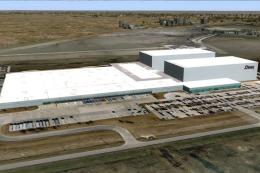
Texas, USA. Fort Worth Alliance Airport was constructed as the world's first …
 FSX Scenery
This freeware scenery upgrade for Fort Worth Naval Air Station (KNFW) in Texa…
 FSX Scenery
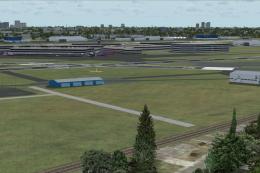
Dallas Love Field v1.5. Dallas Love Field (KDAL), Texas (TX) is home for Sout…
 FSX Scenery
Scenery Dallas Love Field (KDAL), Texas (TX). Includes versions with the cros…
 FSX Scenery
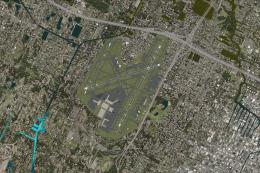
Fort Lauderdale Hollywood International Airport (KFLL), Florida (FL). An upda…
 FSX Scenery
Fort Myers FL Airports, Florida. Complete redo of the default FSX southwest F…
 FSX Scenery
Scenery Fort Wayne International Airport (KFWA), Indiana (IN). An upgrade to …
Be the first to leave a comment on this download.
Be the first to share your thoughts on this download.