


 United States of America
  FSX Scenery
Foxpine Airpark
New Zealand (NZFP). FoxPine AirPark is situated near the small provincial tow…
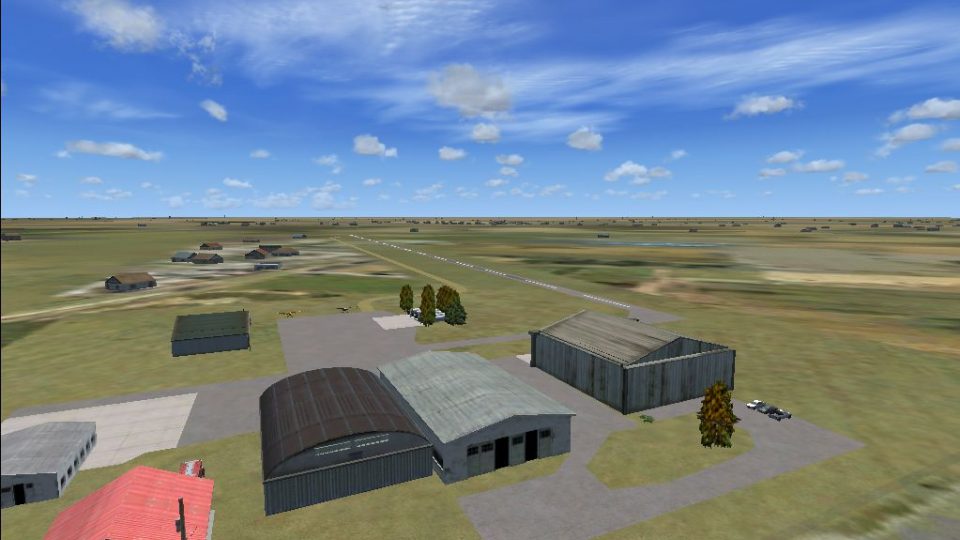
Lane Airpark (T54) in Rosenberg, Texas comes to life as a properly placed airpark with a repositioned runway, end turning points, grass taxiway routing, and authentic edge lighting for FSX. The scene adds fuel tanks, hangars, fencing, trees, and parked vehicles and aircraft to create a believable general aviation backdrop.
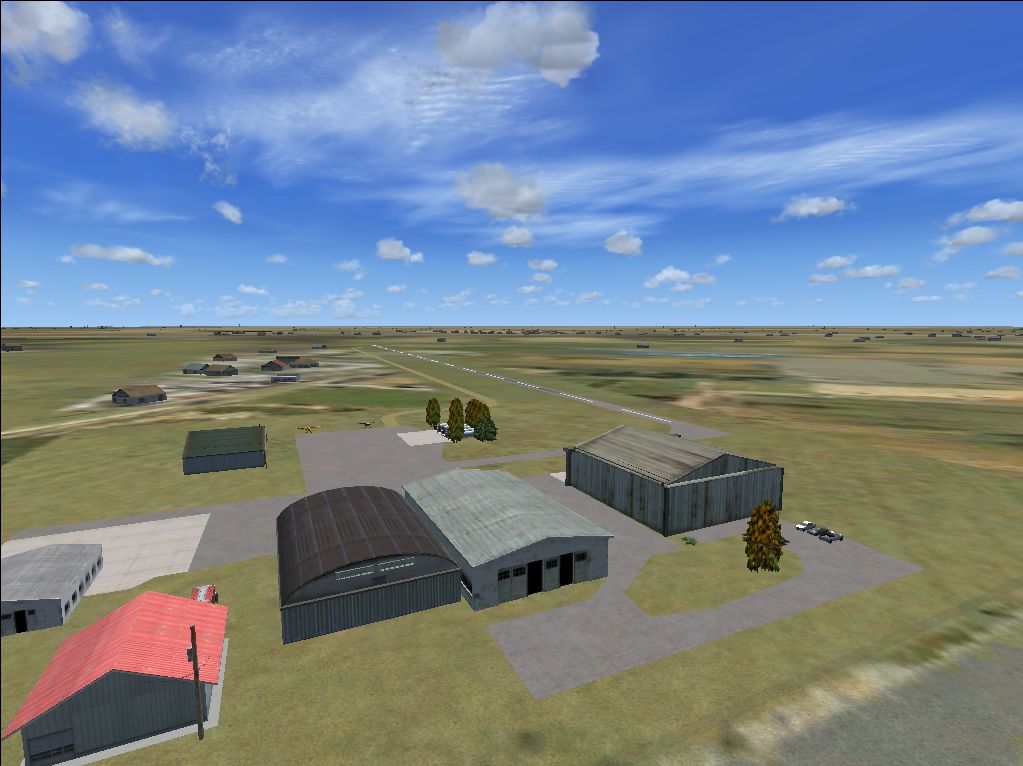
Lane Airpark T54, Rosenberg, Texas (TX), USA. Built the airport from scratch from a lone and boring runway to a true airpark. Features include end turning points, grass taxiway, repositioned runway, field edge lighting (as in the real world), and added fuel tanks, hangars, static planes, trees, and static vehicles (e.g. fire truck, pickup truck, etc.) Added a fence to its appropriate location. By Abdullah Mahran.
Screenshot of Lane Airpark T54 Scenery.
There is unfortunately no custom scenery, this is based on default scenery objects. No taxiways on the apron. As an airpark, there is no specific managed route, just get off the runway and do as you please. This is a huge improvement from the default as the runway is repositioned from it's original location to it's true location.
INSTALLATION:
Unzip the file and drop it's contents (excluding this readme) into your Microsoft Flight Simulator X/Addon Scenery/scenery folder. Recache the scenery (restart flight simulator, re-instate the scenery library, however you wish).
GO AHEAD AND FLY!
Abdalla Mahran
Free for all simmers · 1.17 MB · Scanned clean Oct 2026
Download speed: Free tier is capped at 0.5 Mbps. PRO members download at full line speed.
FSX\Addon Scenery\ containing scenery and texture sub-folders.readme.txt or README file. It tells you exactly where files go, what dependencies are needed, and any quirks specific to this add-on.Use these coordinates to fly directly to this location once the mod is installed.
29.55790000,-95.80800000
Launch FSX or Prepar3D and use Flights → Load to open the downloaded .pln file. Your aircraft will be positioned at this location.
The archive t54.zip has 6 files and directories contained within it.
This list displays the first 500 files in the package. If the package has more, you will need to download it to view them.
| Filename/Directory | File Date | File Size |
|---|---|---|
| T54_ADEX_A_CVX.bgl | 03.18.11 | 247 B |
| T54_ADEX_A.BGL | 03.18.11 | 5.30 kB |
| T54.txt | 03.18.11 | 936 B |
| T54.png | 03.18.11 | 1.17 MB |
| flyawaysimulation.txt | 10.29.13 | 959 B |
| Go to Fly Away Simulation.url | 01.22.16 | 52 B |
Only PRO members can place votes.
More FSX & P3D add-ons hand-picked based on this download.
FSX Scenery
New Zealand (NZFP). FoxPine AirPark is situated near the small provincial tow…
 FSX Scenery
Presenting KSPB Scappoose, Oregon Industrial Airpark. This is a nice area on …
 FSX Scenery
Scenery Everglades Airpark, Florida (FL), USA. This scenery is made from cust…
 FSX Scenery
Experience a carefully restructured rendition of KCLW, situated in the vibran…
 FSX Scenery
Hope Regional Airpark (CYHE), Hope, British Columbia, Canada. By Daniel Louve…
 FSX Scenery
King George Airpark (CSK8), Surrey, British Columbia, Canada. A small airport…
 FSX Scenery
Delta Heritage Airpark (CAK3), Delta, British Columbia, Canada. By Daniel Lou…
 FSX Scenery
La Cholla Airpark (57AZ), Arizona (AZ). A private airport upgrade using defau…
Be the first to leave a comment on this download.
Be the first to share your thoughts on this download.