

 FSX Scenery
FSX Skara Bonaire X
Skara Scenery Bonaire X. Flamingo International Airport or Bonaire Internatio…
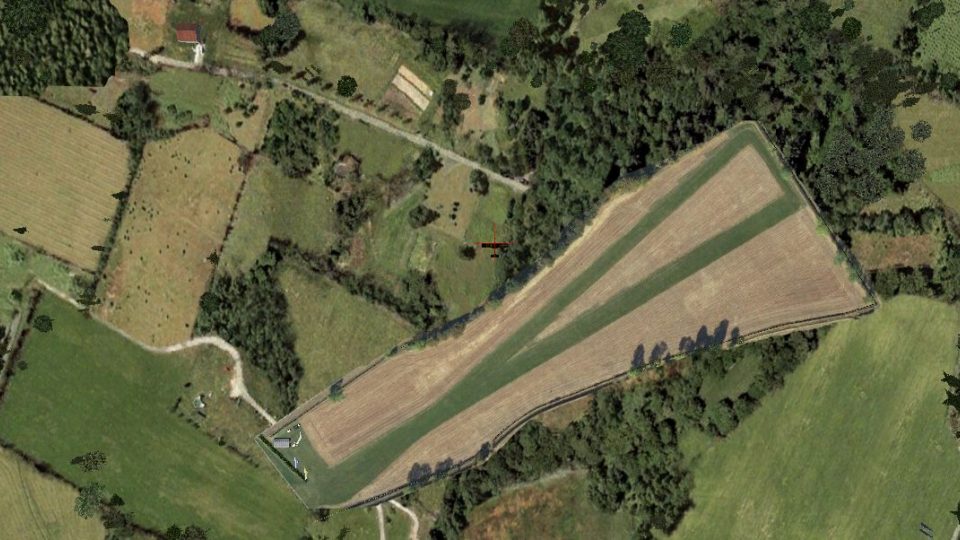
Midlem Airstrip in the Scottish Borders brings a compact grass runway to life with custom ground polygons, ideal for microlight circuits, short-field practice, and relaxed VFR hops near Galashiels and Hawick in Microsoft Flight Simulator X. Extra hangars, markers, and static details appear when installed with the North/Midlands and South-West object libraries.
 Rate
Rate
 United Kingdom
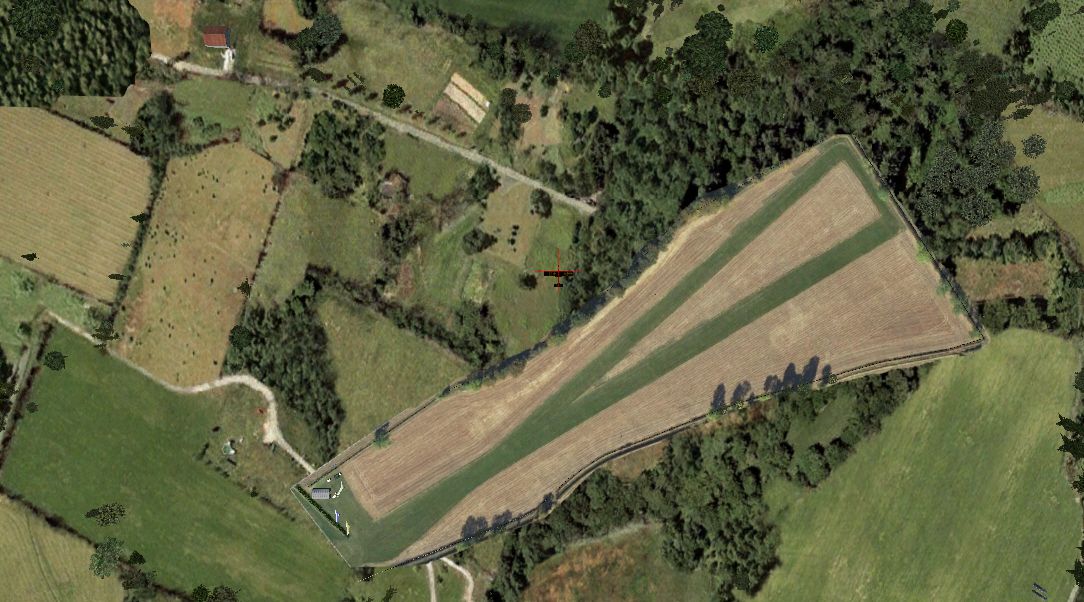
This freeware scenery pack reimagines Midlem Airstrip for those seeking a compact yet rewarding takeoff and landing experience on the Scottish Borders. Designed by Neil Birch, it targets enthusiasts of microlight flying who utilize specialized object libraries from both the North/Midlands and South-West regions. It also retains full compatibility with the default Microsoft Flight Simulator X ground polygons, ensuring a straightforward setup.
Set within scenic countryside approximately five nautical miles southeast of Galashiels and around seven nautical miles north-northeast of Hawick, this strip is nestled in the rolling terrain of the Borders. The area is characterized by varied weather patterns, which lend authenticity to short-haul flights and training circuits. Although small, Midlem’s grassy runway offers a practical space for local flights and low-and-slow excursions.
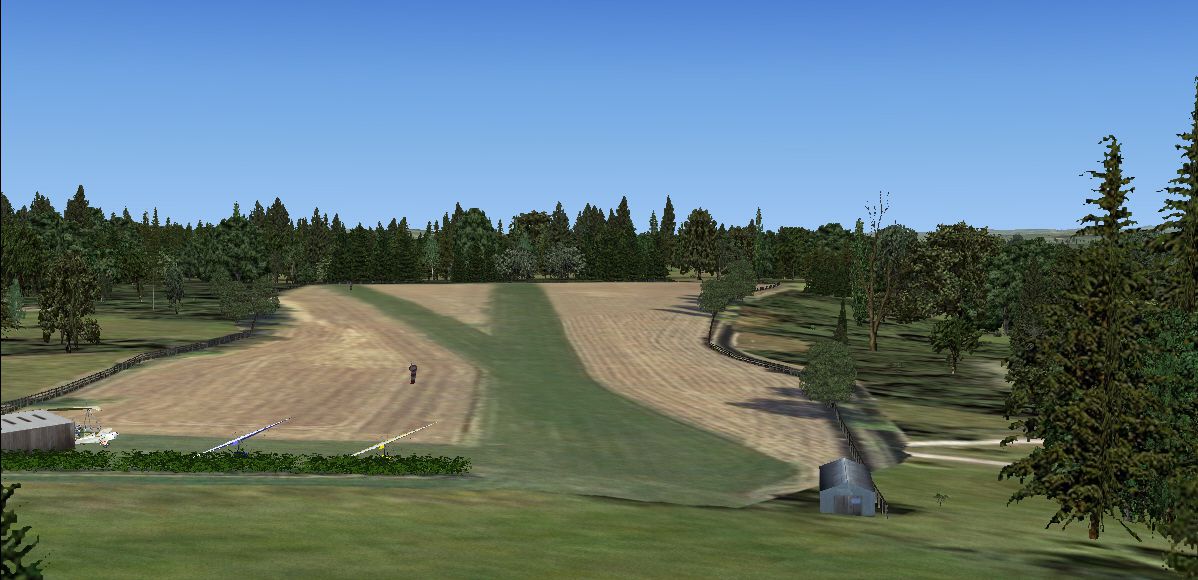
Midlem’s compact field strongly appeals to microlight pilots looking for realistic backcountry exploration. With its short runway and unobstructed approaches, the site fosters an immersive experience for slow-speed aircraft. These lightweight planes benefit from detailed scenery objects, ensuring an accurate depiction of what microlight enthusiasts might observe in real flight.
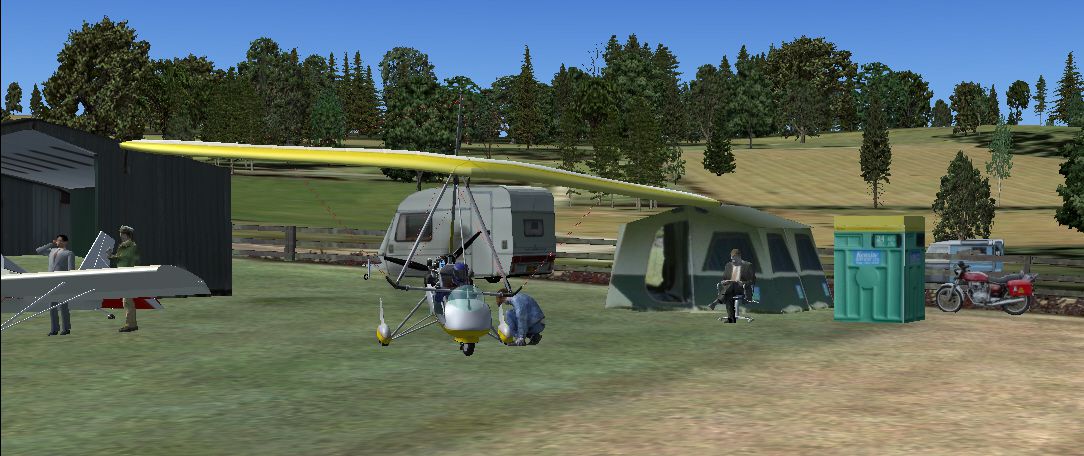
This add-on incorporates a custom ground poly optimized for default FSX environments, retaining crisp detail on the turf. In addition, those who install the specialized object libraries from the North/Midlands and South-West packs by Neil Birch can take advantage of extra static objects, which enrich the scenery’s character. This integration allows for more lifelike hangars, boundary markers, and detail consistent with small British airstrips.
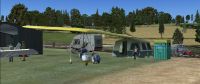
Screenshot of Midlem Scenery.
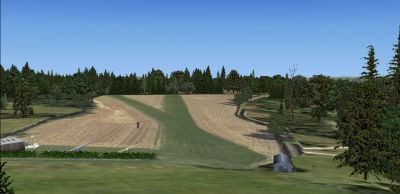
Screenshot of Midlem Scenery.
From local sightseeing excursions to quick airfield hopping, this location offers myriad opportunities for general aviation pilots. Nearby valleys and rolling fields provide excellent visual reference points for VFR operations, while the grass strip layout ensures small, lightweight aircraft remain the focus.
All content has been created and assembled by Neil Birch, whose attention to detail gives Midlem its distinctive charm. The result is a fully realized environment designed to complement microlight flying and enhance the overall flight simulation experience around the Scottish Borders.
Free for all simmers · 1.79 MB · Scanned clean Oct 2026
Download speed: Free tier is capped at 0.5 Mbps. PRO members download at full line speed.
FSX\Addon Scenery\ containing scenery and texture sub-folders.readme.txt or README file. It tells you exactly where files go, what dependencies are needed, and any quirks specific to this add-on.Use these coordinates to fly directly to this location once the mod is installed.
55.54000000,-2.76000000
Launch FSX or Prepar3D and use Flights → Load to open the downloaded .pln file. Your aircraft will be positioned at this location.
The archive midlem.zip has 11 files and directories contained within it.
This list displays the first 500 files in the package. If the package has more, you will need to download it to view them.
| Filename/Directory | File Date | File Size |
|---|---|---|
| midlem.DIZ | 04.10.11 | 310 B |
| airfield-shot.jpg | 04.10.11 | 613.17 kB |
| ss.jpg | 04.10.11 | 438.88 kB |
| ss2.jpg | 04.10.11 | 493.93 kB |
| Midlem2004.BGL | 04.10.11 | 555 B |
| is-midlem.bgl | 04.10.11 | 4.17 kB |
| Midlem-p.bgl | 04.10.11 | 321.91 kB |
| Midlem.bgl | 04.10.11 | 144 B |
| READ-ME.rtf | 04.10.11 | 557 B |
| flyawaysimulation.txt | 10.29.13 | 959 B |
| Go to Fly Away Simulation.url | 01.22.16 | 52 B |
Only PRO members can place votes.
More FSX & P3D add-ons hand-picked based on this download.
FSX Scenery
Skara Scenery Bonaire X. Flamingo International Airport or Bonaire Internatio…
 FSX Scenery
Iwo Jima Scenery 1945 Update. This is a complete scenery with added effects a…
FSX Scenery
Kjeller Area Scenery X, Norway. Scenery around Kjeller airport with photoreal…
 FSX Scenery
FSX Loney's Alaska For FSX. This is a compilation of the author's Alaskan sce…
 FSX Scenery
For users of Flight Simulator X (and FSX: Steam Edition) and/or Prepar3D, ter…
 FSX Scenery
This freeware release by developer Aime Leclercq introduces revised highways …
 FSX Scenery
Team GEX Enhanced Autogen World. This package upgrades 522 world wide autogen…
 FSX Scenery
Princess Juliana International Airport (TNCM) in Saint Marteen, Netherlands A…
Be the first to leave a comment on this download.
Be the first to share your thoughts on this download.