

 FSX Scenery
Johannesburg Power Stations
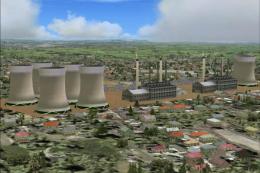
Johannesburg Power Stations, South Africa. Includes Orlando and Soweto power …
FAJS Johannesburg exclusion file clears default buildings so the Aeroworx FAJS scenery designed for FS2004 displays cleanly in Microsoft Flight Simulator X. It leaves the original airport package untouched while improving object placement and visual accuracy around the field, and requires the Aeroworx “worx40.zip” scenery.
 Rate
Rate
 South Africa
Exclusion File For FAJS Johannesburg, South Africa. This is an exclusion for FAJS-Johannesburg so that the scenery of Aeroworx for FS2004 will work on FSX. This file does not modify the original scenery in any way. It only excludes default FSX buildings. Details inside file. By Vangelis Evangelakopoulos.
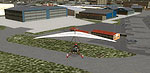
Screenshot of Johannesburg Scenery.
Instructions:
Download and install in FSX, "worx40.zip" by Aeroworx. Place the folder "fajs excl" inside "addon scenery" of fsx and declare it in the library bellow the Aeroworx scenery.Happy landings in Johannesburg!
I have only tested it in FSX SP1. I made it for my own pleasure so no support is available.For support for the original scenery and only for FS9, Aeroworx is responsible.
And a tip: Cape Town Airport scenery by Aeroworx for FS9 is compatible with FSX and also Cape Town City scenery by Simon Smeiman (at least in my computer,you can always try at yours).
Vangelis Evangelakopoulos
Free for all simmers · 13.79 MB · Scanned clean Oct 2026
Download speed: Free tier is capped at 0.5 Mbps (this file takes approximately 4 mins at the cap). PRO members download at full line speed.
FSX\Addon Scenery\ containing scenery and texture sub-folders.readme.txt or README file. It tells you exactly where files go, what dependencies are needed, and any quirks specific to this add-on.Use these coordinates to fly directly to this location once the mod is installed.
-26.13917000,28.24694000
Launch FSX or Prepar3D and use Flights → Load to open the downloaded .pln file. Your aircraft will be positioned at this location.
The archive fajs_fsx.zip has 13 files and directories contained within it.
This list displays the first 500 files in the package. If the package has more, you will need to download it to view them.
| Filename/Directory | File Date | File Size |
|---|---|---|
| fajs excl | 09.03.11 | 0 B |
| scenery | 09.03.11 | 0 B |
| excl_FAJS.bgl | 09.01.11 | 46.84 kB |
| pics | 09.03.11 | 0 B |
| 1 after.bmp | 09.03.11 | 5.05 MB |
| 1 before.bmp | 09.03.11 | 5.05 MB |
| 2 after.bmp | 09.03.11 | 5.05 MB |
| 2 before.bmp | 09.03.11 | 5.05 MB |
| 3 after.bmp | 09.03.11 | 5.05 MB |
| 3 before.bmp | 09.03.11 | 5.05 MB |
| read.txt | 09.04.11 | 889 B |
| flyawaysimulation.txt | 10.29.13 | 959 B |
| Go to Fly Away Simulation.url | 01.22.16 | 52 B |
Only PRO members can place votes.
More FSX & P3D add-ons hand-picked based on this download.
FSX Scenery
Johannesburg Power Stations, South Africa. Includes Orlando and Soweto power …
 FSX Scenery
Johannesburg Power Stations, South Africa, v2.0. By Frits Beyer. Johannesburg…
 FSX Scenery
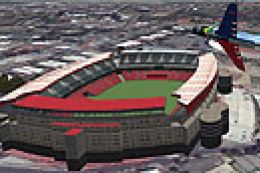
This is the Ellis Park Soccer/Rugby Stadium in Johannesburg. This stadium hos…
 FSX Scenery
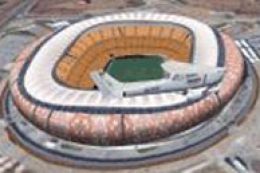
This stadium (previously known as Soccer City) was built for the 2010 FIFA Wo…
 FSX Scenery
Corrected Scenery File For VAPO Pune VOR/DME (PUN), for use with PUNEFSX.ZIP.…
FSX Scenery
Skara Scenery Bonaire X. Flamingo International Airport or Bonaire Internatio…
 FSX Scenery
Iwo Jima Scenery 1945 Update. This is a complete scenery with added effects a…
FSX Scenery
Kjeller Area Scenery X, Norway. Scenery around Kjeller airport with photoreal…
Be the first to leave a comment on this download.
Be the first to share your thoughts on this download.