

 FSX Scenery
Exeter Airport UK Expansion
Exeter Airport UK Expansion. A fictional expansion of Exeter Airport, EGTE. R…
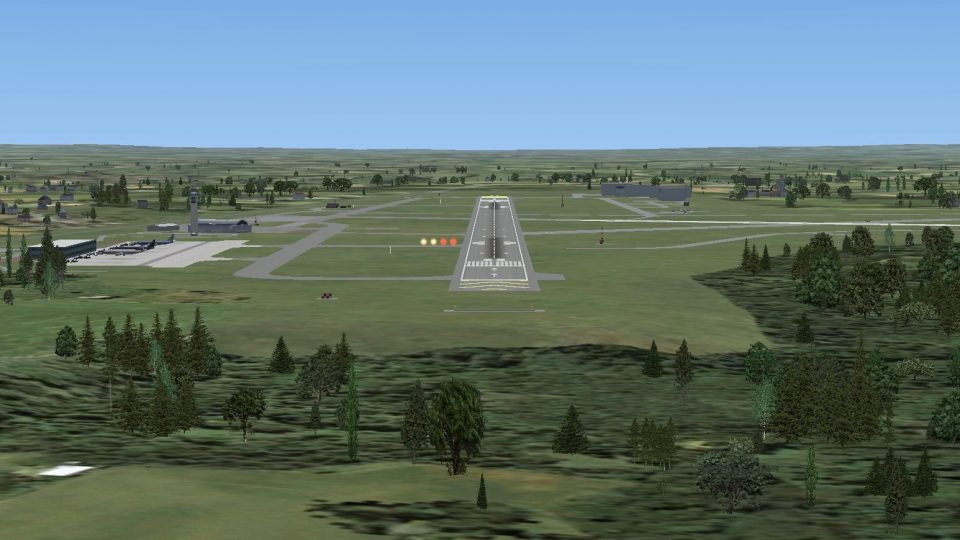
Blackbushe Airport (EGLK) gets a fictional, jet-capable upgrade with a 6,500‑foot extended runway 08/26, 500‑foot displaced thresholds, and ILS approaches at both ends. A new south taxiway feeds expanded aprons, terminal stands, and supporting buildings, while legacy strips sit closed. Built for Microsoft Flight Simulator X and requires RWY_MARK.ZIP for touchdown markings.
 Rate
Rate
 United Kingdom

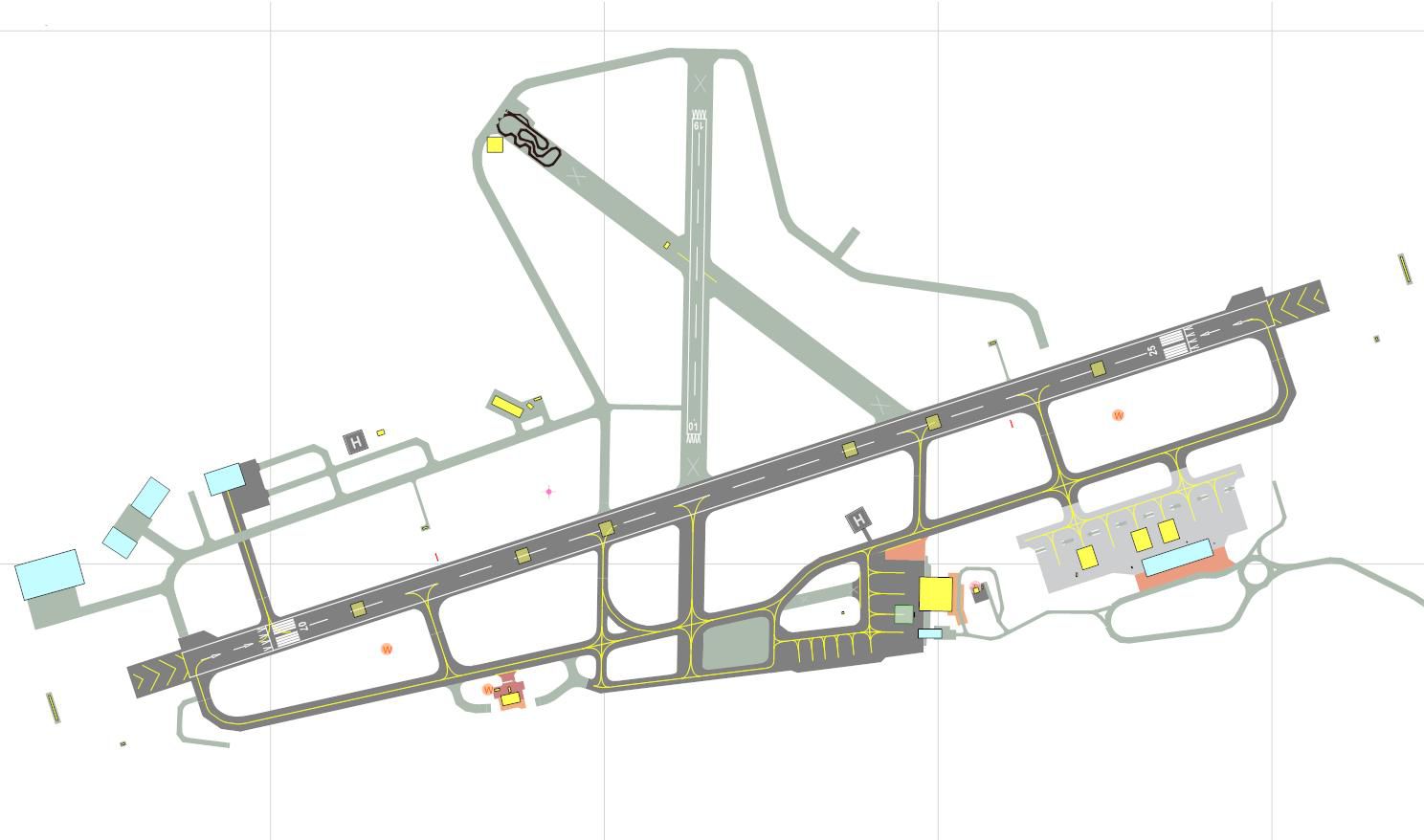
Blackbushe UK Expansion. A fictional expansion of Blackbush Airport. Runway 08/26 extended to 6500 feet. Displaced threshold 500 feet both ends. ILS approaches to both runways. Full length taxiway on south side, serving new apron and terminal, with stands for medium sized jet aircraft. Associated buildings around terminal. Other runways disused, with some parking areas off limits. Main terminal has plenty of stands ans subsidiary apron alongside. Runway markings (RWY_MARK.ZIP) by Lance Tucker is a required addon to display runway touchdown markings. Easy to install, but if you choose not to there will just be no touchdown zone markings on runway. Scenery will work fine regardless. By Junior Moult.
Overview of Blackbushe.
Blackbush Airport EGLK for FSX ONLY
INSTALLATION
Copy and paste all 4 of the EGLK named files in the download to the following folder:
Microsoft Flight Simulator X (Or whatever you have renamed the root FSX directory as)
>Addon Scenery
>>Scenery
I.E. Into the SCENERY directory inside the addon scenery folder in your main FSX folder. Start FSX and go to EGHD, Plymouth, UK.
Enjoy the scenery.
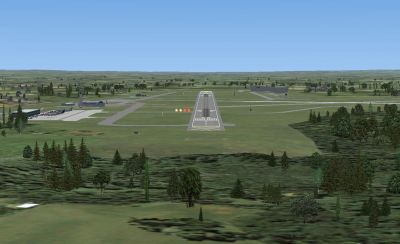
Screenshot of Blackbushe scenery.
Free for all simmers · 841.66 KB · Scanned clean Oct 2026
Download speed: Free tier is capped at 0.5 Mbps. PRO members download at full line speed.
FSX\Addon Scenery\ containing scenery and texture sub-folders.readme.txt or README file. It tells you exactly where files go, what dependencies are needed, and any quirks specific to this add-on.Use these coordinates to fly directly to this location once the mod is installed.
51.32300000,-0.84700000
Launch FSX or Prepar3D and use Flights → Load to open the downloaded .pln file. Your aircraft will be positioned at this location.
The archive fsx_blackbush_uk_expansion.zip has 9 files and directories contained within it.
This list displays the first 500 files in the package. If the package has more, you will need to download it to view them.
| Filename/Directory | File Date | File Size |
|---|---|---|
| Blackbush MAP.jpg | 09.03.11 | 88.51 kB |
| Blackbush README.txt | 09.03.11 | 1.18 kB |
| Blackbush View.jpg | 09.03.11 | 176.42 kB |
| EGLK_ADEX_JB.ad2.ad2 | 09.03.11 | 572.63 kB |
| EGLK_ADEX_JB.BGL | 09.03.11 | 27.89 kB |
| EGLK_ADEX_JB.xml | 09.03.11 | 234.47 kB |
| EGLK_ADEX_JB_CVX.bgl | 09.03.11 | 689 B |
| flyawaysimulation.txt | 10.29.13 | 959 B |
| Go to Fly Away Simulation.url | 01.22.16 | 52 B |
Only PRO members can place votes.
More FSX & P3D add-ons hand-picked based on this download.
FSX Scenery
Exeter Airport UK Expansion. A fictional expansion of Exeter Airport, EGTE. R…
 FSX Scenery
Plymouth UK Fictional Expansion Plymouth Airport EGHD for FSX only. Runway 13…
 FSX Scenery
UK VFR Add-ons. A scenery set required by many add-on sceneries, made easy to…
 FSX Scenery
Discover this freeware scenery upgrade for EGJJ Jersey Airport in the Channel…
 FSX Scenery
EGPF Glasgow UK. Slight expansion of base scenery for Glasgow Airport. Runway…
 FSX Scenery
Alfs UK Airfields. Improvements to several small UK airfields, based on aeria…
 FSX Scenery
Alf's UK Airfields Volume 3. Upgrades many small UK airfields whose default v…
 FSX Scenery
Experience a refined set of smaller United Kingdom airfields in Microsoft Fli…
Be the first to leave a comment on this download.
Be the first to share your thoughts on this download.