

 FSX Historic & Vintage Aircraft
Fokker Dr1 Triplane 'The Red Baron'
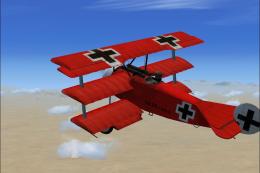
FSX Fokker Dr1 Triplane "The Red Baron". On April 21, 1918 at 10:45 am, Manfr…
Fokker Dr.I “PH-EBF White Dove” brings a crisp white-and-blue repaint to Neoqb’s classic triplane, offering a fresh take on a World War I icon while keeping the familiar flight behavior and a detailed virtual cockpit in FSX. The textures-only package requires the Neoqb Development Team’s base Fokker Dr.I model.
 Rate
Rate
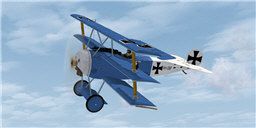
This newly crafted repaint package offers a personalized “PH-EBF White Dove” texture set for the remarkable Fokker Dr.I tri-plane designed by the Neoqb Development Team. It provides an alternative look for one of the most iconic single-engine fighters ever to appear in various flight simulators, including Microsoft Flight Simulator X. Enthusiasts seeking a vintage-era aircraft with a unique color scheme will find this expansion both engaging and visually striking.
The Fokker Dr.I design dates back to the early days of aviation history, showcasing a distinct triple-wing layout that allowed for extraordinary maneuverability in its original World War I role. Even though the real aircraft was famous for its bold red exterior, this new repaint by Chris Brisland offers a contrasting color palette. It introduces both white and blue accents for a fresh, modern spin on the vintage geometry.
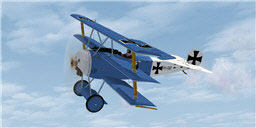
Screenshot of Fokker DR1 in flight.
The “White Dove” repaint, officially labeled as PH-EBF, was meticulously created by Chris Brisland. The base model remains credited to the Neoqb Development Team, whose freeware aircraft model forms the prerequisite mesh for these new textures. Since this is a textures-only package, users should download the original Fokker Dr.I model from the Fly Away Simulation library, ensuring proper functionality.
The compressed file contains only those elements modified during repaint. To integrate these newly generated assets, follow these steps:
aircraft.cfg file (found in the Dr1 folder) with a plain text editor. Determine the last [fltsim.x] section and insert the new block below, substituting x with the next consecutive number.Copy and paste the following lines into the aircraft.cfg file, taking care to revise “x”:
[fltsim.x]

title=Fokker Dr.I PH-EBF

sim=Dr1

model=

panel=

sound=

texture=phebf

kb_checklists=Dr1_check

kb_reference=Dr1_ref

atc_id_color=0xff000000

atc_id=PHEBF

atc_airline=Experimental

atc_flight_number=

atc_parking_types=

ui_manufacturer="Fokker"

ui_type=Dr.I

ui_variation="Blue and White"

ui_typerole="Single seat triplane fighter"

ui_createdby="Neoqb"

description="Repaint by Eagleskinner. Model (neoqb)"
Once you have saved your configuration and verified the folder structure, launch your favorite flight simulator. Select the Dr.I variant labeled “PH-EBF White Dove” in the aircraft menu. This livery delivers an entirely different perspective on a historically significant fighter, while preserving the same aircraft performance that fans of the Fokker Dr.I have come to appreciate.
Enjoy the flight and explore the skies with this unique addition to your hangar.
Free for all simmers · 4.23 MB · Scanned clean Oct 2026
Download speed: Free tier is capped at 0.5 Mbps (this file takes approximately 1 min at the cap). PRO members download at full line speed.
texture.{airline}) inside FSX\SimObjects\Airplanes\{base-aircraft}\.aircraft.cfg in Notepad. Add a new [fltsim.X] section per the readme.readme.txt or README file. It tells you exactly where files go, what dependencies are needed, and any quirks specific to this add-on.The archive phebf.zip has 8 files and directories contained within it.
This list displays the first 500 files in the package. If the package has more, you will need to download it to view them.
| Filename/Directory | File Date | File Size |
|---|---|---|
| fokker1_T.dds | 05.29.08 | 4.00 MB |
| fokker2_T.dds | 05.29.08 | 4.00 MB |
| readmeFDR1_PHEBF.txt | 05.31.08 | 2.10 kB |
| texture.cfg | 08.14.06 | 137 B |
| thumbnail.jpg | 05.28.08 | 10.13 kB |
| texture.phebf | 05.31.08 | 0 B |
| flyawaysimulation.txt | 10.29.13 | 959 B |
| Go to Fly Away Simulation.url | 01.22.16 | 52 B |
Only PRO members can place votes.
More FSX & P3D add-ons hand-picked based on this download.
FSX Historic & Vintage Aircraft
FSX Fokker Dr1 Triplane "The Red Baron". On April 21, 1918 at 10:45 am, Manfr…
 FSX Historic & Vintage Aircraft
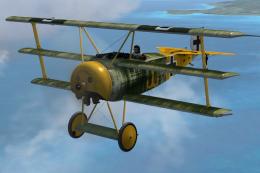
NeoQB Fokker Dr1. Beautiful rendition of the Fokker Dr. 1 by the neoqb develo…
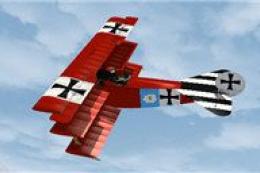 FSX Historic & Vintage Aircraft
This add-on delivers a refined livery for the iconic Fokker DR1 Triplane know…
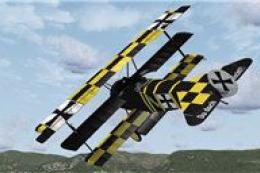 FSX Historic & Vintage Aircraft
This specially crafted repaint brings the iconic Fokker DR1 Triplane into you…
 FSX Historic & Vintage Aircraft
Gennadich DR1. Includes repaints for the FSX DR1 of Gennadich software. Both …
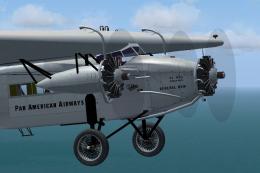 FSX Historic & Vintage Aircraft
Pan American had five Fokker FVII trimotors, and flew them connecting Key Wes…
 FSX Historic & Vintage Aircraft
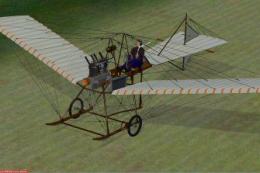
Fokker Spider. Anthony Fokker flew over the city of Haarlem on August 31st, 1…
 FSX Historic & Vintage Aircraft
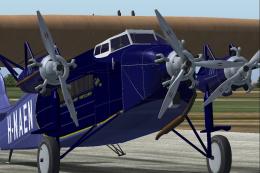
The Fokker FVII trimotor was one of the most successful airliners of 1925-193…
Be the first to leave a comment on this download.
Be the first to share your thoughts on this download.