

 FSX Historic & Vintage Aircraft
Fokker Dr1 Triplane 'The Red Baron'
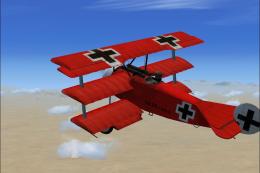
FSX Fokker Dr1 Triplane "The Red Baron". On April 21, 1918 at 10:45 am, Manfr…
Fokker Dr.I Triplane “Old Rhinebeck” brings a vivid, period-inspired repaint with authentic markings and carefully refined fuselage and trim details, capturing the spirit of classic aerodrome flying displays. Built for Microsoft Flight Simulator X, it requires the freeware Neoqb Fokker Dr.I base aircraft and installs as texture files only.
 Rate
Rate
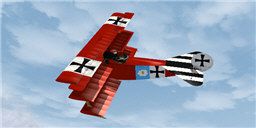
This add-on delivers a refined livery for the iconic Fokker DR1 Triplane known as “Old Rhinebeck,” specifically designed for Microsoft Flight Simulator X. Created by the Neoqb Development Team and meticulously repainted by Chris Brisland, it provides a vivid representation of the historic triplane’s distinctive appearance. This package does not include the base model and requires the freeware release of the Fokker DR1 by Neoqb, which can be found in the Fly Away Simulation library.
The original Fokker DR1 Triplane gained fame in World War I for its maneuverability and close-combat capabilities. This “Old Rhinebeck” adaptation pays homage to classic flying demonstrations often associated with the Old Rhinebeck Aerodrome. Expect a carefully reproduced color palette and period markings that reflect the spirit of early aviation.

Scene showcasing the “Old Rhinebeck” repaint in mid-flight.
This repaint package contains only the updated texture files needed to enhance your Fokker DR1. Since it does not include unrelated elements of the aircraft model, users can integrate it efficiently without duplicating existing content. All painting attributes, from fuselage details to minor trim lines, have been carefully refined by Chris Brisland.
C:\Program Files\Microsoft Games\Microsoft Flight Simulator X\SimObjects\Airplanes\Dr1.aircraft.cfg in the same folder. Find the existing [fltsim.x] entries and scroll to the last one.aircraft.cfg at the bottom, then adjust “x” to the next sequential number in your configuration.
[fltsim.x]
title=Fokker Dr.I "Old Rhinebeck"
sim=Dr1
model=
panel=
sound=
texture=n220tp
kb_checklists=Dr1_check
kb_reference=Dr1_ref
atc_id_color=0xff000000
atc_id=N220TP
atc_airline=Experimental
atc_flight_number=
atc_parking_types=
ui_manufacturer="Fokker"
ui_type=Dr.I
ui_variation="Old Rhinebeck N220TP"
ui_typerole="Single seat triplane fighter"
ui_createdby="Neoqb"
description="Repaint by Eagleskinner. Model (neoqb)"
Once installation is complete, you will see the “Old Rhinebeck N220TP” option in your aircraft selection menu. Manually verifying the texture folder and the aircraft.cfg entry can help avoid any loading issues. If you encounter visual anomalies or missing textures, confirm that there are no typos in the file paths or configuration entries.
The base Fokker DR1 by the Neoqb Development Team is available as freeware and can be sourced through Fly Away Simulation’s library. This repaint is specifically tailored to that model for accurate liveries and flight characteristics, capturing the spirit of early twentieth-century aerial displays.
Free for all simmers · 4.11 MB · Scanned clean Oct 2026
Download speed: Free tier is capped at 0.5 Mbps (this file takes approximately 1 min at the cap). PRO members download at full line speed.
texture.{airline}) inside FSX\SimObjects\Airplanes\{base-aircraft}\.aircraft.cfg in Notepad. Add a new [fltsim.X] section per the readme.readme.txt or README file. It tells you exactly where files go, what dependencies are needed, and any quirks specific to this add-on.The archive rhinebec.zip has 8 files and directories contained within it.
This list displays the first 500 files in the package. If the package has more, you will need to download it to view them.
| Filename/Directory | File Date | File Size |
|---|---|---|
| texture.n220tp | 05.31.08 | 0 B |
| fokker1_T.dds | 05.31.08 | 4.00 MB |
| fokker2_T.dds | 05.31.08 | 4.00 MB |
| readmeFDR1_Rhinebeck.txt | 05.31.08 | 2.11 kB |
| texture.cfg | 08.14.06 | 137 B |
| thumbnail.jpg | 05.31.08 | 11.10 kB |
| flyawaysimulation.txt | 10.29.13 | 959 B |
| Go to Fly Away Simulation.url | 01.22.16 | 52 B |
Only PRO members can place votes.
More FSX & P3D add-ons hand-picked based on this download.
FSX Historic & Vintage Aircraft
FSX Fokker Dr1 Triplane "The Red Baron". On April 21, 1918 at 10:45 am, Manfr…
 FSX Historic & Vintage Aircraft
This specially crafted repaint brings the iconic Fokker DR1 Triplane into you…
 FSX Historic & Vintage Aircraft
NeoQB Fokker Dr1. Beautiful rendition of the Fokker Dr. 1 by the neoqb develo…
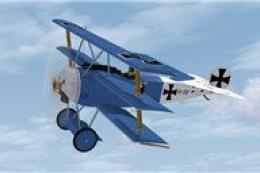 FSX Historic & Vintage Aircraft
This newly crafted repaint package offers a personalized “PH-EBF White Dove” …
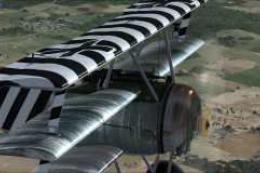 FSX Historic & Vintage Aircraft
Gennadich DR1. Includes repaints for the FSX DR1 of Gennadich software. Both …
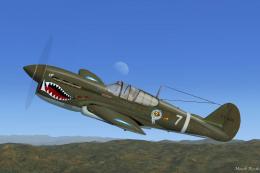 FSX Historic & Vintage Aircraft
This is Robert Hawk's Curtiss P-40 Warhawk modified For Flight Simulator X. T…
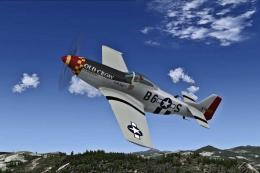 FSX Historic & Vintage Aircraft
A repaint of the North American P51 Mustang Racer to resemble the P-51D "Old …
 FSX Historic & Vintage Aircraft
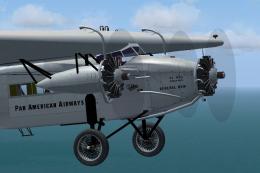
Pan American had five Fokker FVII trimotors, and flew them connecting Key Wes…
Be the first to leave a comment on this download.
Be the first to share your thoughts on this download.