

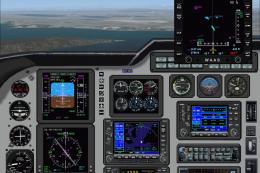
 FSX Turboprops
PoMans Meridian III
PoMans Meridian updated for use with the standard or deluxe edition of FSX. T…
PoMans Piper Meridian III Combo brings the Meridian to life in FSX Deluxe with a choice of traditional glass cockpit or G1000-style avionics, bundled with current upgrades for a complete, self-contained package. It requires the Cessna208B_XML gauge file placed in the main Gauges folder for correct panel operation.
 Rate
Rate
PoMans Piper Meridian combination GC and G1000 panel package. This package will install the Meridian with the option to use the GC or G1000 panel version. Deluxe edition of FSX only. This file includes all upgrades to date. Easy installation and instructions included. No other files required. By Don Kuhn.
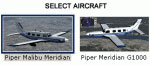
Screenshot of Piper Malibu Meridian, Piper Meridian G1000.
This airplane is made up largely of default and freeware components. I didn't make most of them, cannot give permission to use them, and I assume no responsibility for their use. Please credit the original authors if using them elsewhere, and get their permission if altering them. Obviously none can be sold or altered without the authors permission. Please respect the fact that the authors spend a huge number of hours to make these freeware addons simply for the love of the hobby!!!!!!
***Note: [ For proper panel display and functioning, the Cessna208B_XML file must be put into your main FSX Gauges folder. You will find it in the panel folder of the C208B Airplanes folder in the SimObjects folder. Cut or copy the Cessna208B_XML file from there and put it into your main FSX Gauges folder. ]***
Installation:
1. Unzip the zip file "pmMcomb.zip", located in this folder, directly into your main FSX folder.
2. If prompted to replace an earlier file or folder, click "YES TO ALL" (except thumbs).
3. That's it!
CREDITS:
Mike Stone for the original aircraft.
Dai Griffiths of Dragonflight Design for the radio altimeter.
Ernie Alston for the RWYINFO gauge.
Everyone else I have forgotten to include.
Disclaimer: No harm is known to be caused to any computer by the installation of this package. However, the author takes no responsibility for its usage. The end-user agrees to this disclaimer when using the package.
Don Kuhn
Free for all simmers · 8.58 MB · Scanned clean Oct 2026
Download speed: Free tier is capped at 0.5 Mbps (this file takes approximately 2 mins at the cap). PRO members download at full line speed.
SimObjects\Airplanes\, Addon Scenery\, Effects\, or Gauges\.readme.txt or README file. It tells you exactly where files go, what dependencies are needed, and any quirks specific to this add-on.The archive pmmcombo.zip has 7 files and directories contained within it.
This list displays the first 500 files in the package. If the package has more, you will need to download it to view them.
| Filename/Directory | File Date | File Size |
|---|---|---|
| combo_installation.txt | 06.15.06 | 1.74 kB |
| FILE_ID.DIZ | 02.10.07 | 339 B |
| pmMcomb.zip | 02.10.07 | 8.57 MB |
| pmMcombo.gif | 06.15.06 | 7.11 kB |
| pmMcombo | 06.15.06 | 0 B |
| flyawaysimulation.txt | 10.29.13 | 959 B |
| Go to Fly Away Simulation.url | 01.22.16 | 52 B |
Only PRO members can place votes.
More FSX & P3D add-ons hand-picked based on this download.
FSX Turboprops
PoMans Meridian updated for use with the standard or deluxe edition of FSX. T…
 FSX Turboprops
PoMans Piper Meridian audio panel upgrade. This upgrade will install a Garmin…
 FSX Turboprops
PoMans Meridian G1000 MFD radar traffic upgrade. This upgrade will install ra…
 FSX Turboprops
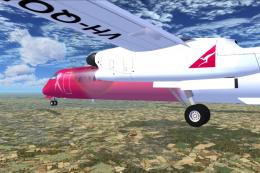
This aircraft is another success story for Bombardier. It is well liked by ai…
 FSX Turboprops
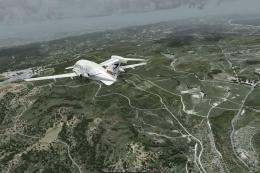
This is a true FSX (SP2) SDK aircraft Version 3.0 brings an entirely new cock…
 FSX Turboprops
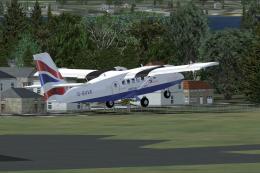
Two aircraft pack, with BA (Loganair) G-BVVK and Scilly Skybus G-BIHO. Includ…
 FSX Turboprops
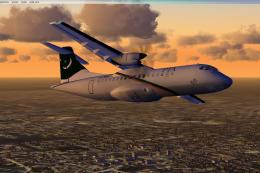
Pakistan International Airlines Aerospatiale ATR 42-500, AP-BHO wearing the n…
 FSX Turboprops
An FS2004 to FSX conversion of the default Dash 8-100. Also includes 39 liver…
Read what other simmers think, or add your own.

On the left wing of the Piper Malibu Meridian and the Meridian G 1000 missing a tank container. How can you (can I ) change that ?