

 FSX Turboprops
Shorts SD3-60 Twin Turboprop
Shorts SD3-60 twin turboprop STOL short/medium range freighter. Full package …
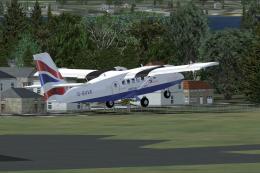
Shorts SD3-60 brings a 36-passenger twin turboprop STOL transport to FSX with a new model, smooth animations, and reflective textures. The package includes a custom panel, detailed virtual cockpit and cabin, authentic sounds, checklists and reference material, plus two airline liveries: Aurigny G-BPFN and Air Labrador C-GLAO.
 Rate
Rate
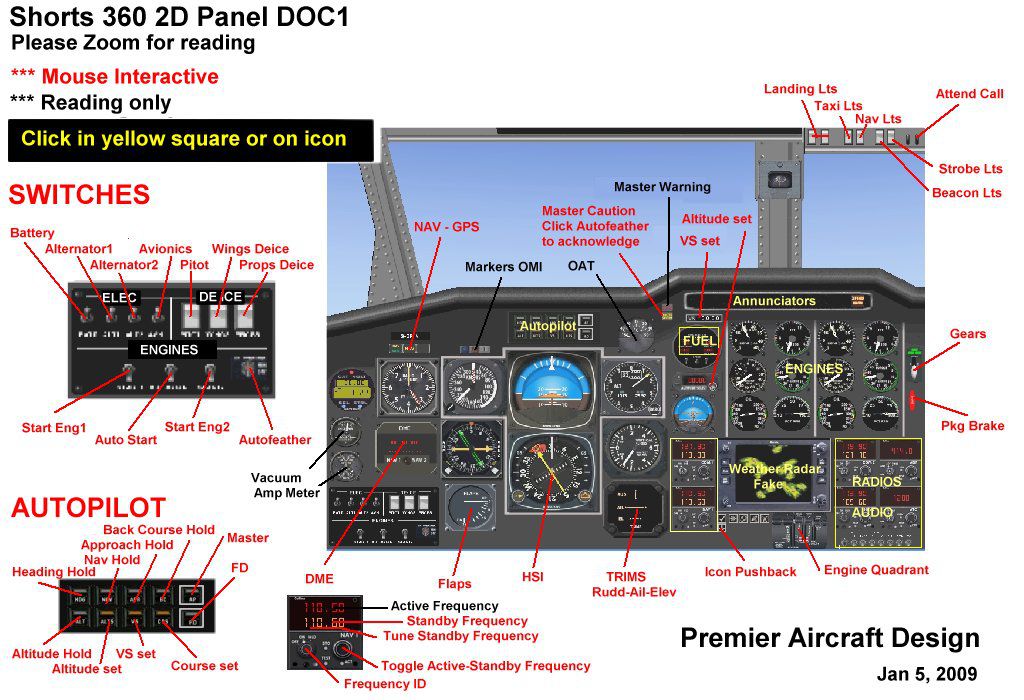
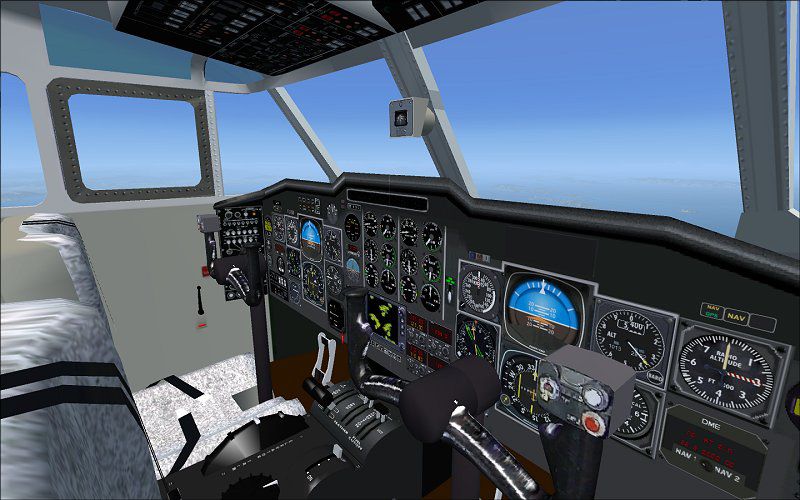
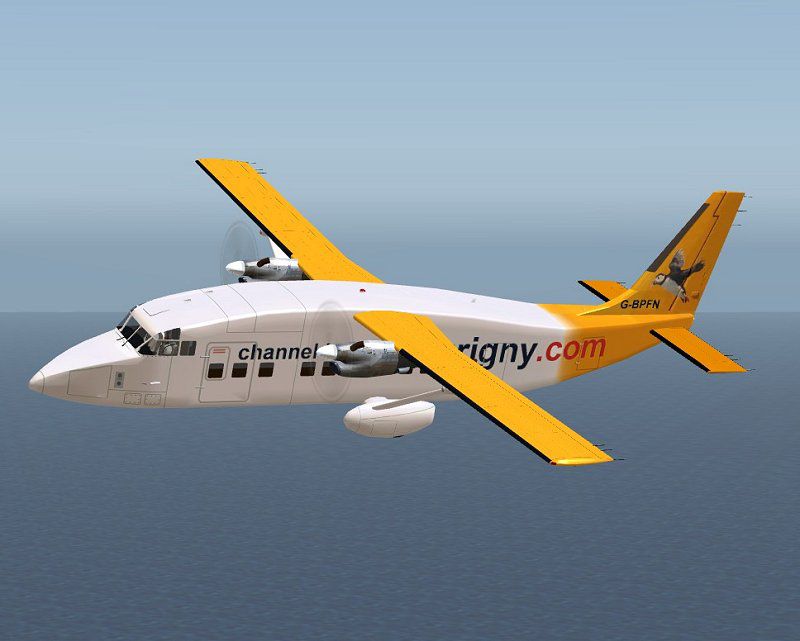
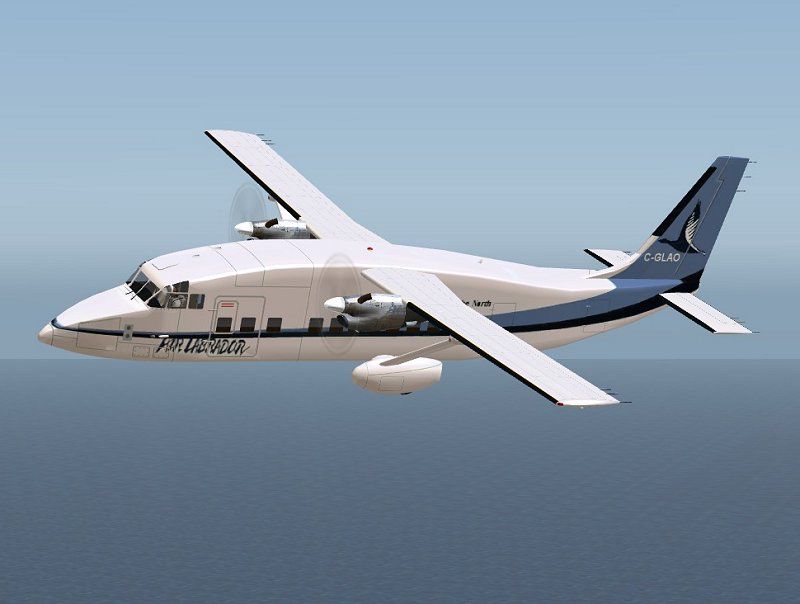
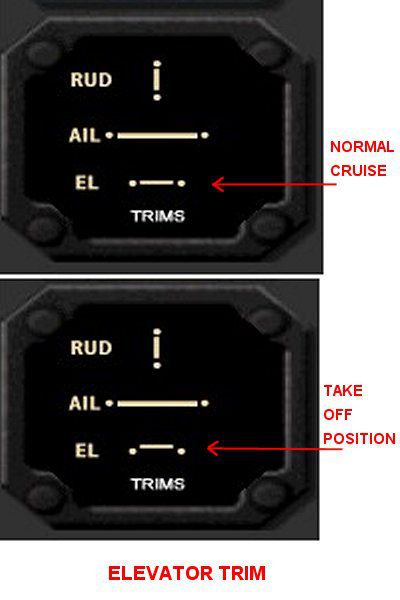

Shorts SD3-60 36 passenger twin turboprop STOL transport. This is the passenger version with two liveries, G-BPFN of Aurigny (Channel Islands) and C-GLAO of Air Labrador. New model with full moving parts and reflective textures. Full package for FSX/SP2 with custom panel, VC, full cabin modelling, sounds, check and ref lists. By Jean-Pierre Brisard, Barry Blaisdell and Bob May - Premier Aircraft Design.
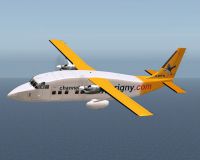
Screenshot of Shorts SD3-60 G-BPFN in flight.
PACKAGE INSTALLATION FS9 and FSX:
Extract all files into the FS9 or FSX MAIN Folder using WINZIP in Classic Mode...Do not use the Wizard...Make sure the "Use Folder names" BOX is checked in WINZIP. New folders will be created and all files installed.
Here's how by the numbers...
1. Navigate to where you downloaded the zip file.
2. Double click with your mouse on the zip file.
3. WINZIP should Open and show all the files inside the zip.
4. Press 'CTRL A' and this will select all the files.
5. Click on upper 'Extract' Button in the Main Tool Bar above.
6. Type in your path to FS9 or FSX in the pop-up dialog box, or browse to your FS9/FSX Location...
The normal locations are:
FS9 C:/program files/microsoft games/flight simulator 9.
FSX C:/program files/microsoft games/microsoft flight simulator X.
7. Now Click on the 'Extract' button in the upper right.....you're done...go flying.
OPERATING TIPS
*Turn on Tool Tips....Lots of panel information available. Go to Options - Settings - General....Click the "Show Tool Tips" box.)
SHIFT E opens/closes the passenger door, there is no separate crew door.
SHIFT E 2 opens/closes the the baggage and cargo doors.
Note, on passenger versions the large cargo door does not open.
Shift-W toggles the yoke on/off in VC panel (Ctrl-W in FSX)
To Raise your seat higher press SHIFT-ENTER (in FSX this only works in VC view).
The spinning props look better in flight if you dab Ctrl-F2 a few times.
Quick Reference - VC EYEPOINT KEY COMMANDS :
Move eyepoint back into passenger cabin
CTRL+ENTER (press and hold)
Move Eyepoint Down
SHIFT+BACKSPACE
Move Eyepoint Forward
CTRL+BACKSPACE
Move Eyepoint Left
CTRL+SHIFT+BACKSPACE
Move Eyepoint Right
CTRL+SHIFT+ENTER
Move Eyepoint Up
SHIFT+ENTER
Reset Eyepoint
SPACE
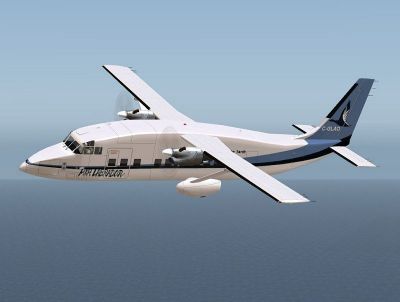
Screenshot of Shorts SD3-60 C-GLAO in flight.
Free for all simmers · 6.85 MB · Scanned clean Oct 2026
Download speed: Free tier is capped at 0.5 Mbps (this file takes approximately 2 mins at the cap). PRO members download at full line speed.
SimObjects\Airplanes\, Addon Scenery\, Effects\, or Gauges\.readme.txt or README file. It tells you exactly where files go, what dependencies are needed, and any quirks specific to this add-on.The archive s360pa2x.zip has 99 files and directories contained within it.
This list displays the first 500 files in the package. If the package has more, you will need to download it to view them.
| Filename/Directory | File Date | File Size |
|---|---|---|
| airplanes | 02.21.09 | 0 B |
| s360pa2x | 02.21.09 | 0 B |
| aircraft.cfg | 02.21.09 | 17.03 kB |
| CREDITS.txt | 02.20.09 | 1.41 kB |
| Documents | 02.21.09 | 0 B |
| flying_tips.txt | 02.11.09 | 9.85 kB |
| installation_UTO2_sound.txt | 02.09.09 | 530 B |
| S360_elevator_trim.jpg | 01.27.09 | 29.19 kB |
| S360_Panel_Map.jpg | 01.05.09 | 176.99 kB |
| file_id.diz | 02.16.09 | 423 B |
| model | 02.21.09 | 0 B |
| Model.cfg | 02.10.09 | 36 B |
| s360_fix12_vcd_up.mdl | 02.10.09 | 2.26 MB |
| PAD_s360.air | 05.06.05 | 14.55 kB |
| panel.s360x | 02.21.09 | 0 B |
| Davtron.gau | 08.27.03 | 92.00 kB |
| fs9gps.cab | 06.13.03 | 296.71 kB |
| GH_Sound.gau | 04.15.05 | 80.00 kB |
| Kingair_C90_Radio.gau | 02.28.05 | 456.00 kB |
| Master.gau | 05.29.08 | 4.01 MB |
| Overhead.bmp | 01.18.09 | 1.82 MB |
| Panel.cfg | 02.03.09 | 18.86 kB |
| rcb-gauges.CAB | 12.05.07 | 27.06 kB |
| RCB_Groundhandling5.CAB | 10.20.06 | 26.63 kB |
| RCB_Groundhandling5_Sound.dll | 10.19.06 | 96.80 kB |
| README Groundhandling5_01.txt | 10.22.06 | 20.75 kB |
| s360.CAB | 02.21.09 | 614.31 kB |
| s360_208.gau | 12.07.07 | 408.00 kB |
| s360_annun.CAB | 01.31.09 | 33.71 kB |
| s360_autopilot.CAB | 12.31.08 | 20.71 kB |
| s360_inst.CAB | 01.05.09 | 293.46 kB |
| s360_main.bmp | 01.27.09 | 2.25 MB |
| s360_sw.CAB | 01.31.09 | 61.78 kB |
| weatheradar.CAB | 11.25.08 | 801.83 kB |
| README FIRST.txt | 02.16.09 | 4.17 kB |
| s360airlab_800.jpg | 02.17.09 | 45.81 kB |
| s360aur_800.jpg | 02.17.09 | 50.97 kB |
| S360_check.htm | 02.09.09 | 59.42 kB |
| S360_ref.htm | 01.27.09 | 4.96 kB |
| s360_VC_800.jpg | 02.17.09 | 88.91 kB |
| sound.0 | 02.21.09 | 0 B |
| sound.CFG | 02.17.09 | 44 B |
| texture.Airlabrador | 02.21.09 | 0 B |
| chrome.bmp | 08.05.06 | 64.07 kB |
| cockpit.bmp | 01.19.09 | 512.07 kB |
| lights.bmp | 11.17.07 | 32.07 kB |
| lights_L.bmp | 05.16.08 | 65.05 kB |
| Overhead_VC.bmp | 01.19.09 | 512.07 kB |
| pilots.bmp | 10.05.05 | 257.05 kB |
| pilots_L.bmp | 10.06.05 | 257.05 kB |
| prop2_TBX.bmp | 10.25.08 | 1.00 MB |
| roue2.bmp | 09.15.08 | 65.07 kB |
| s360_elevator.bmp | 02.05.09 | 256.07 kB |
| s360_engines.bmp | 01.24.09 | 1.00 MB |
| s360_fuse.bmp | 02.19.09 | 1.00 MB |
| s360_interiors.bmp | 02.05.09 | 512.07 kB |
| s360_wings.bmp | 02.05.09 | 1.00 MB |
| thumbnail.jpg | 02.17.09 | 6.74 kB |
| VCpanelL.bmp | 01.12.09 | 512.07 kB |
| VCpanelR.bmp | 01.17.09 | 512.07 kB |
| YOKEmap.bmp | 01.20.09 | 128.07 kB |
| texture.aurigny puffin | 02.21.09 | 0 B |
| chrome.bmp | 08.05.06 | 64.07 kB |
| cockpit.bmp | 01.19.09 | 512.07 kB |
| lights.bmp | 11.17.07 | 32.07 kB |
| lights_L.bmp | 05.16.08 | 65.05 kB |
| Overhead_VC.bmp | 01.19.09 | 512.07 kB |
| pilots.bmp | 10.05.05 | 257.05 kB |
| pilots_L.bmp | 10.06.05 | 257.05 kB |
| prop2_TBX.bmp | 10.25.08 | 1.00 MB |
| roue2.bmp | 09.15.08 | 65.07 kB |
| s360_elevator.bmp | 01.24.09 | 256.07 kB |
| s360_engines.bmp | 01.24.09 | 1.00 MB |
| s360_fuse.bmp | 02.19.09 | 1.00 MB |
| s360_interiors.bmp | 01.31.09 | 512.07 kB |
| s360_wings.bmp | 01.24.09 | 1.00 MB |
| thumbnail.jpg | 02.17.09 | 7.60 kB |
| VCpanelL.bmp | 01.12.09 | 512.07 kB |
| VCpanelR.bmp | 01.17.09 | 512.07 kB |
| YOKEmap.bmp | 01.20.09 | 128.07 kB |
| simobjects | 08.31.08 | 0 B |
| file_id.diz | 02.16.09 | 423 B |
| Groundhandling | 07.17.08 | 0 B |
| Groundhandling5 | 03.26.08 | 0 B |
| GH01_Conversation1.wav | 10.26.03 | 188.92 kB |
| GH02_Conversation2.wav | 10.29.03 | 76.44 kB |
| GH03_Conversation3.wav | 11.04.03 | 55.39 kB |
| GH04_Conversation4A.wav | 10.14.06 | 114.56 kB |
| GH05_Conversation5.wav | 10.29.03 | 134.51 kB |
| GH06_SoftClick.wav | 03.07.05 | 551 B |
| GH07_Error.wav | 10.26.03 | 8.75 kB |
| GH08_PushbackRoll.wav | 05.11.05 | 44.58 kB |
| GH09_Conversation4B.wav | 10.14.06 | 67.76 kB |
| GH10_Attention.wav | 10.14.06 | 21.57 kB |
| GH11_Brakes.wav | 11.06.03 | 29.74 kB |
| Sound.ini | 03.20.07 | 925 B |
| sound | 01.14.09 | 0 B |
| flyawaysimulation.txt | 10.29.13 | 959 B |
| Go to Fly Away Simulation.url | 01.22.16 | 52 B |
Only PRO members can place votes.
More FSX & P3D add-ons hand-picked based on this download.
FSX Turboprops
Shorts SD3-60 twin turboprop STOL short/medium range freighter. Full package …
 FSX Turboprops
This freeware release showcases a meticulously modeled Air Ecosse Shorts SD3-…
 FSX Turboprops
This complete freeware package brings a highly detailed twin turboprop with g…
 FSX Turboprops
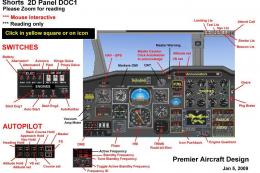
The Shorts Sherpa stands out as a twin-engine turboprop aircraft built for sh…
 FSX Turboprops
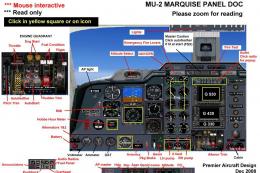
A 7-9 seat twin turbo-prop corporate and executive transport. The Marquise is…
 FSX Turboprops
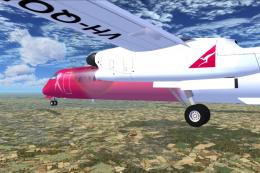
This aircraft is another success story for Bombardier. It is well liked by ai…
 FSX Turboprops
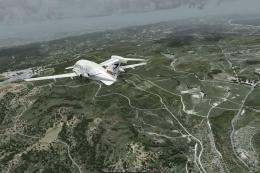
This is a true FSX (SP2) SDK aircraft Version 3.0 brings an entirely new cock…
 FSX Turboprops
Two aircraft pack, with BA (Loganair) G-BVVK and Scilly Skybus G-BIHO. Includ…
Read what other simmers think, or add your own.


The installer file (that .air file) apparently isn't working because it's damaged. What does that mean? How did it get damaged? I used the free download, though. When I tried to launch the .air file that's what showed up so...