

 FSX Turboprops
DeHavilland DHC6-300 Twin Otter
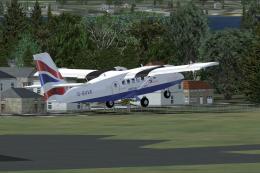
Two aircraft pack, with BA (Loganair) G-BVVK and Scilly Skybus G-BIHO. Includ…
Luft Nord livery brings a fictional Flensburg, Germany-based charter identity to the Aerosoft de Havilland Twin Otter, matching operations across Norway, Sweden, and Germany with clean, believable markings and a cohesive fleet look. Designed for FSX, it requires the Aerosoft Twin Otter wheel or ski package for proper use.
 Rate
Rate
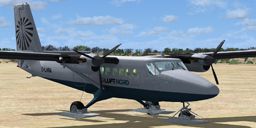
A repaint of the Aerosoft Twin Otter. Luft Nord is a fictional VA flying from Flensburg Germany. Luft Nord is part of the FSAirpark group. By Mark Bradshaw.
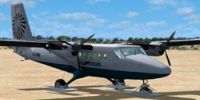
Screenshot of Luft Nord DeHavilland Twin Otter on the ground.
Luft Nord is a fictional air charter VA based in north Germany at Flensburg (EDXF). It services Norway, Sweden and Germany. Luft Nord is part of the FSAirPark group. This paint has been created by Mark Bradshaw and is used in conjunction with the Luft Nord VA.
Copy the texture.luft folder to your Aerosft FSX wheel/ski installation and add the contents of the aircraft-cfg.txt to your aircraft.cfg file (changing the x in [FLTSIM.x] to the next number in the sequence).
The author bears no responsibility for the file but all measures to ensure it is virus free have been taken.
Free for all simmers · 2.28 MB · Scanned clean Oct 2026
Download speed: Free tier is capped at 0.5 Mbps. PRO members download at full line speed.
SimObjects\Airplanes\, Addon Scenery\, Effects\, or Gauges\.readme.txt or README file. It tells you exactly where files go, what dependencies are needed, and any quirks specific to this add-on.The archive luftottr.zip has 19 files and directories contained within it.
This list displays the first 500 files in the package. If the package has more, you will need to download it to view them.
| Filename/Directory | File Date | File Size |
|---|---|---|
| luftotter.gif | 02.07.09 | 5.89 kB |
| texture.luft | 02.07.09 | 0 B |
| DHC6_prop.dds | 01.19.08 | 256.12 kB |
| DHC6_texture_1_C.dds | 03.14.08 | 1.00 MB |
| DHC6_texture_1_T.dds | 02.07.09 | 1.33 MB |
| DHC6_texture_2_T.dds | 02.07.09 | 1.33 MB |
| DHC6_texture_3_T.dds | 02.07.09 | 1.33 MB |
| DHC6_texture_4_T.dds | 02.07.09 | 1.33 MB |
| DHC6_texture_6_T.dds | 02.07.09 | 1.33 MB |
| DHC6_texture_9_T.dds | 03.14.08 | 256.12 kB |
| DHC6_texture_9_T_bump.dds | 12.29.07 | 256.12 kB |
| texture.cfg | 12.21.07 | 161 B |
| thumbnail.jpg | 02.07.09 | 48.32 kB |
| aircraft-cfg.txt | 02.07.09 | 362 B |
| readme.txt | 02.07.09 | 751 B |
| fsairpark.txt | 02.07.09 | 1.33 kB |
| FILE_ID.DIZ | 02.07.09 | 228 B |
| flyawaysimulation.txt | 10.29.13 | 959 B |
| Go to Fly Away Simulation.url | 01.22.16 | 52 B |
Only PRO members can place votes.
More FSX & P3D add-ons hand-picked based on this download.
FSX Turboprops
Two aircraft pack, with BA (Loganair) G-BVVK and Scilly Skybus G-BIHO. Includ…
 FSX Turboprops
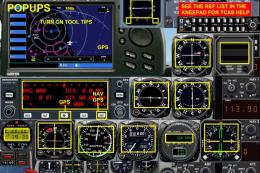
Full package with model, custom panel and VC, custom sound, and check lists. …
 FSX Turboprops
Two aircraft pack, Paradise Island Airlines reflective and non-reflective. In…
 FSX Turboprops
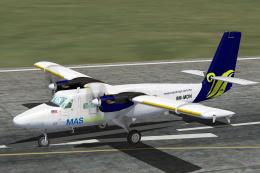
MASwings DeHavilland Twin Otter, registration 9M-MDN. Model by Aerosoft. Repa…
 FSX Turboprops
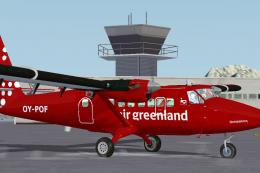
Air Greenland DeHavilland Twin Otter 300, registration OY-POF, based in Sondr…
 FSX Turboprops
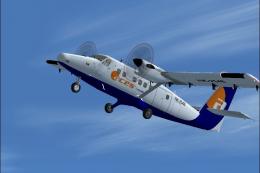
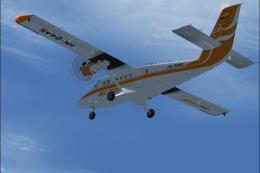
Model by Aerosim. Repaint by Cristian Camilo Bonilla. Screenshot of Aces Colo…
 FSX Turboprops
Model by Aerosim. By Cristian Camilo Bonilla. Screenshot of Aces Colombia DeH…
 FSX Turboprops
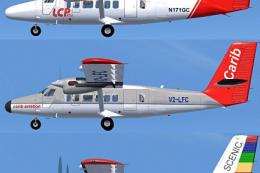
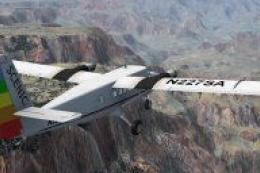
These are the colors used by Scenic Airlines on their "Vista Liner" aircraft …
Be the first to leave a comment on this download.
Be the first to share your thoughts on this download.