

 FSX Turboprops
Era Alaska Cessna 208B Grand Caravan
This is one of the original aircraft flown on the Discovery Channel show, "Fl…
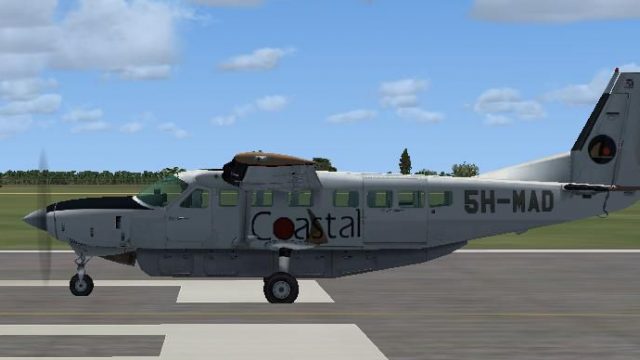
Coastal Aviation’s understated Cessna 208B Grand Caravan livery brings authentic regional bush-airline character to the default aircraft in Microsoft Flight Simulator X, with crisp markings suited to remote-strip flying. The repaint highlights the turboprop’s rugged utility and clean operator branding, and requires the default C208B base model.
 Rate
Rate
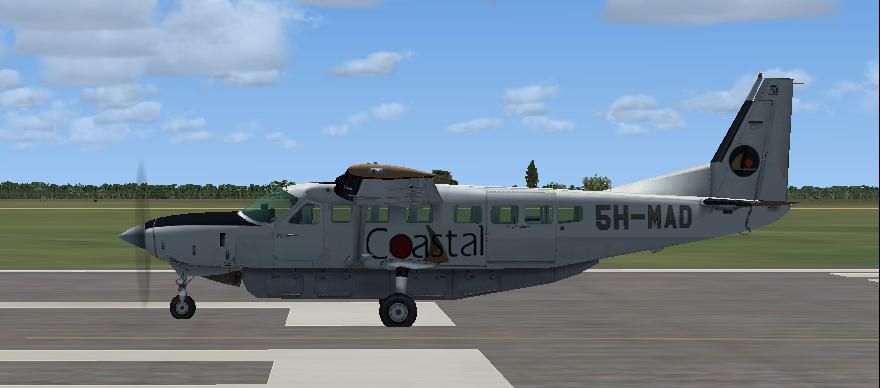
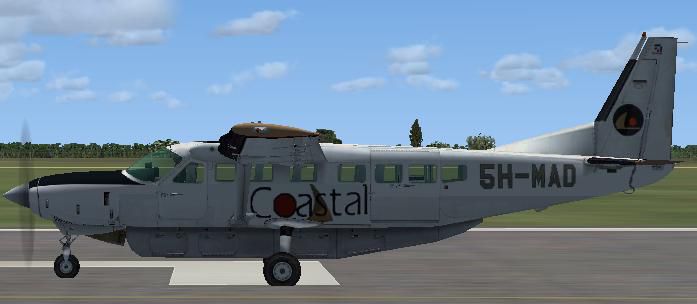
Immerse yourself in the detailed Coastal Aviation rendition of the Cessna 208B Grand Caravan, featuring a repaint created by Bashir Ismail for the default model in Microsoft Flight Simulator X. Coastal Aviation, a well-known regional carrier specializing in rugged bush flights, operates these single-engine turboprops for transport to remote airstrips often found in parts of East Africa. This mod captures the airline’s understated yet functional livery, emphasizing authenticity and showcasing the aircraft’s versatility when handling short or unpaved runways.
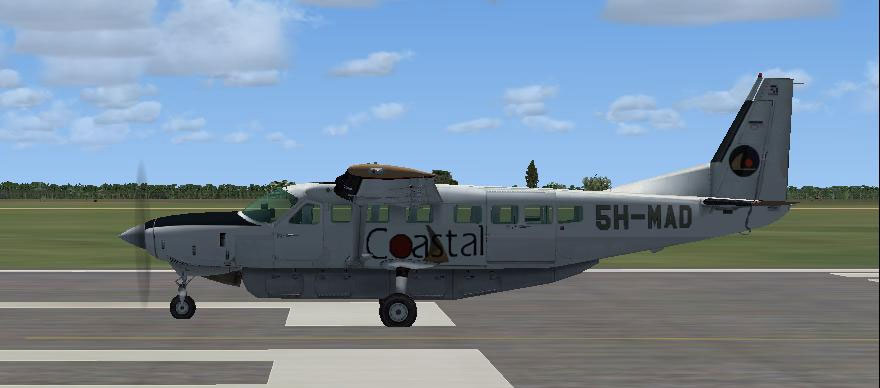
Coastal Aviation’s Cessna 208B on a runway with the newly applied textures.
The Grand Caravan is a renowned single-engine turboprop offering a generous cargo capacity. Its robust powerplant and straightforward avionics make it well-suited for off-airport challenges, including rough terrain operations. Coastal Aviation, known for frequent flights in remote areas requiring dependable aircraft, maximizes the Caravan’s high-lift wing and STOL (Short Takeoff and Landing) characteristics to navigate challenging airstrips in diverse environments.
Before installing, verify that you have the default C208B Grand Caravan available. If not, you can find the necessary freeware base model in the Fly Away Simulation library. Next, extract the folder named texture.Coastal into your simulator’s aircraft folder. For Microsoft Flight Simulator X, place the folder in:
Then, update your aircraft.cfg by adding a new [fltsim.x] entry. Replace x with the next available number in the list. For example:
[fltsim.x]
title=Cessna Grand Caravan Coastal Aviation
sim=Cessna208B
model=
panel=
sound=
texture=Coastal
kb_checklists=Cessna208B_Check
kb_reference=Cessna208B_ref
atc_airline=Coastair
atc_parking_types=RAMP
ui_manufacturer="Cessna"
ui_type="C208B Grand Caravan"
ui_variation=Coastal Aviation
ui_typerole="Single Engine TurboProp"
ui_createdby="Microsoft Corporation"
description="Wherever you want to go today..."
This aircraft model is freeware and covered by an open-use policy. All enhancements or alternative liveries must remain freely accessible, with no exceptions. By installing or using this repaint, you accept all associated risks and responsibilities. Enjoy the fully realized Coastal Aviation livery, and feel free to share any further upgrades with the simulation community.
Free for all simmers · 5.06 MB · Scanned clean Oct 2026
Download speed: Free tier is capped at 0.5 Mbps (this file takes approximately 1 min at the cap). PRO members download at full line speed.
texture.{airline}) inside FSX\SimObjects\Airplanes\{base-aircraft}\.aircraft.cfg in Notepad. Add a new [fltsim.X] section per the readme.readme.txt or README file. It tells you exactly where files go, what dependencies are needed, and any quirks specific to this add-on.The archive c208b-2.zip has 27 files and directories contained within it.
This list displays the first 500 files in the package. If the package has more, you will need to download it to view them.
| Filename/Directory | File Date | File Size |
|---|---|---|
| Cessna 208B Coastal Readme.txt | 04.15.09 | 1.67 kB |
| cessna208b_check.htm | 07.27.06 | 67.32 kB |
| cessna208b_ref.htm | 05.12.06 | 6.11 kB |
| Coastal Aviation - Tanzania.jpg | 04.15.09 | 35.65 kB |
| File_ID.diz | 04.15.09 | 146 B |
| texture.Coastal | 04.15.09 | 0 B |
| C208_Pilot.dds | 09.04.06 | 42.79 kB |
| C208_Spec.dds | 12.18.07 | 1.00 MB |
| C208_T.dds | 04.15.09 | 1.00 MB |
| C208_T_Bump.dds | 09.04.06 | 1.00 MB |
| c208b_1_C.dds | 09.04.06 | 682.79 kB |
| c208b_1_night_C.dds | 09.04.06 | 682.79 kB |
| c208b_2_C.dds | 09.04.06 | 682.79 kB |
| c208b_2_night_C.dds | 09.04.06 | 682.79 kB |
| c208b_3_C.dds | 09.04.06 | 682.79 kB |
| c208b_3_night_C.dds | 09.04.06 | 682.79 kB |
| c208b_4_C.dds | 09.04.06 | 682.79 kB |
| c208b_4_night_C.dds | 09.04.06 | 682.79 kB |
| c208b_c.dds | 09.04.06 | 682.79 kB |
| c208b_interior_t.dds | 09.04.06 | 341.45 kB |
| C208b_reflection.dds | 09.04.06 | 170.79 kB |
| Fresnel_Ramp.dds | 09.04.06 | 640 B |
| Prop_C208B.dds | 09.04.06 | 85.46 kB |
| texture.cfg | 08.14.06 | 137 B |
| thumbnail.jpg | 04.15.09 | 23.84 kB |
| flyawaysimulation.txt | 10.29.13 | 959 B |
| Go to Fly Away Simulation.url | 01.22.16 | 52 B |
Only PRO members can place votes.
More FSX & P3D add-ons hand-picked based on this download.
FSX Turboprops
This is one of the original aircraft flown on the Discovery Channel show, "Fl…
 FSX Turboprops
FedEx Cessna 208B Grand Caravan. A repaint by Bashir Ismail of the default Ce…
 FSX Turboprops
Experience a refined look for the venerable Cessna 208B Caravan in Microsoft …
 FSX Turboprops
This Cessna 208B repaint showcases the latest Sounds Air livery (registration…
 FSX Turboprops
This freeware package, designed by Paul Craig, addresses the dreaded fuzzy te…
 FSX Turboprops
This repaint by Bashir Ismail of the default FSX Cessna 208B Grand Caravan. S…
 FSX Turboprops
Textures only for the default C208B. Repaint by Mike Lanza. Screenshot of Red…
 FSX Turboprops
SafariLink Cessna 208B Grand Caravan. This repaint by Bashir Ismail of the de…
Be the first to leave a comment on this download.
Be the first to share your thoughts on this download.