



Wilco 737 Pilot in Command Evolution Now Available
Wilco’s 737 Pilot in Command Evolution provides an upgraded FSX reproduction of the classic Boeing 737 jets, integrating lively…

 Ian Stephens
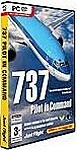 One of our most loyal forum members, TomTheTank accepted the offer to review one of JustFlight's latest releases, 737 Pilot in Command. This is the first review written by a forum member, we usually write all of our reviews in-house. Review starts: A quick bit about me and my flightsim history; I bought MSFS98 and was instantly hooked. With each release of MSFS things just got better and better, visuals and sounds...
A quick bit about me and my flightsim history; I bought MSFS98 and was instantly hooked. With each release of MSFS things just got better and better, visuals and sounds. For me aircraft must not only look good, they must sound good and they must off course sit with some addon scenery to get it looking and sounding as real as I can make it on my humble PC. Some of you just want to fly - me, I want to fly and watch.
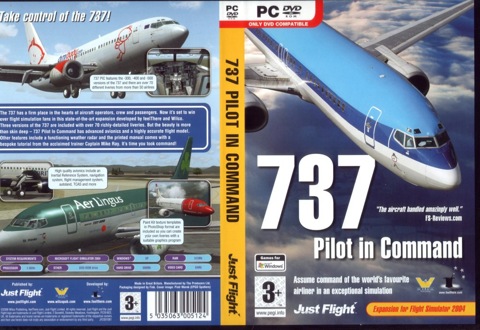
DVD Packaging - Click for full size image in our gallery
First thing to note is that this is a DVD, so a DVD drive is a must (come on why have you not yet bought a DVD drive?) Second, this DVD case is heavy and when you open it you find out why, 1 DVD, an instruction manual with 68 pages and a Justflight product guide.
Once you put the DVD into your PC you'll find all sorts of goodies from over 20 flightsim videos to 18 other flightsim products for you to install and buy/activate online. It also includes loads of product information and even some free stuff. Screensavers a trial aircraft, a PA38 Flying Club Tomahawk and a totally free Spitfire. Also included on the DVD is F1View, this little tool lets you wander around by using the scroll wheel of your mouse. Finally the package includes a paint kit for the 737.
Ok, thats the DVD sorted, lets get down to business. Installation is a breeze, just pop in the DVD and and follow the on screen instructions. Just three clicks and your installing the main program. Once its finished now you can pick from over 50 different ailines for the three types of aircraft that have been installed; 737-300, 400 and 737-500 that brings the total to over 70 liveries and again just a few clicks and the livery is installed. Its so easy.
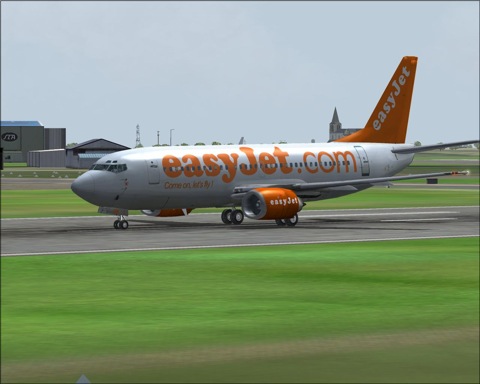
EasyJet 737 - Click for full size image in our gallery
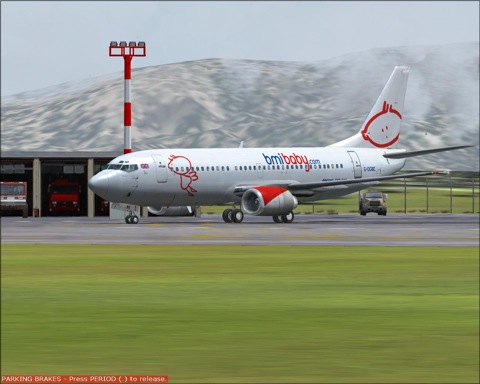
BMI 737 - Click for full size image in our gallery
To select one of the aircraft just start Flight Simulator 2004 as normal and then choose one of the Boeing 737 feelThere/Wilco aircraft from the select aircraft menu.
Here we go... Straight into the hot seat , and wow; the panel is the best looking panel I have seen, both in 2D and 3D mode. 3D mode is also clickable.
But whats this...? The dreaded FMC (flight management computor). Dont worry, this is where the instruction manual comes in. This is by far the easiest set of instructions I have seen and you will be up and running in next to no time. We are guided through the setting the FMC by Capt Mike Ray, a retired 747 pilot. He will get you set for your first flight in five easy steps. The instruction book will also show you whats what in the cockpit. Trust Capt Mike Ray as he guides us through everything we need to go from a cold and dark cockpit to programming the FMC for our first flight.
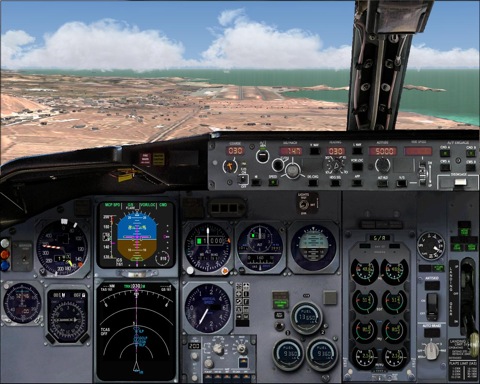
737 2D Panel - Click for full size image in our gallery
The flight dynamics have to be the best Ive seen/used, again its all so smooth. Put the 737 at an impossible angle for an ILS autoland, i.e. away from the airport, but crossing the ILS beam. This baby just swings itself around and lines up perfectly.
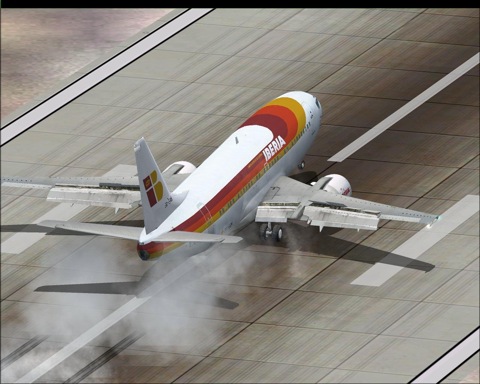
Iberia 737 Landing - Click for full size image in our gallery
The sounds for this Boeing are truly superb, from the APU all the way to the main engines. This is as real as it gets. On landing it seems the whole aircraft was creaking (maybe it was my landing?) Not just the usual thump of the main gear touching down, but other sounds, very realistic.
Model and paint quality is also superb on most repaints (I have spotted a mirror image of the CFM logo on one engine) and all animations are here for you to enjoy. You want detail, you've got it. From the strobe lights behind the glass covers on the wings all the way down to tyre markings. Also by using the F1View tool you can wander around the detailed cabin and even put yourself into a seat by the window.
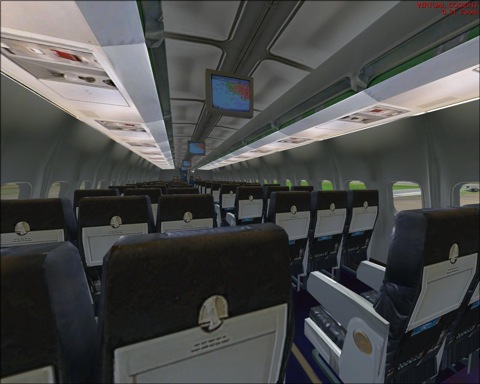
737 3D Cabin - Click for full size image in our gallery
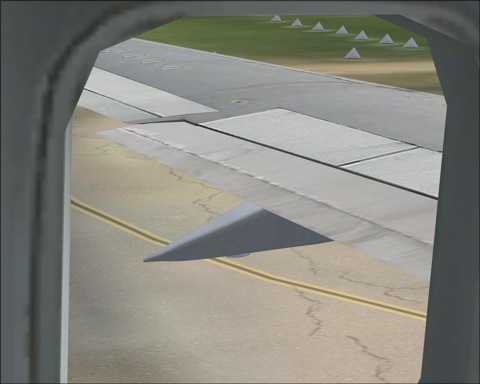
737 Passenger view of wing - Click for full size image in our gallery
So will it run on your PC?
Minimum/recommended hardware requirements are:
1.8GHz/equivalent CPU or higher
512Mb RAM
64Mb GFX card
Windows XP
DVD drive
60Mb of free hard disk space
Microsoft Flight simulator 2004
The test PC
2800 Athlon
1.5Gig ram
FX5900GS Ultra
Win XP/SP2
FS2004/9.1 update
So do I like it?
You bet I do, this panel is the best looking and fully featured panel I have used and I think I've mastered the FMC with the aid of Capt Mike. In fact this is the only aircraft I have flown for the week I have had it. The sounds, the way the aircraft handles, I just cant get enough of it.
No increase in FS load times and no loss of frame rate, and it looked and sounded superb from inside and out.
So do I have anything negetive to say about 737 PILOT IN COMMAND?
Umm, yes, and they are only little minor things, where is the beacon on the roof and under side of the aircraft? Something flashes, but there is no beacon, and the Iberia repaint with the mirrored image. Just minor things but I told you it had to look good!
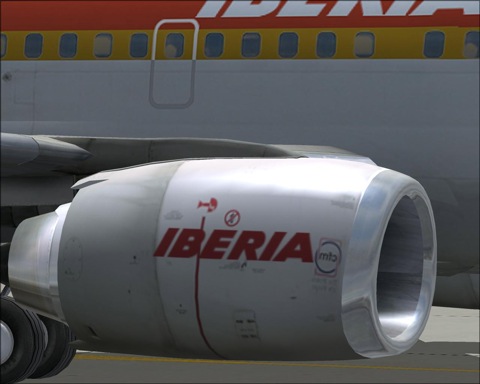
737 Iberia Engine - Click for full size image in our gallery
| PRO | CON |
|
|
| INFORMATION | TEST SYSTEM |
|
|
This product has recieved a 5 Star Rating by FlyAwaySimulation.com
Upgrade Microsoft Flight Simulator, FSX, P3D & X-Plane in minutes with our curated file library packed with aircraft, scenery, liveries, and utilities.
Ready to upgrade your hangar?
Browse the free file library
Ian Stephens is a flight simulation industry expert with over 20 years of experience and also has a keen interest in aviation and technology. Ian spends a lot of his time experimenting with various simulator packages but has a love for Microsoft Flight Simulator X because of the huge selection of add-ons available. However, Ian also has copies of Prepar3D and X-Plane installed.
Ian has been writing for Fly Away Simulation for over 9 years. Should you wish, you can contact Ian via email at ian.stephens@flyawaysimulation.com.
Wilco’s 737 Pilot in Command Evolution provides an upgraded FSX reproduction of the classic Boeing 737 jets, integrating lively…

In my experience, PMDG’s MD-11 for FSX showcases an intricate tri-engine airliner with meticulously simulated avionics, an extensive…

Buckle up for a quick introduction to the 727 Captain, a lovingly recreated Boeing tri-jet that delivers extraordinary visual fidelity,…

Flight sim enthusiasts can now experience elevated realism with Turboprop Sim’s latest Boeing 737-800 sound pack for FSX, meticulously…
Just Flight and CLS deliver an intricate Airbus A340-500/600 package for Microsoft Flight Simulator X, complete with comprehensive EFIS…

Immerse yourself in the refined iteration of FS2Crew for the PMDG 737 NGX Reboot, offering an upgraded flight deck environment,…