

 FSX AFCAD Files
AFX File For LFBO
AFX File For LFBO, Toulouse/Blagnac Airport, France. Includes new parking. By…
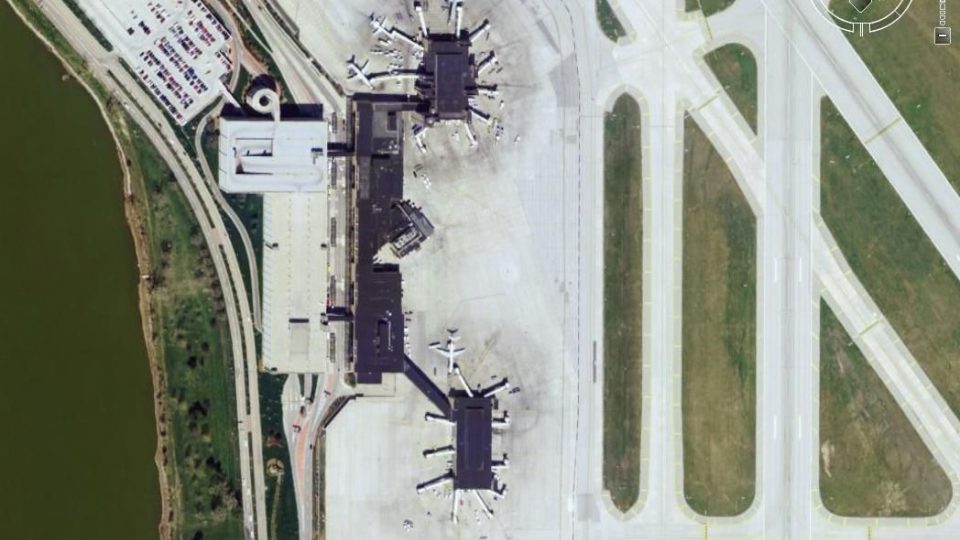
KOMA Omaha Eppley Airfield gets a refreshed AFCAD with accurate gate and cargo ramp parking assignments so AI traffic follows real-world airline patterns. Built with Airport Design Editor and tuned to ProjectAI radii for stable legacy traffic, it aligns apron geometry and terminal flow for Microsoft Flight Simulator X.
 Rate
Rate
 United States of America
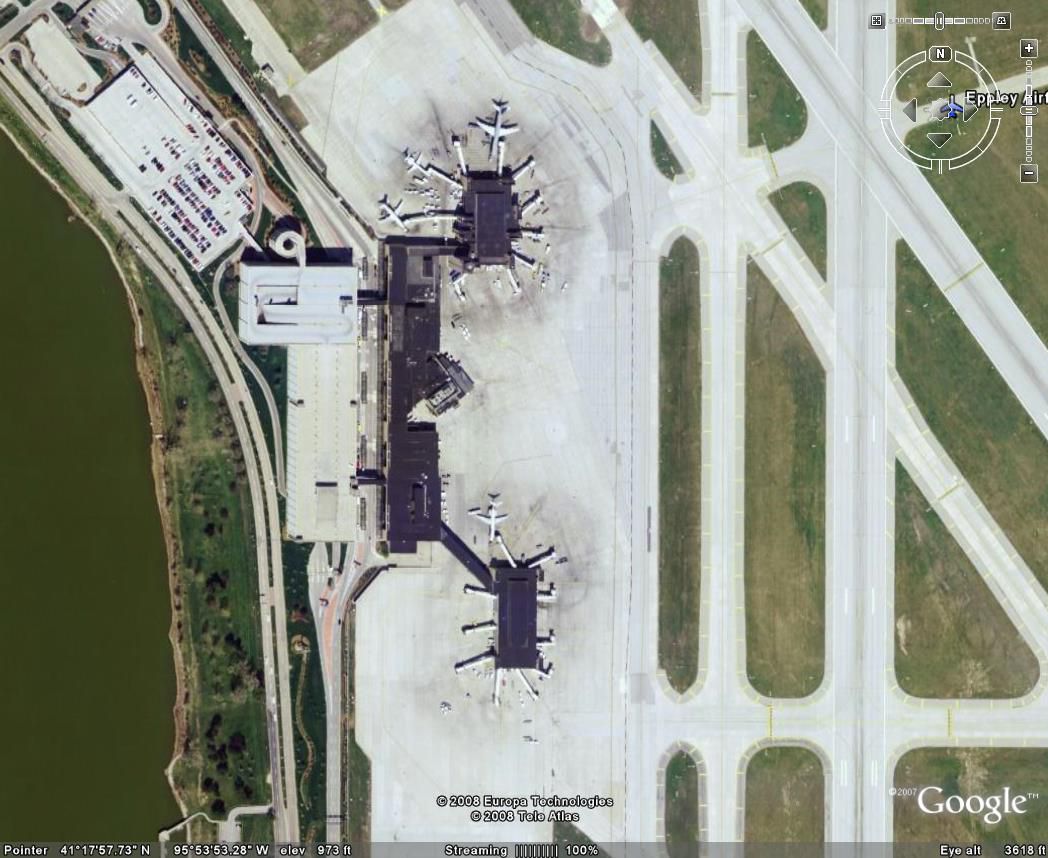
This freeware add-on refines KOMA (Omaha Eppley Airfield) in Nebraska with accurate parking assignments, accommodating both passenger carriers and cargo operators. It was developed by Steve Lewis, ensuring users of Microsoft Flight Simulator X can enjoy an authentic airport layout that aligns with real-world airline patterns.
This update meticulously reflects the operations and terminal arrangements found at Omaha Eppley Airfield, which serves as a key airport gateway in eastern Nebraska. Notably located near the Missouri River, it caters to numerous commercial airlines and cargo flights. With this modification, every gate and cargo ramp closely matches the airport’s genuine layout, offering enhanced realism for virtual pilots.
Steve Lewis crafted this AFCAD using Airport Design Editor (ADE) version 1.05 from Scruffyduck Software. The configuration draws from official airport resources, satellite imagery, and live flight tracking data, all combined to present an up-to-date depiction of KOMA’s apron alignments, gate assignments, and overall operational flow. These references also confirm that airline operators ranging from regional services to larger trunk carriers are correctly positioned.
Each airline, including passenger and cargo operators, is precisely represented so that AI traffic will proceed to the correct locations. This level of detail means popular carriers such as regional commuter lines and major cargo companies will taxi straight to their proper stands, replicating what is seen day-to-day at Omaha Eppley Airfield.
Radii values follow the guidelines established by ProjectAI for FS9—often referred to as Microsoft Flight Simulator 2004. These dimensions remain unchanged for those who have migrated AI traffic from FS9 into Microsoft Flight Simulator X, ensuring stable operations. Nevertheless, users employing third-party commercial AI traffic solutions should verify any distinct radii configurations to confirm compatibility. It should be noted that many FSX AFCADs adopt smaller parking parameters, but this design retains the original FS9-based radius system for consistency.
To install, simply drop the provided file into your Addon Scenery/Scenery directory within your FSX root folder. The simulator will automatically update its scenery database on launch, making KOMA’s enhanced layout available right away.
Developer Attribution: Steve Lewis, Gretna, NE, USA
Free for all simmers · 146.17 KB · Scanned clean Oct 2026
Download speed: Free tier is capped at 0.5 Mbps. PRO members download at full line speed.
SimObjects\Airplanes\, Addon Scenery\, Effects\, or Gauges\.readme.txt or README file. It tells you exactly where files go, what dependencies are needed, and any quirks specific to this add-on.Use these coordinates to fly directly to this location once the mod is installed.
41.30320000,-95.89410000
Launch FSX or Prepar3D and use Flights → Load to open the downloaded .pln file. Your aircraft will be positioned at this location.
The archive fsx_koma.zip has 7 files and directories contained within it.
This list displays the first 500 files in the package. If the package has more, you will need to download it to view them.
| Filename/Directory | File Date | File Size |
|---|---|---|
| Recommended AC Radius.txt | 02.10.08 | 1.42 kB |
| Recommended AFCAD Aircraft Radius.doc | 02.09.08 | 21.00 kB |
| FSX_KOMA_sl.BGL | 01.30.08 | 28.25 kB |
| Omaha Eppley.jpg | 02.10.08 | 128.06 kB |
| Readme.txt | 02.17.08 | 1.38 kB |
| flyawaysimulation.txt | 10.29.13 | 959 B |
| Go to Fly Away Simulation.url | 01.22.16 | 52 B |
Only PRO members can place votes.
More FSX & P3D add-ons hand-picked based on this download.
FSX AFCAD Files
AFX File For LFBO, Toulouse/Blagnac Airport, France. Includes new parking. By…
 FSX AFCAD Files
Very realistic AFCAD file of Unalaska/Dutch Harbor Airport (PADU), Alaska (AK…
 FSX AFCAD Files
AFX File For KEDW, Edwards AFB, California (CA). Adds parking to the default …
FSX AFCAD Files
AFX File For LATI, Rinas, Tirana, Albania. An update for the default airport …
FSX AFCAD Files
AFX File For SBCT, Afonso Pena Airport, Curitiba, Parana, Brazil. By Efraim d…
FSX AFCAD Files
AFX File For FIMP, Mauritius International Airport. Upgrade for the default a…
FSX AFCAD Files
AFX File for FNLU, Luanda, Angola. An update to the default airport with corr…
 FSX AFCAD Files
AFX File For AYPY, Jacksons International Airport, Port Moresby, Papua-New Gu…
Be the first to leave a comment on this download.
Be the first to share your thoughts on this download.