

 FS2004 Civil Jet Aircraft
Gulf Air Boeing 767-300 50th Anniversary
This freeware release showcases a meticulously crafted Gulf Air Boeing 767-30…
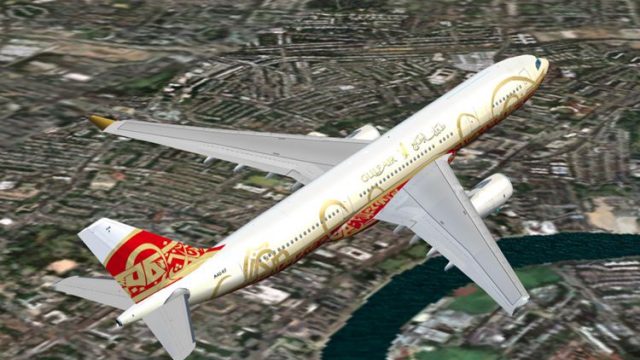
Airbus A330-200 in Gulf Air’s 50th Anniversary colours brings a classic 2000-era commemorative scheme to long-haul operations, pairing a clean exterior repaint with a detailed virtual cockpit for modern jetliner flying. Built for Flight Simulator 2004 (FS2004), it suits charter, leisure, and regional routes while celebrating the airline’s heritage.
 Rate
Rate
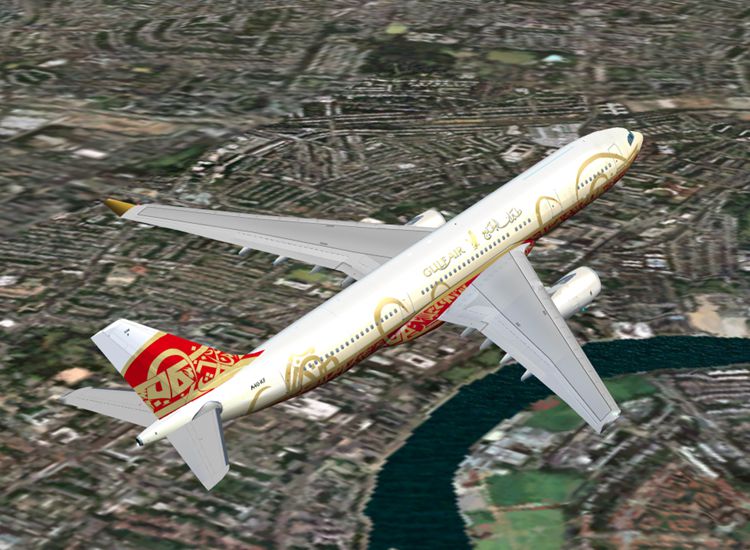
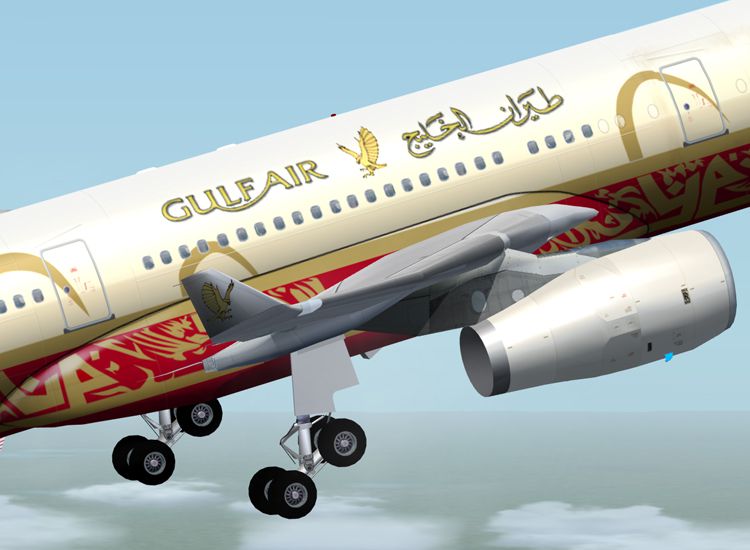
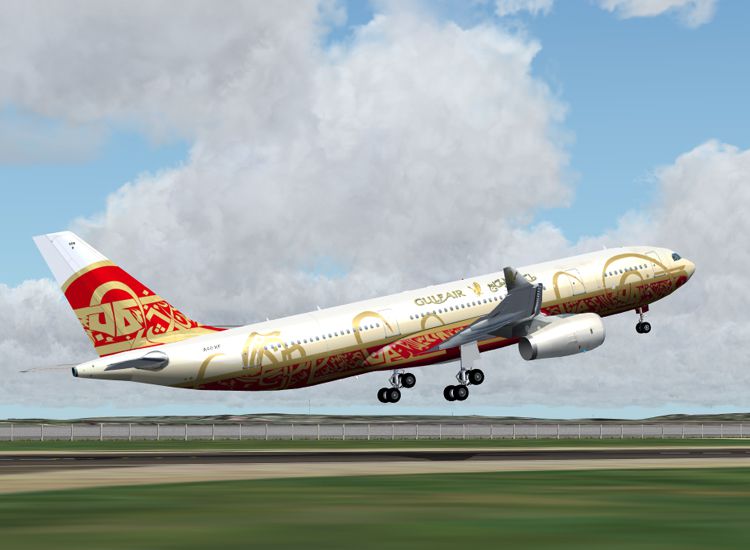
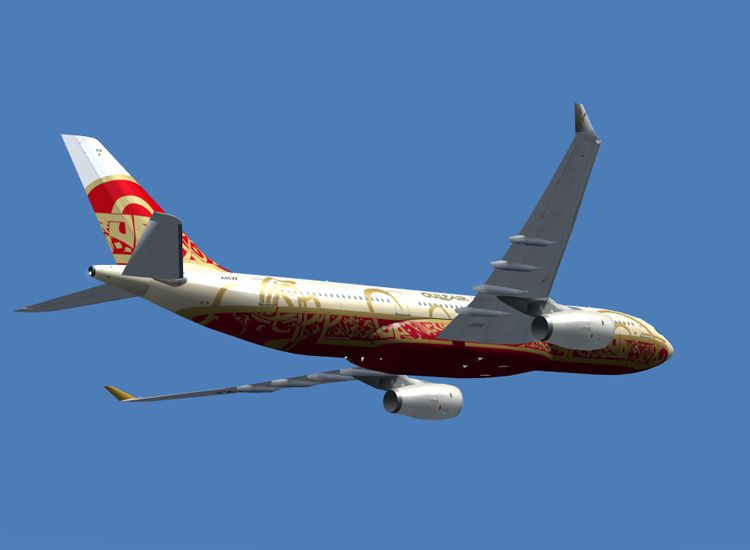
This Airbus A330-200, flying under the Gulf Air banner, donning 50th Anniversary Colours, package serves as a dynamic add-on to your fleet of aircraft. For the player who appreciates delicate attention to detail, this download posses it in spades and is fantastic entree into the world of modern jetliners.
The Airbus A330-200 sports the shortest fuselage of Airbus’ A330 family—at 222 inches—snugly seating 253 passengers and has established itself amongst the world’s most popular vehicles for long-range aerial charter and leisure operations. Gulf Air was originally conceived of in the late 1940s by Freddie Bosworth, who was a British pilot, as an air taxi between Doha and Dhahran—shortly after, in 1950, formally organizing itself, under the Gulf Aviation banner. Since then, the carrier has blossomed into an aviation pioneer that sits as one of the oldest operators in Asia Minor, and serves over 30 countries throughout 3 continents.
In 2000, the firm celebrated its 50th Anniversary by outfitting the A330-200 with commemorative colors, the same ones included in this package, and expanding operations to Milan. This package will enable you to nostalgically honor this celebrated brand's momentous occasion and rich history—in its 50th anniversary aircraft— while navigating a plane that is the quintessential example of modernity.
Before downloading, please be aware that this aircraft add-on is compatible with Flight Simulator 2004 (FS2004).
Free for all simmers · 8.07 MB · Scanned clean Oct 2026
Download speed: Free tier is capped at 0.5 Mbps (this file takes approximately 2 mins at the cap). PRO members download at full line speed.
FS9\Aircraft\, FS9\Addon Scenery\, FS9\Gauges\, or FS9\Effects\.readme.txt or README file. It tells you exactly where files go, what dependencies are needed, and any quirks specific to this add-on.The archive os332g50.zip has 50 files and directories contained within it.
This list displays the first 500 files in the package. If the package has more, you will need to download it to view them.
| Filename/Directory | File Date | File Size |
|---|---|---|
| 5.jpg | 10.17.05 | 233.58 kB |
| 6.jpg | 10.17.05 | 365.59 kB |
| 7.jpg | 10.17.05 | 113.27 kB |
| 8.jpg | 10.18.05 | 243.97 kB |
| A330-200-RR-Trent-772B.air | 08.23.02 | 9.77 kB |
| aircraft.cfg | 10.17.05 | 15.20 kB |
| Model.rrNOsat | 10.23.05 | 0 B |
| a332rrnosatNOVC.mdl | 10.12.03 | 1.44 MB |
| model.cfg | 10.16.03 | 38 B |
| Model.rrSAT | 10.23.05 | 0 B |
| a332rrsatcomNOVC.mdl | 10.12.03 | 1.44 MB |
| model.cfg | 10.16.03 | 39 B |
| Panel | 10.23.05 | 0 B |
| Panel.cfg | 08.02.02 | 30 B |
| readme first..txt | 10.23.05 | 535 B |
| Sound | 10.23.05 | 0 B |
| Sound.cfg | 08.02.02 | 32 B |
| Texture | 10.23.05 | 0 B |
| a332fuse1and2_L.bmp | 10.16.05 | 4.00 MB |
| a332fuse1and2_t.bmp | 10.23.05 | 4.00 MB |
| a332fuse3and4_L.bmp | 10.16.05 | 4.00 MB |
| a332fuse3and4_t.bmp | 10.23.05 | 4.00 MB |
| a332midfusev2_L.bmp | 10.16.05 | 4.00 MB |
| a332midfusev2_t.bmp | 10.23.05 | 4.00 MB |
| a332tailv2_L.bmp | 10.04.03 | 1.00 MB |
| a332tailv2_t.bmp | 10.23.05 | 1.00 MB |
| a333v2_L.bmp | 10.03.03 | 256.07 kB |
| a333v2_t.bmp | 10.03.03 | 1.00 MB |
| a333v2door_L.bmp | 10.03.03 | 256.07 kB |
| a333v2door_t.bmp | 10.03.03 | 1.00 MB |
| antenna.bmp | 06.05.03 | 256.07 kB |
| fan_t.bmp | 10.03.03 | 256.07 kB |
| gearmiscRR_L.bmp | 10.03.03 | 256.07 kB |
| gearmiscRR_t.bmp | 10.23.05 | 4.00 MB |
| left.bmp | 10.12.05 | 2.57 MB |
| lwing_L.bmp | 10.03.03 | 256.07 kB |
| lwing_t.bmp | 10.07.03 | 4.00 MB |
| lwingmain_L.bmp | 10.03.03 | 256.07 kB |
| lwingmain_t.bmp | 10.17.05 | 4.00 MB |
| lwingRR_L.bmp | 10.03.03 | 256.07 kB |
| lwingRR_t.bmp | 10.23.05 | 4.00 MB |
| misc_L.bmp | 10.03.03 | 256.07 kB |
| misc_t.bmp | 10.03.03 | 4.00 MB |
| right.bmp | 10.12.05 | 2.57 MB |
| rwing_L.bmp | 10.03.03 | 256.07 kB |
| rwing_t.bmp | 10.03.03 | 4.00 MB |
| Thumbs.db | 10.23.05 | 159.50 kB |
| Thumbs.db | 10.23.05 | 15.50 kB |
| flyawaysimulation.txt | 10.29.13 | 959 B |
| Go to Fly Away Simulation.url | 01.22.16 | 52 B |
Only PRO members can place votes.
More FS2004 add-ons hand-picked based on this download.
FS2004 Civil Jet Aircraft
This freeware release showcases a meticulously crafted Gulf Air Boeing 767-30…
 FS2004 Civil Jet Aircraft
Experience the reliable twin-engine A330-200 in Etihad Airways colors, delive…
 FS2004 Civil Jet Aircraft
This package installs a complete freeware Boeing 727-200 in Delta’s mid-era p…
 FS2004 Civil Jet Aircraft
Airbus has a strong history in the international aviation market. From milita…
 FS2004 Civil Jet Aircraft
This package provides a freshly updated Gulf Air paint scheme for the Project…
 FS2004 Civil Jet Aircraft
Gulf Air Airbus A330-200 RR, registration A40-KZ. Model by Project Open Sky. …
 FS2004 Civil Jet Aircraft
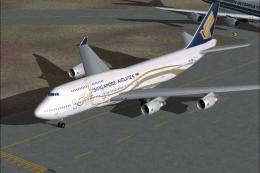
Singapore Airlines Boeing 747-400 in 50th anniversary livery. Model by AI Aar…
 FS2004 Civil Jet Aircraft
Okinawa Flight Anniversary livery. Textures only. Model by AI Aardvark. Liver…
Be the first to leave a comment on this download.
Be the first to share your thoughts on this download.