

 FS2004 Propeller Aircraft
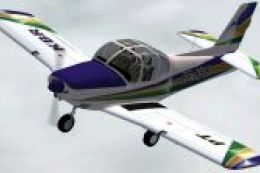
FS2002/FS2004 Aerotec A-122B Uirapuru, PP-KBR
This is an aircraft file for Microsoft Flight Simulator that contains the Aer…
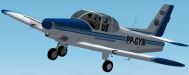
Aerotec A-122B Uirapuru in Brazilian registration PP-GYM brings a distinctive postwar trainer to FS2004 and FS2002, with authentic monoplane lines, tricycle landing gear, and a focused two-seat cockpit layout for instructor and student. The package captures the aircraft’s role in Brazil’s growing aerospace industry and classic training-era character.
 Rate
Rate
As World War II came to an end, Brazil realized the aircraft industry was underdeveloped and in need of an expansion. Several officers with the help of MIT founded an aeronautics engineering school, Instituto Tecnológico de Aeronáutica (Aeronautical Institute of Technology) in 1950 and the Centro Técnico de Aeronáutica (Aeronautical Technical Center), in 1953.
These two initiatives accomplished the goal of expanding the aircraft industry in Brazil, and from them, many aeronautics-related companies were founded, many of which still exist today, and which produced a variety of new aircraft.
One such aircraft was the Aerotec Uirapuru. The Aerotec A-122 was a monoplane with tricycle undercarriage (a style of landing gear, in which three separate wheels are used). It was designed to help train pilots, and had enough room inside for the trainer and instructor only. After production had ended in 1977, a total of 155 had been built.
An interesting fact about the Aerotec 122 Uirapuru is that the Aerotect may not be the best airplane to use for spin training, as several accidents have resulted in the deaths of the pilots. Later versions included a fin under the rear fuselage to solve this flight stability issue, and in 1980, the plane was considered useful enough to warrant the production of the Uirapuru II.
Free for all simmers · 935.21 KB · Scanned clean Oct 2026
Download speed: Free tier is capped at 0.5 Mbps. PRO members download at full line speed.
FS9\Aircraft\, FS9\Addon Scenery\, FS9\Gauges\, or FS9\Effects\.readme.txt or README file. It tells you exactly where files go, what dependencies are needed, and any quirks specific to this add-on.The archive a122b_ab.zip has 26 files and directories contained within it.
This list displays the first 500 files in the package. If the package has more, you will need to download it to view them.
| Filename/Directory | File Date | File Size |
|---|---|---|
| A-122B AB | 11.03.05 | 0 B |
| model | 11.03.05 | 0 B |
| Model.cfg | 06.04.05 | 26 B |
| UiraT23.mdl | 06.05.05 | 629.83 kB |
| sound | 11.03.05 | 0 B |
| Sound.cfg | 06.16.02 | 37 B |
| panel | 11.03.05 | 0 B |
| UiraT23Panel.bmp | 11.03.05 | 2.25 MB |
| panel.cfg | 06.05.05 | 3.13 kB |
| texture | 11.03.05 | 0 B |
| Cadeira.bmp | 08.11.05 | 85.40 kB |
| Capacetes.bmp | 08.11.05 | 85.40 kB |
| UiraT23TireExt.bmp | 08.11.05 | 85.40 kB |
| UiraT23Map.bmp | 11.03.05 | 1.33 MB |
| UiraT23Asas.bmp | 11.03.05 | 1.33 MB |
| Piloto.bmp | 08.11.05 | 85.40 kB |
| HeliceDisk.bmp | 06.05.05 | 85.43 kB |
| UiraT23Panel.bmp | 08.11.05 | 341.40 kB |
| UiraHelice.bmp | 08.11.05 | 341.40 kB |
| UiraT23Tire.bmp | 08.11.05 | 85.40 kB |
| Aircraft.cfg | 11.03.05 | 9.14 kB |
| A122B.air | 07.08.05 | 8.79 kB |
| Neiva A-122B Uirapuru AB.bmp | 11.03.05 | 1.77 MB |
| A122B_ab | 11.03.05 | 0 B |
| flyawaysimulation.txt | 10.29.13 | 959 B |
| Go to Fly Away Simulation.url | 01.22.16 | 52 B |
Only PRO members can place votes.
More FS2004 add-ons hand-picked based on this download.
FS2004 Propeller Aircraft
This is an aircraft file for Microsoft Flight Simulator that contains the Aer…
 FS2004 Propeller Aircraft
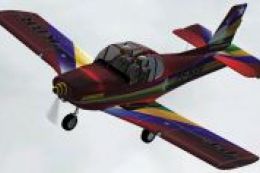
"FS2002/FS2004 Aerotec A-122B Uirapuru, PP-KBR, Acrobatic Version" is a freew…
 FS2004 Propeller Aircraft
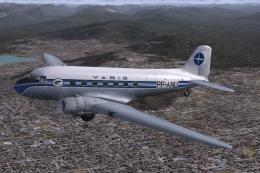
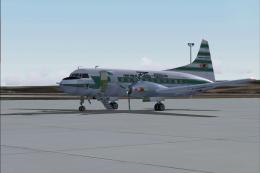
This is a repaint by Luiz Foernges of the default DC3. Screenshot of VARIG Do…
 FS2004 Propeller Aircraft
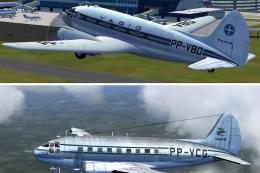
Registration PP-YRD, circa 1956. Fifty years ago this aircraft was flying mai…
 FS2004 Propeller Aircraft
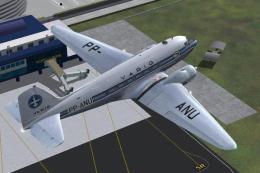
Two Varig textures by Luiz Foernges. Model and panel by J.R. Lucariny. Screen…
 FS2004 Propeller Aircraft
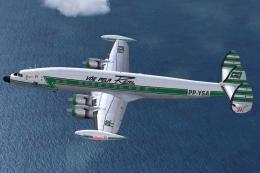
Varig Douglas DC-3, registration PP-ANU, in DC-3 last colors, v2.0. Needs ori…
 FS2004 Propeller Aircraft
This was one of the four Super H Connies, owned by Real, flying international…
 FS2004 Propeller Aircraft
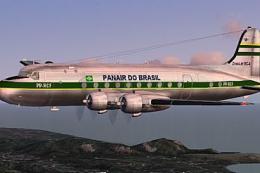
Textures only. Panair had altogether three DC4's in use. This is a repaint of…
Be the first to leave a comment on this download.
Be the first to share your thoughts on this download.