

 FS2004 Civil Jet Aircraft
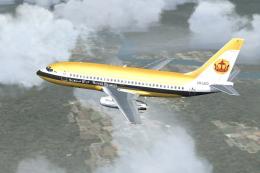
Royal Brunei Boeing 737-200
A repaint of Erick Cantu's B737-200 in the old colors of Royal Brunei Airline…
Royal Cargo Boeing 737-200 brings believable short-haul freight traffic to Microsoft Flight Simulator 2004 using an optimized AI Aardvark model with a crisp Shane Strong repaint. Multiple LODs and full AI animations, including flaps, spoilers, reversers, and gear bays, keep performance smooth while tuned flight dynamics improve approach spacing and runway flow.
 Rate
Rate
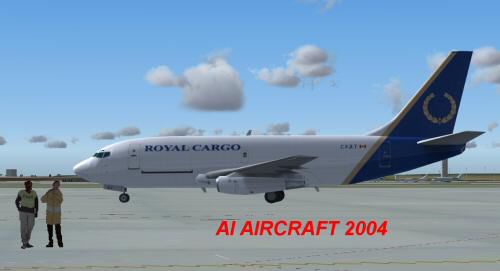
This all-in-one freeware package offers a robust Royal Cargo Boeing 737-200 specifically tailored for Microsoft Flight Simulator 2004. It is built on a highly optimized AI Aardvark model, meticulously repainted by Shane Strong. Enthusiasts who want authentic cargo operations with minimal performance impact will find this modification invaluable.
Drop the AIA_737_200_ALASKA folder into your FS2004 aircraft directory. After placing it correctly, assign this Boeing model to any AI traffic schedules you prefer. If you are unsure how to integrate it into flight plans, consult your AI traffic tools or simulator’s instructions for proper guidance.
By default, this package uses a non-reflective 737-200 model. However, there is an optional reflective configuration available. To switch, modify the aircraft.cfg entry labeled model=no_refl and change it to model=reflective. Although this setting activates a reflective channel, the included texture set does not incorporate reflective details, so changing the model parameter will not alter its appearance.
Developers AI Aardvark have implemented multiple levels of detail (LOD) to maintain smooth frame rates. As the aircraft’s distance from the viewer increases, simpler versions of the model are loaded. This approach saves computational power while still presenting accurate shapes and animations, including functioning flaps, thrust reversers, spoilers, and simulated gear bays. Because of this LOD design, performance remains stable even with several Royal Cargo 737-200s on screen.
The flight dynamics have been fine-tuned to optimize how AI traffic behaves during approach, landing, and taxi. This means touchdown occurs at an efficient spot on the runway, ensuring any following AI planes are not held up. If you desire more extended float or smoother touchdown characteristics, you can fine-tune cruise lift, parasite drag, and induced drag in the configuration file.
This rendition of the Boeing 737-200 highlights Royal Cargo’s short-haul freight operations while minimizing resource usage in any traffic-intensive environment. The model’s five LOD versions, combined with thorough animation (including detailed gear and antenna arrays), keep everything looking consistent at intermediate and close viewing distances. The aircraft is also designed from the ground up for AI usage, striking a balance between visual fidelity and performance demands.
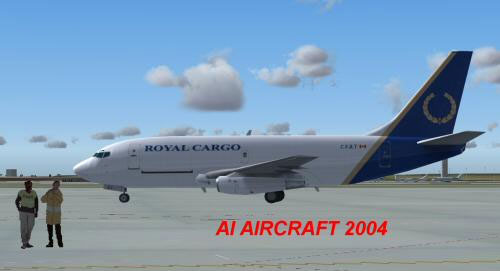
Screenshot of the Royal Cargo 737-200 on the ground.
Full credit goes to AI Aardvark for the original multi-LOD design and highly detailed animations. Special thanks to Shane Strong for the precise Royal Cargo paintwork. This complete freeware package has been carefully assembled to ensure seamless installation and maximum convenience.
Free for all simmers · 391.22 KB · Scanned clean Oct 2026
Download speed: Free tier is capped at 0.5 Mbps. PRO members download at full line speed.
FS9\Aircraft\, FS9\Addon Scenery\, FS9\Gauges\, or FS9\Effects\.readme.txt or README file. It tells you exactly where files go, what dependencies are needed, and any quirks specific to this add-on.The archive 737royac.zip has 12 files and directories contained within it.
This list displays the first 500 files in the package. If the package has more, you will need to download it to view them.
| Filename/Directory | File Date | File Size |
|---|---|---|
| 737royc.gif | 10.30.03 | 4.34 kB |
| 737royc.jpg | 10.30.03 | 14.91 kB |
| aia_737_XXX.air | 06.12.03 | 7.36 kB |
| Aircraft.cfg | 10.30.03 | 9.70 kB |
| FILE_ID.diz | 10.30.03 | 321 B |
| aia_737_200.mdl | 10.23.03 | 324.18 kB |
| model.cfg | 04.08.03 | 28 B |
| README.txt | 10.30.03 | 4.36 kB |
| aia_737_200_l.bmp | 06.17.03 | 1.33 MB |
| AIA_737_200_t.bmp | 10.29.03 | 1.00 MB |
| flyawaysimulation.txt | 10.29.13 | 959 B |
| Go to Fly Away Simulation.url | 01.22.16 | 52 B |
Only PRO members can place votes.
More FS2004 add-ons hand-picked based on this download.
FS2004 Civil Jet Aircraft
A repaint of Erick Cantu's B737-200 in the old colors of Royal Brunei Airline…
 FS2004 Civil Jet Aircraft
This freeware release of the Royal Boeing 737-200 showcases a classic twinjet…
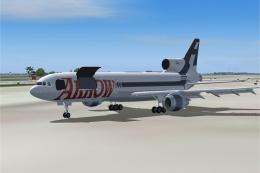 FS2004 Civil Jet Aircraft
This file just contains the model file, texture file for the Arrow cargo vers…
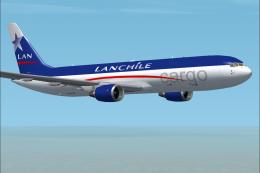 FS2004 Civil Jet Aircraft
Model by iFDG - Albert Bouman, Textures by Ben Hewitt & Ben Jones , FDE BY Al…
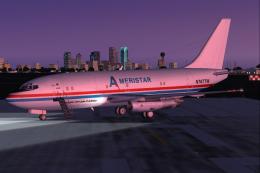 FS2004 Civil Jet Aircraft
Ameristar Air Cargo and United Airlines (old paint scheme) Boeing 737-200. Am…
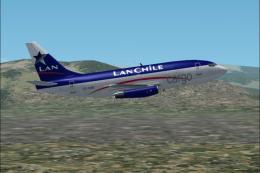 FS2004 Civil Jet Aircraft
Model created by FFX. Repaint by Juan Marchant.
 FS2004 Civil Jet Aircraft
Fly one of the most pervasive jets in history with this file for Microsoft Fl…
 FS2004 Civil Jet Aircraft
This freeware add-on provides a meticulously crafted Airbus A340-200 in Royal…
Be the first to leave a comment on this download.
Be the first to share your thoughts on this download.