

 FS2004 Civil Jet Aircraft
Aerolineas Argentinas Boeing 747-400 (NC)
Aerolineas Argentinas Boeing 747-400 (new color). MelJet Boeing 747-400 versi…
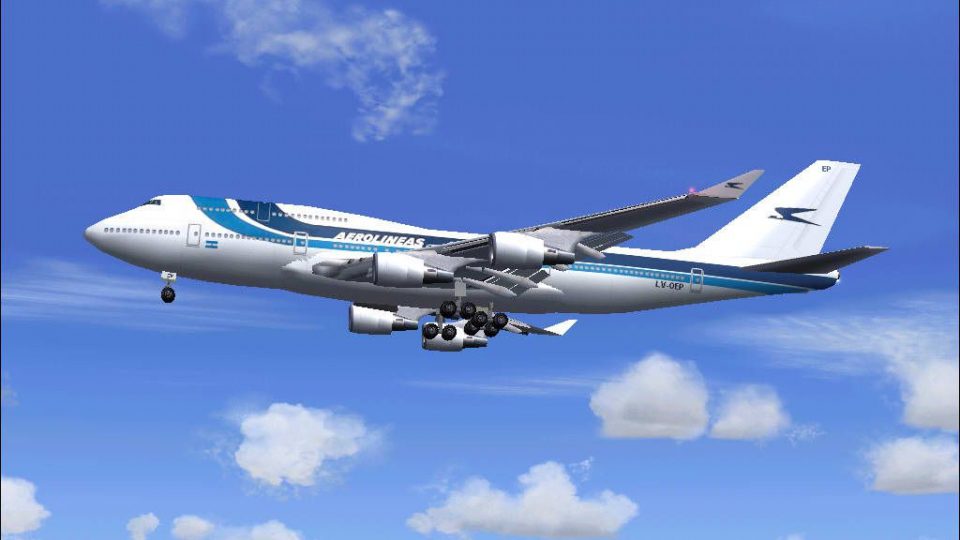
Aerolíneas Argentinas’ classic livery comes to the Boeing 747-400 with an FSPainter base model and a crisp, period-accurate repaint by Pantee Farhangi, capturing the type’s distinctive nose, stretched upper deck, and long-haul presence. Built for Microsoft Flight Simulator 2004, it also suits AI traffic use for busy international schedules.
 Rate
Rate
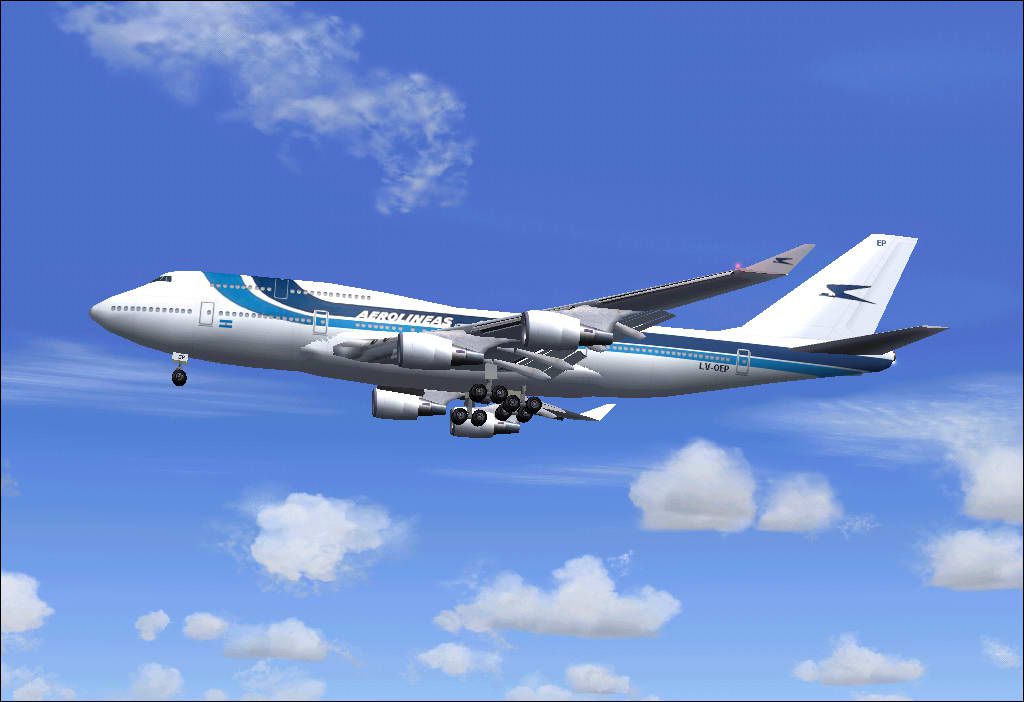
This freeware release features the classic Aerolíneas Argentinas livery on a Boeing 747-400 airframe, tailored for Microsoft Flight Simulator 2004. It includes a fully functional base model by FSPainter and a detailed repaint by Pantee Farhangi. Enthusiasts will appreciate the thoughtful recreation of the airline's older color scheme on the beloved 747-400 variant.
The Boeing 747-400 is a pivotal development in the 747 family, incorporating efficient wingtip extensions and updated cockpit avionics. This aircraft typically employs high-bypass turbofan engines (e.g., Pratt & Whitney PW4000 series) that deliver power and reliability on long-haul routes. In this package, the distinct nose shape and extended upper deck of the real-world 747-400 are distinctly rendered, offering virtual pilots a realistic wide-body experience within the simulator’s environment.
Aerolíneas Argentinas is Argentina’s national carrier and operates out of major hubs such as Ministro Pistarini International Airport (commonly known as Ezeiza). The airline’s long-haul services have historically relied on iconic aircraft, including the 747 family, to connect South America with destinations across the globe. With this classic scheme, simmers can explore transcontinental operations or recreate domestic routes within Argentina’s diverse geography.
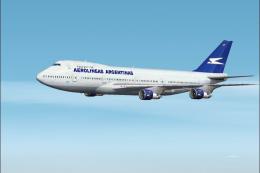
Screenshot showcasing the aircraft cruising at altitude.
ui_manufacturer=FSPainter line, and replace “FSPainter” with “Boeing” or any desired name.[fltsim.X] index to a new number.Many virtual pilots enjoy adding extra traffic to busier airports in Argentina and around the world. If you wish to include this aircraft in AI traffic plans, you can integrate it using tools such as TTools by Lee Swordy. Assign flight schedules to simulate Aerolíneas Argentinas operations at international gateways or smaller regional airports.
This model is the work of FSPainter, whose accurate exterior design captures the 747-400’s important features, and Pantee Farhangi provided the repaint with impressive detail. It is published here for free community enjoyment and offers a valuable representation of an iconic airline and a timeless aircraft.
Free for all simmers · 499.62 KB · Scanned clean Oct 2026
Download speed: Free tier is capped at 0.5 Mbps. PRO members download at full line speed.
FS9\Aircraft\, FS9\Addon Scenery\, FS9\Gauges\, or FS9\Effects\.readme.txt or README file. It tells you exactly where files go, what dependencies are needed, and any quirks specific to this add-on.The archive aearg744.zip has 22 files and directories contained within it.
This list displays the first 500 files in the package. If the package has more, you will need to download it to view them.
| Filename/Directory | File Date | File Size |
|---|---|---|
| Aerolineas_Argentinas_FSP744 | 01.25.04 | 0 B |
| Aerolineas Argentinas FSP744 Readme.txt | 01.25.04 | 2.48 kB |
| AIRCRAFT.CFG | 01.25.04 | 13.62 kB |
| boeing747-400.air | 11.03.02 | 8.23 kB |
| fspainter readme.txt | 01.25.04 | 746 B |
| texture.argentine | 01.25.04 | 0 B |
| fsp_7474_l.bmp | 09.15.02 | 1.00 MB |
| fsp_7474_t.bmp | 01.22.04 | 1.00 MB |
| Thumbs.db | 11.05.03 | 11.00 kB |
| Pantee Farhangi!.txt | 01.25.04 | 953 B |
| Panel | 01.25.04 | 0 B |
| panel.CFG | 11.05.01 | 32 B |
| Thumbs.db | 11.23.03 | 23.50 kB |
| Sound | 01.25.04 | 0 B |
| Sound.cfg | 09.01.02 | 32 B |
| MODEL.V2 | 01.25.04 | 0 B |
| fsp_744v2.mdl | 04.18.03 | 545.56 kB |
| Model.cfg | 04.18.03 | 28 B |
| aerolineas_argentinas.JPG | 01.25.04 | 58.06 kB |
| pantee.JPG | 01.25.04 | 3.84 kB |
| flyawaysimulation.txt | 10.29.13 | 959 B |
| Go to Fly Away Simulation.url | 01.22.16 | 52 B |
Only PRO members can place votes.
More FS2004 add-ons hand-picked based on this download.
FS2004 Civil Jet Aircraft
Aerolineas Argentinas Boeing 747-400 (new color). MelJet Boeing 747-400 versi…
 FS2004 Civil Jet Aircraft
The first B747-400 delivered to Aerolineas Argentinas. Model by Melvin Rafi. …
 FS2004 Civil Jet Aircraft
Experience a meticulously crafted rendition of a Boeing 747-475 registration …
 FS2004 Civil Jet Aircraft
Registration LV-MLP. Repaint of Project Opensky's Boeing 747-200. Includes hi…
 FS2004 Civil Jet Aircraft
This complete Boeing 747-200 package, designed to function seamlessly within …
 FS2004 Civil Jet Aircraft
This carefully crafted Boeing 747-475, presented in the Aerolineas Argentinas…
 FS2004 Civil Jet Aircraft
This package offers a high-fidelity Boeing 747-400 rendition of Aerolíneas Ar…
 FS2004 Civil Jet Aircraft
This freeware package brings the Aerolíneas Argentinas Boeing 747-287 LV-MLP …
Be the first to leave a comment on this download.
Be the first to share your thoughts on this download.