

 FS2004 Civil Jet Aircraft
Federal Express Airbus A300B4-200 Textures only
This freeware rendition of the Federal Express Airbus A300B4-200—for use in F…
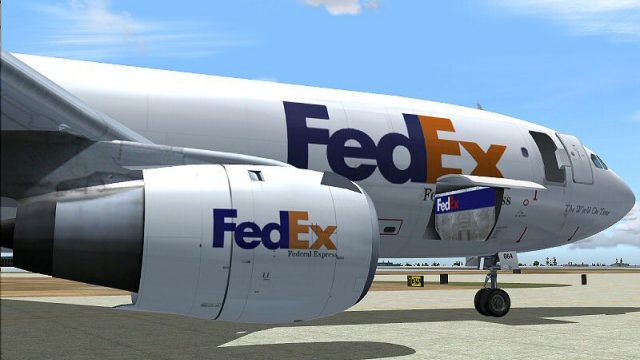
Federal Express livery for the SGA Airbus A300B4-200 brings a crisp, freight-accurate finish to Microsoft Flight Simulator 2004, with dynamic fuselage shine, finely detailed textures, and animated doors and control surfaces. It captures the A300’s classic wide-body freighter lines and cargo access points, and requires the SGA base model.
 Rate
Rate

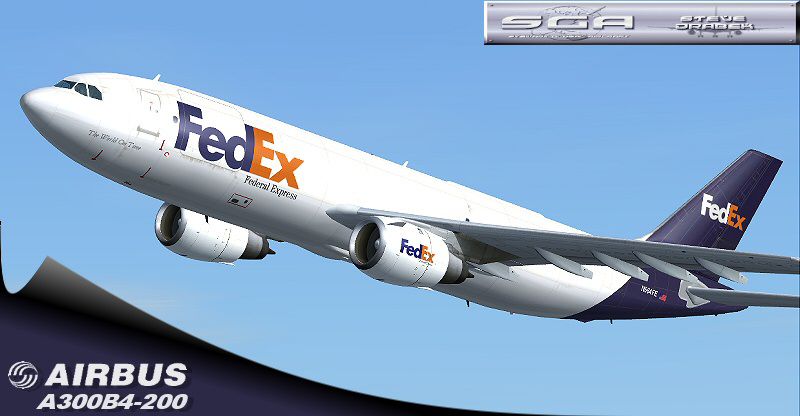
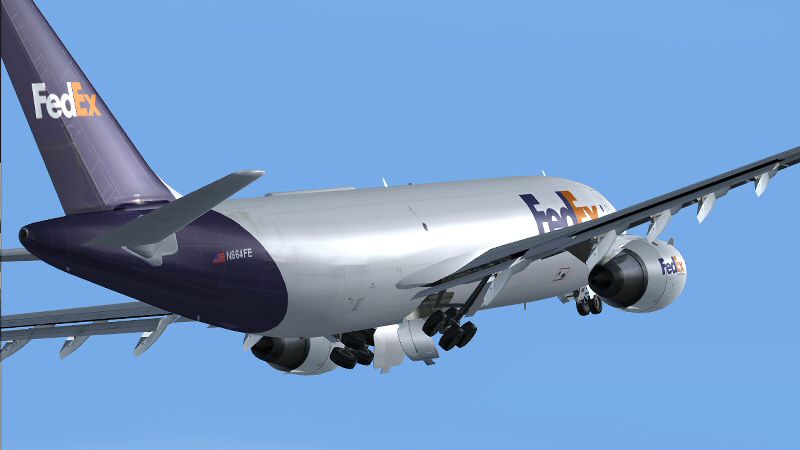
This updated cargo repaint showcases the Federal Express livery on the Airbus A300B4-200 for Microsoft Flight Simulator 2004. Created by the renowned team at SGA and repainted by Steve Drabek, this mod integrates distinctive visual enhancements, precise animations, and a highly detailed texture set. It remains faithful to the authentic wide-body design of the A300 series, replicating both cargo access points and distinctive wing structures that made this aircraft a pioneering twin-engine freighter.
Dynamic Shine is implemented across the fuselage, offering subtle reflections under varying light conditions. Users will notice fully articulated control surfaces, from flaps to spoilers, as well as animated passenger and cargo doors. This repaint merges seamlessly with the SGA model’s advanced features, highlighting the A300’s characteristic wing profile and capturing FedEx’s corporate paint scheme accurately.
Screenshot of Federal Express Airbus A300B4-200 on the ground.
This repaint is intended for the SGA A300B4-200 freeware package. The base aircraft is not contained in this download and must be acquired separately. Ensure the correct version (filename sgaa3b42.zip) is obtained through the Fly Away Simulation mod library. The Airbus A300B4-200 series, introduced in the 1970s, was one of Airbus’ first wide-body offerings, and this FedEx livery highlights the airframe’s robustness for heavy air cargo operations.
texture.fe folder for the Aircraft\SGA-A300B4-200 directory.After the texture folder is in place, open your aircraft.cfg file in the SGA-A300B4-200 folder. Add a new [fltsim.XX] entry at the bottom of the existing list, replacing “XX” with the next sequential number. Below is an example configuration block (edit any entries as desired):
[fltsim.XX]
title=SGA A300B4-200 FedEx
sim=a310
model=
panel=
sound=
texture=fe
kb_checklists=
kb_reference=
atc_airline=AF
atc_flight_number=472
atc_id=N202PA
atc_heavy=1
ui_manufacturer=Airbus
ui_type=A300B4-200
ui_variation=FedEx
description=FedEx repaint by Steve Drabek
visual_damage=1
Make sure your flight number, call sign, and tail number align with your personal preferences. Once all parameters match your installation requirements, save the aircraft.cfg file, launch the simulator, and select your newly textured FedEx Airbus A300B4-200.
Free for all simmers · 1.62 MB · Scanned clean Oct 2026
Download speed: Free tier is capped at 0.5 Mbps. PRO members download at full line speed.
This file is a repaint — the package below is the base model it paints onto. Install it first, or the textures will have nothing to load onto.
FS9\Aircraft\, FS9\Addon Scenery\, FS9\Gauges\, or FS9\Effects\.readme.txt or README file. It tells you exactly where files go, what dependencies are needed, and any quirks specific to this add-on.The archive sga300fe.zip has 22 files and directories contained within it.
This list displays the first 500 files in the package. If the package has more, you will need to download it to view them.
| Filename/Directory | File Date | File Size |
|---|---|---|
| Aircraft | 02.23.04 | 0 B |
| SGA_A300B4-200 | 02.25.04 | 0 B |
| a310.air | 12.07.02 | 8.78 kB |
| EULA.doc | 02.13.04 | 28.00 kB |
| readme-install.txt | 02.25.04 | 1.74 kB |
| README.doc | 02.14.04 | 57.50 kB |
| texture.fe | 02.25.04 | 0 B |
| A300_A_L.BMP | 02.23.04 | 256.07 kB |
| A300_A_T.bmp | 02.25.04 | 4.00 MB |
| A300_B_L.BMP | 02.23.04 | 256.07 kB |
| A300_B_T.bmp | 02.24.04 | 4.00 MB |
| ENGINES_L.BMP | 02.09.04 | 64.07 kB |
| ENGINES_T.BMP | 02.24.04 | 4.00 MB |
| WINGS_L.BMP | 02.09.04 | 64.07 kB |
| WINGS_T.BMP | 02.09.04 | 1.00 MB |
| FILE_ID.DIZ | 02.25.04 | 378 B |
| 300fe-release.gif | 02.25.04 | 6.93 kB |
| 300fe11.jpg | 02.24.04 | 90.47 kB |
| 300fe16.jpg | 02.24.04 | 88.15 kB |
| 300fe-release.jpg | 02.24.04 | 95.48 kB |
| flyawaysimulation.txt | 10.29.13 | 959 B |
| Go to Fly Away Simulation.url | 01.22.16 | 52 B |
Only PRO members can place votes.
More FS2004 add-ons hand-picked based on this download.
FS2004 Civil Jet Aircraft
This freeware rendition of the Federal Express Airbus A300B4-200—for use in F…
 FS2004 Civil Jet Aircraft
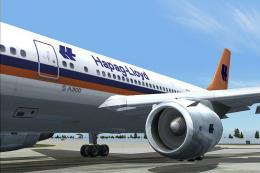
This freeware release features the Federal Hapag-Lloyd A300B4-200 for FS2004,…
 FS2004 Civil Jet Aircraft
The new addition to the SGA fleet, the updated DC10 is loaded with features, …
 FS2004 Civil Jet Aircraft
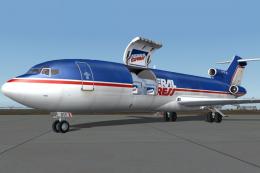
Vistaliners SilverJet B727 FedEx textures. Textures only for Vistaliners late…
 FS2004 Civil Jet Aircraft
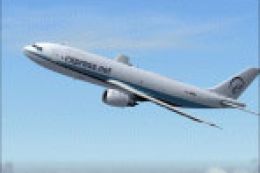
Channel Express A300-B200 textures for the SGA Airbus (SGAA3B42.ZIP). Feature…
 FS2004 Civil Jet Aircraft
Textures only for the SGA A300B4. This is one of Express.Net's many A300 Frei…
 FS2004 Civil Jet Aircraft
The new addition to the SGA fleet, the Airbus A300B4-200 is loaded with featu…
 FS2004 Civil Jet Aircraft
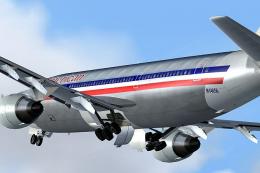
Immerse yourself in the proud legacy of American Airlines with this freeware …
Be the first to leave a comment on this download.
Be the first to share your thoughts on this download.