

 FS2004 Civil Jet Aircraft
Aeroflot Ilyushin IL-76
FS2004 Aeroflot Ilyushin IL-76. Includes Aeroflot textures for 1979, 1989, 19…
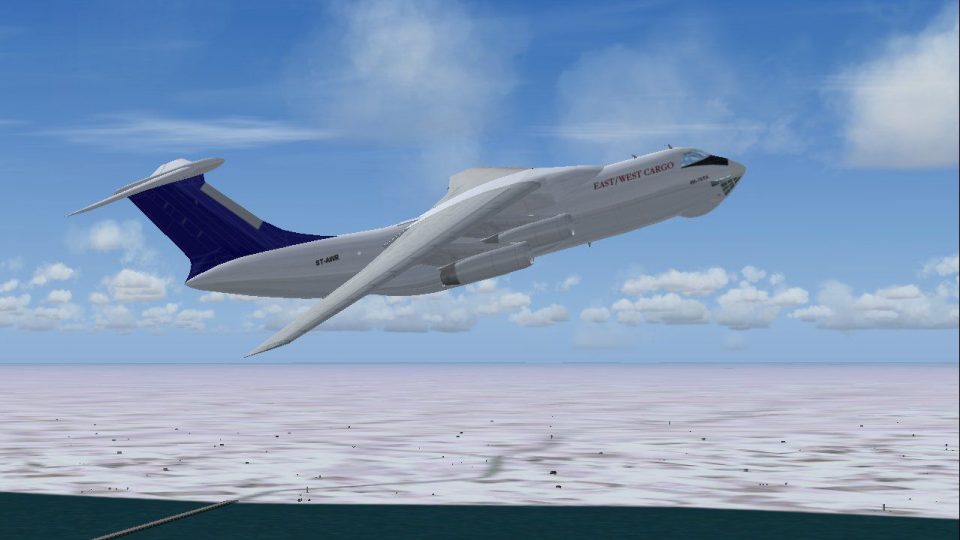
East/West Cargo’s Ilyushin Il-76TD repaint for Microsoft Flight Simulator 2004 delivers registration ST-AWR with crisp reflective 32-bit textures and a convincing freighter finish. A lightweight, AI-friendly model keeps traffic smooth while remaining flyable for cargo runs, and it requires the original Il-76 base model.
 Rate
Rate

This package brings a meticulously depicted repaint of the Ilyushin Il-76TD into Microsoft Flight Simulator 2004. It features an East/West Cargo theme on the fuselage, showcasing registration ST-AWR. The real-world Il-76 is a robust Soviet-era cargo transport known for its four-engine design, significant freight capacity, and adaptability in various operating environments. This release incorporates reflective 32-bit textures for a convincing finish, and it remains lightweight in terms of animation to ensure smooth AI traffic performance. All credit for the base model goes to the talented pair of developers, Varnavskiy Sergey and Shetsev Sergey, while the custom livery comes courtesy of Mike Pearson. The original freeware model is required and can be located in the Fly Away Simulation library.
The exterior textures have been carefully designed to reflect the real East/West Cargo brand. Each panel and marking across the aircraft’s fuselage, tailfin, and wings is reproduced with precise detail. Thanks to advanced reflective properties, lighting and shadows interact realistically with the airframe across varying weather conditions inside the simulator.
The Ilyushin Il-76, introduced in the early 1970s by the Ilyushin Design Bureau, has proven itself over decades of revenue service. Its high-lift wing structure and rugged landing gear allow for operations from various runways globally, mirroring the demands placed on real cargo carriers. This add-on offers a balanced combination of performance and authenticity, staying true to the Il-76’s reputation for dependable freight logistics around the world.
East/West Cargo Il-76 showcases its unique registration ST-AWR overhead.
Before applying these textures, ensure you have installed the base Il-76 model by Varnavskiy Sergey and Shetsev Sergey—it is available for download from the Fly Away Simulation library. Once the core package is set up, simply incorporate these textures following standard repaint instructions for Microsoft Flight Simulator 2004. This ensures that all users can experience a faithful rendition of East/West Cargo’s stout four-engine transport in their virtual skies.
Free for all simmers · 1.88 MB · Scanned clean Oct 2026
Download speed: Free tier is capped at 0.5 Mbps. PRO members download at full line speed.
FS9\Aircraft\, FS9\Addon Scenery\, FS9\Gauges\, or FS9\Effects\.readme.txt or README file. It tells you exactly where files go, what dependencies are needed, and any quirks specific to this add-on.The archive svil76ew.zip has 20 files and directories contained within it.
This list displays the first 500 files in the package. If the package has more, you will need to download it to view them.
| Filename/Directory | File Date | File Size |
|---|---|---|
| il76 east-west small.gif | 03.03.04 | 10.58 kB |
| il76 east-west.jpg | 03.03.04 | 125.73 kB |
| sv il76 east-west readme.txt | 03.03.04 | 655 B |
| texture.east-west | 03.03.04 | 0 B |
| IL-76TD_1_L.bmp | 11.05.03 | 341.40 kB |
| IL-76TD_1_T.bmp | 03.02.04 | 1.33 MB |
| IL-76TD_2_L.bmp | 11.05.03 | 1.33 MB |
| IL-76TD_2_T.bmp | 03.02.04 | 5.33 MB |
| IL-76TD_4_L.bmp | 11.05.03 | 85.40 kB |
| IL-76TD_4_T.bmp | 03.02.04 | 341.40 kB |
| IL-76TD_5_L.bmp | 11.05.03 | 341.43 kB |
| IL-76TD_5_T.bmp | 03.02.04 | 5.33 MB |
| IL-76TD_6_L.bmp | 11.05.03 | 1.33 MB |
| IL-76TD_6_T.bmp | 03.02.04 | 5.33 MB |
| IL-76TD_8_L.bmp | 11.05.03 | 42.73 kB |
| IL-76TD_8_T.bmp | 11.05.03 | 42.73 kB |
| Thumbs.db | 03.03.04 | 32.50 kB |
| Thumbs.db | 03.03.04 | 8.00 kB |
| flyawaysimulation.txt | 10.29.13 | 959 B |
| Go to Fly Away Simulation.url | 01.22.16 | 52 B |
Only PRO members can place votes.
More FS2004 add-ons hand-picked based on this download.
FS2004 Civil Jet Aircraft
FS2004 Aeroflot Ilyushin IL-76. Includes Aeroflot textures for 1979, 1989, 19…
 FS2004 Civil Jet Aircraft
This add-on provides a detailed repaint of the Ilyushin Il-76TD in Gazprom Av…
 FS2004 Civil Jet Aircraft
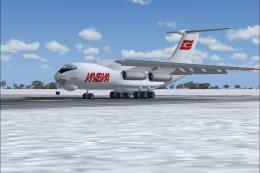
Immerse yourself in a highly detailed representation of the Ilyushin Il-76TD …
 FS2004 Civil Jet Aircraft
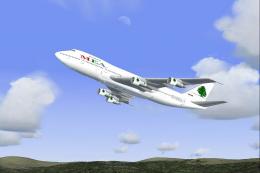
This expertly rendered Boeing 747-2B4BM reflects Middle East Airlines’ 1990s …
 FS2004 Civil Jet Aircraft
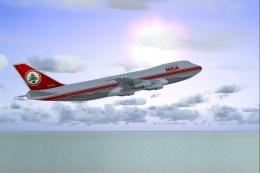
Experience the timeless charm of a classic Boeing 747-2B4B in the iconic Midd…
 FS2004 Civil Jet Aircraft
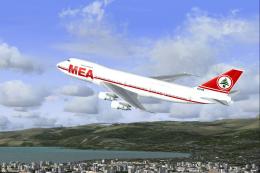
This freeware package for Microsoft Flight Simulator 2004 recreates a classic…
 FS2004 Civil Jet Aircraft
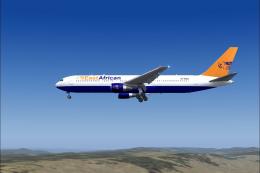
This thoughtfully rendered Boeing 767-300ER showcases an East African Safari …
 FS2004 Civil Jet Aircraft
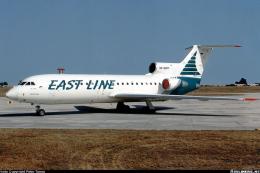
Textures only; requires AIYAK42.ZIP. Model by Anton Nikolaev. Repaint by Hern…
Be the first to leave a comment on this download.
Be the first to share your thoughts on this download.