

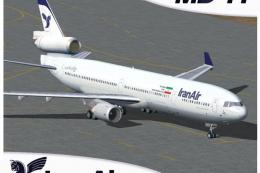
 FS2004 Civil Jet Aircraft
Iran Air McDonnell Douglas MD-11
Enrich your FS2004 hangar with this freeware McDonnell Douglas MD-11 renditio…
Gulf Air–themed McDonnell Douglas MD-11 brings a polished long-range trijet to FS2004 with iFDG’s refined model and flight dynamics, crisp reflective textures, and fully animated control surfaces. The package includes default virtual cockpit instrumentation and sound, plus detailed lighting for convincing day and night operations.
 Rate
Rate
This complete freeware package features a technically refined wide-cabin trijet in imaginative Gulf Air colors suitable for avid enthusiasts of virtual aviation. Developed collaboratively by iFDG with a repaint by Dirk Kiefer, it includes default cockpit instrumentation and sound, offering a straightforward way to experience a distinctive variation of the classic long-range aircraft within your simulator.
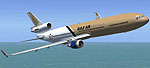
Screenshot of Gulf Air McDonnell Douglas MD-11 in flight.
Gulf Air, traditionally recognized for serving routes across the Middle East and beyond, does not operate this specific airframe in the real world, making this rendition entirely hypothetical. Despite that, the repaint aligns well with the carrier’s design sensibilities, showcasing metallic finishes and subtle corporate branding that reflect a certain Middle Eastern flair.
This high-fidelity recreation by iFDG exhibits key aerodynamic components and control deflections. Wing-leading edge devices, trailing-edge surfaces, and flaperons integrate into the animation suite. Additionally, the model incorporates an appropriate lighting array, accentuating critical sections such as the primary wing assembly. The exterior texture set uses reflective techniques engineered by Ben Jones, resulting in a lifelike surface profile.
Under the engine cowlings, three powerplant options existed for the real platform—General Electric CF6-80C2, Pratt & Whitney 4460, and Pratt & Whitney 4462—each designed to deliver optimal thrust for long corridors. The simulator model encapsulates these performance attributes, reflecting the trijet’s efficient fuel usage and extended flight profiles.
The flight deck design employs multiple digital displays, replacing older analog gauges. Within the simulator, it integrates the default pilot interface and includes advanced readouts for engine status, system alerts, and autopilot parameters. Throughout the real-world production cycle, engineers incorporated a dual flight management setup, enabling reduced crew requirements without compromising safety. Virtual pilots can emulate these advanced operations and appreciate the reduced workload provided by the centralized computer architecture.
All of these recognized developers have contributed to a robust and lifelike model of this trijet for the community. iFDG, known formally as the International Flightsim Design Group, meticulously captured every curve and streamlined control surface to ensure authenticity.
Move or extract the folder directly into your simulator’s aircraft directory. Within the download, you will find an Effects folder containing files designed to enhance immersion—copy these into your main simulator EFFECTS directory. You can activate special effects in-flight and observe the visual changes by pressing the “I” key when appropriate.
By incorporating these essential features, this release strives to reflect the genuine handling and performance characteristics of the real-world tri-engine design, bringing an immersive Gulf Air twist to your hangar on Fly Away Simulation.
Free for all simmers · 4.77 MB · Scanned clean Oct 2026
Download speed: Free tier is capped at 0.5 Mbps (this file takes approximately 1 min at the cap). PRO members download at full line speed.
FS9\Aircraft\, FS9\Addon Scenery\, FS9\Gauges\, or FS9\Effects\.readme.txt or README file. It tells you exactly where files go, what dependencies are needed, and any quirks specific to this add-on.The archive md11gulf.zip has 55 files and directories contained within it.
This list displays the first 500 files in the package. If the package has more, you will need to download it to view them.
| Filename/Directory | File Date | File Size |
|---|---|---|
| Aircraft.cfg | 04.19.04 | 13.14 kB |
| Effects.zip | 09.19.03 | 2.23 kB |
| INSTALLATION.txt | 10.12.03 | 58 B |
| MD-11.air | 09.16.03 | 8.14 kB |
| MD-11_notes.txt | 08.17.03 | 0 B |
| Model.GE_PAX_A | 04.19.04 | 0 B |
| MD11PGE.mdl | 10.04.03 | 3.91 MB |
| Model.cfg | 09.18.03 | 26 B |
| MODELS.txt | 10.29.03 | 344 B |
| Original Readme.txt | 12.21.03 | 6.09 kB |
| Paint Readme.txt | 12.21.03 | 2.47 kB |
| panel | 04.19.04 | 0 B |
| panel.cfg | 04.19.04 | 34 B |
| Repaint Readme.txt | 04.19.04 | 134 B |
| sound | 04.19.04 | 0 B |
| Sound IFDG SOUNDPACK.cfg | 10.29.03 | 41 B |
| sound.cfg | 04.19.04 | 32 B |
| texture.gulf | 04.19.04 | 0 B |
| Antenna.bmp | 04.19.04 | 256.07 kB |
| Antenna_l.bmp | 09.15.03 | 64.07 kB |
| engine.bmp | 04.17.04 | 4.00 MB |
| enginefan.bmp | 09.15.03 | 65.07 kB |
| enginefan_fast.bmp | 09.15.03 | 65.07 kB |
| enginefan_fast_l.bmp | 09.15.03 | 64.07 kB |
| enginefan_l.bmp | 09.15.03 | 64.07 kB |
| Engine_l.bmp | 09.15.03 | 64.07 kB |
| Flaps.bmp | 10.05.03 | 4.00 MB |
| Flaps_l.bmp | 09.15.03 | 64.07 kB |
| Gear.bmp | 04.19.04 | 1.00 MB |
| Gear_l.bmp | 09.15.03 | 64.07 kB |
| MainGear.bmp | 04.19.04 | 1.00 MB |
| MainGear_l.bmp | 09.15.03 | 64.07 kB |
| MD11P_Interior.bmp | 10.07.03 | 1.00 MB |
| MD11P_Interior_l.bmp | 10.07.03 | 1.00 MB |
| MD11_Fuse_front.bmp | 04.19.04 | 4.00 MB |
| MD11_Fuse_front_l.bmp | 09.16.03 | 1.00 MB |
| MD11_Fuse_middle.bmp | 04.19.04 | 4.00 MB |
| MD11_Fuse_middle_l.bmp | 09.15.03 | 1.00 MB |
| MD11_Fuse_rear.bmp | 04.17.04 | 4.00 MB |
| MD11_Fuse_rear_l.bmp | 09.15.03 | 1.00 MB |
| MD11_PWing_bottom.bmp | 04.15.04 | 4.00 MB |
| MD11_PWing_bottom_l.bmp | 09.15.03 | 64.07 kB |
| MD11_PWing_top.bmp | 04.19.04 | 4.00 MB |
| MD11_PWing_top_l.bmp | 09.15.03 | 64.07 kB |
| MD11_Stabilizer.bmp | 09.16.03 | 1.00 MB |
| MD11_Stabilizer_l.bmp | 09.15.03 | 1.00 MB |
| MD11_SWing_bottom.bmp | 04.15.04 | 4.00 MB |
| MD11_SWing_bottom_l.bmp | 09.15.03 | 64.07 kB |
| MD11_SWing_top.bmp | 04.19.04 | 4.00 MB |
| MD11_SWing_top_l.bmp | 09.15.03 | 64.07 kB |
| Tail.bmp | 04.19.04 | 4.00 MB |
| tail_l.bmp | 09.16.03 | 1.00 MB |
| MD11Gulf | 04.19.04 | 0 B |
| flyawaysimulation.txt | 10.29.13 | 959 B |
| Go to Fly Away Simulation.url | 01.22.16 | 52 B |
Only PRO members can place votes.
More FS2004 add-ons hand-picked based on this download.
FS2004 Civil Jet Aircraft
Enrich your FS2004 hangar with this freeware McDonnell Douglas MD-11 renditio…
 FS2004 Civil Jet Aircraft
This complete freeware McDonnell Douglas MD-11 package showcases Korean Air’s…
 FS2004 Civil Jet Aircraft
Textures only; requires SMD11.ZIP. A repaint for Mike Stone's MD11 Model, reg…
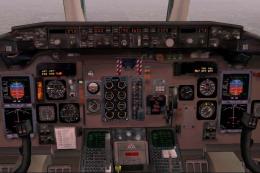 FS2004 Civil Jet Aircraft
Final fix for the panel replacement virtual cockpit textures and gauges (AAMD…
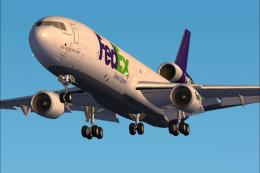 FS2004 Civil Jet Aircraft
iFDG is proud to present the McDonnell-Douglas MD-11. The aircraft model incl…
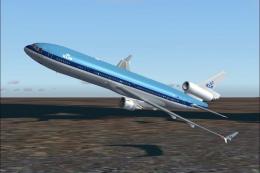 FS2004 Civil Jet Aircraft
KLM McDonnell Douglas MD-11 with virtual cockpit. Includes panel. Repainted b…
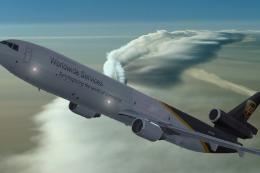 FS2004 Civil Jet Aircraft
This freeware add-on for FS2004 offers a fully integrated McDonnell Douglas M…
 FS2004 Civil Jet Aircraft
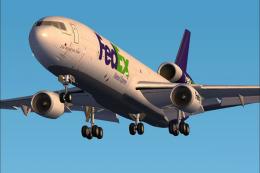
This freeware package provides flight enthusiasts with a distinctive renditio…
Be the first to leave a comment on this download.
Be the first to share your thoughts on this download.