

 FSX General Aviation Aircraft
SWIP Team Silence Twisters
G-SWIP and G-ZWIP demo team Twisters for the payware Silence Twister by Iris …
SWIP Team demo liveries bring G-SWIP and G-ZWIP colours to the IRIS Silence Twister UL260I RG, matching the real-world Scottish Widows display scheme with crisp external textures for formation and aerobatic flying. Designed for FSX, it requires the payware IRIS Silence Twister package and preserves the aircraft’s virtual cockpit and flight model.
 Rate
Rate


Scottish Widows paints for the Iris Silence Twister, by Matt Wynn and Nick Degnan (Dropzone Designs).

Screenshot of the SWIP Team in flight.
G-SWIP and G-ZWIP demo team colours applied to the team's Silence Twisters. This repaints requires the payware Silence Twister for FSX by IRIS Flight Simulation Software.
Extract texture folders and place in the "IRIS Silence Twister UL260I RG" directory.
Replace the XX with the following number in the sequence in your Aircraft.cfg file.
[fltsim.XX]

title = IRIS Silence Twister UL260I RG G-SWIP

sim = ST-UL260I

model = ST-UL260I-RG

panel =

sound =

texture = G-SWIP

panel_alias =

sound_alias =

kb_checklists =

kb_reference =

atc_id = G-SWIP

atc_id_color =

atc_parking_types =

atc_parking_code =

ui_manufacturer = Silence

ui_type = Twister

ui_variation = SWIP Team 'G-SWIP'

description = Silence Twister Aerobatic Monoplane
[fltsim.XX]

title = IRIS Silence Twister UL260I RG G-ZWIP

sim = ST-UL260I

model = ST-UL260I-RG

panel =

sound =

texture = G-ZWIP

panel_alias =

sound_alias =

kb_checklists =

kb_reference =

atc_id = G-ZIP

atc_id_color =

atc_parking_types =

atc_parking_code =

ui_manufacturer = Silence

ui_type = Twister

ui_variation = SWIP Team 'G-ZWIP'

description = Silence Twister Aerobatic Monoplane
Free for all simmers · 6.03 MB · Scanned clean Oct 2026
Download speed: Free tier is capped at 0.5 Mbps (this file takes approximately 2 mins at the cap). PRO members download at full line speed.
texture.{airline}) inside FSX\SimObjects\Airplanes\{base-aircraft}\.aircraft.cfg in Notepad. Add a new [fltsim.X] section per the readme.readme.txt or README file. It tells you exactly where files go, what dependencies are needed, and any quirks specific to this add-on.The archive twister_swip.zip has 13 files and directories contained within it.
This list displays the first 500 files in the package. If the package has more, you will need to download it to view them.
| Filename/Directory | File Date | File Size |
|---|---|---|
| Read Me.txt | 10.26.11 | 1.44 kB |
| texture.G-SWIP | 10.27.11 | 0 B |
| ST_1_T.dds | 10.04.11 | 64.00 MB |
| ST_2_T.dds | 10.04.11 | 64.00 MB |
| thumbnail.jpg | 10.24.11 | 141.45 kB |
| texture.cfg | 10.19.11 | 441 B |
| texture.G-ZWIP | 10.27.11 | 0 B |
| ST_1_T.dds | 10.04.11 | 64.00 MB |
| ST_2_T.dds | 10.04.11 | 64.00 MB |
| thumbnail.jpg | 10.24.11 | 140.47 kB |
| texture.cfg | 10.19.11 | 441 B |
| flyawaysimulation.txt | 10.29.13 | 959 B |
| Go to Fly Away Simulation.url | 01.22.16 | 52 B |
Only PRO members can place votes.
More FSX & P3D add-ons hand-picked based on this download.
FSX General Aviation Aircraft
G-SWIP and G-ZWIP demo team Twisters for the payware Silence Twister by Iris …
 FSX General Aviation Aircraft
Red Bull Aerobatic Team Zlin Z-50 package. Original model by Tim Conrad.
 FSX General Aviation Aircraft
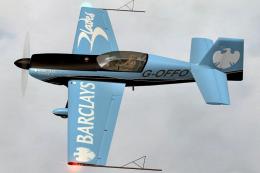
Extra 300S - Blades Display Team 'Barclays' 2008 Livery Pack. Pack contains a…
 FSX General Aviation Aircraft
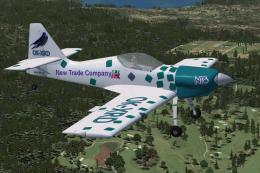
Zlin-50LS Sky Box Team OK-XRD. Repaint for Tim Conrad's Zlin-50 (ZLINZ-50L.ZI…
 FSX General Aviation Aircraft
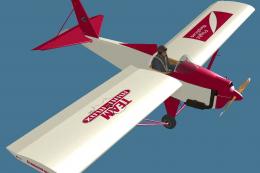
This repaint is a Team Mini-Max paint scheme for the Flight Replicas MiniMax.…
 FSX General Aviation Aircraft
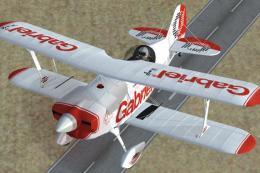
A repaint for the payware Iris Christen Eagle. These are textures only for ZS…
 FSX General Aviation Aircraft
After publishing my FSX AI Carrier package, I had several people contact me a…
 FSX General Aviation Aircraft
Christen Eagle Gauge Fix For FSX SP2. This is one small file to improve the w…
Be the first to leave a comment on this download.
Be the first to share your thoughts on this download.