


 France
  FSX AFCAD Files
AFCAD File For LPPT
Elevate Microsoft Flight Simulator X with a refined rendition of Lisbon Inter…
Paris Orly International Airport (LFPO) gets a detailed AFCAD refresh with realistic airline parking codes, refined taxiways, improved service roads, expanded fuel options, and added objects such as enhanced jetway elements. Built for Microsoft Flight Simulator X, it offers selectable runway operations including an optional crosswind setup for smoother, more authentic ground flow.
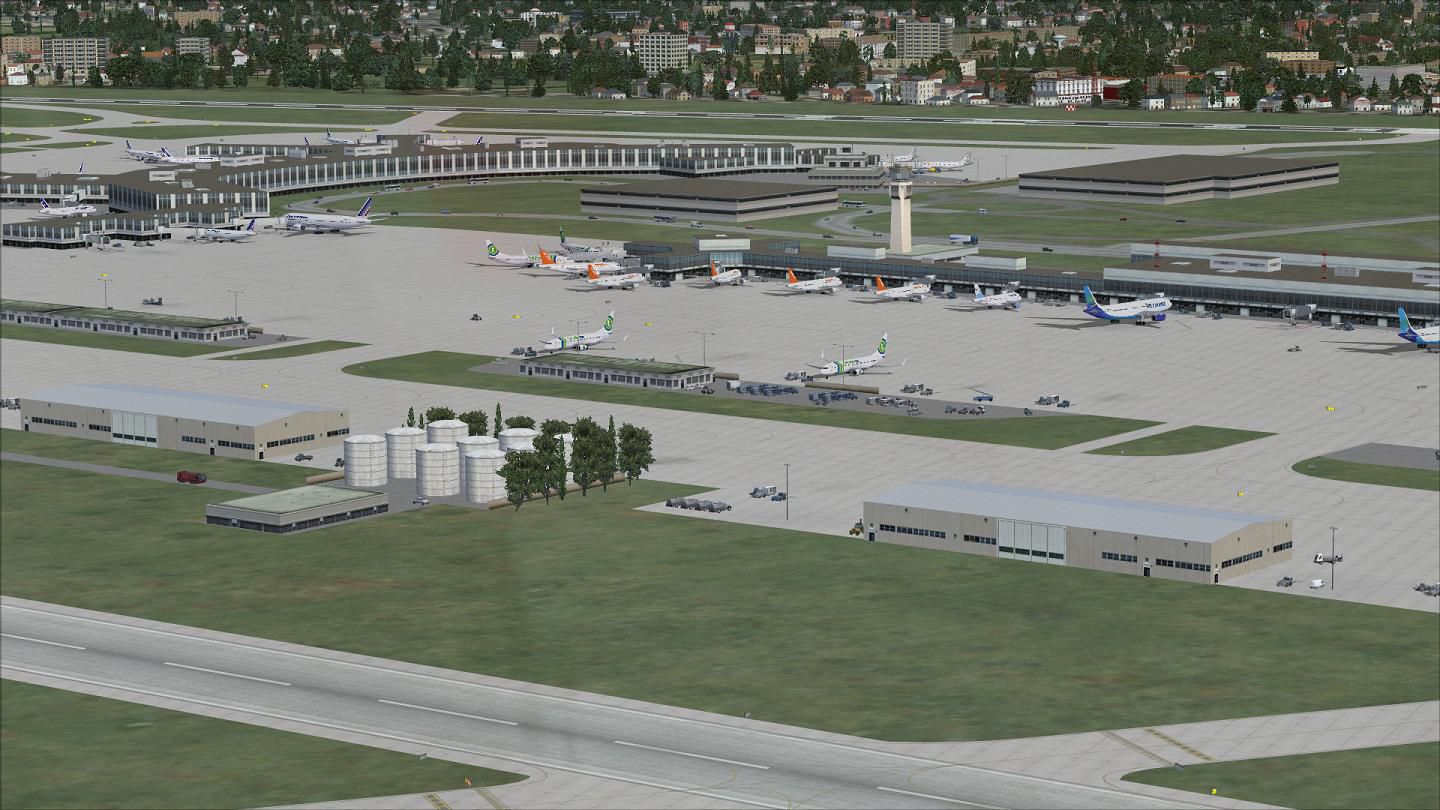
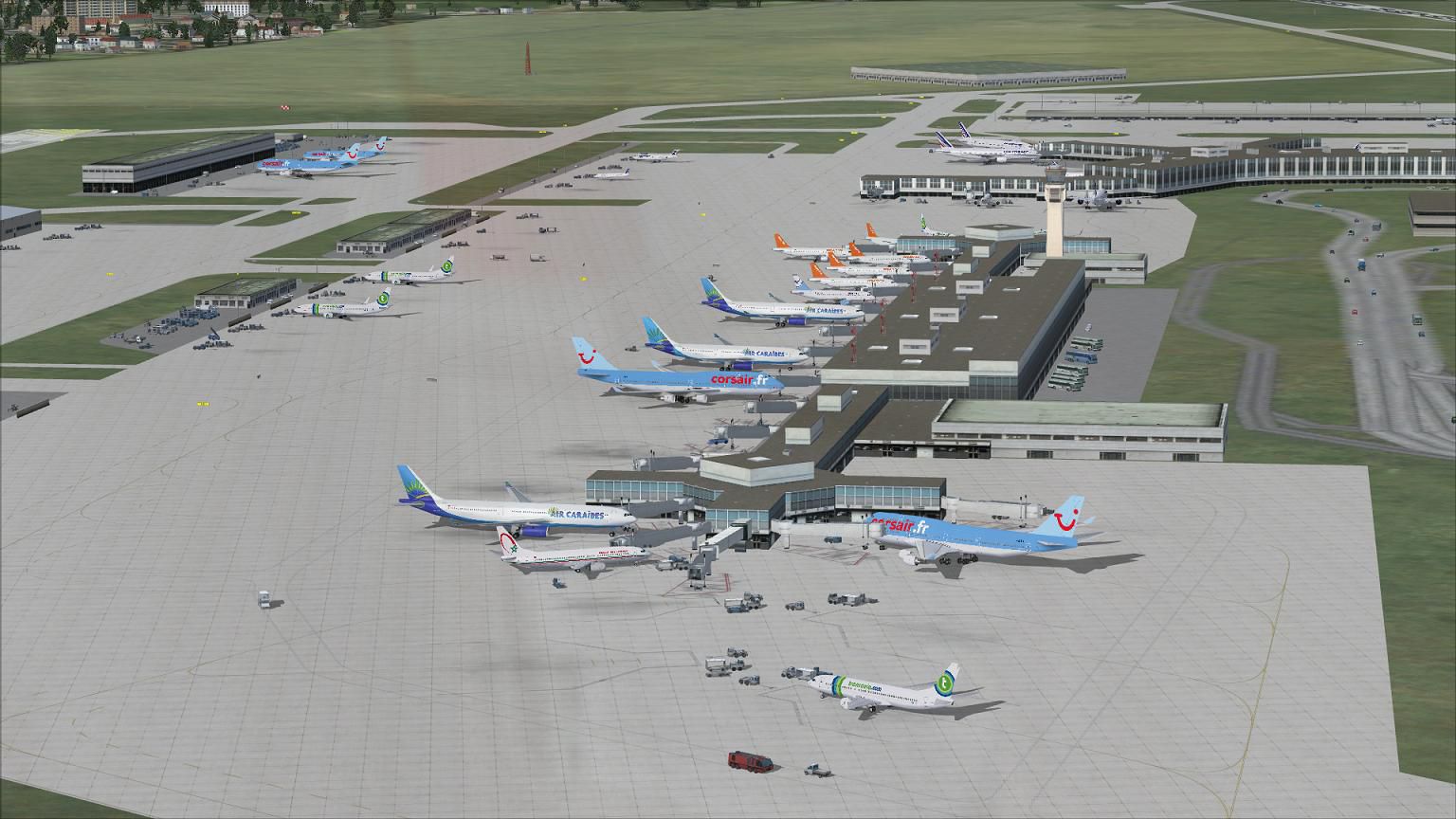

This custom AFCAD enhancement brings extensive adjustments to Paris Orly International Airport, offering multiple runway usage configurations, real-world parking assignments, and refined taxi networks. Created by Ray Smith specifically for Microsoft Flight Simulator X, it introduces updated vehicle pathways, expanded fuel services, and an optional crosswind runway configuration to optimize ground handling and overall realism.
Orly Airport (LFPO), located in the southern suburbs of Paris, accommodates both domestic and international flights. This package is centered on enhancing its default FSX rendition by aligning gate positions with actual airline usage and seamlessly integrating new taxiway details. You may notice reconfigured vehicle roads, which keep service traffic organized across the apron areas, and additional parking slots for aircraft ranging from regional jets to widebody airliners. The control tower viewpoint is positioned on the tower rooftop for an immersive perspective during ground operations.
Illustration of Orly International Airport, showcasing one of the modded apron zones.
This freeware release includes four separate BGL files to accommodate your preferred runway operations and airport layout:
You should only keep one of the two main AFCAD files (LFPO_RS.BGL or LFPO_CW_RS.BGL) in your “Addon Scenery/scenery” folder at a time. This prevents conflicts in gate assignments and ATC communications. If the crosswind version is active, ATIS announcements will reference extra placeholder runways; that effect is purposeful for activating non-parallel usage and can be ignored if desired.
If you use AI traffic add-ons, verify that no other LFPO AFCADs are present in your simulator. Conflicting files may lead to inaccurate gate displacement or unexpected runway assignments. To revert to the default Orly scenery, simply delete these custom AFCAD files from their respective folders, and the original airport environment will become active again.
This extensive modification for Paris Orly is credited to Ray Smith, who has meticulously reconstructed ground layouts, signage, and parking codes to enhance immersion for all users of Microsoft Flight Simulator X.
Free for all simmers · 589.24 KB · Scanned clean Oct 2026
Download speed: Free tier is capped at 0.5 Mbps. PRO members download at full line speed.
AF2_*.bgl or AFX_*.bgl) go into FSX\Addon Scenery\Scenery\ or a dedicated AFCAD folder you create.readme.txt or README file. It tells you exactly where files go, what dependencies are needed, and any quirks specific to this add-on.Use these coordinates to fly directly to this location once the mod is installed.
48.72330000,2.37940000
Launch FSX or Prepar3D and use Flights → Load to open the downloaded .pln file. Your aircraft will be positioned at this location.
The archive lfpo_rs_fsx.zip has 11 files and directories contained within it.
This list displays the first 500 files in the package. If the package has more, you will need to download it to view them.
| Filename/Directory | File Date | File Size |
|---|---|---|
| LFPO.jpg | 10.01.12 | 155.52 kB |
| LFPO1.jpg | 10.01.12 | 174.50 kB |
| LFPO2.jpg | 10.01.12 | 186.86 kB |
| LFPO_CVX.bgl | 09.30.12 | 599 B |
| LFPO_CW_RS.BGL | 10.01.12 | 64.51 kB |
| LFPO_OBJ.BGL | 10.01.12 | 101.86 kB |
| LFPO_RS.BGL | 10.01.12 | 64.16 kB |
| ReadMe.txt | 10.12.12 | 3.91 kB |
| FSX_lfpo_rs | 10.01.12 | 0 B |
| flyawaysimulation.txt | 10.29.13 | 959 B |
| Go to Fly Away Simulation.url | 01.22.16 | 52 B |
Only PRO members can place votes.
More FSX & P3D add-ons hand-picked based on this download.
FSX AFCAD Files
Elevate Microsoft Flight Simulator X with a refined rendition of Lisbon Inter…
 FSX AFCAD Files
John F. Kennedy International Airport, New York, NY, USA, v2. This airport up…
 FSX AFCAD Files
Dubai International Airport, United Arab Emirates (UAE). This airport update …
 FSX AFCAD Files
Los Angeles International Airport (LAX), California (CA), USA. This airport u…
 FSX AFCAD Files
This freeware package modernizes Zurich International Airport (LSZH) in Micro…
 FSX AFCAD Files
Lic Benito Juarez International Airport, Mexico City, Mexico. This airport up…
 FSX AFCAD Files
Enhance Kastrup Airport (EKCH) in Copenhagen, Denmark with this freeware upgr…
 FSX AFCAD Files
This enhanced update for Schiphol (EHAM) in Amsterdam focuses on reconstructi…
Be the first to leave a comment on this download.
Be the first to share your thoughts on this download.