

 FS2004 Civil Jet Aircraft
Saudia VIP McDonnell Douglas MD-11 HZ-HM7
This complete freeware package brings you the Saudia VIP McDonnell Douglas MD…
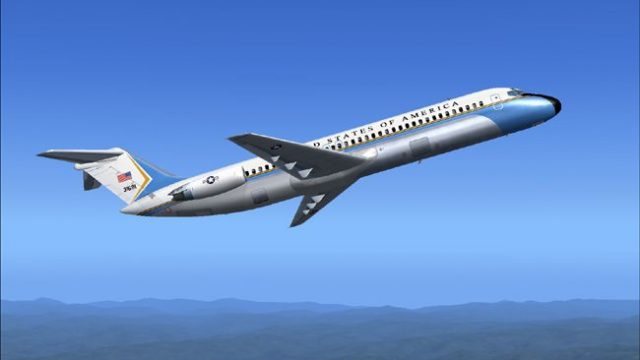
VIP Douglas C-9 repaint brings executive military styling to the classic DC-9 airframe in Microsoft Flight Simulator 2004, delivering crisp markings and an authentic short-to-mid-range transport feel. Built for the SGA DC9-30 model, it preserves the type’s reliable character while presenting a dedicated official-mission look.
 Rate
Rate
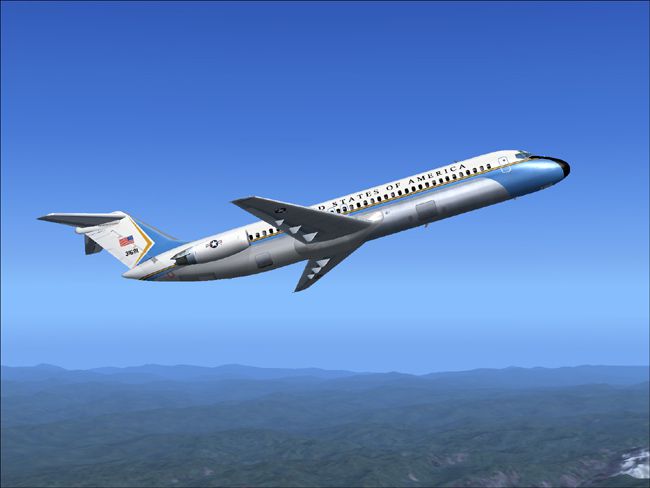
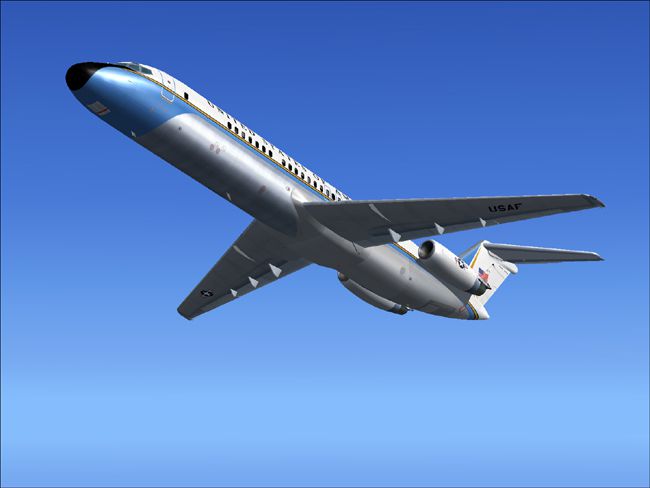
This repaint package showcases a refined VIP variant of the Douglas C-9 for Microsoft Flight Simulator 2004, meticulously crafted by Henry William. It provides the look of a dedicated executive transport while maintaining the authentic performance of the DC-9 series. Designed to integrate seamlessly with the SGA DC9-30 model, it reflects both special-use military styling and the hallmark reliability that made the DC-9 family well-known among short-haul operators worldwide.
The Douglas C-9 represents a modification of the standard DC-9 airframe, often employed for governmental or specialized operations such as personnel or executive transport. Its compact fuselage length and dual turbofan configuration facilitate efficient regional and mid-range flights. This repaint highlights an exclusive VIP rendition, featuring unique markings and a distinctive overall paint scheme. While the real C-9 served extensively in varied environments, this particular model offers a tailored experience that mirrors a high-end executive layout commonly associated with official missions or specialized assignments.

Above: A representative preview of the VIP Douglas C-9 repaint in flight.
This repaint is built for the freeware SGA DC9-30 base package (file name: SGA930.zip) and therefore requires that original model before installation. The flight dynamics and visual accuracy provide a realistic simulation of the DC-9’s overall performance envelope. Additionally, it is crucial to confirm that your aircraft folder structure follows standard naming conventions to ensure that the game recognizes this texture correctly.
SGA930.zip), then verify that it functions correctly within your simulator.Aircraft.cfg file in the correct aircraft folder using a text editor. This file dictates the configurations for all repaints.
[fltsim.X]
title=SGA DC-9-30 C9
sim=SGA DC9_30
model=
panel=
sound=
texture=c9
checklists=
atc_id=N940N
atc_id_color=0xffffffff
atc_airline=Airforce
atc_flight_number=935
ui_manufacturer=Douglas
ui_type=DC-9-31
ui_variation=C9
description=Model: Erick Cantu\nFlight Dynamics V9.1.0: Fraser W. Turner\n\n
visual_damage=0
atc_heavy=0
atc_id_font=Verdana,-11,1,600,0
atc_parking_codes=
atc_parking_types=
Henry William designed these VIP textures to accentuate the executive nature of the C-9 airframe, while retaining compatibility with the SGA DC-9 platform. Using them in Microsoft Flight Simulator 2004 will offer a glimpse into the practical, high-level transportation configuration that the C-9 is known for. Remember that you must already have the proper freeware base model from Fly Away Simulation to enjoy this repaint. With everything installed, it is straightforward to load up the aircraft, take to the skies, and experience the specialized VIP environment that Henry William has meticulously rendered.
Free for all simmers · 2.05 MB · Scanned clean Oct 2026
Download speed: Free tier is capped at 0.5 Mbps. PRO members download at full line speed.
This file is a repaint — the package below is the base model it paints onto. Install it first, or the textures will have nothing to load onto.
FS9\Aircraft\, FS9\Addon Scenery\, FS9\Gauges\, or FS9\Effects\.readme.txt or README file. It tells you exactly where files go, what dependencies are needed, and any quirks specific to this add-on.The archive vipdc9hw.zip has 25 files and directories contained within it.
This list displays the first 500 files in the package. If the package has more, you will need to download it to view them.
| Filename/Directory | File Date | File Size |
|---|---|---|
| 1.jpg | 10.30.04 | 88.45 kB |
| 2.jpg | 10.30.04 | 105.18 kB |
| small.gif | 10.30.04 | 2.90 kB |
| readme.txt | 10.30.04 | 1.53 kB |
| texture.c9 | 10.31.04 | 0 B |
| CONE_L.BMP | 08.08.03 | 5.43 kB |
| CONE_T.BMP | 08.08.03 | 5.43 kB |
| DC9_B_L.BMP | 05.19.04 | 256.07 kB |
| DC9xINTERIOR_L.BMP | 05.19.04 | 256.07 kB |
| DC9xINTERIOR_T.BMP | 01.28.04 | 1.00 MB |
| ENGINES_L.BMP | 05.19.04 | 256.07 kB |
| INTAKE_L.bmp | 08.08.03 | 5.43 kB |
| INTAKE_t.BMP | 08.10.03 | 42.78 kB |
| WING_LEFT_L.BMP | 05.19.04 | 256.07 kB |
| WING_LEFT_R.BMP | 08.07.03 | 1.33 MB |
| WING_RIGHT_L.BMP | 05.19.04 | 256.07 kB |
| WING_RIGHT_T.bmp | 10.28.04 | 4.00 MB |
| WING_LEFT_T.bmp | 10.28.04 | 4.00 MB |
| engines_t.bmp | 10.30.04 | 4.00 MB |
| 30fuse_l.bmp | 10.30.04 | 4.00 MB |
| 30fuse_t.bmp | 10.31.04 | 4.00 MB |
| dc9_b_t.bmp | 10.31.04 | 4.00 MB |
| DC-9-30 VIP | 10.30.04 | 0 B |
| flyawaysimulation.txt | 10.29.13 | 959 B |
| Go to Fly Away Simulation.url | 01.22.16 | 52 B |
Only PRO members can place votes.
More FS2004 add-ons hand-picked based on this download.
FS2004 Civil Jet Aircraft
This complete freeware package brings you the Saudia VIP McDonnell Douglas MD…
 FS2004 Civil Jet Aircraft
Now you can be behind the flight yoke of your very own Yak-40 jet aircraft co…
 FS2004 Civil Jet Aircraft
iFDG is proud to present the McDonnell-Douglas MD-11. The aircraft model incl…
 FS2004 Civil Jet Aircraft
Features proper day shining textures, repaint of the wings showing real life …
 FS2004 Civil Jet Aircraft
registration LV-VBX Parque Nacional Lanín -Completely new Gmax model that is …
 FS2004 Civil Jet Aircraft
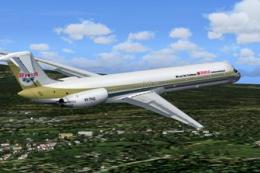
Experience a detailed rendition of the iconic MD-83 in FS2004, complete with …
 FS2004 Civil Jet Aircraft
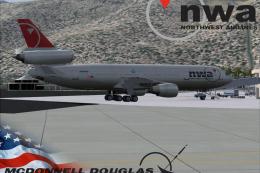
This complete freeware package brings the iconic tri-jet design of the Dougla…
 FS2004 Civil Jet Aircraft
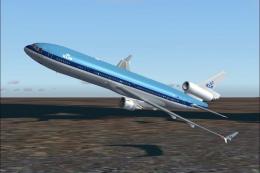
KLM McDonnell Douglas MD-11 with virtual cockpit. Includes panel. Repainted b…
Be the first to leave a comment on this download.
Be the first to share your thoughts on this download.