

 FS2004 Civil Jet Aircraft
Series 30 Demonstrator DC-10-30
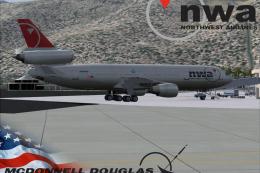
This freeware release brings fresh updates to a classic tri-engine wide-body …
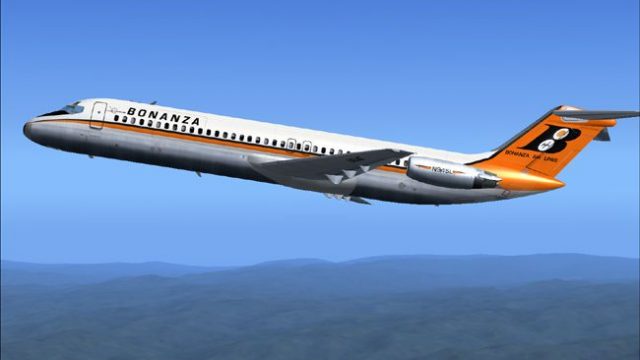
Bonanza Airlines’ Douglas DC-9-30 livery brings a faithful period look to the classic twinjet, with accurate tail branding, fuselage striping, and registration details for historically inspired domestic routes. Designed for Microsoft Flight Simulator 2004, it requires the freeware SGA DC-9-30 base model to display the textures correctly.
 Rate
Rate
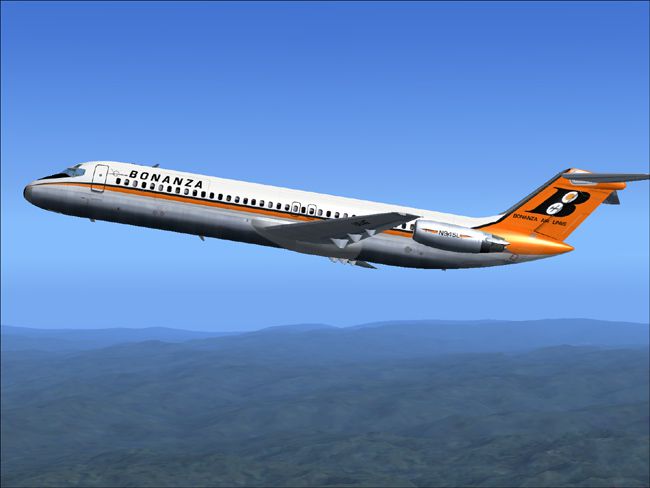
This repaint set features the Bonanza Airlines Douglas DC-9-30 for use in Microsoft Flight Simulator 2004, meticulously crafted by Henry William. It brings a historical domestic operator’s livery to the SGA DC-9-30 freeware model, which is not included and must be downloaded separately from the Fly Away Simulation library.
Bonanza Airlines originally operated under the Douglas DC series for short to medium routes within the United States. The DC-9-30 variant, produced by the Douglas Aircraft Company, introduced advanced turbofan powerplants and a pressurized fuselage optimized for efficient climbs and stable cruises. This specific repaint showcases Bonanza’s distinctive tail branding and fuselage pattern. Henry William ensured the colors and markings accurately represent the airline’s historical identity, allowing virtual pilots to relive an earlier era in air transport operations.
Screenshot of Bonanza Airlines DC-9-30 in flight.
This texture set relies on the SGA DC-9-30 model (filename: SGA930.zip) to function properly. Please confirm this freeware package is installed in your Microsoft Flight Simulator 2004 directory before adding the new Bonanza livery. The base files contain the essential aerodynamic configurations and in-flight animations required for the DC-9’s accurate performance modeling.
[fltsim.X] line with the correct sequence number:
[fltsim.X]
title=SGA DC-9-30 BAL
sim=SGA DC9_30
model=
panel=
sound=
texture=bal
checklists=
atc_id=N940N
atc_id_color=0xffffffff
atc_airline=Bonanza
atc_flight_number=935
ui_manufacturer=Douglas
ui_type=DC-9-31
ui_variation=Bonanza Air Lines
description=Model: Erick Cantu
Flight Dynamics V9.1.0: Fraser W. Turner

visual_damage=0
atc_heavy=0
atc_id_font=Verdana,-11,1,600,0
atc_parking_codes=
atc_parking_types=
texture.bal folder into the SGA DC9-30 directory.The Douglas DC-9 series introduced economies of scale through twin rear-mounted engines and a low-set, narrow fuselage design. Its rapid climb capabilities and robust flight dynamics made it a popular choice among various carriers. With this Bonanza repaint, you can appreciate the airline’s seasoned operations in the American West while enjoying the DC-9’s characteristic handling in Microsoft Flight Simulator 2004.
Henry William is the author of this repaint package. Special recognition also goes to the SGA development team for their DC-9-30 freeware model. This add-on is available at no cost and represents a genuine piece of aviation nostalgia for enthusiasts and simmers eager to encounter Bonanza Airlines’ memorable livery.
Free for all simmers · 2.59 MB · Scanned clean Oct 2026
Download speed: Free tier is capped at 0.5 Mbps. PRO members download at full line speed.
This file is a repaint — the package below is the base model it paints onto. Install it first, or the textures will have nothing to load onto.
FS9\Aircraft\, FS9\Addon Scenery\, FS9\Gauges\, or FS9\Effects\.readme.txt or README file. It tells you exactly where files go, what dependencies are needed, and any quirks specific to this add-on.The archive baldc9hw.zip has 24 files and directories contained within it.
This list displays the first 500 files in the package. If the package has more, you will need to download it to view them.
| Filename/Directory | File Date | File Size |
|---|---|---|
| 1.jpg | 10.30.04 | 97.96 kB |
| small.gif | 10.30.04 | 2.93 kB |
| readme.txt | 10.30.04 | 1.56 kB |
| texture.bal | 10.17.04 | 0 B |
| 30FUSE_L.BMP | 10.28.04 | 4.00 MB |
| CONE_L.BMP | 08.08.03 | 5.43 kB |
| CONE_T.BMP | 08.08.03 | 5.43 kB |
| DC9_B_L.BMP | 05.19.04 | 256.07 kB |
| DC9xINTERIOR_L.BMP | 05.19.04 | 256.07 kB |
| DC9xINTERIOR_T.BMP | 01.28.04 | 1.00 MB |
| ENGINES_L.BMP | 05.19.04 | 256.07 kB |
| INTAKE_L.bmp | 08.08.03 | 5.43 kB |
| INTAKE_t.BMP | 08.10.03 | 42.78 kB |
| WING_LEFT_L.BMP | 05.19.04 | 256.07 kB |
| WING_LEFT_R.BMP | 08.07.03 | 1.33 MB |
| WING_RIGHT_L.BMP | 05.19.04 | 256.07 kB |
| WING_RIGHT_T.bmp | 10.16.04 | 4.00 MB |
| engines_t.bmp | 10.30.04 | 4.00 MB |
| 30fuse_t.bmp | 10.30.04 | 4.00 MB |
| wing_left_t.bmp | 10.30.04 | 4.00 MB |
| dc9_b_t.bmp | 10.31.04 | 4.00 MB |
| DC-9-30 Bonanza Air Lines | 10.30.04 | 0 B |
| flyawaysimulation.txt | 10.29.13 | 959 B |
| Go to Fly Away Simulation.url | 01.22.16 | 52 B |
Only PRO members can place votes.
More FS2004 add-ons hand-picked based on this download.
FS2004 Civil Jet Aircraft
This freeware release brings fresh updates to a classic tri-engine wide-body …
 FS2004 Civil Jet Aircraft
This complete freeware package brings the iconic tri-jet design of the Dougla…
 FS2004 Civil Jet Aircraft
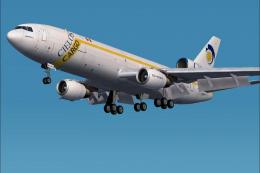
This complete freeware package features a DC-10-30 rendition in Cielos Airlin…
 FS2004 Civil Jet Aircraft
This is a repaint of the FFX/SGA DC-10-30 in Ariana Afghan livery.Includes re…
 FS2004 Civil Jet Aircraft
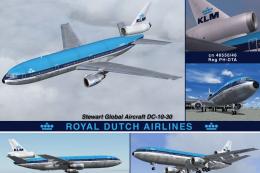
Features photoreal tail, 32 bit textures (non-mipped). Model by SGA. Livery b…
 FS2004 Civil Jet Aircraft
Experience an updated KLM Royal Dutch Airlines DC-10-30 freeware package craf…
 FS2004 Civil Jet Aircraft
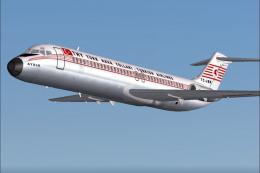
Turkish Airlines Douglas DC-9-30, registration TC-JBK. A fictional repaint fo…
 FS2004 Civil Jet Aircraft
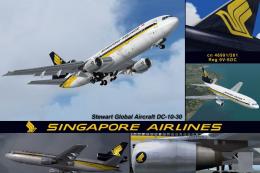
This freeware package features a refined Douglas DC-10-30 variant in Singapor…
Be the first to leave a comment on this download.
Be the first to share your thoughts on this download.