

 FSX Scenery
Erie International Airport (KERI)
(KERI) Tom Ridge Field, Pennsylvania (PA), USA. This is an update to fully in…
Erie International Airport (KERI) in Pennsylvania gets a focused accuracy refresh with corrected runway and taxiway geometry, including the runway 6 displaced threshold and properly sized taxiway B, plus fixes for traffic appearing at the former runway 24 approach end. Built with stock objects, it updates Microsoft Flight Simulator X without photo-real structures.
 Rate
Rate
 United States of America
Pennsylvania (PA), USA. This update to the KERI 2012 runway extension project scenery resolves issues and omissions that have surfaced since Update #2 (KERI_RUNWAY_EXTENSION_UPDATE_2.ZIP) was released. One issue resolved involves moving traffic that shows up at the old approach end of runway 24 for users of certain third party scenery enhancements. This update adds several changes and enhancements including runway 6 displaced threshold and taxiway B parallel to 2-20 drawn to the correct width. By Richard O. Finley.
-Update-3-fsx-1.jpg)
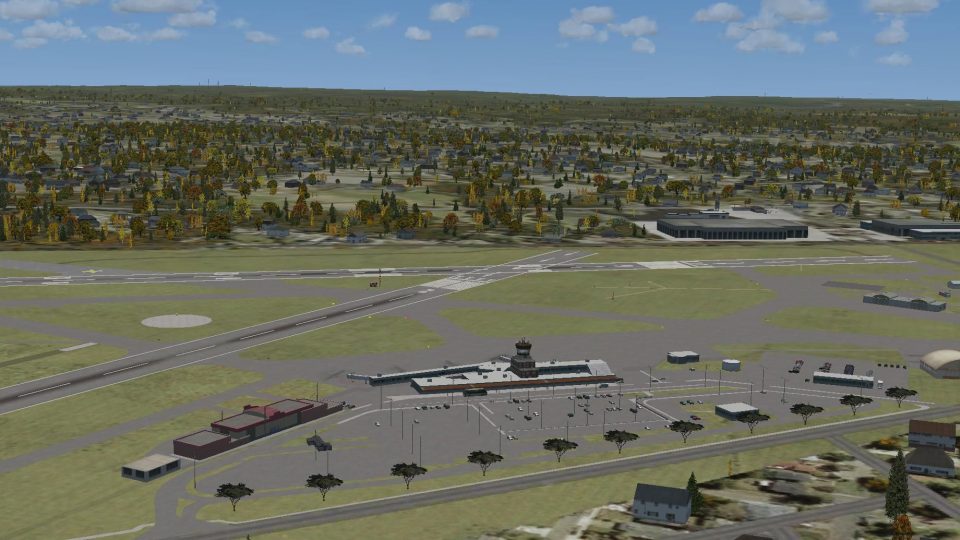
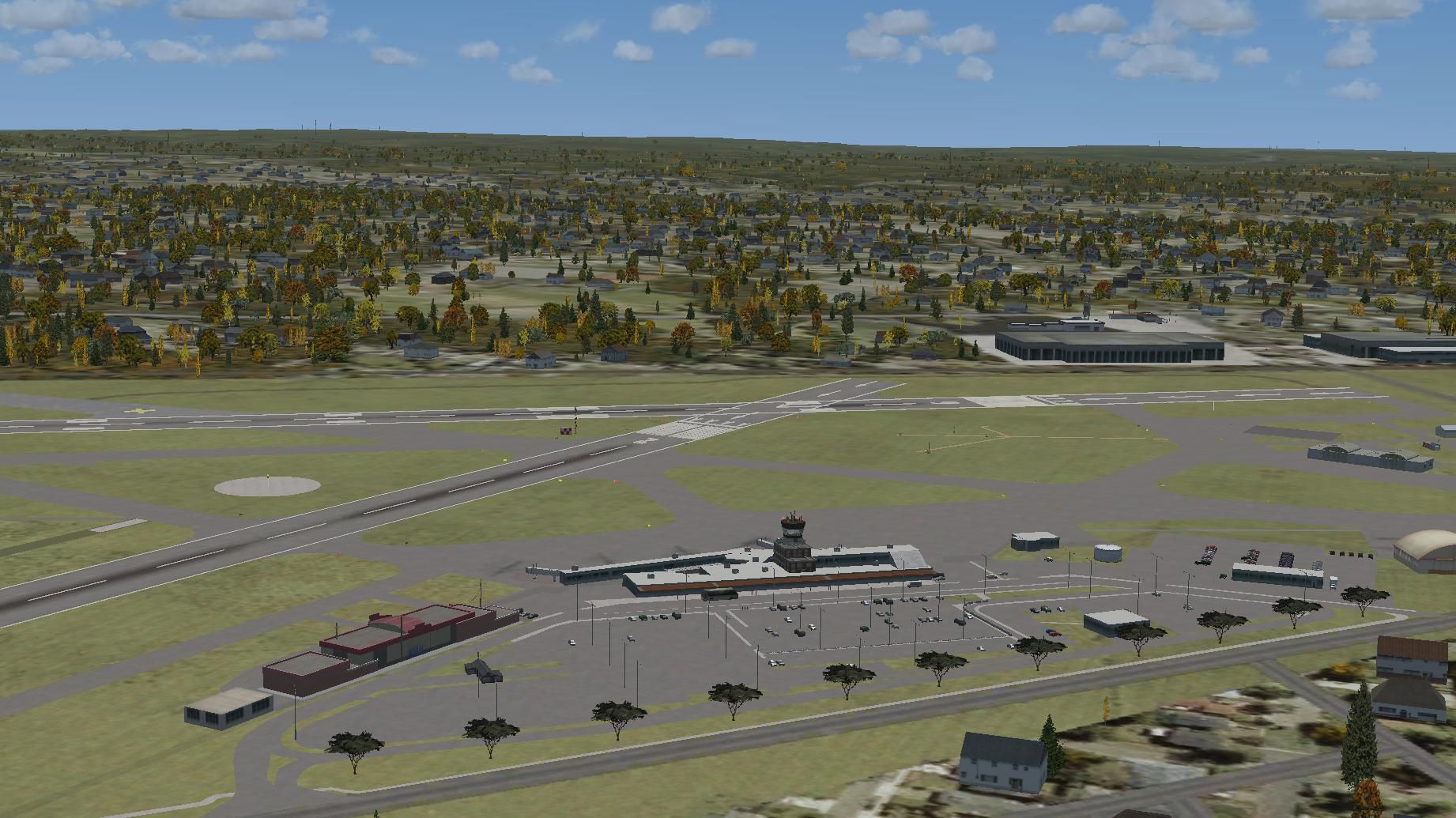
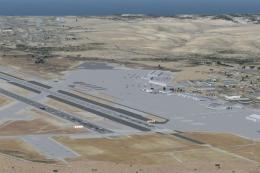
Screenshot of Erie International and surrounding scenery.
The stock incarnation of KERI leaves much to be desired in FSX. A lot of detail has been added or corrected using a Google Earth and Erie International Airport's own drawing as an overlay. There are no photo-real buildings used here. This simulation uses all stock buildings and features available in ADE9X so a little imagination is required.
Installation:
This scenery is for FSX only. Put the two .bgl files from the downloaded Zip file into the folder - Microsoft flight simulator X\addon scenery\scenery. If you already have an earlier version installed, it will ask you if you want to overwrite the existing files. Allow the existing files to be overwritten.
Hope you enjoy it.
Free for all simmers · 288.66 KB · Scanned clean Oct 2026
Download speed: Free tier is capped at 0.5 Mbps. PRO members download at full line speed.
This add-on may require the following files to function properly. If this is a repaint, the dependency below is likely the base aircraft package.
SimObjects\Airplanes\, Addon Scenery\, Effects\, or Gauges\.readme.txt or README file. It tells you exactly where files go, what dependencies are needed, and any quirks specific to this add-on.Use these coordinates to fly directly to this location once the mod is installed.
42.08305600,-80.17611100
Launch FSX or Prepar3D and use Flights → Load to open the downloaded .pln file. Your aircraft will be positioned at this location.
The archive keri_runway_extension_update_3.zip has 6 files and directories contained within it.
This list displays the first 500 files in the package. If the package has more, you will need to download it to view them.
| Filename/Directory | File Date | File Size |
|---|---|---|
| KERI_ADEX_ROF.BGL | 11.12.12 | 97.80 kB |
| KERI_ADEX_ROF_CVX.bgl | 11.12.12 | 5.28 kB |
| Readme.txt | 11.13.12 | 3.55 kB |
| Thumbnail.jpg | 11.13.12 | 258.08 kB |
| flyawaysimulation.txt | 10.29.13 | 959 B |
| Go to Fly Away Simulation.url | 01.22.16 | 52 B |
Only PRO members can place votes.
More FSX & P3D add-ons hand-picked based on this download.
FSX Scenery
(KERI) Tom Ridge Field, Pennsylvania (PA), USA. This is an update to fully in…
 FSX Scenery
Erie International Airport / Tom Ridge Field (KERI), Erie, Pennsylvania (PA).…
 FSX Scenery
Erie International Airport / Tom Ridge Field (KERI), Pennsylvania (PA). Adds …
 FSX Scenery
Hergest Ridge, UK. Hergest Ridge is a large elongated hill which traverses th…
 FSX Scenery
Tumbler Ridge, British Columbia, Canada (CBX7). By Bob Caparoula. Tumbler Rid…
 FSX Scenery
Meigs Field Chicago, Illinois (IL). Restores the greatly missed one-time Flig…
 FSX Scenery
Merrill C. Meigs Field Airport, IATA: CGX, ICAO: KCGX, was a single strip air…
 FSX Scenery
1n 1996, The USMC abandoned the cramped quarters of MCAS El Toro and MCAS Tus…
Be the first to leave a comment on this download.
Be the first to share your thoughts on this download.