

 FS2004 Propeller Aircraft
Douglas DC-3 Three Fuel Tank
This gauge and modification is applicable only to the FS2004 DC-3. Its purpos…
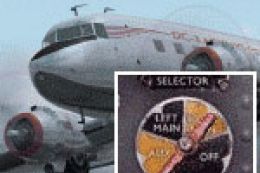
Douglas DC-3 four fuel tank conversion restores the aircraft’s original four-tank layout in FS2004, extending capacity to 804 gallons for longer-range flights. Updated fuel gauge and left/right engine selector controls add four accurate tank positions plus OFF, enabling more authentic preflight fuel-and-payload planning while expanding a DC-3 hangar.
 Rate
Rate
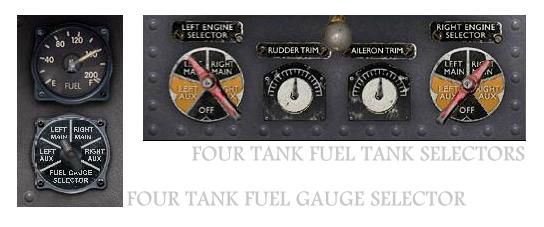
The default FS2004 DC-3 is configured for three fuel tanks, whereas by design the C-47/DC-3 had four from which to draw. Many airlines using the DC3 commercially blanked off, removed or never installed one tank in order to maximize payload; they were usually operating shorter routes than were typical of the C-47 in military service, This conversion kit gives the option of restoring the aircraft to four tank configuration, giving greater range for long duration flights. Offering realistic fuel management, this option can replace your default configuration or, alternatively, add four tank aircraft to your DC-3 collection. Note that this file will only be of use to those pilots who like to set up fuel and payload properly before a flight; pilots using default FS settings of maximum fuel and full payload will find that the aircraft is over maximum takeoff weight in this configuration. By Dave Bitzer and Mark Beaumont.
Picture showing four fuel tank gage selecor and tank selectors.
Features:
Free for all simmers · 878.04 KB · Scanned clean Oct 2026
Download speed: Free tier is capped at 0.5 Mbps. PRO members download at full line speed.
FS9\Aircraft\, FS9\Addon Scenery\, FS9\Gauges\, or FS9\Effects\.readme.txt or README file. It tells you exactly where files go, what dependencies are needed, and any quirks specific to this add-on.The archive dc3_4tk.zip has 8 files and directories contained within it.
This list displays the first 500 files in the package. If the package has more, you will need to download it to view them.
| Filename/Directory | File Date | File Size |
|---|---|---|
| README_DC3_4TK.txt | 01.06.04 | 7.82 kB |
| 4tank.gif | 12.21.03 | 12.34 kB |
| 4tank.jpg | 12.21.03 | 24.59 kB |
| DC3_fuel_4tank.cab | 01.05.04 | 312.94 kB |
| Douglas_DC3_1_C.bmp | 12.18.03 | 682.75 kB |
| file_id.diz | 01.06.04 | 1.04 kB |
| flyawaysimulation.txt | 10.29.13 | 959 B |
| Go to Fly Away Simulation.url | 01.22.16 | 52 B |
Only PRO members can place votes.
More FS2004 add-ons hand-picked based on this download.
FS2004 Propeller Aircraft
This gauge and modification is applicable only to the FS2004 DC-3. Its purpos…
 FS2004 Propeller Aircraft
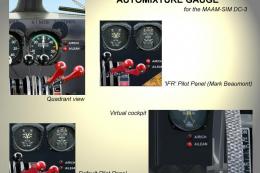
MAAM-SIM DC-3 Fuel Tank Selection and autolean modification. This gauge is ap…
 FS2004 Propeller Aircraft
Textures only for the default DC3. By Carlos Marrero. Screenshot of Four Star…
 FS2004 Propeller Aircraft
Includes nose art on both sides. Original model by Greg Pepper and Tom Gibson…
 FS2004 Propeller Aircraft
Textures only for the MAAM-SIM Douglas DC3 cargo. Four Star Cargo is a Caribb…
 FS2004 Propeller Aircraft
The Freightshifters 2010 brings you yet another rare and wonderful AI package…
 FS2004 Propeller Aircraft
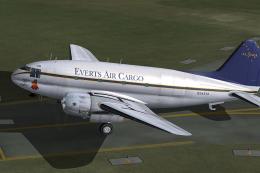
Textures only for the C46 Commando by Libardo Guzman, Greg Pepper and Tom Gib…
 FS2004 Propeller Aircraft
This simple change to the config file fixes the location of the fuel dump con…
Be the first to leave a comment on this download.
Be the first to share your thoughts on this download.