

 FS2004 Propeller Aircraft
Everts Air Fuel Curtiss C-46
Textures only for the C46 Commando by Libardo Guzman, Greg Pepper and Tom Gib…
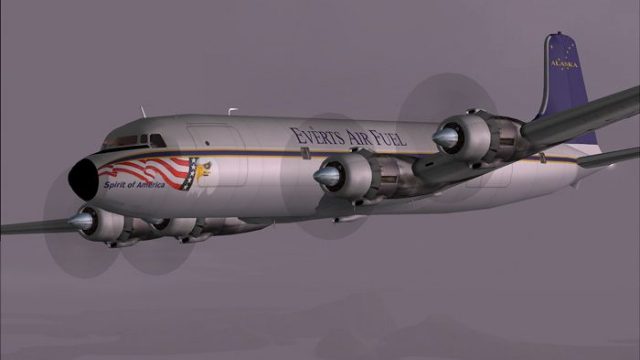
Everts Air Fuel’s Douglas DC-6B N444CE brings an authentic Fairbanks cargo look to FS2004 with crisp Cal Classics GMAX detailing and matching nose art on both sides. The textures-only repaint refreshes a classic scheme and requires the original FS2002 Western Airlines DC-6B plus the FS2004 flight model update.
 Rate
Rate

Includes nose art on both sides. Original model by Greg Pepper and Tom Gibson. Livery by Todd Disrud.
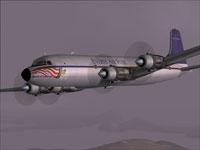
Screenshot of Everts Air Fuel Douglas DC-6B in flight.
This is the Cal Classics GMAX DC-6B painted in the colors of Everts Air Fuel based in Fairbanks, Alaska. This is a redo of my FS2002 repaint. I've added the nose art to both sides, along with a few other things. Thanks to Greg Pepper and Tom Gibson for such a beautiful model and a paint kit that makes things easy. Thanks to Dave (Akflyer) for his generous use of a photo of the original aircraft.
Installation:
Included are textures only! You will need the original FS2002 Western Airlines DC-6B. And don't forget the FS2004 flight model update! Copy the texture.everts folder into your DC6B folder. Insert the following entry in sequence in your aircraft.cfg file. Replace the X with a consecutive number. Launch flight sim and crank up the Doug.
[fltsim.X]

	title=Douglas DC-6B Everts Cargo

	sim=dc6b

	model=

	panel=

	sound=

	texture=everts

	kb_checklists=dc6b_check

	kb_reference=dc6b_ref

	atc_id=N444CE

	atc_id_enable=1

	atc_airline=

	atc_flight_number=611

	atc_heavy=0

	atc_parking_types=CARGO

	atc_parking_codes=VTS

	ui_manufacturer=Douglas

	ui_type=DC-6B

	ui_variation=Everts Air Fuel

	description=The DC-6B was generally considered to possess the best operating economics of any piston airliner built. Passengers also appreciated their smooth, quiet ride.

	visual_damage=1

	prop_anim_ratio=0.9
Free for all simmers · 1.38 MB · Scanned clean Oct 2026
Download speed: Free tier is capped at 0.5 Mbps. PRO members download at full line speed.
FS9\Aircraft\, FS9\Addon Scenery\, FS9\Gauges\, or FS9\Effects\.readme.txt or README file. It tells you exactly where files go, what dependencies are needed, and any quirks specific to this add-on.The archive dc6b_eve.zip has 26 files and directories contained within it.
This list displays the first 500 files in the package. If the package has more, you will need to download it to view them.
| Filename/Directory | File Date | File Size |
|---|---|---|
| DC-6B Everts Read Me.txt | 06.19.04 | 1.54 kB |
| dc6b2k2.txt | 05.25.03 | 7.35 kB |
| Everts_dc6b.jpg | 06.19.04 | 55.26 kB |
| everts_dc6b_sm.gif | 06.19.04 | 8.92 kB |
| texture.everts | 06.19.04 | 0 B |
| blurred_prop.bmp | 09.25.02 | 64.07 kB |
| DC6B_cockpit.bmp | 03.23.03 | 257.05 kB |
| DC6b_leftaft_L.bmp | 07.16.03 | 1.00 MB |
| dc6b_leftaft_t.bmp | 06.19.04 | 1.00 MB |
| DC6b_leftfwd_L.bmp | 07.16.03 | 1.00 MB |
| dc6b_leftfwd_t.bmp | 06.19.04 | 1.00 MB |
| DC6b_rtaft_L.bmp | 07.16.03 | 1.00 MB |
| dc6b_rtaft_t.bmp | 06.19.04 | 1.00 MB |
| DC6b_rtfwd_L.bmp | 07.16.03 | 1.00 MB |
| dc6b_rtfwd_t.bmp | 06.19.04 | 1.00 MB |
| dc6b-3.bmp | 05.06.03 | 256.07 kB |
| dc6b-4.bmp | 05.06.03 | 256.07 kB |
| DC6cowl_flaps_L.bmp | 03.01.03 | 192 B |
| dc6cowl_flaps_t.bmp | 07.05.03 | 32.07 kB |
| DC6cowl14_L.bmp | 03.01.03 | 192 B |
| dc6cowl14_t.bmp | 07.05.03 | 341.43 kB |
| DC6cowl23_L.bmp | 03.01.03 | 192 B |
| dc6cowl23_t.bmp | 07.05.03 | 341.43 kB |
| Thumbs.db | 06.19.04 | 7.50 kB |
| flyawaysimulation.txt | 10.29.13 | 959 B |
| Go to Fly Away Simulation.url | 01.22.16 | 52 B |
Only PRO members can place votes.
More FS2004 add-ons hand-picked based on this download.
FS2004 Propeller Aircraft
Textures only for the C46 Commando by Libardo Guzman, Greg Pepper and Tom Gib…
 FS2004 Propeller Aircraft
Fictional Everts Air Cargo repaint of the default DC-3. Textures only. By Ser…
 FS2004 Propeller Aircraft
The default FS2004 DC-3 is configured for three fuel tanks, whereas by design…
 FS2004 Propeller Aircraft
This gauge and modification is applicable only to the FS2004 DC-3. Its purpos…
 FS2004 Propeller Aircraft
MAAM-SIM DC-3 Fuel Tank Selection and autolean modification. This gauge is ap…
 FS2004 Propeller Aircraft
This simple change to the config file fixes the location of the fuel dump con…
 FS2004 Propeller Aircraft
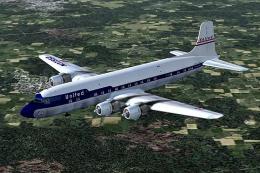
These skins depict the old colors of United Airlines circa summer 1958. This …
 FS2004 Propeller Aircraft
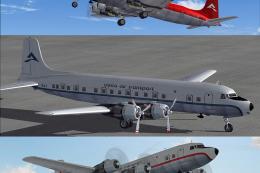
Includes three different liveries. Textures only for the Cal Classics DC-6 mo…
Be the first to leave a comment on this download.
Be the first to share your thoughts on this download.