

 FS2004 Propeller Aircraft
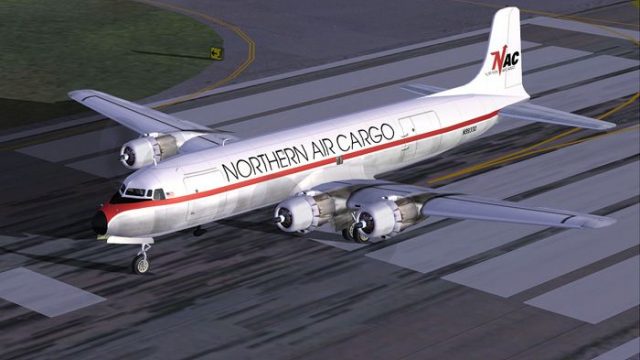
Northern Air Cargo Douglas DC-6B
This repaint showcases Northern Air Cargo’s classic Douglas DC-6B, meticulous…
Northern Air Cargo’s Douglas DC-6B N37566 brings a rugged cargo-era look to the Cal Classics propliner with accurate NAC markings and tailored aircraft configuration details. Built for FS2004, this texture set requires the Cal Classics DC-6B model and delivers a clean, authentic repaint that fits seamlessly into classic piston operations.
 Rate
Rate

Textures only. Model by Cal Classics. NAC livery by Todd Disrud.
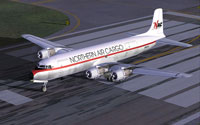
Screenshot of Northern Air Cargo Douglas DC-6B on runway.
These are textures only for the outstanding Cal Classics DC-6b.
I tried to get the prop spinners all black but couldn't. Sorry.
Insert the following entry in sequence in your aircraft.cfg file. Replace the X with a consecutive number.
[fltsim.X]

	title=Douglas DC-6B NAC

	sim=dc6b

	model=

	panel=

	sound=

	texture=nac

	kb_checklists=DC6B_check

	kb_reference=dc6b_ref

	atc_id=N37566

	atc_id_enable=1

	atc_airline=YUKON

	atc_flight_number=583

	atc_heavy=0

	ui_manufacturer=Douglas

	ui_type=DC-6B

	ui_variation=Northern Air Cargo

	description=The DC-6B was generally considered to possess the best operating economics of any piston airliner built. Passengers also appreciated their smooth, quiet ride.

	visual_damage=1

	prop_anim_ratio=0.9
Put the "texture.nac" folder in your DC-6 folder.
Thanks to Greg Pepper, Tom Gibson, and the Cal Classics crew for such a great package, and for a paint kit that makes things easy.
Free for all simmers · 1.31 MB · Scanned clean Oct 2026
Download speed: Free tier is capped at 0.5 Mbps. PRO members download at full line speed.
FS9\Aircraft\, FS9\Addon Scenery\, FS9\Gauges\, or FS9\Effects\.readme.txt or README file. It tells you exactly where files go, what dependencies are needed, and any quirks specific to this add-on.The archive nac_dc6b.zip has 26 files and directories contained within it.
This list displays the first 500 files in the package. If the package has more, you will need to download it to view them.
| Filename/Directory | File Date | File Size |
|---|---|---|
| dc6b2k2.txt | 05.25.03 | 6.83 kB |
| nac_dc6.jpg | 06.05.04 | 106.28 kB |
| Read Me.txt | 06.05.04 | 1.06 kB |
| texture.nac | 06.05.04 | 0 B |
| blurred_prop.bmp | 09.25.02 | 64.07 kB |
| DC6B_cockpit.bmp | 03.23.03 | 257.05 kB |
| DC6b_leftaft_L.bmp | 01.24.04 | 1.33 MB |
| dc6b_leftaft_t.bmp | 06.05.04 | 1.00 MB |
| DC6b_leftfwd_L.bmp | 01.24.04 | 1.33 MB |
| dc6b_leftfwd_t.bmp | 06.05.04 | 1.00 MB |
| DC6b_rtaft_L.bmp | 01.24.04 | 1.33 MB |
| dc6b_rtaft_t.bmp | 06.05.04 | 1.00 MB |
| DC6b_rtfwd_L.bmp | 01.24.04 | 1.33 MB |
| dc6b_rtfwd_t.bmp | 06.05.04 | 1.00 MB |
| dc6b-3.bmp | 05.06.03 | 256.07 kB |
| dc6b-4.bmp | 05.06.03 | 256.07 kB |
| DC6cowl_flaps_L.bmp | 03.01.03 | 192 B |
| dc6cowl_flaps_t.bmp | 07.05.03 | 32.07 kB |
| DC6cowl14_L.bmp | 03.01.03 | 192 B |
| dc6cowl14_t.bmp | 06.04.04 | 256.07 kB |
| DC6cowl23_L.bmp | 03.01.03 | 192 B |
| dc6cowl23_t.bmp | 06.04.04 | 256.07 kB |
| Thumbs.db | 06.05.04 | 4.50 kB |
| Thumbs.db | 06.05.04 | 6.50 kB |
| flyawaysimulation.txt | 10.29.13 | 959 B |
| Go to Fly Away Simulation.url | 01.22.16 | 52 B |
Only PRO members can place votes.
More FS2004 add-ons hand-picked based on this download.
FS2004 Propeller Aircraft
This repaint showcases Northern Air Cargo’s classic Douglas DC-6B, meticulous…
 FS2004 Propeller Aircraft
This dedicated repaint set replicates the unique “Swoosh” insignia of Norther…
 FS2004 Propeller Aircraft
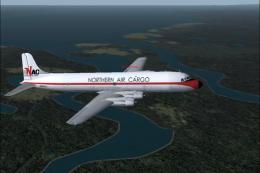
AI DC6 textures for Northern Air Cargo (NAC). All work was originally done by…
 FS2004 Propeller Aircraft
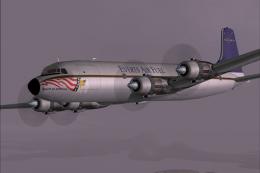
Includes nose art on both sides. Original model by Greg Pepper and Tom Gibson…
 FS2004 Propeller Aircraft
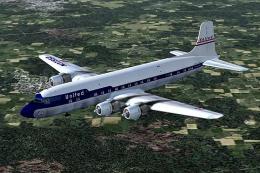
These skins depict the old colors of United Airlines circa summer 1958. This …
 FS2004 Propeller Aircraft
Includes three different liveries. Textures only for the Cal Classics DC-6 mo…
 FS2004 Propeller Aircraft
A high quality Belgian Air Force DC-6B. Original by Greg Pepper, Tom Gibson, …
 FS2004 Propeller Aircraft
These skins depict the colors of Western Airlines circa summer 1964. This is …
Be the first to leave a comment on this download.
Be the first to share your thoughts on this download.