

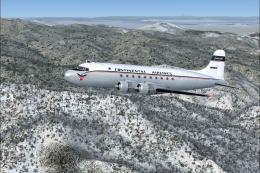
 FS2004 Propeller Aircraft
Continental Airlines Douglas DC-4
Textures for the JBK DC-4 v3 by Jens Kristensen. Continental leased N88852 fr…
Continental Airlines livery textures refresh the default Douglas DC-3 in FS2004 with period-appropriate exterior paint and sharper, reworked virtual cockpit textures for improved readability. Requires the default DC-3, delivering a clean airline look that fits classic propliner routes and vintage airliner flying.
 Rate
Rate
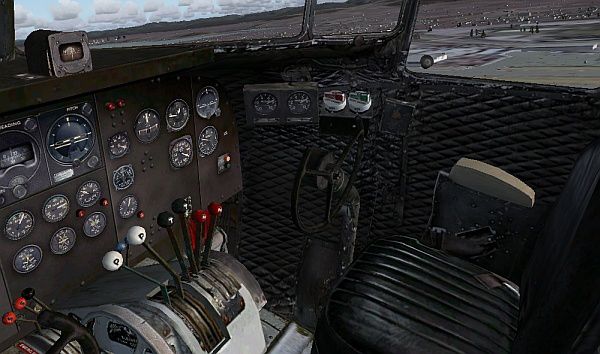


Textures only for the default DC3. Also includes reworked virtual cockpit textures, to make them clearer. Repainted by Ray Wainman.
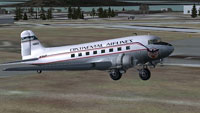
Screenshot of Continental Airlines Douglas DC-3 exterior.
Installation:
[fltsim.xx]

	title=Douglas DC-3

	sim=Douglas_DC3

	model=

	panel=

	sound=

	texture=coa

	kb_checklists=Douglas_DC3_check

	kb_reference=Douglas_DC3_ref

	atc_id=

	ui_manufacturer=Douglas

	ui_type=DC-3

	ui_variation=Continental Airlines

	description="The Douglas DC-3 revolutionized air transportation and airline service during the 1930s and 1940s. It was a luxury airliner that boasted cabin heat and running water in its on-board lavatory. With the right balance of efficiency, range, speed, and payload, the DC-3 was the first aircraft to earn a profit for its owners just by carrying passengers. The hero of early airlines, a handful of DC-3s are still at work today."
Free for all simmers · 1.82 MB · Scanned clean Oct 2026
Download speed: Free tier is capped at 0.5 Mbps. PRO members download at full line speed.
FS9\Aircraft\, FS9\Addon Scenery\, FS9\Gauges\, or FS9\Effects\.readme.txt or README file. It tells you exactly where files go, what dependencies are needed, and any quirks specific to this add-on.The archive dc-3_coa.zip has 18 files and directories contained within it.
This list displays the first 500 files in the package. If the package has more, you will need to download it to view them.
| Filename/Directory | File Date | File Size |
|---|---|---|
| DC-3 COA | 12.31.04 | 0 B |
| dc3.gif | 12.31.04 | 10.97 kB |
| exterior.jpg | 12.31.04 | 102.82 kB |
| New VC overhead.jpg | 12.31.04 | 97.94 kB |
| New VC textures.jpg | 12.31.04 | 98.27 kB |
| readme.txt | 12.31.04 | 1.78 kB |
| texture.coa | 12.31.04 | 0 B |
| Douglas_DC3_1_C.bmp | 12.31.04 | 1.00 MB |
| Douglas_DC3_1_D.bmp | 12.31.04 | 1.00 MB |
| Douglas_DC3_1_T.bmp | 12.31.04 | 1.00 MB |
| Douglas_DC3_2_C.bmp | 12.31.04 | 256.07 kB |
| Douglas_DC3_2_T.bmp | 12.31.04 | 256.07 kB |
| Douglas_DC3_3_C.bmp | 12.31.04 | 85.40 kB |
| Prop_DC3.bmp | 12.31.04 | 341.40 kB |
| Thumbs.db | 12.31.04 | 67.00 kB |
| Thumbs.db | 12.31.04 | 14.00 kB |
| flyawaysimulation.txt | 10.29.13 | 959 B |
| Go to Fly Away Simulation.url | 01.22.16 | 52 B |
Only PRO members can place votes.
More FS2004 add-ons hand-picked based on this download.
FS2004 Propeller Aircraft
Textures for the JBK DC-4 v3 by Jens Kristensen. Continental leased N88852 fr…
 FS2004 Propeller Aircraft
Textures only. Model by Greg Pepper and Tom Gibson. Repaint by Gary Harper. S…
 FS2004 Propeller Aircraft
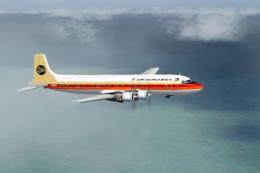
Continental/Air Micronesia textures for the Douglas DC-6A. These are textures…
 FS2004 Propeller Aircraft
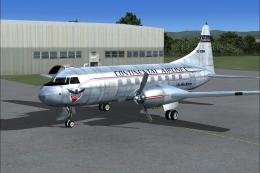
Continental Airlines textures for the FS2004 VBF Convair 240 by Hans Hermann …
 FS2004 Propeller Aircraft
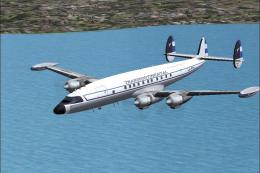
Lockheed L-1049H Super H Constellation. These textures depict LV-FTV about 19…
 FS2004 Propeller Aircraft
These layered PSD files can be used in Paint Shop Pro or Photoshop to allow e…
 FS2004 Propeller Aircraft
DC-3 Airways Douglas DC-3 classic and 1940's liveries. Based on the default D…
 FS2004 Propeller Aircraft
"City of Boston", in bare metal scheme. Original model by Arik Hohmeyer and F…
Be the first to leave a comment on this download.
Be the first to share your thoughts on this download.