

 FS2004 Propeller Aircraft
Lockheed L188 Electra
FS2004 Lockheed L188 Electra The elegant Electra was plagued by mechanical pr…
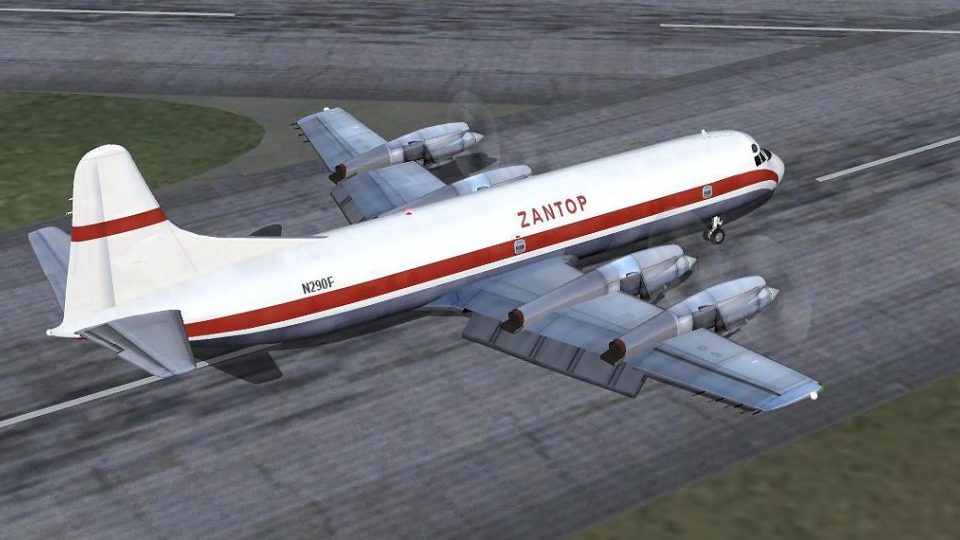
Zantop cargo livery for the Lockheed L-188 Electra refreshes this classic turboprop with crisp 32-bit fuselage textures, refined wing shading, sharper window and tire details, and improved spinning prop visuals in Microsoft Flight Simulator 2004. It requires J.R. Lucariny’s freeware Electra base model (ELEIIVG.ZIP) for correct geometry and animations.
 Rate
Rate

This freeware repaint brings Zantop’s distinctive cargo-livery style to the classic Lockheed Electra in Microsoft Flight Simulator 2004. It features a newly refined fuselage in 32-bit format, enhanced wings, and improved tire and window details, all designed by Jim Campisi for use with the original J.R. Lucariny model.
The Lockheed L-188 Electra was introduced in the late 1950s as an advanced turboprop airliner, praised for its balanced combination of propulsive efficiency and sufficient speed. Cargo operators like Zantop eventually found this airframe well-suited for freight duties, thanks to its reliable powerplants and durable construction. This repaint showcases that specialized cargo heritage, reflecting Zantop’s operational look and feel.
These textures apply exclusively to J.R. Lucariny’s freeware Lockheed Electra model. Pilots must install the ELEIIVG.ZIP package prior to adding this repaint (both can be found in the Fly Away Simulation library). The base model is essential to ensure all geometry and animations display properly within Microsoft Flight Simulator 2004.
Since the fuselage artwork is rendered in 32-bit, simulators will display each decal, panel, and rivet line with crisp clarity. The refined wing surfaces include realistic shading, while the window and tire textures contribute a more lifelike appearance. In addition, the upgraded spinning prop textures enhance the turboprop immersion factor when viewed from both the cockpit and external perspectives.
Zantop, an American freight operator known for utilizing robust turboprops in the mid-to-late 20th century, had an affinity for the Electra’s dependable structure. This repaint portrays the distinctive company branding that once traversed domestic routes carrying cargo loads, thereby recreating an immersive period-correct setting for any virtual freight mission.
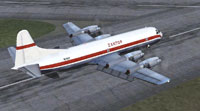
Screenshot displaying the finished repaint during ramp operations.
This freeware repaint was developed by Jim Campisi and uses J.R. Lucariny’s Lockheed Electra model. To install, simply download the texture package, extract the files into the appropriate aircraft folder, and update your aircraft.cfg following the included instructions. Ensure you already have the base model from the Fly Away Simulation library. Experiment with various cargo flight plans to take full advantage of this historical turboprop’s capabilities.
Free for all simmers · 1.54 MB · Scanned clean Oct 2026
Download speed: Free tier is capped at 0.5 Mbps. PRO members download at full line speed.
FS9\Aircraft\, FS9\Addon Scenery\, FS9\Gauges\, or FS9\Effects\.readme.txt or README file. It tells you exactly where files go, what dependencies are needed, and any quirks specific to this add-on.The archive zantop.zip has 25 files and directories contained within it.
This list displays the first 500 files in the package. If the package has more, you will need to download it to view them.
| Filename/Directory | File Date | File Size |
|---|---|---|
| Readme.txt | 06.22.06 | 410 B |
| Bays.bmp | 04.13.06 | 64.07 kB |
| Bays_L.bmp | 04.14.06 | 341.43 kB |
| Civil Pilot.bmp | 04.13.06 | 85.43 kB |
| Civil Pilot_L.bmp | 04.03.06 | 85.43 kB |
| ElectraAsa.bmp | 04.13.06 | 1.00 MB |
| ElectraAsa_L.bmp | 04.14.06 | 1.33 MB |
| ElectraInterior.bmp | 04.13.06 | 1.33 MB |
| ElectraInterior_L.bmp | 04.13.06 | 1.33 MB |
| ElectraMap.bmp | 04.21.06 | 4.00 MB |
| ElectraMap_L.bmp | 04.21.06 | 5.33 MB |
| ElectraVidro.bmp | 03.30.06 | 42.75 kB |
| EleHelice.bmp | 04.14.06 | 64.07 kB |
| EleTire.bmp | 04.13.06 | 85.43 kB |
| EleTireBu.bmp | 04.13.06 | 85.43 kB |
| EleTurb.bmp | 04.21.06 | 1.00 MB |
| EleTurb_L.bmp | 04.03.06 | 341.43 kB |
| HeliceDisco.bmp | 07.02.03 | 64.07 kB |
| Tire.bmp | 04.13.06 | 85.43 kB |
| Trem.bmp | 06.25.03 | 256.53 kB |
| texture.Zan | 06.22.06 | 0 B |
| zan.JPG | 06.22.06 | 290.87 kB |
| zan.gif | 06.22.06 | 11.06 kB |
| flyawaysimulation.txt | 10.29.13 | 959 B |
| Go to Fly Away Simulation.url | 01.22.16 | 52 B |
Only PRO members can place votes.
More FS2004 add-ons hand-picked based on this download.
FS2004 Propeller Aircraft
FS2004 Lockheed L188 Electra The elegant Electra was plagued by mechanical pr…
 FS2004 Propeller Aircraft
This meticulously refined repaint depicts Varig’s iconic Lockheed L-188 Elect…
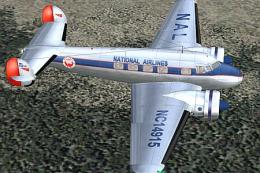 FS2004 Propeller Aircraft
70th anniversary of the Electra L10. A complete new FSDS2 model that features…
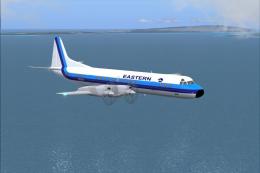 FS2004 Propeller Aircraft
An update of the Lockheed L 188 Electra by Mike Stone (SL188.ZIP), with all t…
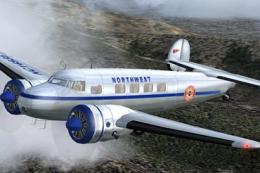 FS2004 Propeller Aircraft
70th Anniversary Of The Electra L-10. It first went into service with Northwe…
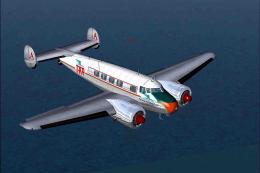 FS2004 Propeller Aircraft
When we refer to vintage TAP (Transportes Aereos Portugueses), the national a…
 FS2004 Propeller Aircraft
These textures are to be used with FSDesign Berlin's L10A Electra (i.e. l104N…
 FS2004 Propeller Aircraft
Rough 'n ready photorealistic repaint for Dee Waldron's Lockheed Electra for …
Be the first to leave a comment on this download.
Be the first to share your thoughts on this download.