

 FS2004 AFCAD Files
AFCAD2 File For UK2000 Luton
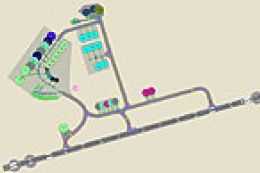
A high quality AFCAD2 file for the UK2000 Luton Airport, UK. Built from scrat…
Luton Airport EGGW gets a cleaner, more usable ground layout with corrected control tower placement and revised parking that adds 2 medium and 19 small gates plus 26 general aviation spots, aligned to 2003 UK IAP gate numbering. Designed for FS2004, it requires AFCAD 2.04 and keeps runway properties unchanged for flexible traffic setups.
 Rate
Rate
Luton Airport, London, UK (EGGW). One of the four main airports serving London, Luton forms an important link for domestic and international shorter range flights using smaller aircraft. By V.F. Holderness.
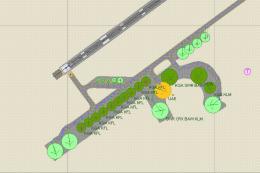
The file eggw4vfh.txt upgrades the stock airport to provide parking for 2 medium and 19 small gates with 26 general aviation of all types. Gate numbering is taken from the UK IAP document dated 21 July 2003 by the British CAA. Some modifications have had to be made to fit in with FS2004, for example there is again no Northern Apron parking and Taxiway Echo is missing from fs. Also to provide some space for GA small, the run-up bay has been used for parking. The UK IAP information was downloaded and taken from Matt Weddell's file eggw_charts.zip which includes SID's, STAR's etc.
The Control Tower has been positioned in the correct place. Runways properties have not been altered, nor has any priority given for specific airline parking. I prefer standard airports with standard parking to provide a full basic layout, as every user has a different selection of aircraft and airlines. Feel free to add your own airline parking and priorities, or modify this file in any way.
Installation:
You must have AFCAD 204 installed. Just move the unzipped file eggw4vfh.bgl into your FS2004 file Addon Scenery\scenery and when next you load FS2004 the new parking will be installed. If you don't like it, just delete it and the original file will be activated at the next load.
Thanks as always to Lee Swordy for his great AFCAD and Ttools programs. The latest Traffic tools for FS2004, version 202, has been available from 16 August 2003, with the new AFCAD 204 for FS2004 just available.
Free for all simmers · 5.73 KB · Scanned clean Oct 2026
Download speed: Free tier is capped at 0.5 Mbps. PRO members download at full line speed.
FS9\Aircraft\, FS9\Addon Scenery\, FS9\Gauges\, or FS9\Effects\.readme.txt or README file. It tells you exactly where files go, what dependencies are needed, and any quirks specific to this add-on.The archive eggw4vfh.zip has 4 files and directories contained within it.
This list displays the first 500 files in the package. If the package has more, you will need to download it to view them.
| Filename/Directory | File Date | File Size |
|---|---|---|
| readmeEGGW4.txt | 11.01.03 | 1.78 kB |
| eggw4vfh.bgl | 11.01.03 | 8.09 kB |
| flyawaysimulation.txt | 10.29.13 | 959 B |
| Go to Fly Away Simulation.url | 01.22.16 | 52 B |
Only PRO members can place votes.
More FS2004 add-ons hand-picked based on this download.
FS2004 AFCAD Files
A high quality AFCAD2 file for the UK2000 Luton Airport, UK. Built from scrat…
 FS2004 AFCAD Files
Tokyo Narita Airport (RJAA), Japan (not for the default FS2004 airport; detai…
 FS2004 AFCAD Files
An AFCAD2 file for Soekarno-Hatta Airport, Jakarta, Indonesia (WIII) for use …
 FS2004 AFCAD Files
An AFCAD2 file for Ngurah Rai Int'l Airport, Denpasar Bali, Indonesia (WRRR),…
 FS2004 AFCAD Files
Schiphol Airport, Amsterdam, the Netherlands (EHAM). Includes landclass and A…
 FS2004 AFCAD Files
Changi Airport (WSSS), Singapore, based on the real airport. By Aaron Yan Wei…
 FS2004 AFCAD Files
An AFCAD2 file for Sepinggan Airport, Balipapan, Indonesia (WRLL), for use wi…
 FS2004 AFCAD Files
Jomo Kenyatta Airport (HKJK), Nairobi, Kenya. Removes all gates and parking s…
Be the first to leave a comment on this download.
Be the first to share your thoughts on this download.