

 FSX Civil Aircraft
Air Malaysia Boeing 747-800
A livery for the SkySpirit2011 B747-8I (SSP748V4_GENX_N6067E.ZIP), an allianc…
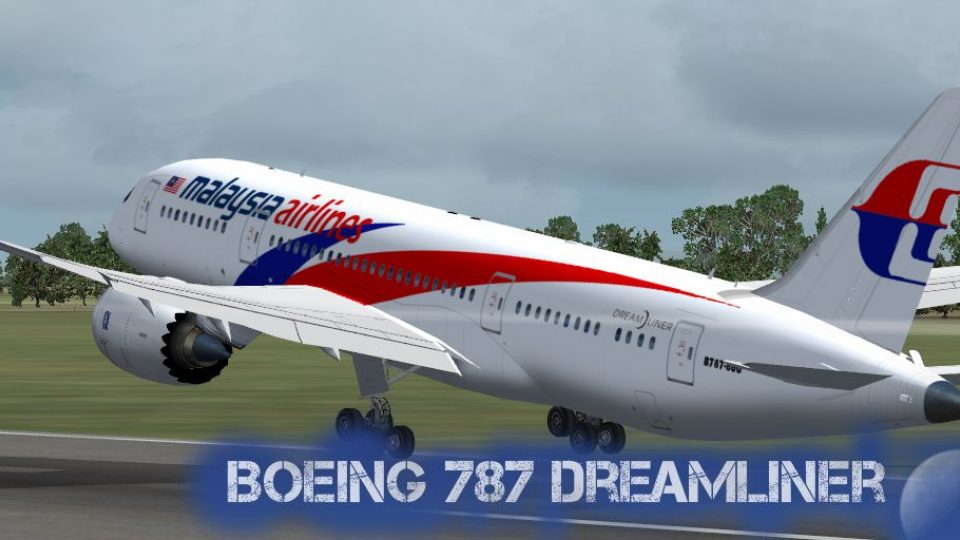
Malaysia Airlines Boeing 787-800 livery brings a polished Dreamliner look to your hangar in FSX, with accurate airline titles, tail markings, and clean exterior detailing for convincing takeoff and cruise screenshots. Textures only; requires the TDS Boeing 787-800 RR model to display correctly.
 Rate
Rate

This repaint texture is for the TDS B787-800 RR model (TDS788TRENT_BOEING_N787BA.ZIP). This Dreamliner for Malaysia Airlines is textures only. Repaint textures by Ayu Emelda Othman.
Screenshot of Malaysia Airlines Boeing 787-800 taking off.
Installation:
[fltsim.xx]

title=Plane0 FREEWARE_COPYRIGHT_TenkuuDevelopersStudio_01JUN2013 OPTANT1110000000_OPTDEC11110 Boeing 787-8 MASNEW

sim=Boeing 787-800 RR

model=

panel=

sound=

texture=MASNEW

kb_checklists=Boeing737-800_check

kb_reference=Boeing737-800_ref

atc_airline=MALAYSIAN

atc_id=9M-KUL

atc_flight_number=52

atc_heavy=1

atc_parking_types=GATE,RAMP,CARGO

atc_parking_code=MAS

ui_manufacturer=Boeing

ui_type=787-8

ui_variation=Malaysian Airlines

visual_damage=1

description=Repaint texture by Ayu Emelda Othman.....The Boeing 787 Dreamliner is a long-range, mid-size wide-body, twin-engine jet airliner developed by Boeing Commercial Airplanes. It seats 210 to 290 passengers, depending on the variant. Boeing states that it is the company's most fuel-efficient airliner and the world's first major airliner to use composite materials for most of its construction.[4] The 787 consumes 20% less fuel than the similarly-sized Boeing 767.[5] Some of its distinguishing features include a four-panel windshield, noise-reducing chevrons on its engine nacelles, and a smoother nose contour. The aircraft's initial designation was 7E7, prior to its renaming in January 2005.[6] The first 787 was unveiled in a roll-out ceremony on July 8, 2007, at Boeing's Everett assembly factory, by which time it had become the fastest-selling wide-body airliner in history with 677 orders.[7] By October 2011, 797 Boeing 787s had been ordered by 57 customers, with ILFC having the largest number on order.[8] The 787 development and production has involved a large-scale collaboration with numerous suppliers around the globe. Final assembly is at the Boeing Everett Factory in Everett, Washington. Aircraft will also be assembled at a new factory in North Charleston, South Carolina. Both sites will deliver 787s to airline customers. Originally planned to enter service in May 2008, the project has suffered from multiple delays. The airliner's maiden flight took place on December 15, 2009, and completed flight testing in mid-2011. Final Federal Aviation Administration and European Aviation Safety Agency certification was received in late August 2011 and the first model was delivered in late September 2011. It entered commercial service on October 26, 2011.

\n\nTypical city pairs: \n London-LA\n LA-Tokyo\n Tokyo-Sydney

atc_id_color=0x00000000

atc_id_font=Verdana,-11,1,600,0
Enjoy!
Free for all simmers · 4.22 MB · Scanned clean Oct 2026
Download speed: Free tier is capped at 0.5 Mbps (this file takes approximately 1 min at the cap). PRO members download at full line speed.
texture.{airline}) inside FSX\SimObjects\Airplanes\{base-aircraft}\.aircraft.cfg in Notepad. Add a new [fltsim.X] section per the readme.readme.txt or README file. It tells you exactly where files go, what dependencies are needed, and any quirks specific to this add-on.The archive b787_malaysia_airlines.zip has 15 files and directories contained within it.
This list displays the first 500 files in the package. If the package has more, you will need to download it to view them.
| Filename/Directory | File Date | File Size |
|---|---|---|
| texture.MASNEW | 02.03.14 | 0 B |
| README _INSTALL.txt | 02.03.14 | 3.04 kB |
| TD787_Trent1000_ENGL_T.dds | 07.29.13 | 512.12 kB |
| TD787_Trent1000_ENGR_T.dds | 07.28.13 | 512.12 kB |
| TD788_LBody_Center_T.bmp | 02.03.14 | 5.33 MB |
| TD788_LBody_Front_T.bmp | 02.03.14 | 5.33 MB |
| TD788_LBody_rear_T.bmp | 02.03.14 | 5.33 MB |
| TD788_NIGHTTAIL.bmp | 02.03.14 | 5.33 MB |
| TD788_RBody_Center_T.bmp | 02.03.14 | 5.33 MB |
| TD788_RBody_Front_T.bmp | 02.03.14 | 5.33 MB |
| TD788_RBody_rear_T.bmp | 02.03.14 | 5.33 MB |
| texture.cfg | 06.11.13 | 137 B |
| thumbnail.jpg | 02.03.14 | 320.20 kB |
| flyawaysimulation.txt | 10.29.13 | 959 B |
| Go to Fly Away Simulation.url | 01.22.16 | 52 B |
Only PRO members can place votes.
More FSX & P3D add-ons hand-picked based on this download.
FSX Civil Aircraft
A livery for the SkySpirit2011 B747-8I (SSP748V4_GENX_N6067E.ZIP), an allianc…
 FSX Civil Aircraft
This freeware package introduces a long-haul twin-aisle jet for FSX, featurin…
 FSX Civil Aircraft
Malaysia Airlines Boeing 737-400, registration 9M-MME. Textures only for the …
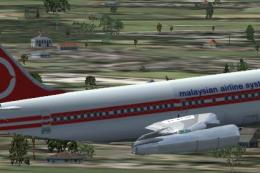 FSX Civil Aircraft
Model by YeoDesign. Repaint by Muhd Khairul Fathi Bin Mohammad. Screenshot of…
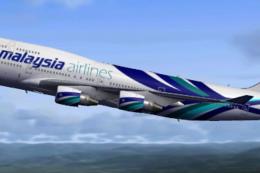 FSX Civil Aircraft
Textures for the Project Open Sky B747-400 with PW engines in Malaysia Airlin…
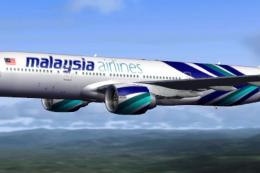 FSX Civil Aircraft
Textures only for the Project Open Sky B777-200 model. By Ayu Emelda Othman. …
 FSX Civil Aircraft
This livery is only for the payware PMDG 747-400X. Malaysia Airlines uses two…
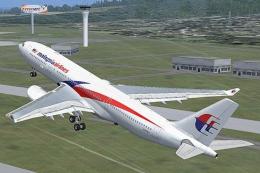 FSX Civil Aircraft
This comprehensive repaint package offers an authentic Malaysia Airlines Airb…
Be the first to leave a comment on this download.
Be the first to share your thoughts on this download.