

 FSX Civil Aircraft
Royal Brunei Boeing 737-200ADV
This is a repaint of the payware Captain Sim B737-200 Adv model in Royal Brun…
Royal Brunei Airlines V8-BLB brings a polished, fictional livery to the Boeing 777-200LR, with crisp fuselage titles, tail branding, and well-aligned markings for convincing long-haul immersion in Microsoft Flight Simulator X. Includes textures only and requires the PMDG 777-200LR payware model.
 Rate
Rate
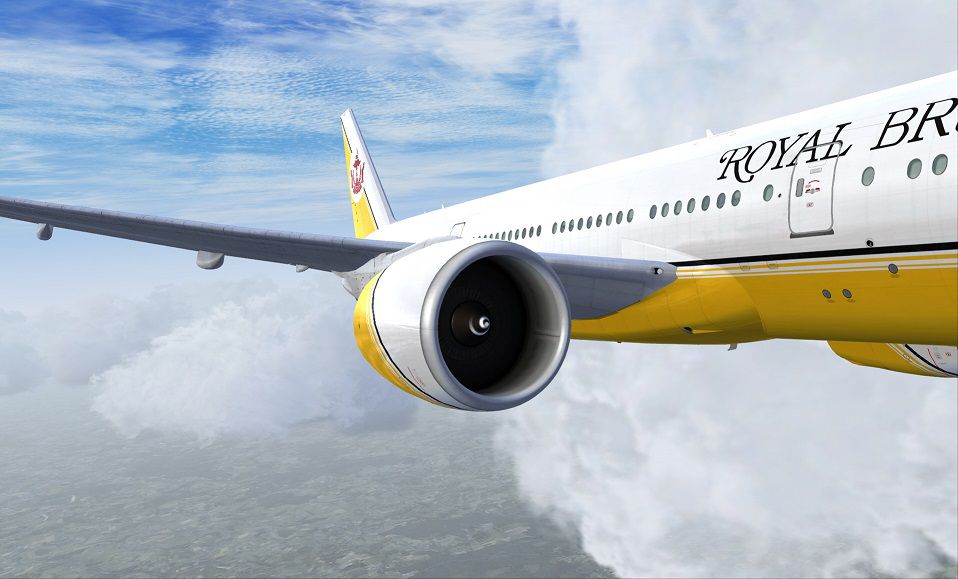
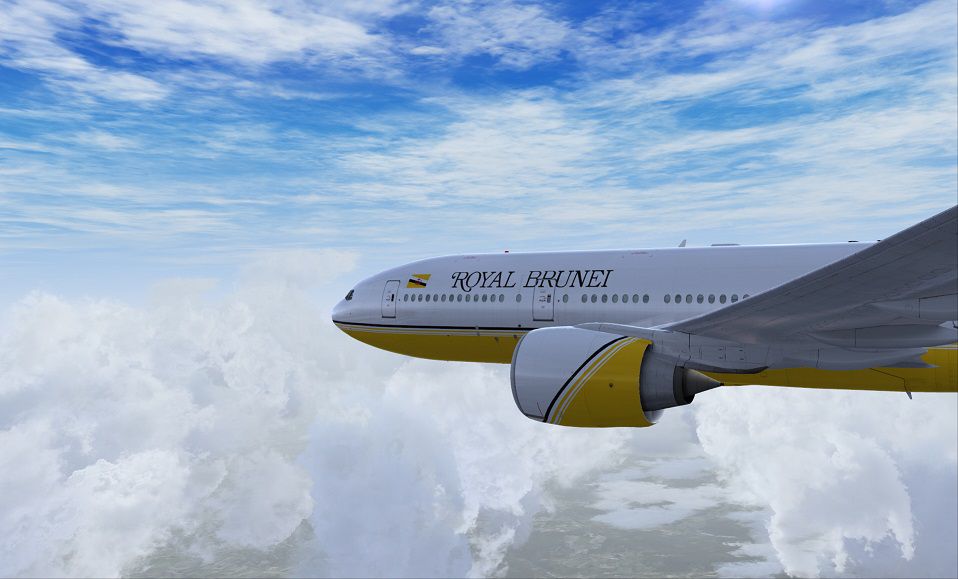
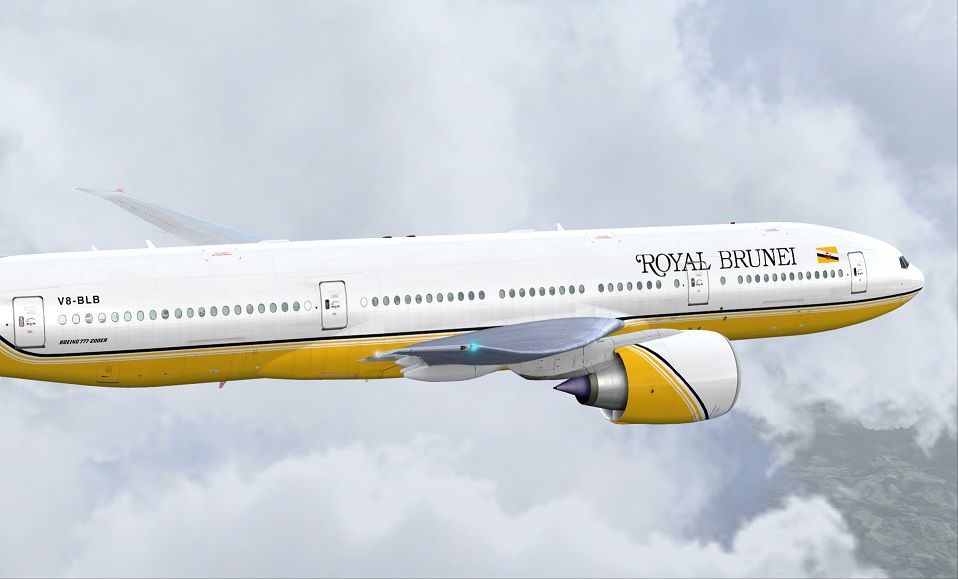
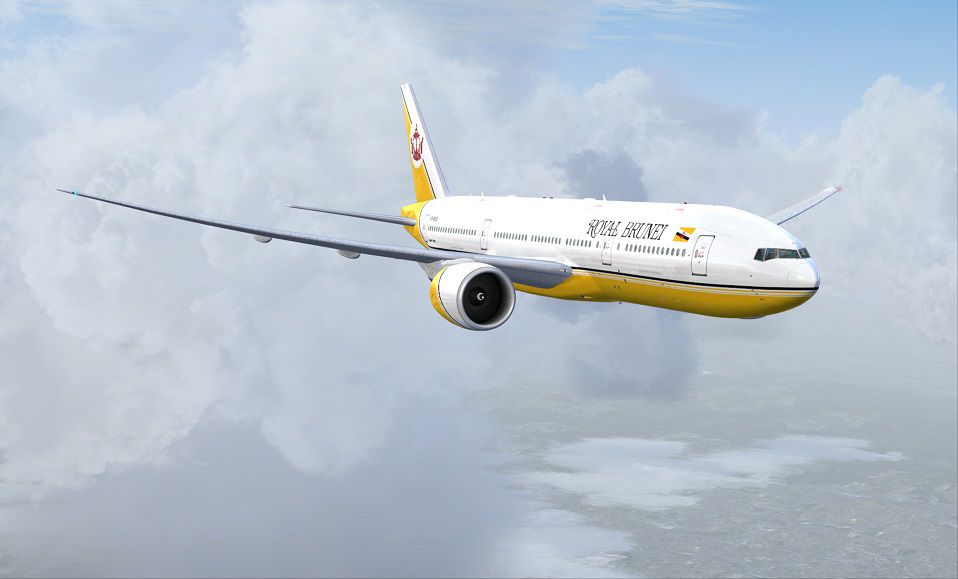
This freeware package provides a fictional Royal Brunei Airlines repaint for the payware PMDG 777-200LR in Microsoft Flight Simulator X. Crafted by Corina Meyer, it features custom textures replicating airline branding and markings in a detailed manner. Although the real-world Royal Brunei Airlines does not operate Boeing 777-200LR variants, this adaptation brings new immersion to long-haul virtual flights.
Royal Brunei Airlines is the national carrier of Brunei Darussalam, connecting the country to a range of international destinations. This fictional livery incorporates the design elements associated with Royal Brunei’s fleet, blending them seamlessly onto the Boeing 777-200LR. By installing this repaint, enthusiasts can simulate extended flights in a wide-body aircraft that is known in the real world for its remarkable range capabilities and twin-engine efficiency.
Presentation of the repaint’s fuselage and engine texture work.
The “LR” in 777-200LR stands for “Longer Range,” an attribute that allows this twin-engine aircraft to operate ultra-long-haul routes. With a high fuel capacity and exceptional aerodynamic efficiency, it remains a popular platform among flight sim users seeking realistic intercontinental flights.
This repaint only includes customized textures. You must have the PMDG 777-200LR payware model installed prior to adding these files. The PMDG rendition offers a highly realistic flight deck and advanced systems, enhancing the overall authenticity of your Royal Brunei flight simulation experience.
To incorporate this fictional Royal Brunei texture into your simulator, follow the steps below through the PMDG Livery Manager:
Once installed, you can load this airframe in Microsoft Flight Simulator X and immerse yourself in a Royal Brunei-themed flight. This modification does not replace any existing textures and works alongside other liveries you may have already installed.
Painted by: Corina Meyer
Free for all simmers · 16.64 MB · Scanned clean Oct 2026
Download speed: Free tier is capped at 0.5 Mbps (this file takes approximately 5 mins at the cap). PRO members download at full line speed.
texture.{airline}) inside FSX\SimObjects\Airplanes\{base-aircraft}\.aircraft.cfg in Notepad. Add a new [fltsim.X] section per the readme.readme.txt or README file. It tells you exactly where files go, what dependencies are needed, and any quirks specific to this add-on.The archive pmdg777-200lr_royal_brunei_v8-blb.zip has 9 files and directories contained within it.
This list displays the first 500 files in the package. If the package has more, you will need to download it to view them.
| Filename/Directory | File Date | File Size |
|---|---|---|
| 1.gif | 11.18.13 | 6.94 kB |
| FS-48377.jpg | 11.18.13 | 132.17 kB |
| FS-48378.jpg | 11.18.13 | 93.86 kB |
| FS-48381.jpg | 11.18.13 | 89.21 kB |
| FS-48385.jpg | 11.18.13 | 128.68 kB |
| PMDG777-200LR Royal Brunei V8-BLB.ptp | 11.18.13 | 16.20 MB |
| ReadMe_Install.txt | 11.18.13 | 1.02 kB |
| flyawaysimulation.txt | 10.29.13 | 959 B |
| Go to Fly Away Simulation.url | 01.22.16 | 52 B |
Only PRO members can place votes.
More FSX & P3D add-ons hand-picked based on this download.
FSX Civil Aircraft
This is a repaint of the payware Captain Sim B737-200 Adv model in Royal Brun…
 FSX Civil Aircraft
This livery is only for Project Airbus A319 model. V8-RBR is repainted in the…
 FSX Civil Aircraft
Royal Brunei Airlines, or RBA, is the flag carrier airline of the Sultanate o…
 FSX Civil Aircraft
-- Royal Brunei Airlines textures for AIA B767-300 GE RBA, DJC A319-100 IAE R…
 FSX Civil Aircraft
Air Canada Boeing 777-200LR. Model by Project Open Sky. Repaint by Yosuke. Ai…
 FSX Civil Aircraft
This comprehensive package blends Air Canada Boeing 777-200LR liveries with t…
 FSX Civil Aircraft
Air New Zealand Boeing 777-200LR (new livery). B777-200 model by SkySpirit201…
 FSX Civil Aircraft
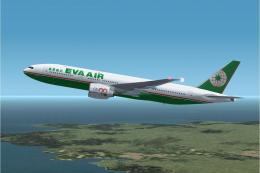
This freeware package features a fully functional Boeing 777-200LR in EVA Air…
Be the first to leave a comment on this download.
Be the first to share your thoughts on this download.