

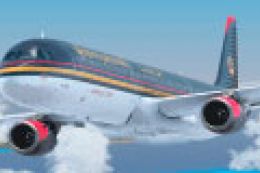
 FSX Civil Aircraft
Royal Jordanian Airbus A321-200 CFM Engines
Expand your virtual fleet with this meticulously detailed Royal Jordanian Air…
Royal Jordanian Airbus A321-200 repaint collection delivers the airline’s distinctive gray scheme and tail insignia with crisp logos and smooth fuselage mapping for Microsoft Flight Simulator X. The texture set targets the IAE twin-engine variant and requires the original freeware Airbus A321 base model, adding an authentic regional carrier look to the virtual cockpit.
 Rate
Rate
This freeware repaint collection offers a customized Royal Jordanian Airbus A321-200 configuration powered by twin IAE engines. It includes a carefully prepared texture set designed for Microsoft Flight Simulator X enthusiasts who want to add an authentic Royal Jordanian appearance to their virtual fleet. The package is thoroughly developed by George Theodorakopoulos, and it incorporates the distinctive gray livery elements from the Aerosoft repaint kit. To utilize it, you will need the original Airbus A321 base model (available separately in the Fly Away Simulation library), along with the provided addthis.txt installation guide.
The real-world Royal Jordanian carriers are known for operating various Airbus aircraft, including stretched variants like the A321. This repaint highlights the airline’s signature color scheme and tail insignia, reflecting the regional charter and scheduled services that Royal Jordanian typically runs. The Airbus A321 itself is a single-aisle jet featuring a longer fuselage than its smaller Airbus siblings and ample space for both business and economy seating arrangements.
Powered by dual IAE turbofan engines (from the International Aero Engines consortium), this A321 rendition replicates the reliable performance and fuel efficiency typical of the real aircraft. These engines, often recognized by their slightly smaller diameter compared to other powerplant options, provide robust thrust output that's appreciated by pilots for longer-range flights.
The included addthis.txt file guides you through placing the repaint into your FSX directory. Simply follow each step and confirm you have a valid Airbus A321 freeware model already in your simulator. Ensure you back up any existing texture folders before adding the new files. All repaint work is provided courtesy of George Theodorakopoulos, who invested time in replicating authentic color tones and airline markings.

Screenshot of Royal Jordanian Airbus A321-200 in flight.
Free for all simmers · 10.62 MB · Scanned clean Oct 2026
Download speed: Free tier is capped at 0.5 Mbps (this file takes approximately 3 mins at the cap). PRO members download at full line speed.
texture.{airline}) inside FSX\SimObjects\Airplanes\{base-aircraft}\.aircraft.cfg in Notepad. Add a new [fltsim.X] section per the readme.readme.txt or README file. It tells you exactly where files go, what dependencies are needed, and any quirks specific to this add-on.The archive aribusa321x_royal_jordanian_iae.zip has 6 files and directories contained within it.
This list displays the first 500 files in the package. If the package has more, you will need to download it to view them.
| Filename/Directory | File Date | File Size |
|---|---|---|
| aribusa321X_royal_jordanian_iae | 08.09.13 | 0 B |
| a321xiae.gif | 08.09.13 | 9.42 kB |
| a321xiae.txt | 08.09.13 | 329 B |
| airbus_royal_jordanian_iae.zip | 08.08.13 | 10.66 MB |
| flyawaysimulation.txt | 10.29.13 | 959 B |
| Go to Fly Away Simulation.url | 01.22.16 | 52 B |
Only PRO members can place votes.
More FSX & P3D add-ons hand-picked based on this download.
FSX Civil Aircraft
Expand your virtual fleet with this meticulously detailed Royal Jordanian Air…
 FSX Civil Aircraft
Vamjoo Airline Airbus A321-200 extended with two CFM engines. A business clas…
 FSX Civil Aircraft
Royal Jordanian Airbus A330-200 PW, "City of Aqaba". Textures only. Model by …
 FSX Civil Aircraft
This repaint features Royal Jordanian’s emblematic Airbus A330-200 (Pratt & W…
 FSX Civil Aircraft
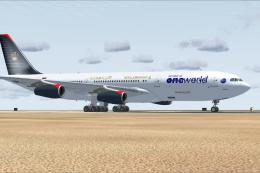
Royal Jordanian Airbus A340-200 in One World livery. Textures only; requires …
 FSX Civil Aircraft
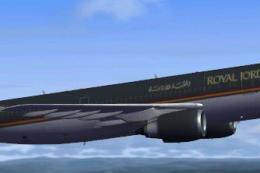
Immerse yourself in a nuanced representation of Royal Jordanian’s wide-body o…
 FSX Civil Aircraft
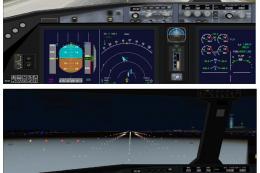
This freeware package features the Boeing 787-8 in Royal Jordanian livery, co…
 FSX Civil Aircraft
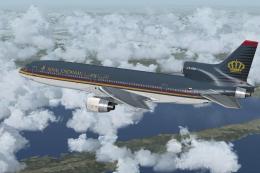
A repaint of the payware Captain Sim L1011. Textures only. Painted by Corina …
Be the first to leave a comment on this download.
Be the first to share your thoughts on this download.