

 FSX Civil Aircraft
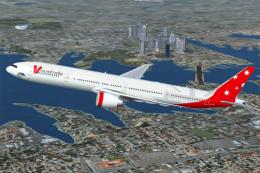
V Australia Boeing 777-300 ER
V Australia Boeing 777-300 ER, registration VH-VOZ, "Didgree Blue". Original …
Tiger Airways Australia Boeing 767-300 textures deliver a fictional long-haul scheme for the Level-D 767-300ER, with crisp markings and airline-specific registration details for authentic AI and user flights. Built for FSX, it installs via the Level-D livery manager and requires a licensed Level-D Simulations 767.
 Rate
Rate
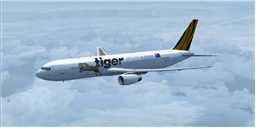
Tiger Airways Australia operates Airbus A320 aircraft on their routes. This is a fictitious livery for the payware Level-D B763 aircraft. Licenced copy Level D Simulations B767 FSX required. Textures installed with livery manager. By Steve Southey.
Screenshot of Tiger Airways Australia Boeing 767-300 in flight.
Installation:
[fltsim.xx]

title=Level D Simulations B767-300ER - Tiger Airways Australia

sim=B767-300

model=RR

panel=

sound=

texture=tiger

kb_checklists=767LVLD_CHECK

kb_reference=767LVLD_REF

atc_id=VH-VNJ

atc_heavy=0

atc_airline=Tiger

atc_flight_number=790

ui_createdby="Level-D Simulations"

ui_type="767-300ER"

ui_manufacturer="Boeing"

ui_variation="Tiger Airways"

ui_typerole="Commercial Airliner"

atc_parking_types=RAMP,GATE

atc_parking_codes=QFA, TGW

description=Boeing 767-300ER, configured for a long haul flight\n\nDry Operating Weight -\t197000 lb (89359 kg)\nMax Allowable TO Weight -\t408000 lb (185068 kg)\nTotal Zero Fuel Weight -\t244976 lb (111120 kg)\nMax Allowable Fuel Weight -\t161000 lb (73029 kg)
Free for all simmers · 2.35 MB · Scanned clean Oct 2026
Download speed: Free tier is capped at 0.5 Mbps. PRO members download at full line speed.
texture.{airline}) inside FSX\SimObjects\Airplanes\{base-aircraft}\.aircraft.cfg in Notepad. Add a new [fltsim.X] section per the readme.readme.txt or README file. It tells you exactly where files go, what dependencies are needed, and any quirks specific to this add-on.The archive lvld_b763_fsx_tiger_airways.zip has 5 files and directories contained within it.
This list displays the first 500 files in the package. If the package has more, you will need to download it to view them.
| Filename/Directory | File Date | File Size |
|---|---|---|
| Installation.txt | 03.05.13 | 1.10 kB |
| LDS767_Repaint_Tiger_Airways.ldx | 03.05.13 | 2.40 MB |
| thumbnail.jpg | 03.05.13 | 3.61 kB |
| flyawaysimulation.txt | 10.29.13 | 959 B |
| Go to Fly Away Simulation.url | 01.22.16 | 52 B |
Only PRO members can place votes.
More FSX & P3D add-ons hand-picked based on this download.
FSX Civil Aircraft
V Australia Boeing 777-300 ER, registration VH-VOZ, "Didgree Blue". Original …
 FSX Civil Aircraft
Experience a precise rendition of Express Freighters Australia’s Boeing 737-3…
 FSX Civil Aircraft
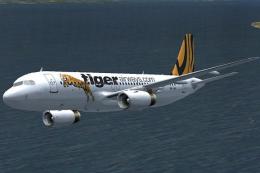
iFDG is proud to present the Airbus A320. The aircraft model includes most of…
 FSX Civil Aircraft
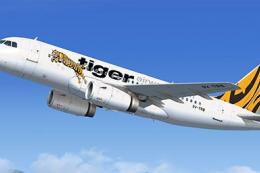
A repaint of the payware Blackbox Airbus Prologue Extreme A319 IAE in TIger A…
 FSX Civil Aircraft
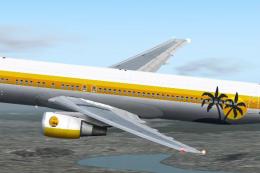
FSX Tropical Sun Airways Boeing 767-300. Model by Project Open Sky. Repaint b…
 FSX Civil Aircraft
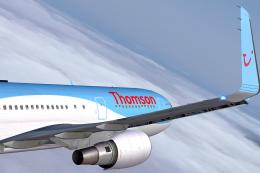
A repaint for the payware Captain Sim B767 in the new Dreamliner colors of Th…
 FSX Civil Aircraft
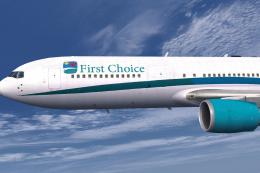
First Choice Airways Boeing 767-300 GE, circa 2008. A repaint of the payware …
 FSX Civil Aircraft
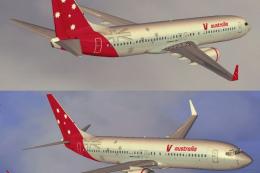
Expand your Microsoft Flight Simulator X collection with this free Virgin Aus…
Be the first to leave a comment on this download.
Be the first to share your thoughts on this download.