

 FSX Civil Aircraft
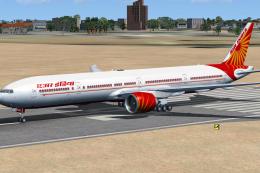
Air India Boeing 777-337ER
A repaint of the SkySpirit2012 B777-300ER aircraft. Features 32 bit textures,…
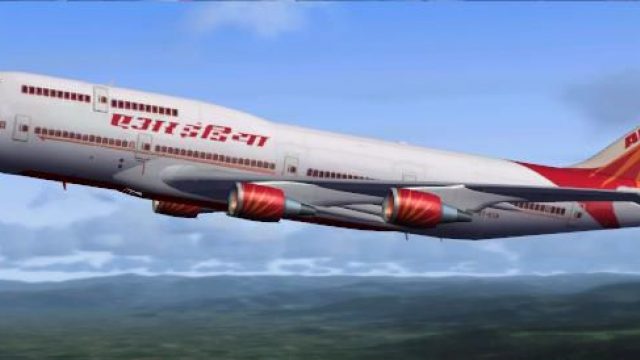
Air India Boeing 747-400 repaint brings the carrier’s classic livery to the iFly Freeware 747-400 with matching registration and airline ATC callsign entries for realistic traffic and menus. Built for Microsoft Flight Simulator X, it supports standard, virtual cockpit, and virtual cockpit with cabin variants, and requires the iFly Freeware 747-400 base package.
 Rate
Rate
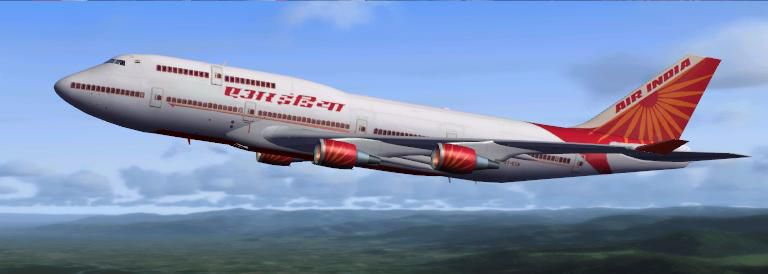
Air India Boeing 747-400. A repaint for the iFly Freeware 747-400 (FLY74711.ZIP). By Arjun Murthy.
Air India Boeing 747-400.
This is the Air India Repaint for the iFly Boeing 747-400.
The iFly is a freeware 747 for FS9 and FSX. THIS REPAINT ONLY WORKS ON FSX. It has not been tested on FS9 however i don't think it'll work on that.
There maybe a few problems with the way the aircraft behaves. If there is, just delete it and re-install it. That should work.
CREDITS:
Credits for the whole aircraft goes to the original iFly Developer Team. They spent numerous hours making such a beautiful aircraft. I can only take credit for the Repaint myself.
INSTALLATION:
To install the Air India textures for the iFly 747-400, simply un-zip the texture.ai.zip file onto your desktop. Copy and paste the texture.ai folder into your iFly 747-400 folder.
Default is C:program Files\Microsoft Games\Microsoft Flight simulator X\SimObjects\Airplanes\iFly 747-400.
Then, open up the 'aircraft.cfg' file in a notepad and copy and paste the below 3 bulk of information. Make sure you place them so they are next after all the other fltsim.XX headings.
Then change the XX to the next number in line. Once you have done this, open up FSX and you should be able to see the Air India repaint with all the other iFly aircraft.
[fltsim.XX]

title=iFly 747-400 AIC

sim=iFly747-400

model=

panel=

sound=

texture=AI

kb_checklists=

kb_reference=

atc_id=VT-ESN

atc_airline=Air India

atc_flight_number=VTESN

atc_heavy=1

ui_manufacturer="Boeing"

ui_type="iFly 747-400"

ui_variation="iFly AIC"

ui_typerole="Commercial Airliner"

ui_createdby="iFly Developer Team"

description=iFly 747-400 with GE engines V1.1.0.0 for Flight Simulator X\n\nGAU program by Jiangwei Shen\nModel by Jiangwei Shen\nArtwork by Bo Yuan\nManual by Miao Luo\nFlight dynamics by Jiangwei Shen\nFSUIPC
[fltsim.XX]

title=iFly 747-400 AIC - Virtual Cockpit

sim=iFly747-400

model=VC

panel=VC

sound=

texture=AI

kb_checklists=

kb_reference=

atc_id=VT-ESN

atc_airline=Air India

atc_flight_number=VTESN

atc_heavy=1

ui_manufacturer="Boeing"

ui_type="iFly 747-400"

ui_variation="iFly AIC - Virtual Cockpit"

ui_typerole="Commercial Airliner"

ui_createdby="iFly Developer Team"

description=iFly 747-400 with GE engines V1.1.0.0 for Flight Simulator X\n\nGAU program by Jiangwei Shen\nModel by Jiangwei Shen\nArtwork by Bo Yuan\nManual by Miao Luo\nFlight dynamics by Jiangwei Shen\nFSUIPC
[fltsim.XX]

title=iFly 747-400 AIC - Virtual Cockpit/Cabin

sim=iFly747-400

model=VCCAB

panel=VC

sound=

texture=AI

kb_checklists=

kb_reference=

atc_id=B-VT-ESN

atc_airline=Air India

atc_flight_number=VTESN

atc_heavy=1

ui_manufacturer="Boeing"

ui_type="iFly 747-400"

ui_variation="iFly AIC - Virtual Cockpit/Cabin"

ui_typerole="Commercial Airliner"

ui_createdby="iFly Developer Team"

description=iFly 747-400 with GE engines V1.1.0.0 for Flight Simulator X\n\nGAU program by Jiangwei Shen\nModel by Jiangwei Shen\nArtwork by Bo Yuan\nManual by Miao Luo\nFlight dynamics by Jiangwei Shen\nFSUIPC
Free for all simmers · 6.11 MB · Scanned clean Oct 2026
Download speed: Free tier is capped at 0.5 Mbps (this file takes approximately 2 mins at the cap). PRO members download at full line speed.
This file is a repaint — the package below is the base model it paints onto. Install it first, or the textures will have nothing to load onto.
texture.{airline}) inside FSX\SimObjects\Airplanes\{base-aircraft}\.aircraft.cfg in Notepad. Add a new [fltsim.X] section per the readme.readme.txt or README file. It tells you exactly where files go, what dependencies are needed, and any quirks specific to this add-on.The archive texture_ai.zip has 61 files and directories contained within it.
This list displays the first 500 files in the package. If the package has more, you will need to download it to view them.
| Filename/Directory | File Date | File Size |
|---|---|---|
| iFly747-400_Black.bmp | 07.10.05 | 202 B |
| iFly747-400_Carpet_L.bmp | 10.15.05 | 8.07 kB |
| iFly747-400_Carpet_T.bmp | 08.05.05 | 8.07 kB |
| iFly747-400_CockpitWindows.bmp | 08.15.02 | 256.07 kB |
| iFly747-400_Eng_1_GE_L.bmp | 03.29.05 | 17.07 kB |
| iFly747-400_Eng_1_GE_T.bmp | 09.28.09 | 1.33 MB |
| iFly747-400_Eng_2_GE_L.bmp | 03.29.05 | 17.07 kB |
| iFly747-400_Eng_2_GE_T.bmp | 09.28.09 | 1.33 MB |
| iFly747-400_Eng_3_GE_L.bmp | 03.29.05 | 17.07 kB |
| iFly747-400_Eng_3_GE_T.bmp | 09.28.09 | 1.33 MB |
| iFly747-400_Eng_4_GE_L.bmp | 03.29.05 | 17.07 kB |
| iFly747-400_Eng_4_GE_T.bmp | 09.28.09 | 1.33 MB |
| iFly747-400_fan.bmp | 09.17.02 | 64.68 kB |
| iFly747-400_fanfast.bmp | 09.17.02 | 64.82 kB |
| iFly747-400_Flap_L_L.bmp | 09.22.02 | 16.07 kB |
| iFly747-400_Flap_L_T.bmp | 06.19.06 | 1.33 MB |
| iFly747-400_Flap_R_L.bmp | 09.22.02 | 16.07 kB |
| iFly747-400_Flap_R_T.bmp | 06.19.06 | 1.33 MB |
| iFly747-400_Fuselage_L_L.bmp | 11.27.05 | 1.00 MB |
| iFly747-400_Fuselage_L_T.bmp | 10.12.09 | 1.33 MB |
| iFly747-400_Fuselage_R_L.bmp | 11.27.05 | 1.00 MB |
| iFly747-400_Fuselage_R_T.bmp | 10.12.09 | 682.75 kB |
| iFly747-400_Gear_L.bmp | 09.22.02 | 16.07 kB |
| iFly747-400_Gear_T.bmp | 10.12.09 | 1.33 MB |
| iFly747-400_Tail_L.bmp | 11.06.05 | 1.00 MB |
| iFly747-400_Tail_T.bmp | 09.23.09 | 682.75 kB |
| iFly747-400_Tire.bmp | 04.14.05 | 128.07 kB |
| iFly747-400_VCpanel_01_L.bmp | 09.08.05 | 512.07 kB |
| iFly747-400_VCpanel_01_T.bmp | 09.08.05 | 512.07 kB |
| iFly747-400_VCpanel_02_L.bmp | 09.25.05 | 512.07 kB |
| iFly747-400_VCpanel_02_T.bmp | 09.25.05 | 512.07 kB |
| iFly747-400_VCpanel_03_L.bmp | 09.25.05 | 512.07 kB |
| iFly747-400_VCpanel_03_T.bmp | 07.30.05 | 512.07 kB |
| iFly747-400_VCpanel_04_L.bmp | 09.10.05 | 512.07 kB |
| iFly747-400_VCpanel_04_T.bmp | 08.05.05 | 512.07 kB |
| iFly747-400_VC_01_L.bmp | 10.15.05 | 512.07 kB |
| iFly747-400_VC_01_T.bmp | 09.01.05 | 1.00 MB |
| iFly747-400_VC_02_L.bmp | 10.15.05 | 512.07 kB |
| iFly747-400_VC_02_T.bmp | 09.01.05 | 512.07 kB |
| iFly747-400_VC_03_L.bmp | 10.15.05 | 512.07 kB |
| iFly747-400_VC_03_T.bmp | 09.01.05 | 1.00 MB |
| iFly747-400_VC_04_L.bmp | 10.15.05 | 512.07 kB |
| iFly747-400_VC_04_T.bmp | 08.19.05 | 512.07 kB |
| iFly747-400_VC_05_L.bmp | 10.15.05 | 512.07 kB |
| iFly747-400_VC_05_T.bmp | 05.01.05 | 512.07 kB |
| iFly747-400_VC_09_L.bmp | 10.15.05 | 512.07 kB |
| iFly747-400_VC_09_T.bmp | 09.25.05 | 512.07 kB |
| iFly747-400_VC_12_L.bmp | 09.25.05 | 512.07 kB |
| iFly747-400_VC_12_T.bmp | 06.18.05 | 512.07 kB |
| iFly747-400_VC_13_L.bmp | 10.15.05 | 512.07 kB |
| iFly747-400_VC_13_T.bmp | 08.16.05 | 512.07 kB |
| iFly747-400_Wing_L_L.bmp | 09.22.02 | 16.07 kB |
| iFly747-400_Wing_L_T.bmp | 09.28.09 | 1.33 MB |
| iFly747-400_Wing_R_L.bmp | 09.22.02 | 16.07 kB |
| iFly747-400_Wing_R_T.bmp | 06.29.06 | 1.00 MB |
| thumbnail.JPG | 10.12.09 | 23.79 kB |
| Thumbs.db | 10.12.09 | 14.50 kB |
| Texture.AI | 10.12.09 | 0 B |
| readme.txt | 10.13.09 | 3.54 kB |
| flyawaysimulation.txt | 10.29.13 | 959 B |
| Go to Fly Away Simulation.url | 01.22.16 | 52 B |
Only PRO members can place votes.
More FSX & P3D add-ons hand-picked based on this download.
FSX Civil Aircraft
A repaint of the SkySpirit2012 B777-300ER aircraft. Features 32 bit textures,…
 FSX Civil Aircraft
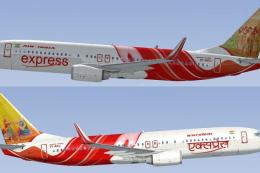
FSX Air India Express Boeing 737-800. Includes all 19 special liveries for Ai…
 FSX Civil Aircraft
This updated freeware package features a complete Boeing 777-200LR in the Air…
 FSX Civil Aircraft
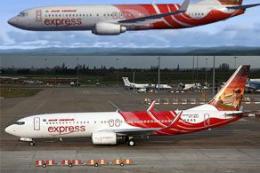
or the default 737-800. Tex Connolly.
 FSX Civil Aircraft
FSX Air India Express Boeing 737-8Q8, registration VT-AXG. Photoreal repaint,…
 FSX Civil Aircraft
FSX Air India Boeing 737-800, registration VT-AXW. Model by Project Open Sky.…
 FSX Civil Aircraft
Repaint of Erez the Werber FAIB B737-800 in Air India Express color scheme (f…
 FSX Civil Aircraft
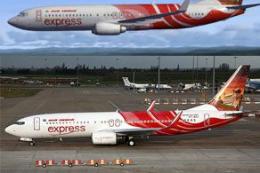
Textures only for the default B737-800. Screenshot of Air India Express Boein…
Read what other simmers think, or add your own.

