

 FSX Civil Aircraft
Qatar Boeing 787-10 V4
The latest rendition of this freeware model highlights a range of structural …
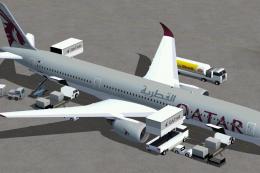
Qatar Airways’ Boeing 787-8 V4 brings a refined CamSim Dreamliner model to FSX with improved structure, a remodeled wing root, and correctly proportioned wider passenger doors. Animated ground services add lively ramp activity with cargo loading, service vehicles, and trailer hookups, while extra antennas and air ducts sharpen real-world detail.
 Rate
Rate

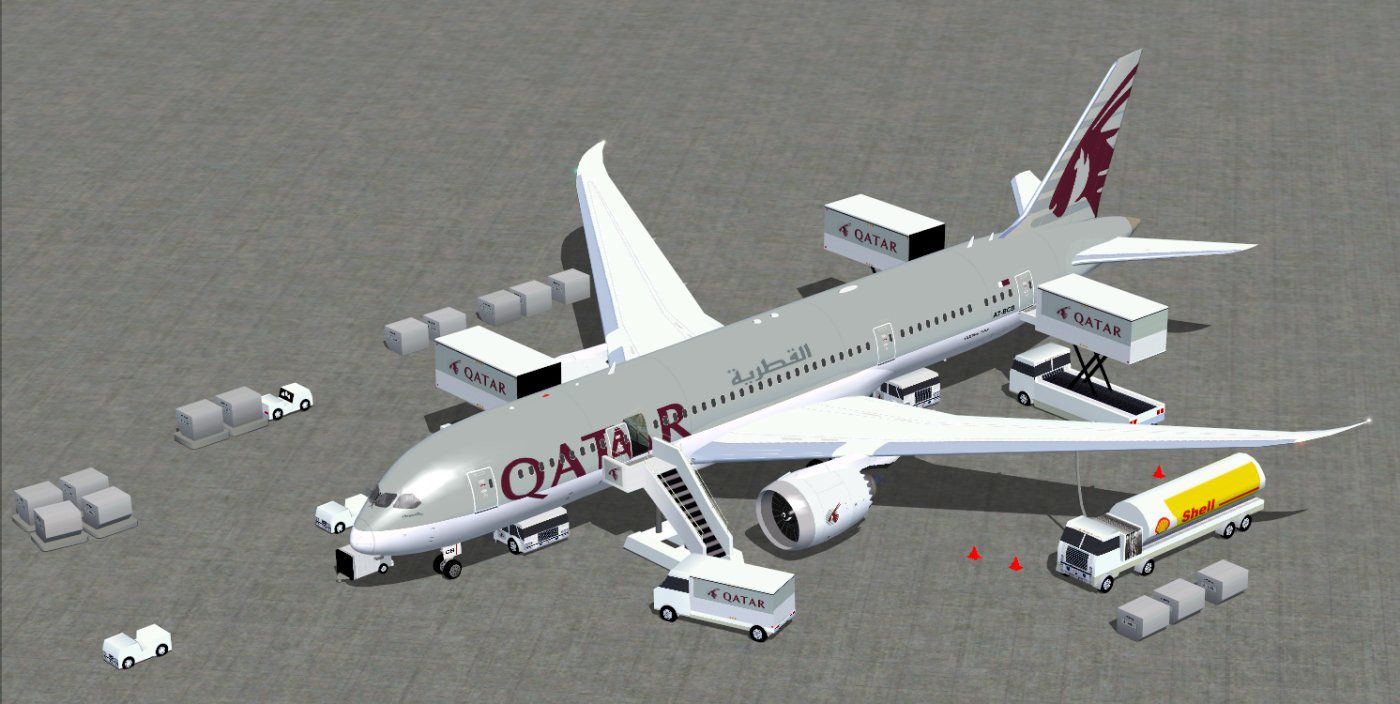
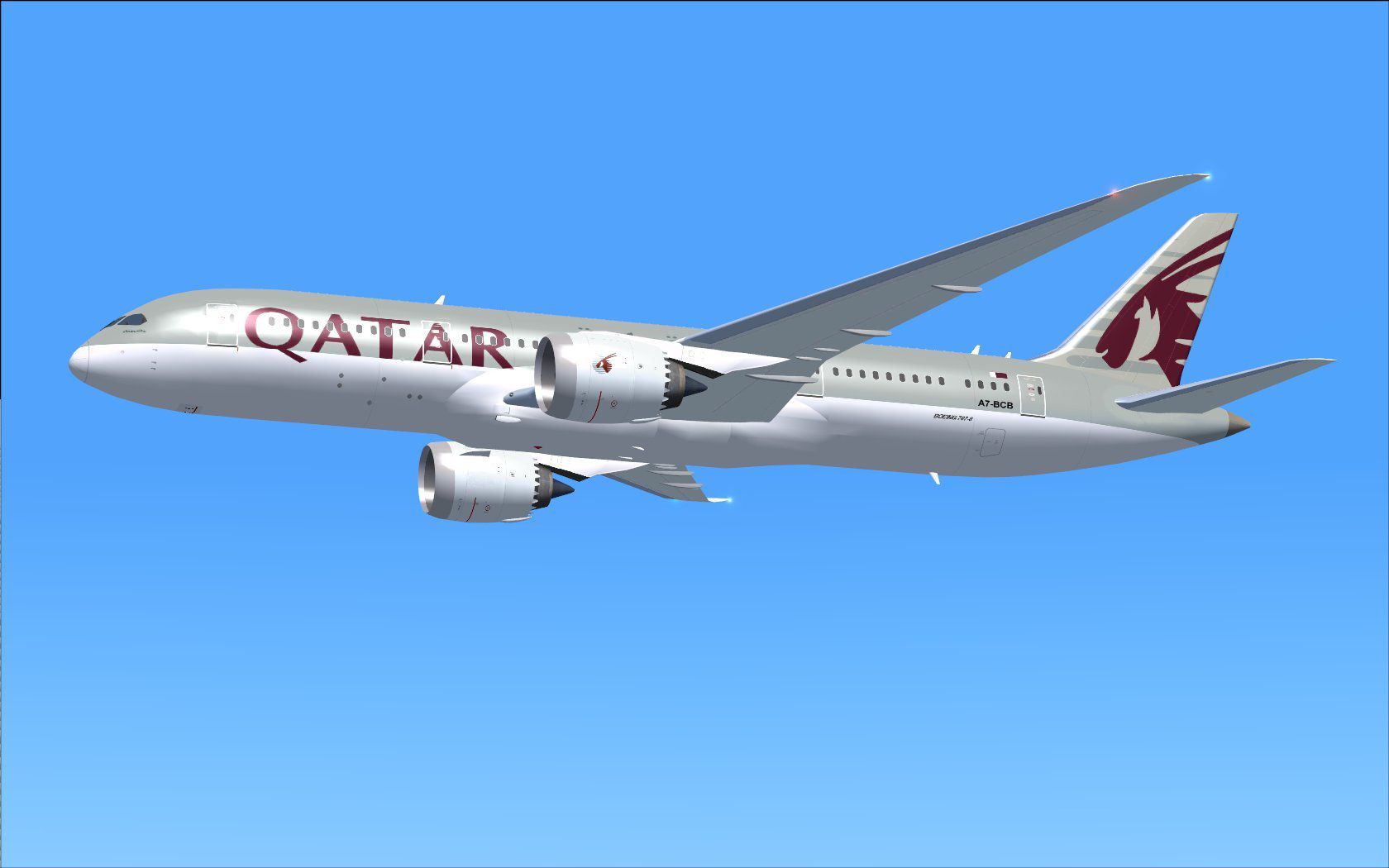
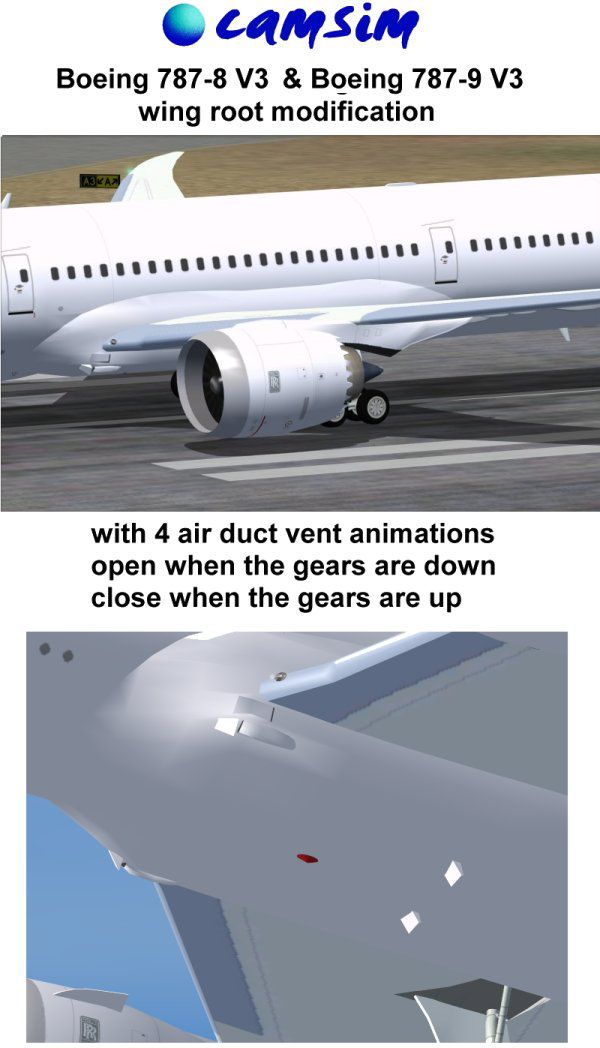
Fly the updated rendition of the Boeing 787-8 in Qatar livery, designed by CamSim and created by Camil Valiquette, for an even more authentic flight simulation experience. This freeware release refines the aircraft’s overall structure, includes wider passenger doors, and incorporates advanced ground services that showcase multiple animated elements—such as cargo loading and service vehicles linking up to trailers. It also provides additional antennas and new air ducts, ensuring that every detail aligns with real-world operations.
This revised version includes a carefully remodeled wing root, which supports more natural aerodynamic flow. Passengers can board or disembark through the expanded doorways [pax doors], now shaped to match the actual 787 design. Meanwhile, external air ducts and communication equipment [comm and satellite antennas] further enhance visual realism. On the ground, you will find animated ground servicing (AGS) operations, including maintenance crews hooking and unhooking trailers, delivering a more lifelike environment around your aircraft.
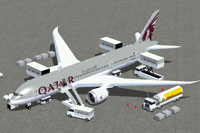
Screenshot of Qatar Boeing 787-8 and ground services.
To integrate this aircraft into FSX, place all unzipped files in your “Airplane” directory. If you have not previously used an AGS aircraft from the same developer, unzip the provided Effects folder into your main FSX “Effects” directory. This additional package includes night lighting elements, so installing these files ensures you benefit from all the updated visual capabilities.
The developers incorporated animations for passenger and cargo doors, as well as various ground service vehicles. You can interact with them through the following commands:
Be sure to assign the following keys within FSX for proper operation:
Feel free to explore every detail, from animated aircraft service features to the improved geometry that highlights the modern design of Qatar’s Dreamliner. Both CamSim and Camil Valiquette invested meticulous effort into this make, ensuring that every flight feels immersive from startup to shutdown.
Free for all simmers · 5.37 MB · Scanned clean Oct 2026
Download speed: Free tier is capped at 0.5 Mbps (this file takes approximately 2 mins at the cap). PRO members download at full line speed.
This add-on may require the following files to function properly. If this is a repaint, the dependency below is likely the base aircraft package.
FSX\SimObjects\Airplanes\. The folder must contain an aircraft.cfg file. Effects go into FSX\Effects\; gauges go into FSX\Gauges\.readme.txt or README file. It tells you exactly where files go, what dependencies are needed, and any quirks specific to this add-on.The archive 788v4qrx.zip has 36 files and directories contained within it.
This list displays the first 500 files in the package. If the package has more, you will need to download it to view them.
| Filename/Directory | File Date | File Size |
|---|---|---|
| CamSim Boeing 787-8 V4 Qatar | 07.05.12 | 0 B |
| 787-8.air | 03.24.09 | 12.76 kB |
| 788v4qr ags_1400.jpg | 07.05.12 | 147.56 kB |
| 788v4qr_.jpg | 07.05.12 | 82.14 kB |
| aircraft.cfg | 07.05.12 | 15.50 kB |
| Effects.zip | 03.25.06 | 1.80 kB |
| file_id.diz | 07.05.12 | 427 B |
| model.787-8 ags v4 | 07.05.12 | 0 B |
| 787-8 ags v4.mdl | 07.04.12 | 3.02 MB |
| Model.cfg | 03.26.12 | 31 B |
| Page design 787 v3_2 600.jpg | 12.28.11 | 77.35 kB |
| Panel | 07.05.12 | 0 B |
| 787_350_panel_background.bmp | 02.25.10 | 2.25 MB |
| 787_350_panel_background_night.bmp | 02.25.10 | 2.25 MB |
| Airbus_A321.cab | 09.04.06 | 2.72 MB |
| panel.cfg | 02.25.10 | 5.48 kB |
| panel camsim 787-350 afx_2.jpg | 04.09.10 | 182.86 kB |
| Read Me_FSX.txt | 07.05.12 | 2.36 kB |
| sound | 07.05.12 | 0 B |
| Sound.cfg | 11.04.09 | 35 B |
| texture.qr | 07.05.12 | 0 B |
| 787eng_t.bmp | 07.05.12 | 1.00 MB |
| 787ext_L.bmp | 07.23.10 | 4.00 MB |
| 787ext_t.bmp | 07.05.12 | 1.00 MB |
| 787int_L.bmp | 07.05.12 | 4.00 MB |
| 787int_t.bmp | 07.05.12 | 1.00 MB |
| 787tail_t.bmp | 09.16.10 | 1.00 MB |
| 788fuse_t.bmp | 07.05.12 | 1.00 MB |
| 789wings_t.bmp | 11.24.09 | 1.00 MB |
| gris_t.bmp | 12.09.09 | 16.07 kB |
| pilot1.bmp | 03.04.10 | 257.05 kB |
| pilot1_L.bmp | 12.06.06 | 1.00 MB |
| thumbnail.jpg | 07.05.12 | 4.70 kB |
| w_t.bmp | 12.06.08 | 16.07 kB |
| flyawaysimulation.txt | 10.29.13 | 959 B |
| Go to Fly Away Simulation.url | 01.22.16 | 52 B |
Only PRO members can place votes.
More FSX & P3D add-ons hand-picked based on this download.
FSX Civil Aircraft
The latest rendition of this freeware model highlights a range of structural …
 FSX Civil Aircraft
This updated package features the Qatar Boeing 787-8 in a refined configurati…
 FSX Civil Aircraft
This CamSim version 2 features an improved aircraft design with new Animated …
 FSX Civil Aircraft
Experience a meticulously refined edition of the Dreamliner carrying the late…
 FSX Civil Aircraft
Immerse yourself in realistic virtual airline operations with this Qatar Boei…
 FSX Civil Aircraft
The Airbus A350-900 variant showcased here in Qatar’s original launch-custome…
 FSX Civil Aircraft
Qatar Airways Boeing 777-2DZ/LR. A repaint on the Feelthere/Wilco B777-200 mo…
 FSX Civil Aircraft
This update introduces a refined release of the Airbus A350-1000 for FSX, fea…
Be the first to leave a comment on this download.
Be the first to share your thoughts on this download.