

 FSX Civil Aircraft
TAAG Angola Airlines Boeing 737-200 Combi
This package offers a specialized TAAG Angola Airlines repaint for the Boeing…
TAAG Angola Airlines’ classic Boeing 737-200 livery brings Luanda’s flag carrier history to life with crisp DXT5 textures, accurate logos and striping, and a custom lightmap that improves night presence. Built for Microsoft Flight Simulator X, it requires the FAIB_B7372.ZIP Boeing 737-200 base model from FSX AI Bureau.
 Rate
Rate
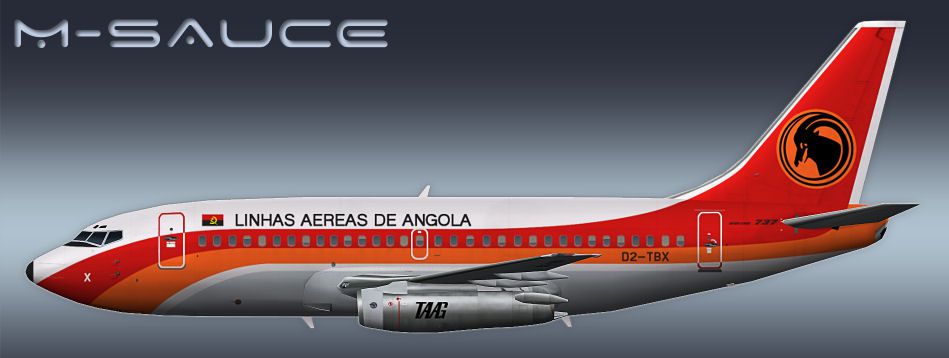
This repaint showcases TAAG Angola Airlines’ Boeing 737-200 in Microsoft Flight Simulator X. It provides a distinctive livery for an iconic aircraft that served for many years, bridging domestic and regional routes under Angola’s flag carrier, TAAG (Transportadora Aérea Angolana). Created by the talented Mariano Bonaccorso, this add-on is distributed as freeware but requires the FAIB_B7372.ZIP base model by the FSX AI Bureau. Users must already have that base package installed in order to utilize these textures.
The Boeing 737-200 is well-known for its notable wingspan and versatile performance in short- to medium-haul operations. TAAG Angola Airlines, based out of Luanda’s main airport, employed this series extensively in the past. By offering a faithful reproduction, this custom repaint brings back the authentic TAAG color scheme, including meticulous logos and accent striping that reflect the carrier’s legacy.

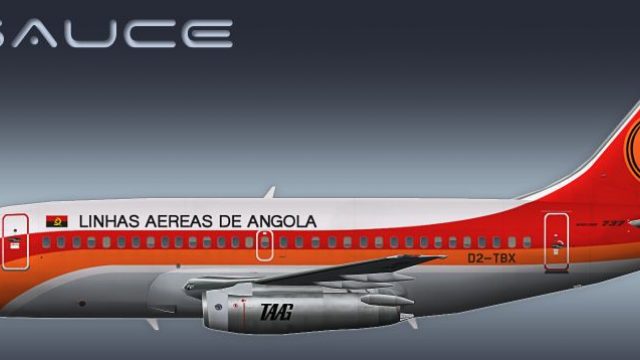
Profile view of TAAG Angola Airlines Boeing 737-200.
This set of texture files has been prepared in DXT5 format to optimize both visual clarity and simulator performance. The package includes a dedicated custom lightmap, enhancing night-time illumination effects on the fuselage and tail sections. This ensures the aircraft remains immersive under various flight environments and lighting conditions. For file size flexibility, variants with and without MIPs are also provided.
texture.DTA folder. Place this folder inside the correct base model directory associated with the FAIB_B7372.ZIP Boeing 737-200 freeware files.[fltsim.x] details into your aircraft.cfg (within the base model folder). Make sure to increment each [fltsim.x] entry sequentially (e.g., [fltsim.0], then [fltsim.1], etc.) without duplicating or skipping numbers.This repaint is designed primarily for Microsoft Flight Simulator X. It represents a purely visual enhancement and does not modify flight dynamics. The textures are provided courtesy of Mariano Bonaccorso. The base model, created by FSX AI Bureau, must be sourced separately from the Fly Away Simulation library. Enjoy this faithful depiction of TAAG’s classic Boeing 737-200 and immerse yourself in Angola’s vivid aviation heritage.
Free for all simmers · 2.56 MB · Scanned clean Oct 2026
Download speed: Free tier is capped at 0.5 Mbps. PRO members download at full line speed.
This file is a repaint — the package below is the base model it paints onto. Install it first, or the textures will have nothing to load onto.
texture.{airline}) inside FSX\SimObjects\Airplanes\{base-aircraft}\.aircraft.cfg in Notepad. Add a new [fltsim.X] section per the readme.readme.txt or README file. It tells you exactly where files go, what dependencies are needed, and any quirks specific to this add-on.The archive faib_b732ll_dta_fsx.zip has 11 files and directories contained within it.
This list displays the first 500 files in the package. If the package has more, you will need to download it to view them.
| Filename/Directory | File Date | File Size |
|---|---|---|
| FAIB_737_200_AlwaysOn_L.bmp | 03.27.12 | 4.07 kB |
| FAIB_737_200_L.bmp | 05.22.12 | 4.00 MB |
| FAIB_737_200_T.bmp | 05.22.12 | 5.33 MB |
| NO MIPS | 05.22.12 | 0 B |
| FAIB_737_200_T.bmp | 05.22.12 | 4.00 MB |
| Preview.jpg | 05.22.12 | 55.58 kB |
| Thumbnail.png | 05.22.12 | 6.81 kB |
| ReadMe.txt | 05.22.12 | 3.34 kB |
| fltsim.txt | 05.22.12 | 393 B |
| flyawaysimulation.txt | 10.29.13 | 959 B |
| Go to Fly Away Simulation.url | 01.22.16 | 52 B |
Only PRO members can place votes.
More FSX & P3D add-ons hand-picked based on this download.
FSX Civil Aircraft
This package offers a specialized TAAG Angola Airlines repaint for the Boeing…
 FSX Civil Aircraft
This freeware conversion introduces a TAAG Angola Airlines Boeing 777-200ER t…
 FSX Civil Aircraft
Augment your fleet in Microsoft Flight Simulator X with an accurately depicte…
 FSX Civil Aircraft
Model by YeoDesign. Repaint by Muhd Khairul Fathi Bin Mohammad. Screenshot of…
 FSX Civil Aircraft
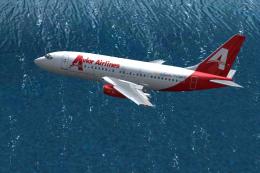
Avior Airlines Boeing 737-200 (new colors). Model by Erick Cantu / Kittyhawk …
 FSX Civil Aircraft
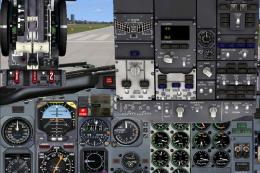
Danaus Airlines Boeing 737-200, registration XA-UIU, ex Aviacsa. Danaus Airli…
 FSX Civil Aircraft
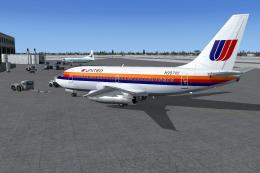
This repaint package offers a classic United Airlines color scheme applied to…
 FSX Civil Aircraft
Includes all seven aircraft currently operating in Avior's fleet. They operat…
Be the first to leave a comment on this download.
Be the first to share your thoughts on this download.