

 FSX Scenery
Carlisle Airport
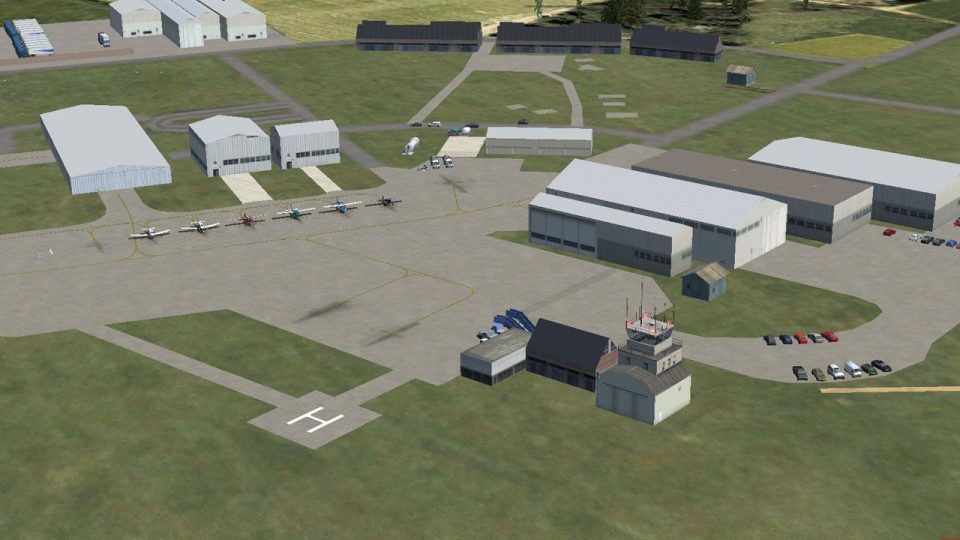
Scenery Carlisle Airport, UK. An expanded (fictional) Carlisle airport retain…
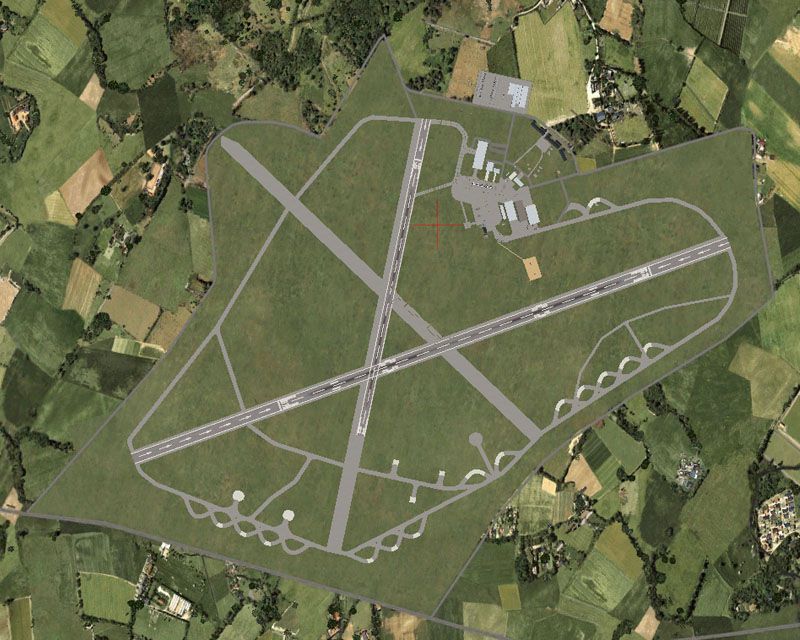
Carlisle Lake District Airport (EGNC) scenery refreshes the former RAF Crosby-on-Eden with an expanded, chart-informed layout for FSX, including updated PAPI lighting, additional parking, two helipads, and layered detail objects from tower to countryside. Improved hold-short placement helps AI traffic taxi, turn, and depart more reliably, with optional crosswind runway support.
 Rate
Rate
 United Kingdom
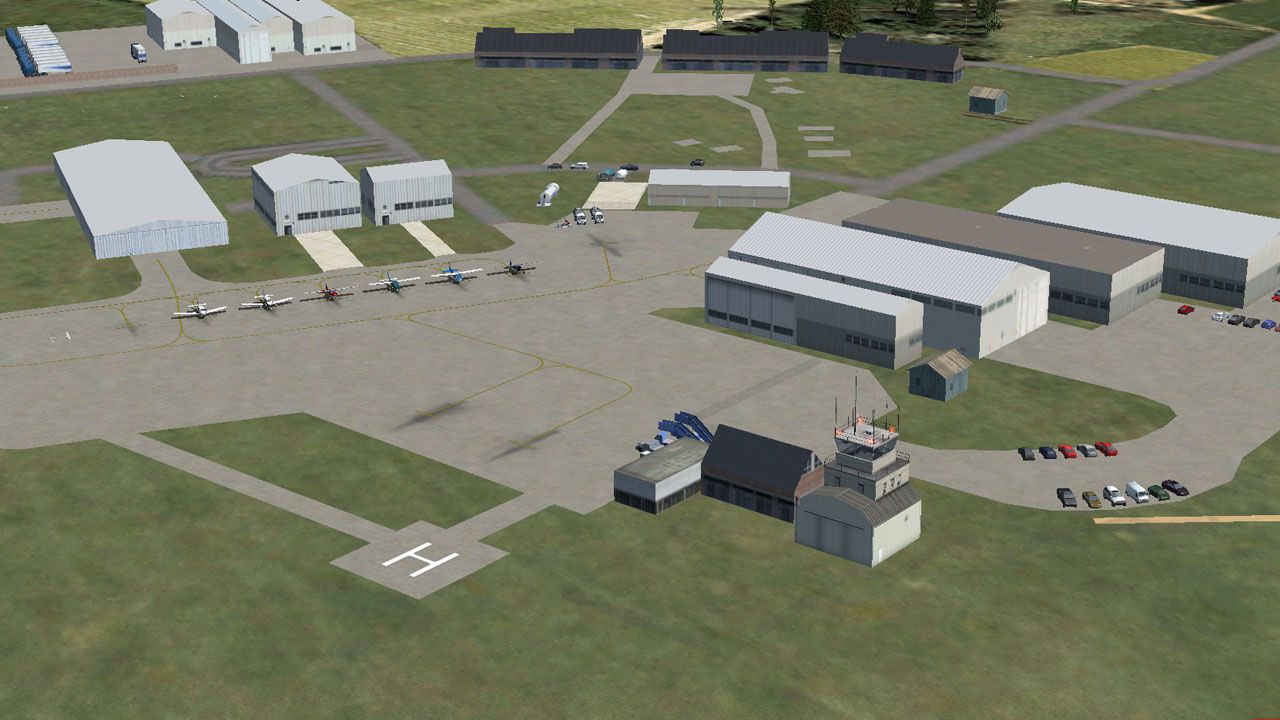
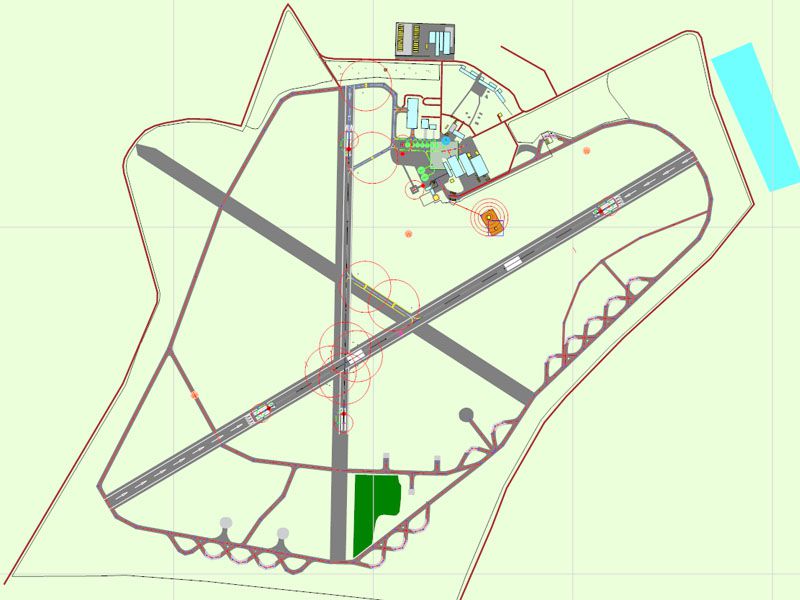
Thank you for downloading this scenery package for Carlisle Lake District Airport, ICAO code EGNC. This airport, located in Carlisle, Cumbria, England, is a former WWII RAF station (Crosby-on-Eden), once home for Hurricanes, Beaufighters, and Dakotas. Today it serves as a purely civil airport.
Though not currently served by any airlines, it may eventually see service by ATR 42s of Aer Lingus Regional. Where they will park these is anyone's guess, as ther current parking layout (replicated here) doesn't have any spaces large enough for an ATR - and that's leaving aside REA's plans to retire their ATR 42s in 2014.
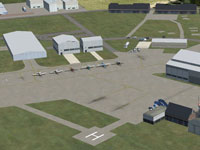 In addition to vastly expanding on the layout and scenery of the airport, this package also makes some changes to reflect information from published charts from NATS:
In addition:
The AI issues stemmed from a lack of hold shorts at the intersection of the runways. Their behavior still isn't perfect, but it's working, and I couldn't find a way to tweak it that didn't involve making the taxi layout ridiculously complicated (and likely breaking it). AI will also perform much cleaner, tighter turnarounds at the ends of the runways.
If you'd like to populate the adjacent air museum, see the included "Air Museum Readme.txt" for suggestions.
This package includes two versions of the BGL files, with and without crosswind runways activated.
This file utilizes some small items (a few gates and a pair of airstairs) from "EZ-Scenery Small Airport Objects 3" by Todd Lucas and Steve Ziegler.
Airport scenery appears at the following detail levels:
Very Sparse: Runways, aprons, taxiways (including closed), boundary fences
Sparse: Tower
Normal: Hangars, fuel station
Dense: Outlying buildings, fuel trucks and tanks, static light aircraft, airstair parking
Very Dense: Parked cars, sheep in field on north side, truck sales center outside of airport
To install this airport, copy the two BGL files (EGNC_ADEX_NUTMEG.BGL and EGNC_ADEX_NUTMEG_CVX.BGL) of your chosen version (with or without crosswind runways enabled) to your Microsoft Flight Simulator X\Addon Scenery\scenery folder.
To uninstall, simply delete both BGL files (EGNC_ADEX_NUTMEG.BGL and EGNC_ADEX_NUTMEG_CVX.BGL).
Enjoy!
Chris "TeamNutmeg" Thompson
Free for all simmers · 452.89 KB · Scanned clean Oct 2026
Download speed: Free tier is capped at 0.5 Mbps. PRO members download at full line speed.
FSX\Addon Scenery\ containing scenery and texture sub-folders.readme.txt or README file. It tells you exactly where files go, what dependencies are needed, and any quirks specific to this add-on.Use these coordinates to fly directly to this location once the mod is installed.
54.93750000,-2.80920000
Launch FSX or Prepar3D and use Flights → Load to open the downloaded .pln file. Your aircraft will be positioned at this location.
The archive fsx_carlisle_egnc.zip has 14 files and directories contained within it.
This list displays the first 500 files in the package. If the package has more, you will need to download it to view them.
| Filename/Directory | File Date | File Size |
|---|---|---|
| Sample1.jpg | 02.12.13 | 176.01 kB |
| EGNC_ADEX_NUTMEG.BGL | 02.12.13 | 28.43 kB |
| EGNC_ADEX_NUTMEG_CVX.bgl | 02.12.13 | 1.66 kB |
| Crosswinded | 02.12.13 | 0 B |
| EGNC_ADEX_NUTMEG.BGL | 02.12.13 | 28.07 kB |
| EGNC_ADEX_NUTMEG_CVX.bgl | 02.12.13 | 1.66 kB |
| Standard | 02.12.13 | 0 B |
| Air Museum Readme.txt | 02.12.13 | 1.92 kB |
| EGNC Layout.jpg | 02.12.13 | 113.81 kB |
| FSX_Carlisle_EGNC.gif | 02.12.13 | 14.71 kB |
| Overhead.jpg | 02.12.13 | 164.26 kB |
| Readme.txt | 02.12.13 | 3.09 kB |
| flyawaysimulation.txt | 10.29.13 | 959 B |
| Go to Fly Away Simulation.url | 01.22.16 | 52 B |
Only PRO members can place votes.
More FSX & P3D add-ons hand-picked based on this download.
FSX Scenery
Scenery Carlisle Airport, UK. An expanded (fictional) Carlisle airport retain…
 FSX Scenery
Thompson Field / Bear Creek Airport (L86), Murrieta, California (CA), USA. By…
 FSX Scenery
EGNC Carlisle UK. Designed to blend with Horizon GenX Photo Scenery and Mesh.…
 FSX Scenery
Princess Juliana International Airport (TNCM) in Saint Marteen, Netherlands A…
 FSX Scenery
Los Angeles Airport Scenery v3, California (CA). This photoreal scenery is a …
 FSX Scenery
Barbados International Airport (TBPB). Grantley Adams International Airport f…
 FSX Scenery
Paris Charles de Gaulle Airport (CDG, LFPG), France. The entire airport has b…
 FSX Scenery
John F. Kennedy Airport (KJFK), New York, NYU. This is a photoreal scenery re…
Be the first to leave a comment on this download.
Be the first to share your thoughts on this download.