

 FSX Civil Aircraft
Pan American Airbus A320NEO CFM
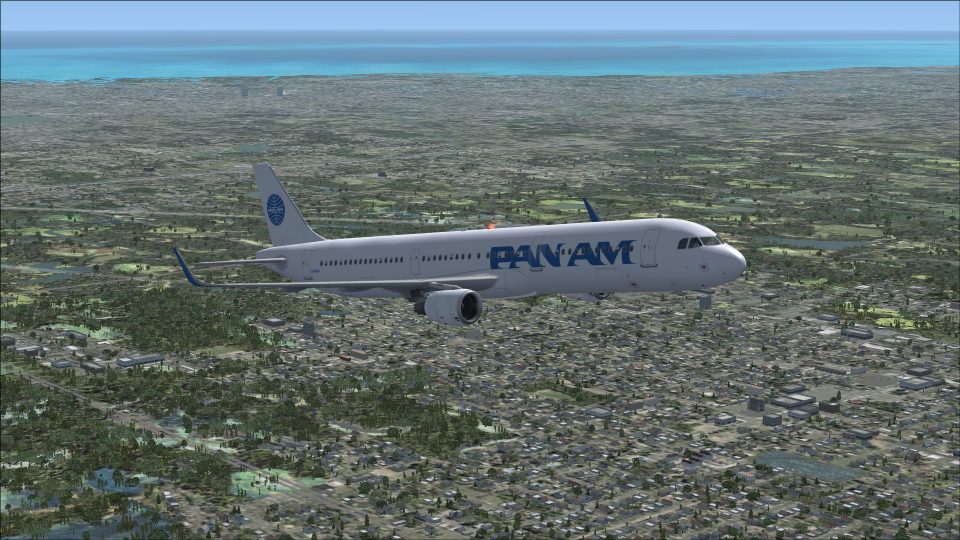
Fictional repaint of an Airbus A320 NEO CFM from Project Airbus in Pan Americ…
Pan American Airways colors meet the Project Airbus Airbus A321neo CFM in this fictional repaint, delivering crisp exterior detailing and lively animations from idle-reverser to windmilling fans, wing flex, and dynamic shine. Designed for FSX, it uses the default A321 panel and sound and requires the Project Airbus A321 base package.
 Rate
Rate
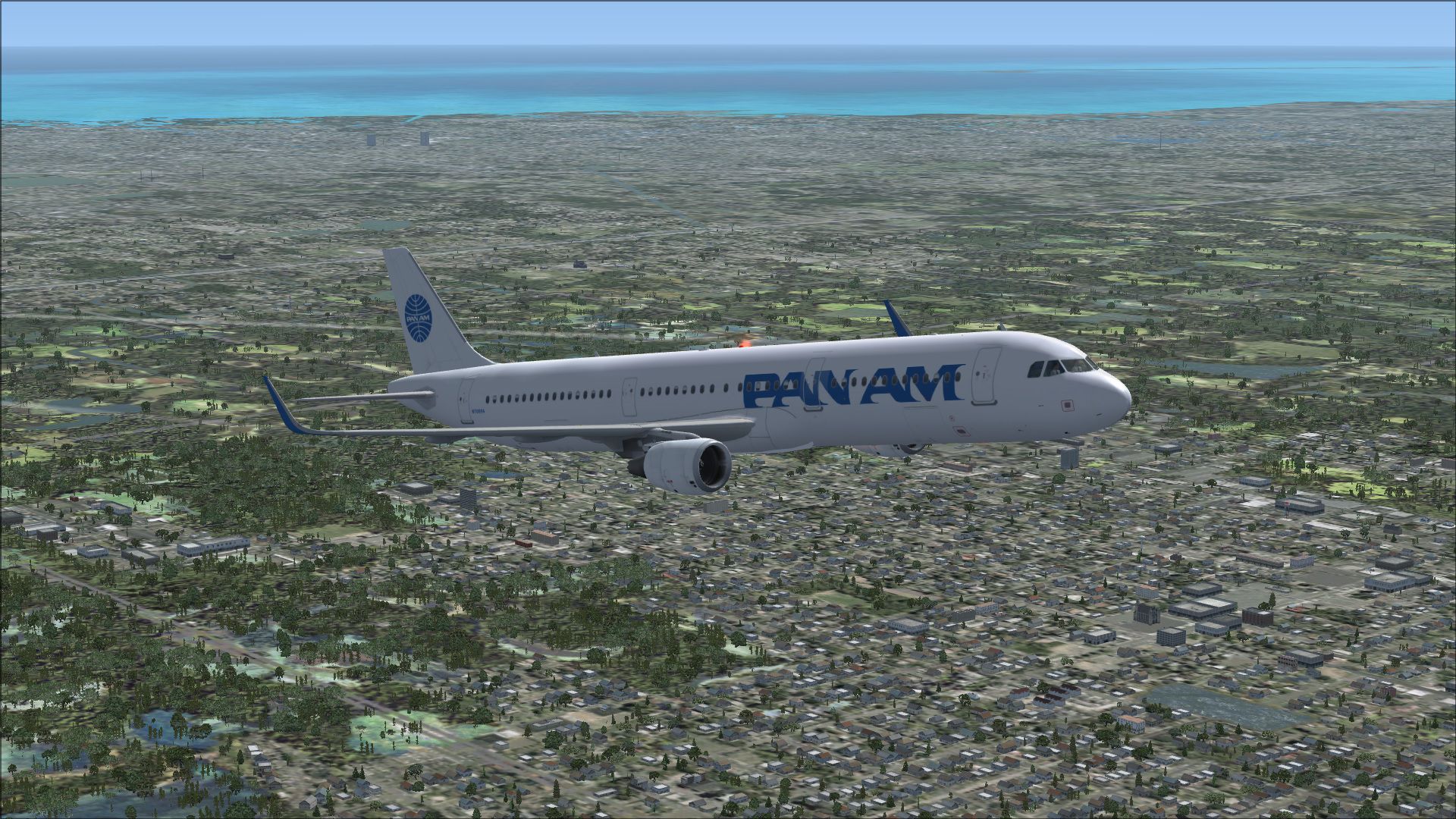
Fictional repaint of an Airbus A321 NEO CFM from Project Airbus in Pan American Airways colors. Aircraft uses the default A321 Panel and Sound. Will work with all versions of FSX, including the new version on Steam. Repainted using the Project Airbus paint kit. Repaint by Karl Kratt.
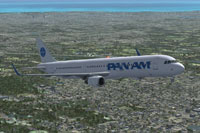
Screenshot of Pan American Airbus A321NEO CFM in flight.
Features:
The Project Airbus A321 is being distributed via a single base package and individual livery packages. To install the base package, simply extract the compressed file folder under your root FSX folder. The base package does not contain any liveries - you must install at least one livery package before flying.
To install a livery package, simply extract the compressed file folder under your [FSX root]\SimObjects\Airplanes\ folder. Then, browse to [FSX root]\SimObjects\Airplanes\Project Airbus A321-211 if you're installing a CFM engine livery, or [FSX root]\SimObjects\Airplanes\Project Airbus A321-231 if you're installing an IAE engine livery. Inside that folder, simply double click the _Livery Installer_PA.bat file to complete the livery installation. On completion, the installer will leave behind an aircraft.backup file should you wish to reverse the changes.
Free for all simmers · 6.17 MB · Scanned clean Oct 2026
Download speed: Free tier is capped at 0.5 Mbps (this file takes approximately 2 mins at the cap). PRO members download at full line speed.
FSX\SimObjects\Airplanes\. The folder must contain an aircraft.cfg file. Effects go into FSX\Effects\; gauges go into FSX\Gauges\.readme.txt or README file. It tells you exactly where files go, what dependencies are needed, and any quirks specific to this add-on.The archive paaa321neo.zip has 41 files and directories contained within it.
This list displays the first 500 files in the package. If the package has more, you will need to download it to view them.
| Filename/Directory | File Date | File Size |
|---|---|---|
| aircraft.cfg | 01.27.15 | 14.34 kB |
| model.cfmshark | 01.28.15 | 0 B |
| A321_200_CFM_Sharklet_WV.mdl | 01.28.15 | 3.43 MB |
| model.cfg | 01.28.15 | 43 B |
| model | 01.28.15 | 0 B |
| A321_200_CFM_WV.mdl | 01.27.15 | 1.91 MB |
| model.cfg | 01.28.15 | 34 B |
| pa321-cfm56.air | 01.27.15 | 8.80 kB |
| panel | 01.27.15 | 0 B |
| panel.cfg | 01.27.15 | 33 B |
| readme_fsx.txt | 01.27.15 | 2.45 kB |
| sound | 01.27.15 | 0 B |
| sound.cfg | 01.27.15 | 33 B |
| texture.paa | 01.28.15 | 0 B |
| A320_sharklet_l_l.bmp | 01.27.15 | 256.07 kB |
| A320_sharklet_l_t.bmp | 01.27.15 | 170.75 kB |
| A320_sharklet_r_l.bmp | 01.27.15 | 256.07 kB |
| A320_sharklet_r_t.bmp | 01.27.15 | 170.75 kB |
| A321_1_l.bmp | 01.28.15 | 4.00 MB |
| A321_1_t.bmp | 01.27.15 | 682.75 kB |
| A321_2_l.bmp | 01.28.15 | 1.00 MB |
| A321_2_t.bmp | 01.28.15 | 682.75 kB |
| A321_fuse_1_l.bmp | 01.28.15 | 4.00 MB |
| A321_fuse_1_t.bmp | 01.28.15 | 682.75 kB |
| A321_fuse_2_l.bmp | 01.28.15 | 4.00 MB |
| A321_fuse_2_t.bmp | 01.28.15 | 682.75 kB |
| A321_fuse_3_l.bmp | 01.28.15 | 4.00 MB |
| A321_fuse_3_t.bmp | 01.28.15 | 682.75 kB |
| A321_fuse_4_l.bmp | 01.28.15 | 2.00 MB |
| A321_fuse_4_t.bmp | 01.28.15 | 341.42 kB |
| A321_misc_1.bmp | 01.28.15 | 170.75 kB |
| A321_misc_2.bmp | 01.28.15 | 682.75 kB |
| A321_wing_1_l.bmp | 01.28.15 | 1.00 MB |
| A321_wing_1_t.bmp | 01.28.15 | 682.75 kB |
| A321_wing_2_l.bmp | 01.28.15 | 1.00 MB |
| A321_wing_2_t.bmp | 01.28.15 | 682.75 kB |
| thumbnail.jpg | 01.26.15 | 24.05 kB |
| paaa321.jpg | 01.28.15 | 865.95 kB |
| paaa321sm.jpg | 01.28.15 | 338.82 kB |
| flyawaysimulation.txt | 10.29.13 | 959 B |
| Go to Fly Away Simulation.url | 01.22.16 | 52 B |
Only PRO members can place votes.
More FSX & P3D add-ons hand-picked based on this download.
FSX Civil Aircraft
Fictional repaint of an Airbus A320 NEO CFM from Project Airbus in Pan Americ…
 FSX Civil Aircraft
Fictional repaint of an Airbus A319 NEO CFM from Project Airbus in Pan Americ…
 FSX Civil Aircraft
This is one of the American Airlines Airbus with CFM engines, with the new co…
 FSX Civil Aircraft
A fictional repaint of an Embraer ERJ-145 by Project Open Sky in Pan American…
 FSX Civil Aircraft
Fictional repaint of an Embraer E-190 from AI Aardvark in Pan American Airway…
 FSX Civil Aircraft
Fictional repaint of an Embraer E-175 from AI Aardvark in Pan American Airway…
 FSX Civil Aircraft
This special release presents an updated rendition of the Project Airbus A321…
 FSX Civil Aircraft
FSX Iberia Airbus A318 CFM, registration EC-HHH. Model by iFDG.
Read what other simmers think, or add your own.

