

 FSX General Aviation Aircraft
Zlin 43
This fictional repaint depicts a British-registered G-RFDK scheme inspired by…
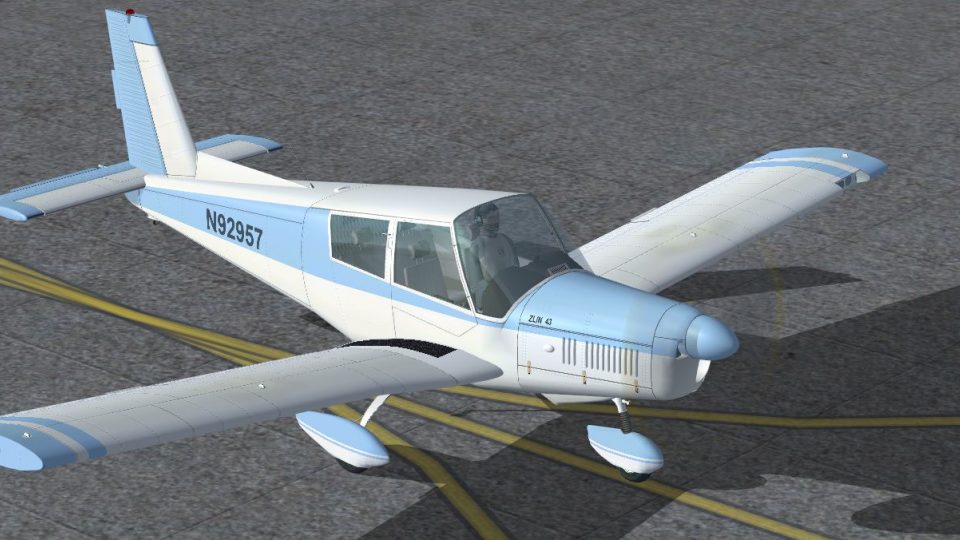
Blue & White Zlin 43 N92957 livery refreshes the Z-43 with a crisp, lighting-friendly paint scheme that emphasizes the aircraft’s sleek four-seat trainer lines for touring, instruction, and IFR practice in Microsoft Flight Simulator 2004. It requires the freeware PWDT Zlin 43 base model and includes matching registration details.
 Rate
Rate


Infuse your flight simulator with a refreshed look for the renowned Z-43 aircraft through this free repaint. Veteran contributor Tom Tiedman prepared a vibrant Blue and White paint scheme that highlights the aircraft’s sleek contours. The underlying Zlin 43 platform originates from PWDT, available separately as a freeware download. This package does not contain the base model, so be sure to obtain the original PWDT_ZLIN43.ZIP from the Fly Away Simulation mod library. The Zlin Z-43, introduced by Czech manufacturers, is respected as a dependable sports and training plane, often used for both daytime instruction and IFR or night navigation.
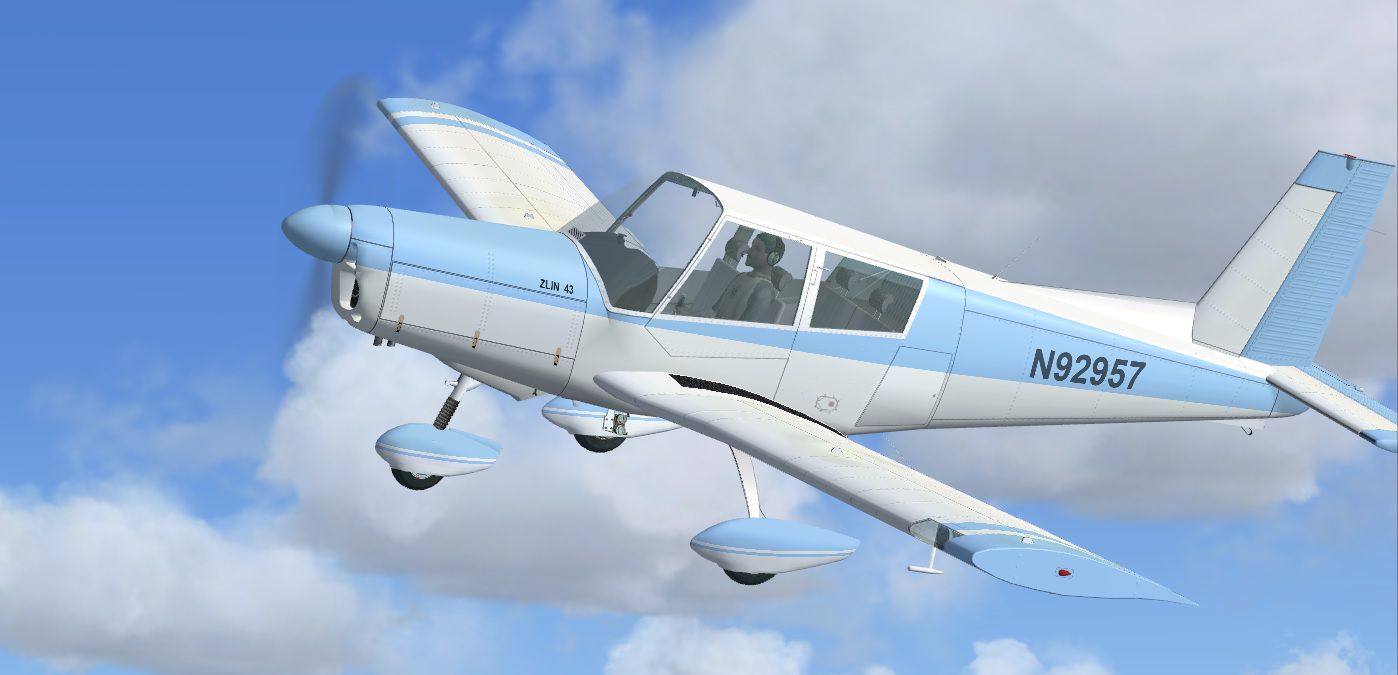
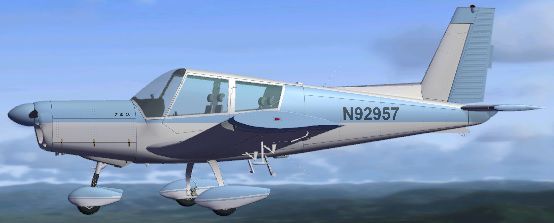
The imaginative blue and white palette complements the aircraft’s four-seat, single-engine architecture in a subtle yet striking manner. In real-world aviation, the Z-43 reflects sturdy construction and reliable performance, making it perfect for advanced training tasks, scenic flights, or instrument practice. This fresh coat of paint, featuring registration N92957, blends historically inspired design cues with a modern aesthetic that stands out under varying lighting conditions within your simulator environment.
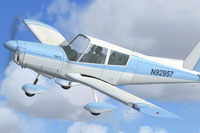
Blue & White Zlin 43 N92957 in a test flight.
[fltsim.X]

title=Z-43 Blue N92957

sim=Z-43

model=3 // Adjust this if you use a different model

panel=eng // Adjust this if you use a different panel

sound=

texture=Blue N92957

kb_checklists=

description=Blue N92957 repaint by Tom Tiedman. Zlin Z-43 is a Czechoslovak sports and training plane designed for IFR and night flying. Authors:\\ Visual model by: Bence Benedek, Tibor Kokai, Jiri Brozek\\ Master textures and Hungarian liveries by: Tibor K\\ Czech liveries by: Jiri Brozek\\ Flight dynamics by: Istvan Jankovics\\ Photorealistic panel by: Jiri Brozek, Jiri Masnik, Tibor Ki\\ Custom gauge programming by: Jiri Masnik, Jiri Brozek\\ Garmin GPS gauge by: Don Kuhn\\ August 2005\\ Created in FS Design Studio\\ Model version 1.0

ui_manufacturer=Zlin

ui_type=Z-43

ui_variation=Blue N92957

atc_id_color=0000000000

atc_id=N92957

visual_damage=1
This Zlin 43 livery showcases the collaborative efforts of multiple enthusiasts, including Bence Benedek, Tibor Kokai, and Jiri Brozek on the aircraft model itself. Tibor K provided essential texture work, and Jiri Brozek worked on diverse Czech liveries. Additionally, Istvan Jankovics refined flight dynamics while Don Kuhn delivered a GPS gauge; various panel and gauge programming tasks were undertaken by Jiri Masnik and Jiri Brozek. As always, Tom Tiedman deftly redefined the exterior look with these distinctive blue and white tones. This repaint is suitable for Microsoft Flight Simulator 2004 and may also function in other simulator variations if compatibility is confirmed.
Free for all simmers · 16.52 MB · Scanned clean Oct 2026
Download speed: Free tier is capped at 0.5 Mbps (this file takes approximately 5 mins at the cap). PRO members download at full line speed.
texture.{airline}) inside FSX\SimObjects\Airplanes\{base-aircraft}\.aircraft.cfg in Notepad. Add a new [fltsim.X] section per the readme.readme.txt or README file. It tells you exactly where files go, what dependencies are needed, and any quirks specific to this add-on.The archive fsx_zlin_43_n92957.zip has 28 files and directories contained within it.
This list displays the first 500 files in the package. If the package has more, you will need to download it to view them.
| Filename/Directory | File Date | File Size |
|---|---|---|
| file_id.txt | 09.30.13 | 181 B |
| READ ME and INSTALLATION.txt | 09.30.13 | 1.64 kB |
| Screenshot 1.jpg | 09.30.13 | 140.38 kB |
| Screenshot 2.jpg | 09.30.13 | 214.97 kB |
| Screenshot 3.jpg | 09.30.13 | 294.51 kB |
| texture.Blue N92957 | 09.30.13 | 0 B |
| thumbnail.jpg | 09.30.13 | 31.94 kB |
| z43_cockpit.bmp | 09.28.13 | 16.00 MB |
| z43_engine.bmp | 09.13.13 | 4.00 MB |
| z43_fuse.bmp | 09.30.13 | 16.00 MB |
| z43_glass.bmp | 08.29.03 | 5.43 kB |
| z43_glass2.bmp | 01.09.05 | 341.43 kB |
| z43_h_stab.bmp | 09.30.13 | 16.00 MB |
| z43_knobs.bmp | 09.13.13 | 64.07 kB |
| z43_newspaper1.bmp | 09.26.13 | 256.07 kB |
| z43_part_.bmp | 12.11.04 | 170.78 kB |
| z43_parts.bmp | 09.13.13 | 1.00 MB |
| z43_pilot_1.bmp | 09.13.13 | 1.00 MB |
| z43_prop_b.bmp | 11.06.01 | 341.40 kB |
| z43_prop_f.bmp | 12.16.01 | 341.40 kB |
| z43_tire_i.bmp | 09.13.13 | 1.00 MB |
| z43_tire_o.bmp | 09.13.13 | 1.00 MB |
| z43_v_stab.bmp | 09.30.13 | 16.00 MB |
| z43_wing_left.bmp | 09.30.13 | 16.00 MB |
| z43_wing_right.bmp | 09.30.13 | 16.00 MB |
| thumbnail.jpg | 09.30.13 | 31.94 kB |
| flyawaysimulation.txt | 10.29.13 | 959 B |
| Go to Fly Away Simulation.url | 01.22.16 | 52 B |
Only PRO members can place votes.
More FSX & P3D add-ons hand-picked based on this download.
FSX General Aviation Aircraft
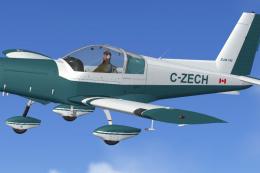
This fictional repaint depicts a British-registered G-RFDK scheme inspired by…
 FSX General Aviation Aircraft
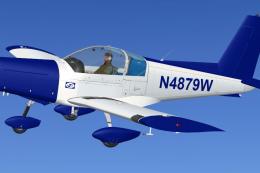
This specialized repaint showcases a striking blue and white theme on the PWD…
 FSX General Aviation Aircraft
This freeware repaint brings a distinctive blue and white aesthetic to the PW…
 FSX General Aviation Aircraft
Blue And White Cessna 172. Default Cessna 172SP Skyhawk repaint textures for …
 FSX General Aviation Aircraft
This alluring freeware release, crafted specifically for Microsoft Flight Sim…
 FSX General Aviation Aircraft
Experience a refined edition of the Mooney Acclaim built around the default M…
 FSX General Aviation Aircraft
The Mooney Acclaim has always been synonymous with swift cruise speeds and sl…
 FSX General Aviation Aircraft
A Cessna 185 modified for Flight Simulator X by Mark Rooks. Screenshot of Ces…
Be the first to leave a comment on this download.
Be the first to share your thoughts on this download.