

 FSX General Aviation Aircraft
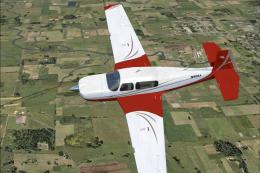
Red/Black Mooney Acclaim Turbo Prop 2
This modified package highlights a red-and-black Mooney Acclaim turbine aircr…
Blue-and-white Mooney Acclaim turboprop variant brings sharper cruise performance and confident handling to Microsoft Flight Simulator X, built from the Mooney Bravo base with custom flight dynamics, revised engine tuning, and updated aerodynamics. A detailed exterior paint scheme and dedicated turboprop sound set round out a smooth, speed-focused package.
 Rate
Rate
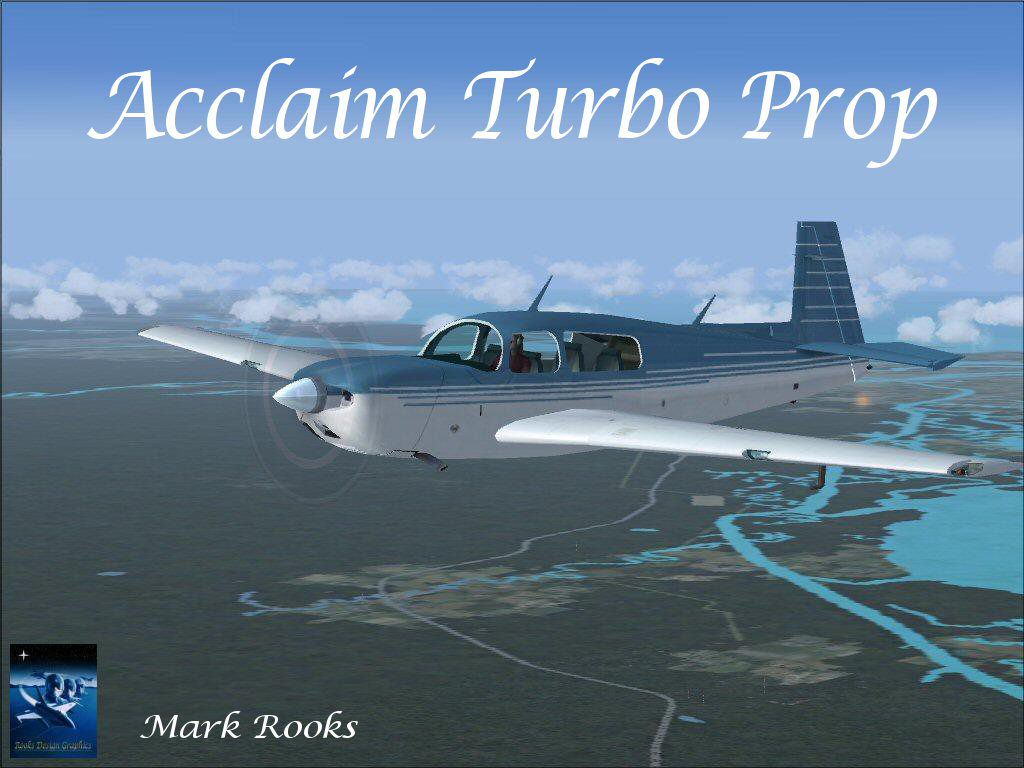
The Mooney Acclaim has always been synonymous with swift cruise speeds and sleek aerodynamics. This freeware adaptation for Microsoft Flight Simulator X introduces a turboprop configuration designed to deliver enhanced performance and refined handling, courtesy of Mark Rooks of RDG and Mary Moo. Installation is hassle-free, and the package includes all necessary components.
This virtual rendition takes the original Mooney Bravo framework and transforms it into a faster turboprop variant, reflecting Mooney’s relentless pursuit of speed in real aviation. By reworking the powerplant details, Mark Rooks has engineered custom flight dynamics to push this aircraft to higher velocities, all while maintaining stable maneuverability at various altitudes.
The flight files have been fine-tuned with revised engine parameters and torque curves, giving sim pilots an immersive sense of the turboprop’s additional thrust. Moreover, the aerodynamic model accounts for changes in wing performance under increased airflow, enhancing both control authority and responsiveness. Taken together, these adjustments offer a unique perspective on how the real-world Acclaim might perform if it adopted a turboprop powerplant.
Screenshot of blue and white Mooney Acclaim Turbo Prop in flight.
The package features a crisp blue and white paint scheme created by Mark “Fire Ball” Rooks and Mary Moo. This striking exterior finish highlights the aircraft’s streamlined silhouette, reflecting Mooney’s trademark blend of efficiency and style. The fuselage contours and wing design are aligned with the real Mooney Acclaim, ensuring that sim pilots can appreciate the signature look of the brand.
C:\Program Files\Microsoft Games\FSX\SimObjects\Airplanes\This release contains a custom audio set designed to capture the distinctive tone of a turboprop engine. If you prefer the classic Mooney Bravo sounds, you can revert to the default audio by selecting that folder instead in your simulator’s settings.
All elements within this freeware mod have been integrated to ensure a smooth experience, allowing enthusiasts to enjoy a faster variant of one of Mooney’s most renowned models. Whether exploring short grass strips or cruising between regional airports, this aircraft will satisfy those who crave speed and handling precision. Mark Rooks of RDG and Mary Moo have once again showcased their dedication to detail, resulting in an add-on that continues the Mooney tradition of craftsmanship and innovation.
Free for all simmers · 4.57 MB · Scanned clean Oct 2026
Download speed: Free tier is capped at 0.5 Mbps (this file takes approximately 1 min at the cap). PRO members download at full line speed.
FSX\SimObjects\Airplanes\. The folder must contain an aircraft.cfg file. Effects go into FSX\Effects\; gauges go into FSX\Gauges\.readme.txt or README file. It tells you exactly where files go, what dependencies are needed, and any quirks specific to this add-on.The archive moo3.zip has 7 files and directories contained within it.
This list displays the first 500 files in the package. If the package has more, you will need to download it to view them.
| Filename/Directory | File Date | File Size |
|---|---|---|
| Acclaim Blue Turbo Prop Screen.jpg | 07.05.07 | 174.24 kB |
| Blue mooney_Acclaim Turbo Prop.zip | 07.06.07 | 4.43 MB |
| Read Me First.txt | 07.06.07 | 990 B |
| Text.txt | 07.06.07 | 308 B |
| Thumbs.db | 07.05.07 | 5.50 kB |
| flyawaysimulation.txt | 10.29.13 | 959 B |
| Go to Fly Away Simulation.url | 01.22.16 | 52 B |
Only PRO members can place votes.
More FSX & P3D add-ons hand-picked based on this download.
FSX General Aviation Aircraft
This modified package highlights a red-and-black Mooney Acclaim turbine aircr…
 FSX General Aviation Aircraft
Experience a refined edition of the Mooney Acclaim built around the default M…
 FSX General Aviation Aircraft
Acclaim Type S Turbo. This is the default FSX Mooney Bravo model, modified to…
 FSX General Aviation Aircraft
This enhanced package offers a newly repainted red-and-black Mooney Acclaim f…
 FSX General Aviation Aircraft
Mooney Acclaim. This changes the Bravo over to the Acclaim. Both planes are s…
 FSX General Aviation Aircraft
Mooney Acclaim. This is a default Flight Simulator 2004 Mooney modified for F…
 FSX General Aviation Aircraft
This authentic paint package features a reproduction of the real-world Mooney…
 FSX General Aviation Aircraft
The Mooney Acclaim Type S stands out in the single-piston category for its fo…
Be the first to leave a comment on this download.
Be the first to share your thoughts on this download.