

 X-Plane Civil Heavy Aircraft
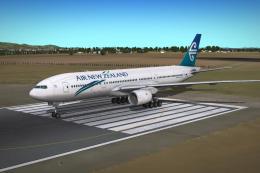
Air New Zealand Boeing 777-200ER
X-Plane 10 Air New Zealand Boeing 777-200ER. A B777-200ER in the livery of Ai…
Air New Zealand Boeing 747-400 livery pack brings ZK-NBU and ZK-NBW to life with crisp exterior paint, accurate wave-tail variant, and refined visual detailing including normals and interior touches. Designed for X-Plane 10, it requires a compatible 747-400 aircraft to showcase the airline’s iconic long-haul look.
 Rate
Rate
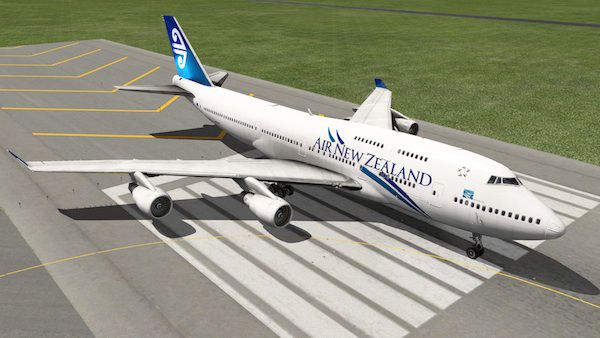

This livery is one of two Air New Zealand 747 liveries, representing ZK-NBU and ZK-NBW (the latter having the waves). I'm really pleased with the outcome of these! Air New Zealand is only operating 2 744s now; from what I can tell, ZK-NBU is still flying but BW is not. As usual, many thanks to fellow user 'hemlockson' for the interior and advice, and to 'leen de jager' for the normals. Please remember that tips, requests etc. are welcomed!
Air New Zealand 747
To install: Place the 'Air New Zealand (ZK-NB*)' folder into the liveries folder of your copy of the 747, load the plane, select file -> open livery, then select 'Air New Zealand (ZK-NB*)' from the list.
Free for all simmers · 16.62 MB · Scanned clean Oct 2026
Download speed: Free tier is capped at 0.5 Mbps (this file takes approximately 5 mins at the cap). PRO members download at full line speed.
{aircraft-folder}/liveries/.readme.txt or README file. It tells you exactly where files go, what dependencies are needed, and any quirks specific to this add-on.The archive air_new_zealand_zk-nbw.zip has 37 files and directories contained within it.
This list displays the first 500 files in the package. If the package has more, you will need to download it to view them.
| Filename/Directory | File Date | File Size |
|---|---|---|
| Air New Zealand ZK-NBW | 04.04.14 | 0 B |
| __MACOSX | 04.04.14 | 0 B |
| Air New Zealand ZK-NBW | 04.04.14 | 0 B |
| image1.jpg | 04.04.14 | 56.50 kB |
| image2.jpg | 04.04.14 | 78.71 kB |
| Objects | 04.04.14 | 0 B |
| Objects | 04.04.14 | 0 B |
| 747_Fuselage.dds | 01.28.12 | 5.33 MB |
| 747_Fuselage_LIT.dds | 01.28.12 | 5.33 MB |
| 747_Fuselage_NML.png | 12.18.11 | 5.88 MB |
| 747_Wings.dds | 01.28.12 | 5.33 MB |
| 747_Wings_LIT.dds | 01.28.12 | 5.33 MB |
| 747Cabin.dds | 01.28.12 | 2.67 MB |
| 747Cabin_LIT.dds | 01.28.12 | 5.33 MB |
| 747CabinSeats.dds | 01.28.12 | 5.33 MB |
| 747CabinSeats_LIT.dds | 01.28.12 | 2.67 MB |
| Readme.txt | 01.28.12 | 1013 B |
| flyawaysimulation.txt | 10.29.13 | 959 B |
| Go to Fly Away Simulation.url | 01.22.16 | 52 B |
Only PRO members can place votes.
More X-Plane add-ons hand-picked based on this download.
X-Plane Civil Heavy Aircraft
X-Plane 10 Air New Zealand Boeing 777-200ER. A B777-200ER in the livery of Ai…
 X-Plane Civil Heavy Aircraft
Citation Sovereign (C680) converted to X-Plane 10.04rc3. Screenshot of Citati…
 X-Plane Civil Heavy Aircraft
X-Plane 10 Lufthansa Star Alliance Boeing 747-400. A Lufthansa Star Alliance …
 X-Plane Civil Heavy Aircraft
There is one 848 aircraft in this download package. Screenshot of Boeing 848-…
 X-Plane Civil Heavy Aircraft
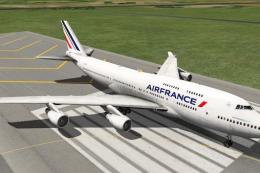
This is a livery for the default X-plane 10 747. This time around it is of th…
 X-Plane Civil Heavy Aircraft
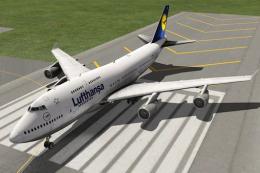
This is a livery for the default X-plane 10 747. This time around it is Lufth…
 X-Plane Civil Heavy Aircraft
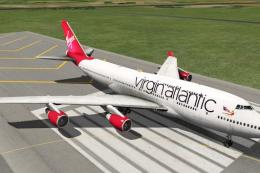
This is a livery for the default X-plane 10 747. This time around it is of th…
 X-Plane Civil Heavy Aircraft
X-Plane 10 Singapore Airlines Megatop Boeing 747-40. A photrealistic SIA Mega…
Read what other simmers think, or add your own.
