


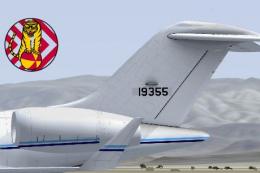
 FSX Military Aircraft
US Air Force E-11A R1/GLEX
Repaints for the Iris Simulations freeware Easter Eggs 2013 Sentinel R1 and G…
US Air Force E-11A serial 19001 repaint brings the BACN communications jet look to the IRIS Simulations Sentinel R1 freeware Easter Eggs 2013 model in FSX, with markings shaped by open-source reference imagery. It complements military missions with a clean, accurate exterior finish and period-correct USAF presentation.
 Rate
Rate

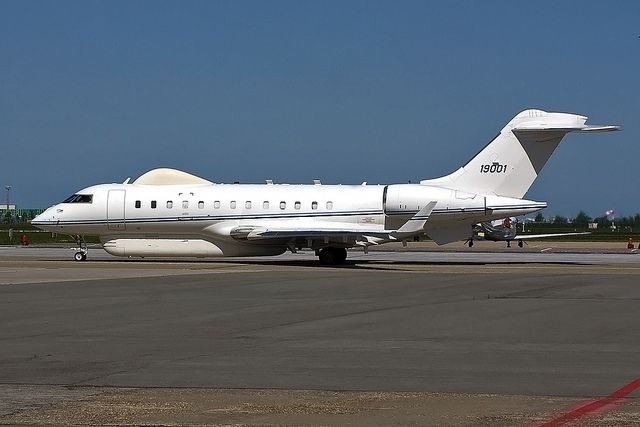
Repaint for the Iris Simulations freeware Easter Eggs 2013 Sentinel R1 in the colors of USAF E-11A serial 19001. The E-11A is a BACN platform used to co-ordinate communications between battlefield assets. Repaint based on open-source imagery available for aircraft serial 19001. By S Peterson.
Installation:
[fltsim.X]

title=Sentinel_FSX E-11A

sim=Sentinel_FSX

model=R1

panel=

sound=

texture=E11A

kb_checklists=

kb_reference=

atc_id=19001

atc_parking_types=GATE,RAMP

atc_airline=GLEX

ui_manufacturer="Northrop Grumman"

ui_type="E-11A"

ui_variation="USAF"

ui_typerole="Military"

ui_createdby="IRIS Flight Simulation Software"

description="The Northrop Grumman E-11A is a Battlefield Airborne Communications Node (BACN) platform derived from the Bombardier Global Express airframe. Very similar in appearance to the RAF's Raytheon Sentinel R1, the E-11A provides a communications gateway to all battlefield assets, for instance allowing strike aircraft to communicate directly with ground elements."
Free for all simmers · 3.16 MB · Scanned clean Oct 2026
Download speed: Free tier is capped at 0.5 Mbps. PRO members download at full line speed.
texture.{airline}) inside FSX\SimObjects\Airplanes\{base-aircraft}\.aircraft.cfg in Notepad. Add a new [fltsim.X] section per the readme.readme.txt or README file. It tells you exactly where files go, what dependencies are needed, and any quirks specific to this add-on.The archive e11a.zip has 21 files and directories contained within it.
This list displays the first 500 files in the package. If the package has more, you will need to download it to view them.
| Filename/Directory | File Date | File Size |
|---|---|---|
| E11A | 08.16.14 | 0 B |
| E11A.gif | 08.16.14 | 114.30 kB |
| FILE_ID.DIZ.txt | 08.16.14 | 312 B |
| install.txt | 08.16.14 | 864 B |
| texture.E11A | 08.16.14 | 0 B |
| Canopy_Fresnel_Ramp.dds | 07.26.11 | 4.12 kB |
| Fresnel_Ramp.dds | 09.04.06 | 640 B |
| Glass_S.dds | 10.21.11 | 64.12 kB |
| Glass_T.dds | 10.21.11 | 64.12 kB |
| pilot_t.dds | 04.02.13 | 1.00 MB |
| R1_ENG_T.dds | 03.31.13 | 256.12 kB |
| R1_FUS_S.dds | 04.01.13 | 2.00 MB |
| R1_FUS_T.dds | 08.16.14 | 16.00 MB |
| R1_LW_S.dds | 04.01.13 | 512.12 kB |
| R1_LW_T.dds | 08.15.14 | 4.00 MB |
| R1_RW_S.dds | 04.01.13 | 512.12 kB |
| R1_RW_T.dds | 08.15.14 | 4.00 MB |
| texture.cfg | 03.31.13 | 180 B |
| thumbnail.jpg | 08.16.14 | 106.58 kB |
| flyawaysimulation.txt | 10.29.13 | 959 B |
| Go to Fly Away Simulation.url | 01.22.16 | 52 B |
Only PRO members can place votes.
More FSX & P3D add-ons hand-picked based on this download.
FSX Military Aircraft
Repaints for the Iris Simulations freeware Easter Eggs 2013 Sentinel R1 and G…
 FSX Military Aircraft
This enhanced F-15 Strike Eagle freeware package features the early “Air Supe…
 FSX Military Aircraft
Repaint of the Project Open Sky B757-200 in USAF livery, registration 90004, …
 FSX Military Aircraft
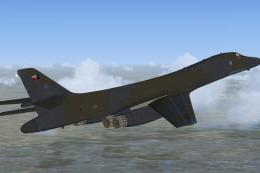
US Air Force B-1B 85-0061 "French Connection". This aircraft was delivered to…
 FSX Military Aircraft
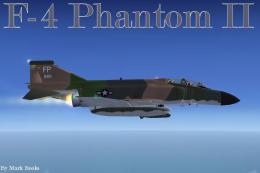
US Air Force F-4 Phantom II Op Bolo. A repaint of Kazunori Ito's F4 Phantom I…
 FSX Military Aircraft
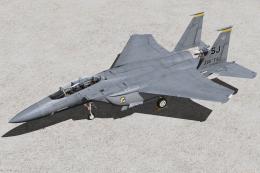
336th Fighter Squadron Squadron "Rocketeers" / 4th Fighter Wing Seymour Johns…
 FSX Military Aircraft
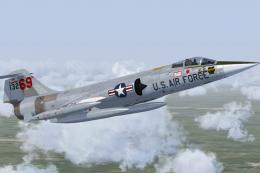
US Air Force F-104G Starfighter 69th TFTS, Luke AFB. This is a repaint of the…
 FSX Military Aircraft
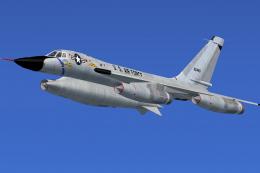
US Air Force Convair B-58 59-2440. This is a repaint of the Alphasim B58 Hust…
Be the first to leave a comment on this download.
Be the first to share your thoughts on this download.