

 Belgium
  FSX Scenery
Princess Juliana International Airport
Princess Juliana International Airport (TNCM) in Saint Marteen, Netherlands A…
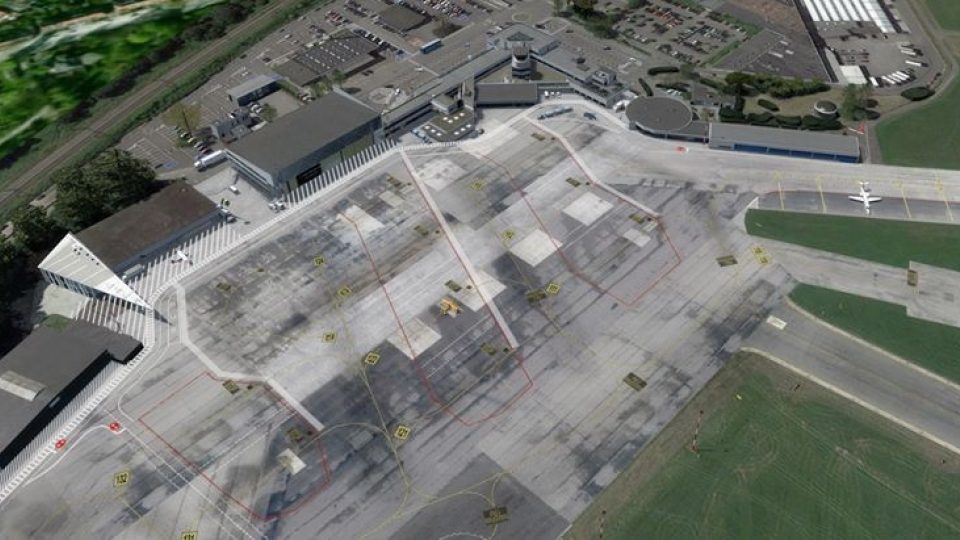
Antwerp International Airport (EBAW/ANR) comes alive with pixel-accurate photoreal ground imagery, precisely placed buildings, and textures built from thousands of on-site photos, plus custom AI Fokker 50 traffic, static SV-4Bs, hangar interiors, the WW1 Borsbeek fort, and the RWY 29 tunnel. Compatible with FSX SP2 and Prepar3D v3+; requires SODE for windsocks.
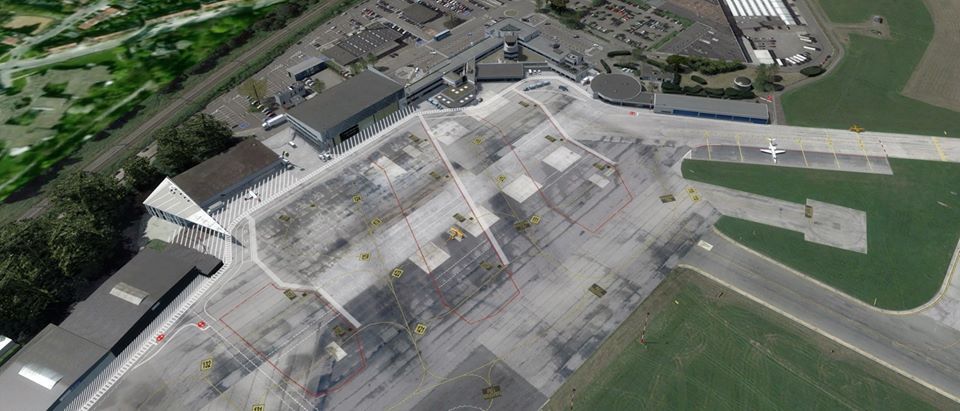
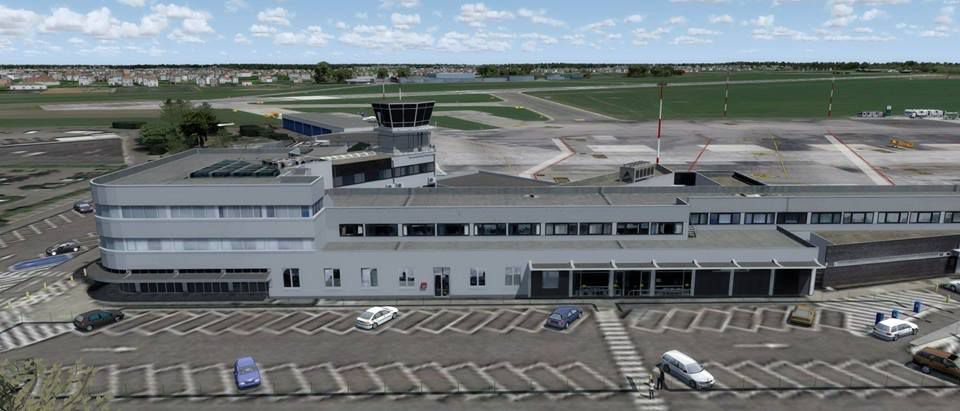
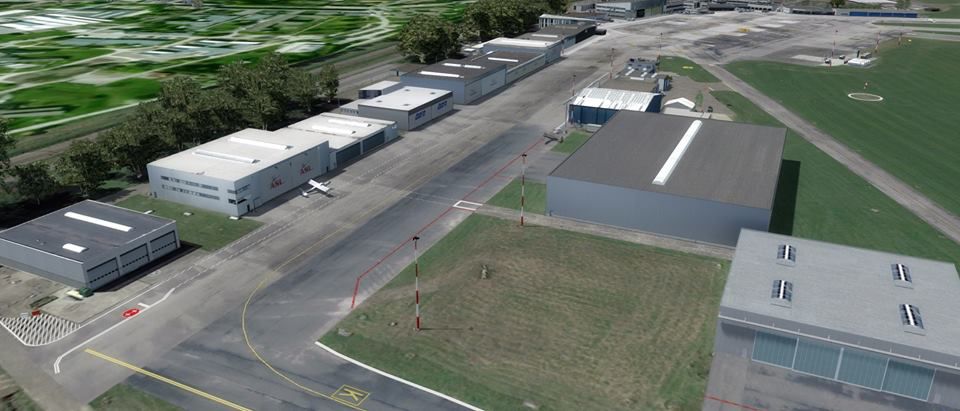
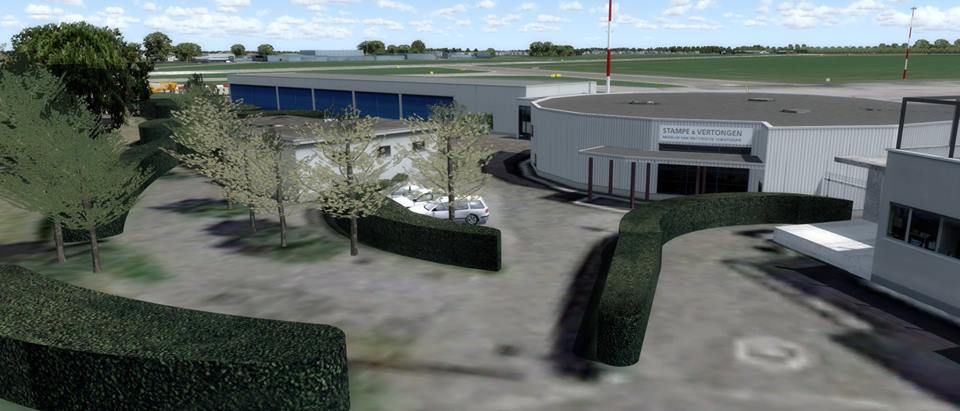
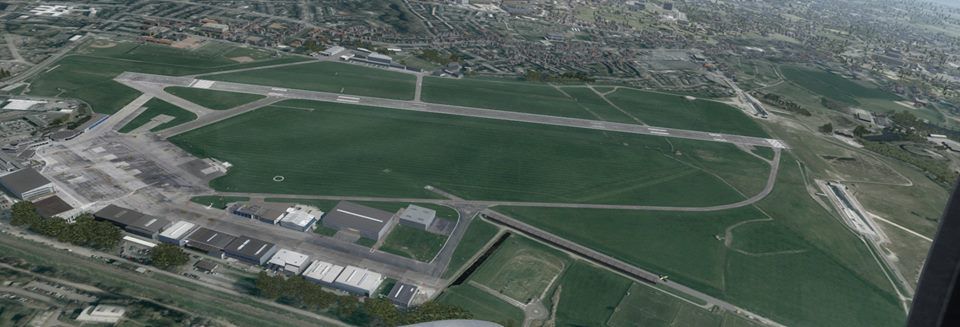
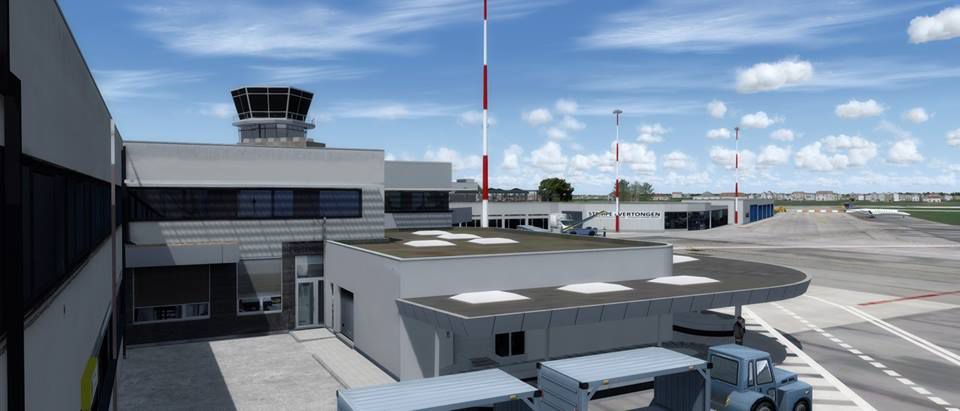
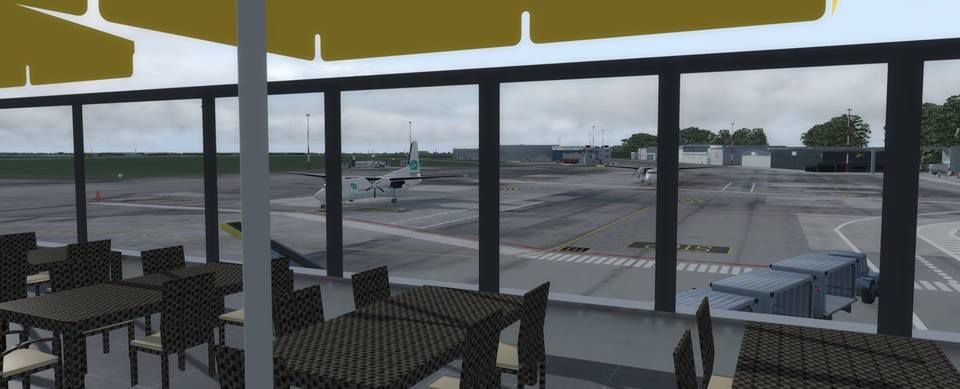
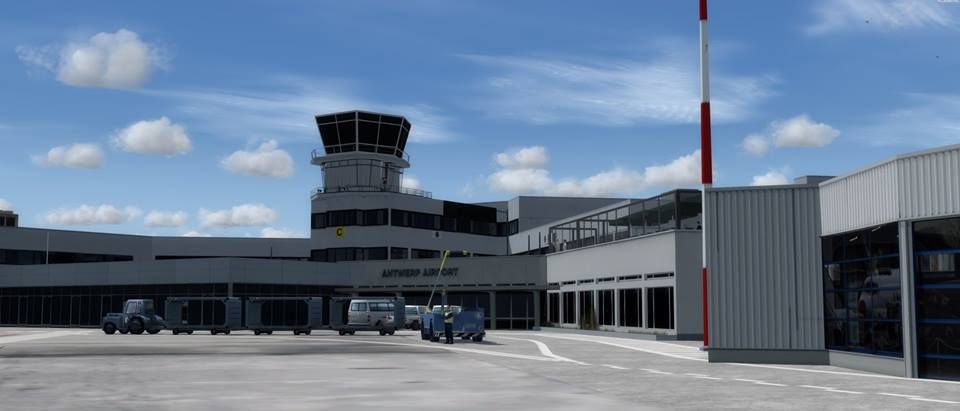

Antwerp International Airport (ANR/EBAW) is a small international airport serving Antwerp, the second-most populous city of Belgium.
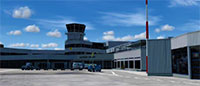 After two years of work and taking over 2000 photos. This is the very first publicly available pixel-accurate photoreal scenery for this airport.
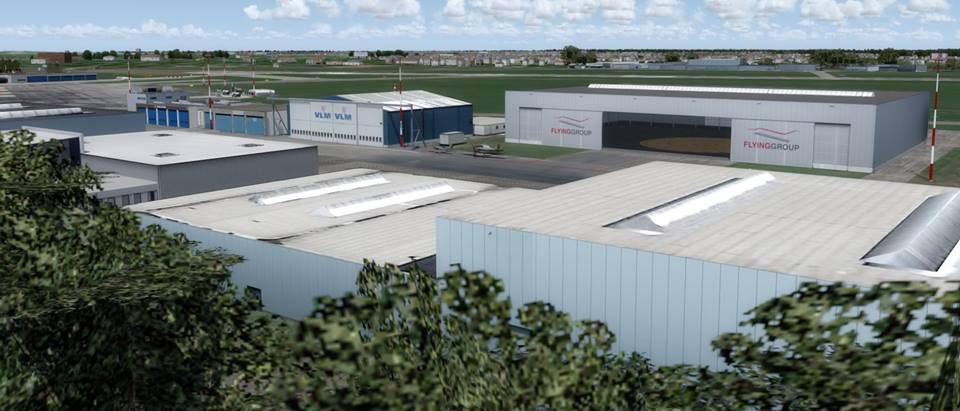
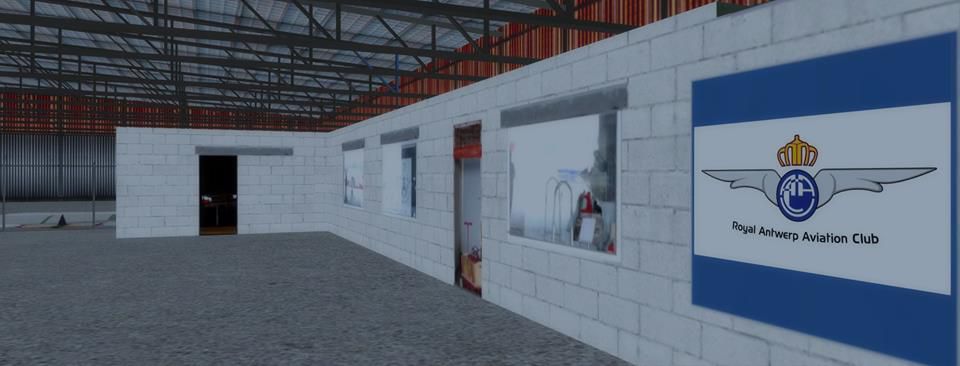
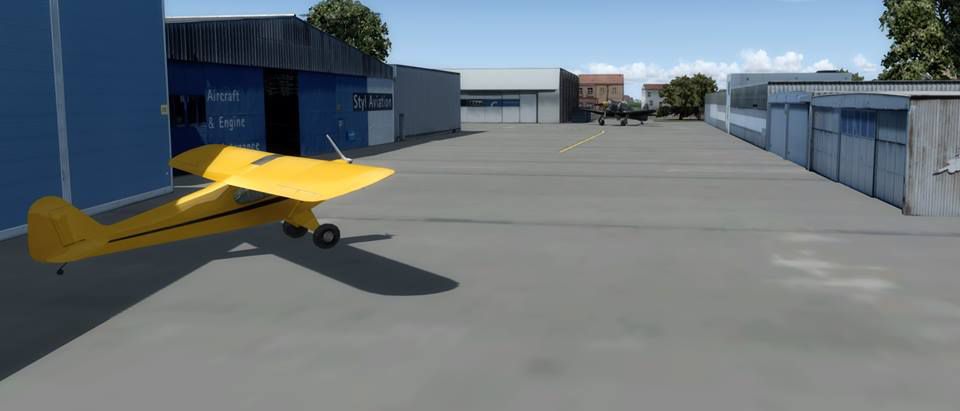
Featuring updated radio freqs (2017), accurate buildings and placement, custom AI Fokker 50 AI traffic, static SV-4Bs and SODE powered windsocks. It also comes with two hangars with accurate and accessible interiors completed by the inclusion of the neighbouring WW1 fort.
Optimized for P3D, compatible with FSX SP2.
This is Phase 1 of the project, focussing on buildings and structures situated on airport grounds. It also includes the new tunnel under the RWY 29 approach and the fort of Borsbeek.
This release of the project is compatible with FSX SP2(Acceleration) and Prepar3D v3+.
Known omissions/issues:
Big thanks to all of the following people who helped with the creation of this project: Jan C, Willy B, Paul S, Gustaaf V, Bob G, Katleen P, Luc DV, Paul C, Filip V. Without them it would simply have been impossible to complete.
A special thank you goes out to the Airport Management and security for their extraordinary cooperation!
Thanks to the following companies for allowing their properties to be photographed and included in this scenery (in no specific order)
Egis, Flemish Government, RAAC, VLM, the Aviation Factory, AeroData, Europilot Center, Flying Group, BAFA, ASL, NextGen Aviation, Stampe & Vertongen Museum, Raymond's Aircraft Restoration, BelAir, Lindsky Aviation, Vizion Air, Blue Sky Aviation.
FEATURES
INSTALLATION
An installation of SODE is REQUIRED
This package contains 2 zip files: Simulator.zip and SODE.zip
Simulator.zip
Unzip the contents of this file into the root of your Prepar3d /FSX installation. The root is the folder that contains the FSX.EXE or Prepar3D.exe file.
SODE.zip
Unzip the contents of this file into C:\ProgramData\12bPilot\SODE
Next, open your sim and add the EBAW2017 folder to you scenery library (located in [SimulatorRoot]\Addon Scenery\EBAW2017
NOTE: For best results put the texture and mesh complexity sliders as far right as your system will allow.
Developer: Johan Peeters.
Free for all simmers · 305.43 MB · Scanned clean Oct 2026
Download speed: Free tier is capped at 0.5 Mbps (this file takes approximately 1h 25m at the cap). PRO members download at full line speed.
FSX\Addon Scenery\ containing scenery and texture sub-folders.readme.txt or README file. It tells you exactly where files go, what dependencies are needed, and any quirks specific to this add-on.Use these coordinates to fly directly to this location once the mod is installed.
51.18940000,4.46030000
Launch FSX or Prepar3D and use Flights → Load to open the downloaded .pln file. Your aircraft will be positioned at this location.
The archive ebaw_jp2019.zip has 17 files and directories contained within it.
This list displays the first 500 files in the package. If the package has more, you will need to download it to view them.
| Filename/Directory | File Date | File Size |
|---|---|---|
| 01.jpg | 04.06.19 | 40.03 kB |
| 02.jpg | 04.06.19 | 47.52 kB |
| 03.jpg | 04.06.19 | 44.61 kB |
| 04.jpg | 04.06.19 | 68.57 kB |
| 05.jpg | 04.06.19 | 31.13 kB |
| 06.jpg | 04.06.19 | 47.75 kB |
| 07.jpg | 04.06.19 | 60.25 kB |
| 08.jpg | 04.06.19 | 63.91 kB |
| 09.jpg | 04.06.19 | 28.79 kB |
| 10.jpg | 04.06.19 | 81.22 kB |
| 11.jpg | 04.06.19 | 64.36 kB |
| 12.jpg | 04.06.19 | 64.07 kB |
| GoldenAgeSimulations.txt | 04.06.19 | 206 B |
| license.txt | 04.06.19 | 6.85 kB |
| ReadMe.txt | 04.06.19 | 4.73 kB |
| Simulator.zip | 04.06.19 | 305.86 MB |
| SODE.zip | 04.06.19 | 76.15 kB |
Only PRO members can place votes.
More FSX & P3D add-ons hand-picked based on this download.
FSX Scenery
Princess Juliana International Airport (TNCM) in Saint Marteen, Netherlands A…
 FSX Scenery
Barbados International Airport (TBPB). Grantley Adams International Airport f…
 FSX Scenery
Dubai International Airport (OMDB), Dubai. Includes a new passenger terminal …
 FSX Scenery
Soekarno-Hatta International Airport (WIII), Jakarta, Indonesia. An update to…
 FSX Scenery
San Diego International Airport, California (CA), USA. This photoreal scenery…
 FSX Scenery
Suvarnabhumi International Airport (VTBS), Bangkok, Thailand, v1.1. Includes …
 FSX Scenery
Scenery Miami International Airport (KMIA), Florida (FL). Includes updated ta…
 FSX Scenery
Scenery Abu Dhabi International Airport (OMAA), Abu Dhabi, United Arab Emirat…
Read what other simmers think, or add your own.


WOW! honestly, this scenery is the best thing I've ever seen, like in a long time. and it's free? I thought my £16.99 UK2000 EGJJ scenery was the best it got but now I'm reconsidering... its that concrete man. it's so well done.

This scenery is amazing. I used it in FSX but now I switched to XP11 and I would love to have it there. Can you pls convert it for X-Plane 11?
