



 MSFS Utilities & Tools
FreightLife - Cargo Airline Career Management Utility
Piciek’s FreightLife puts a cargo airline career around your flying in Micros…
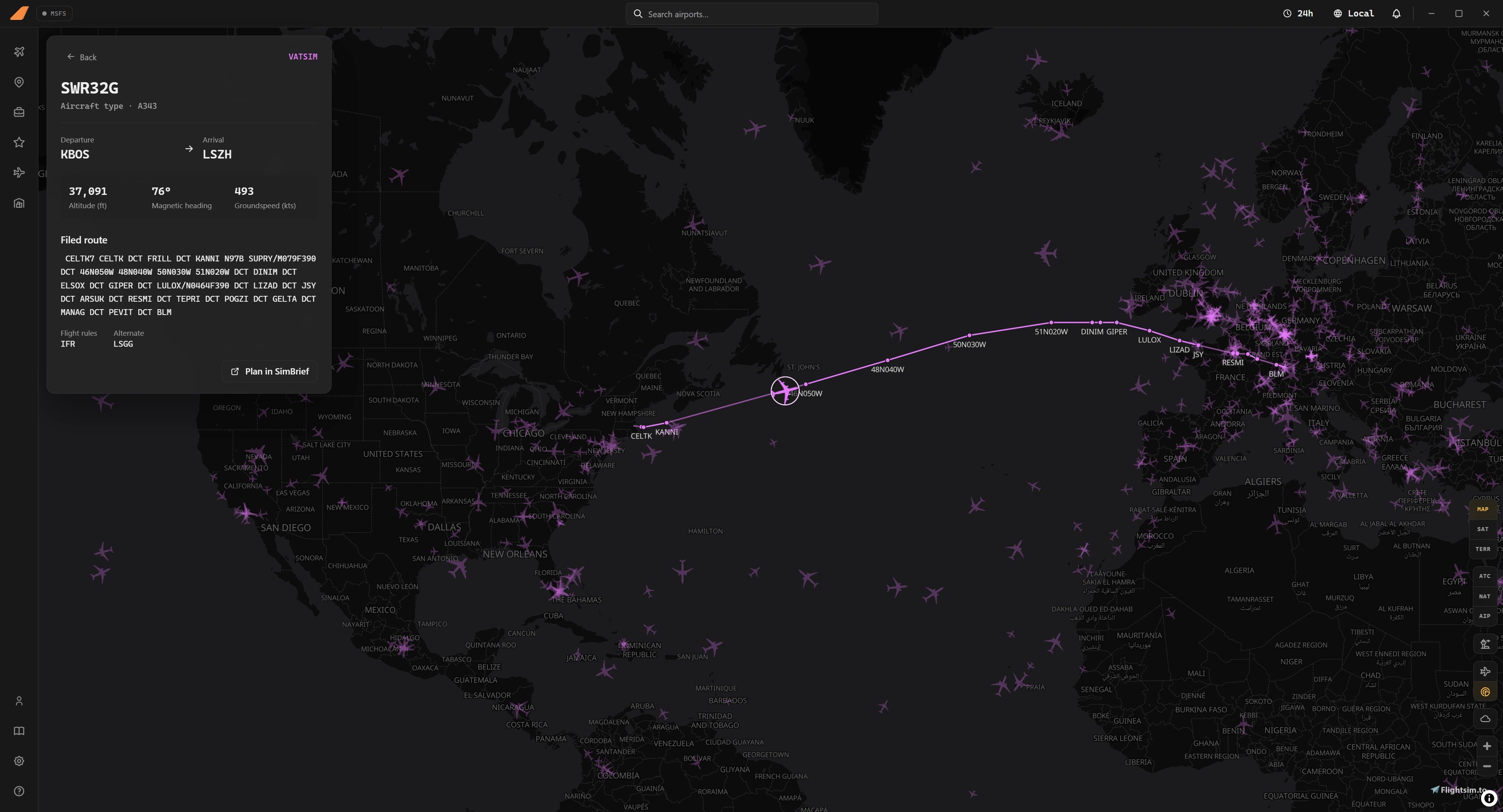
FINRES Ops brings airline operations to Microsoft Flight Simulator 2024, combining real-world schedules, multi-sector rotations, career progression and fleet management. The desktop utility requires Windows 10 or 11 and integrates SimBrief dispatch, live tracking, weather and airspace maps, an optional VATSIM layer, replayable flight logs, offline references and mod management, with over 500,000 schedules spanning more than 70 major airlines.
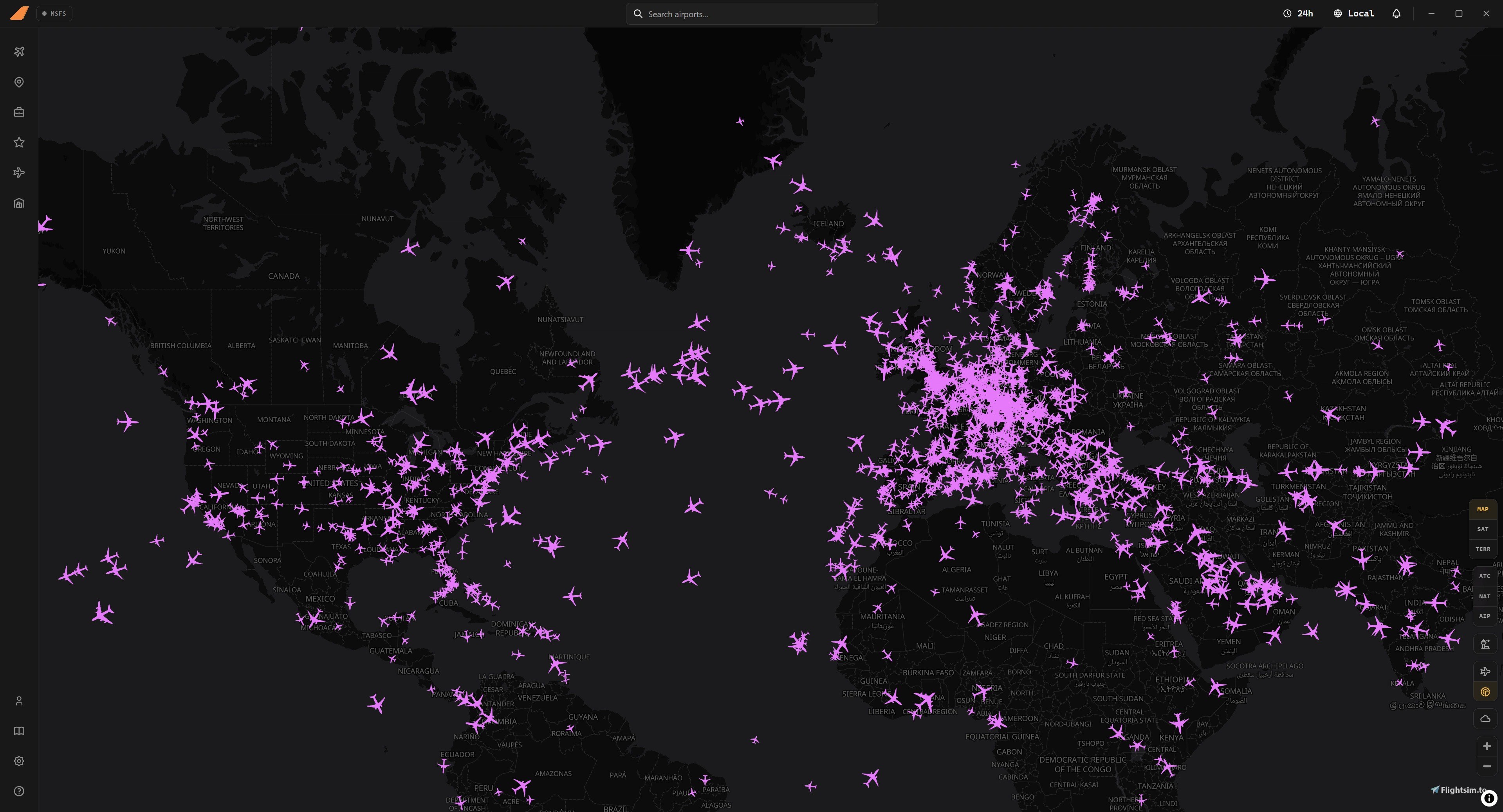
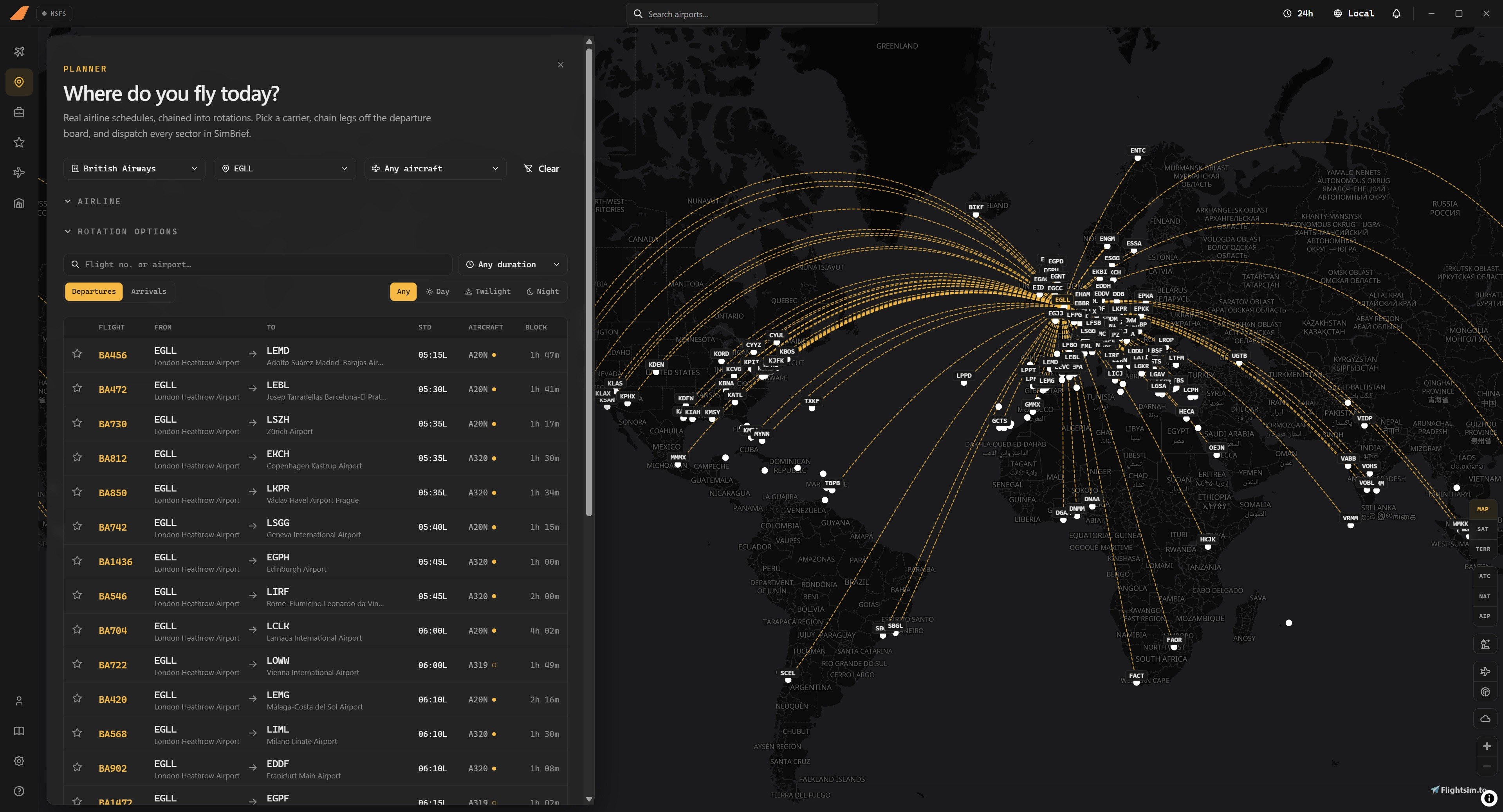
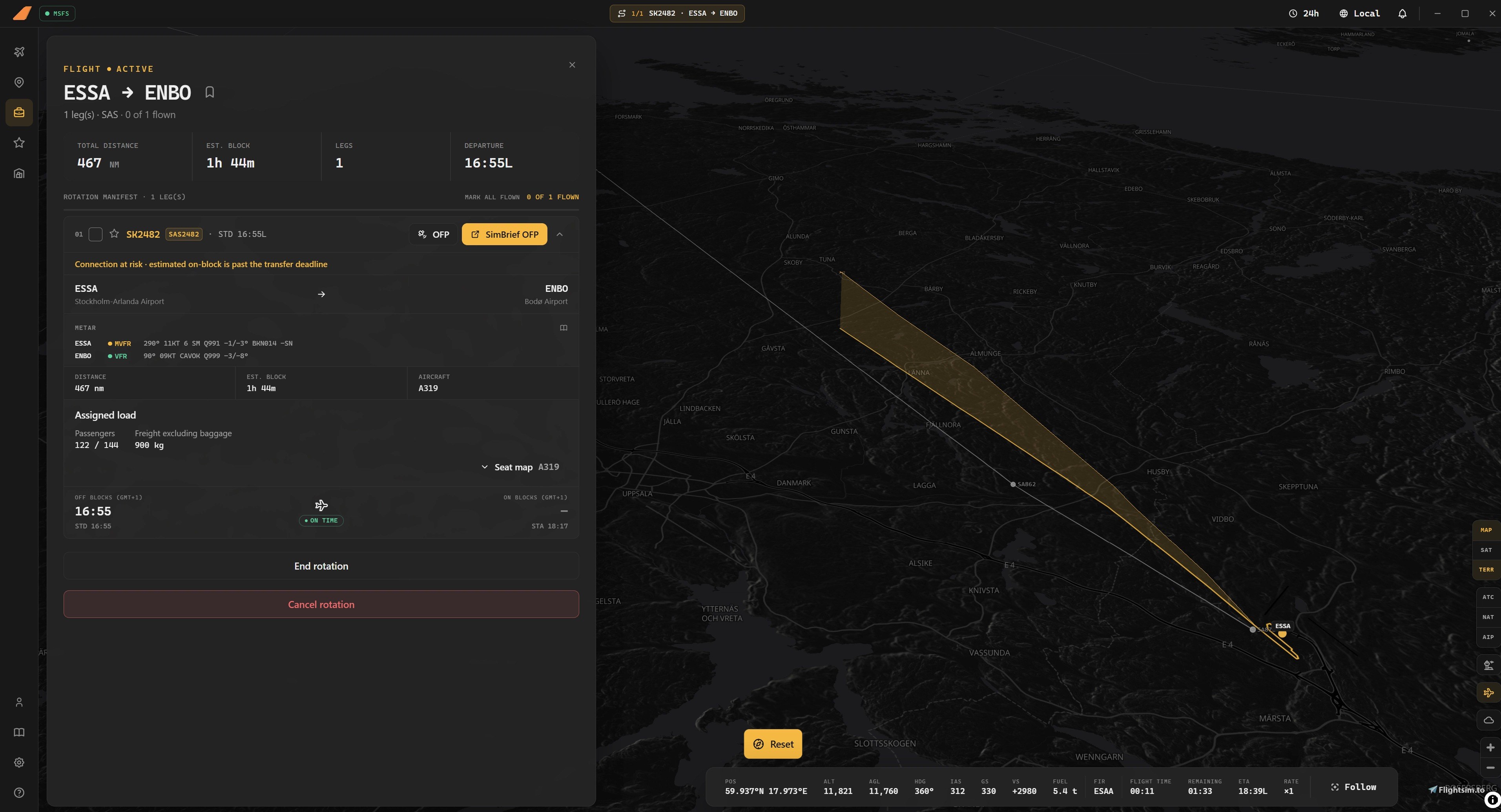
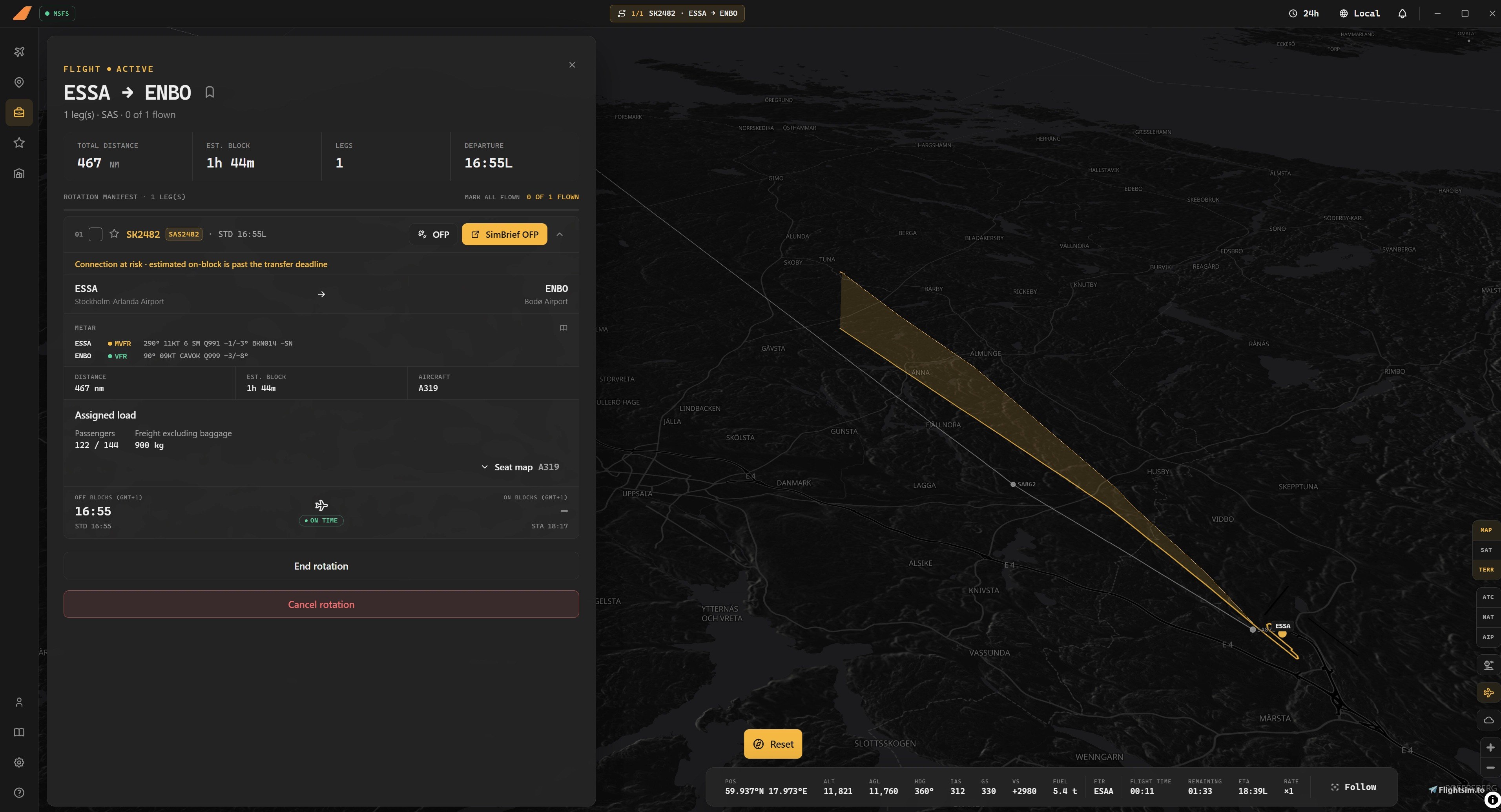
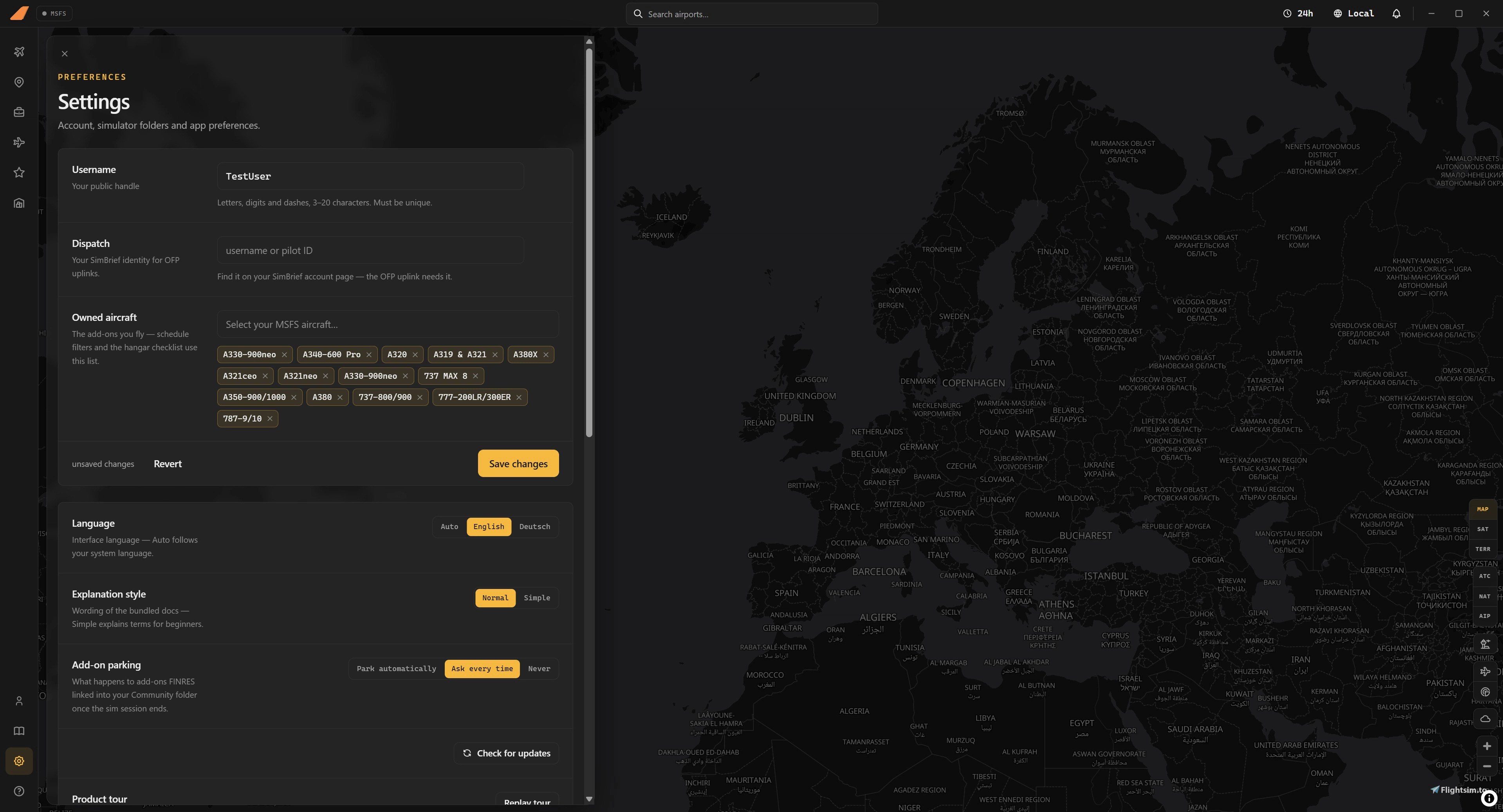
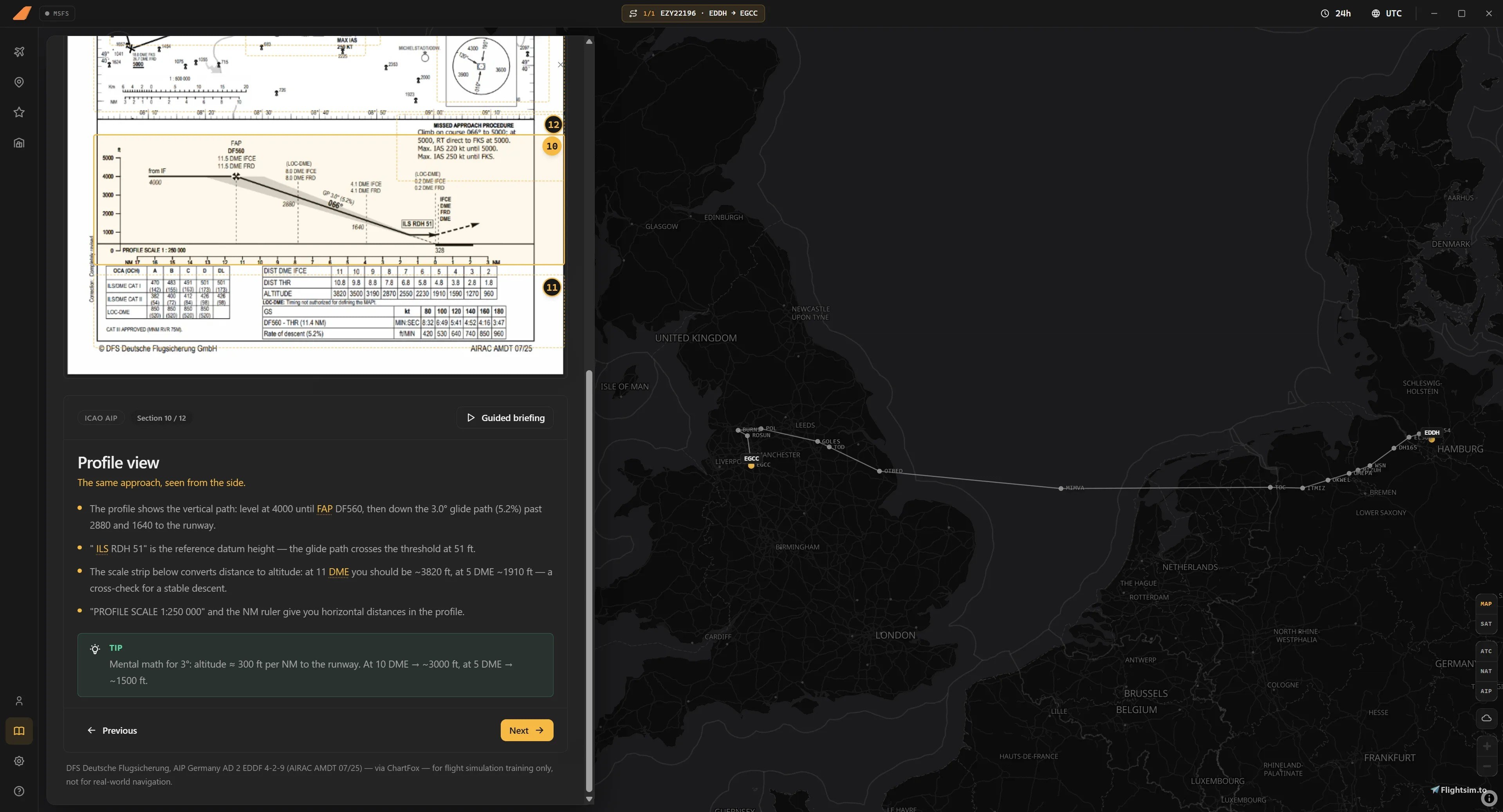
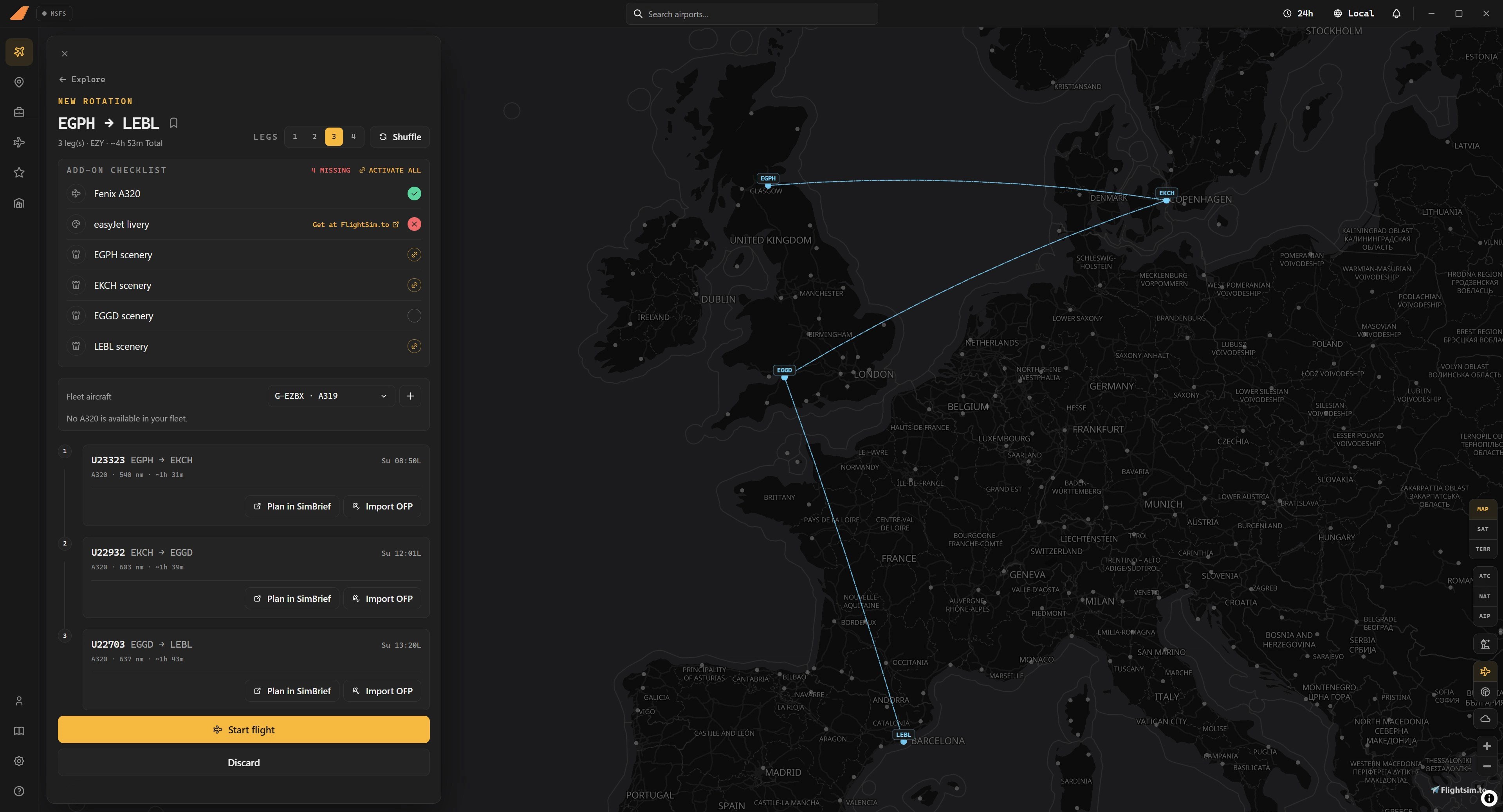
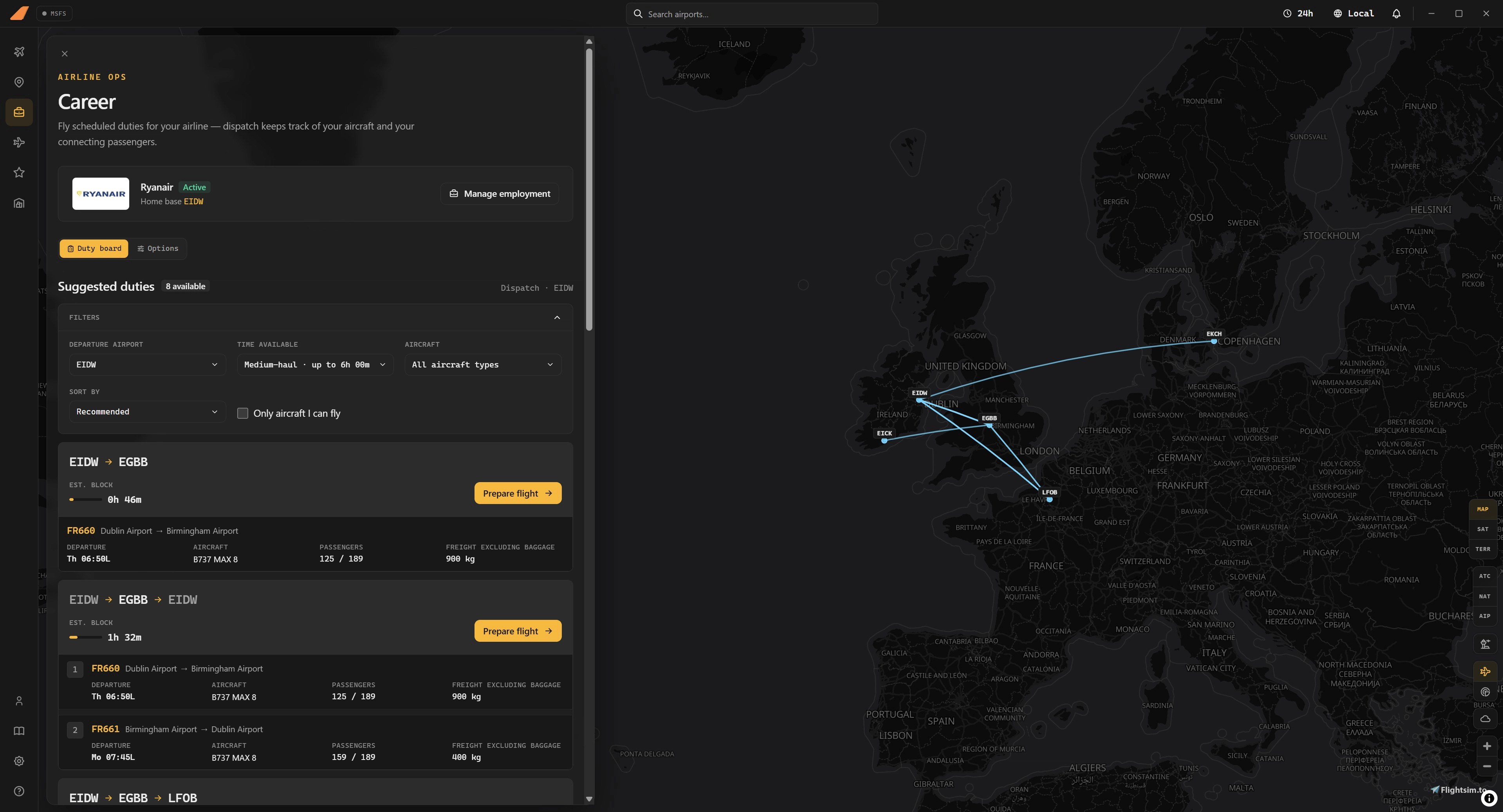
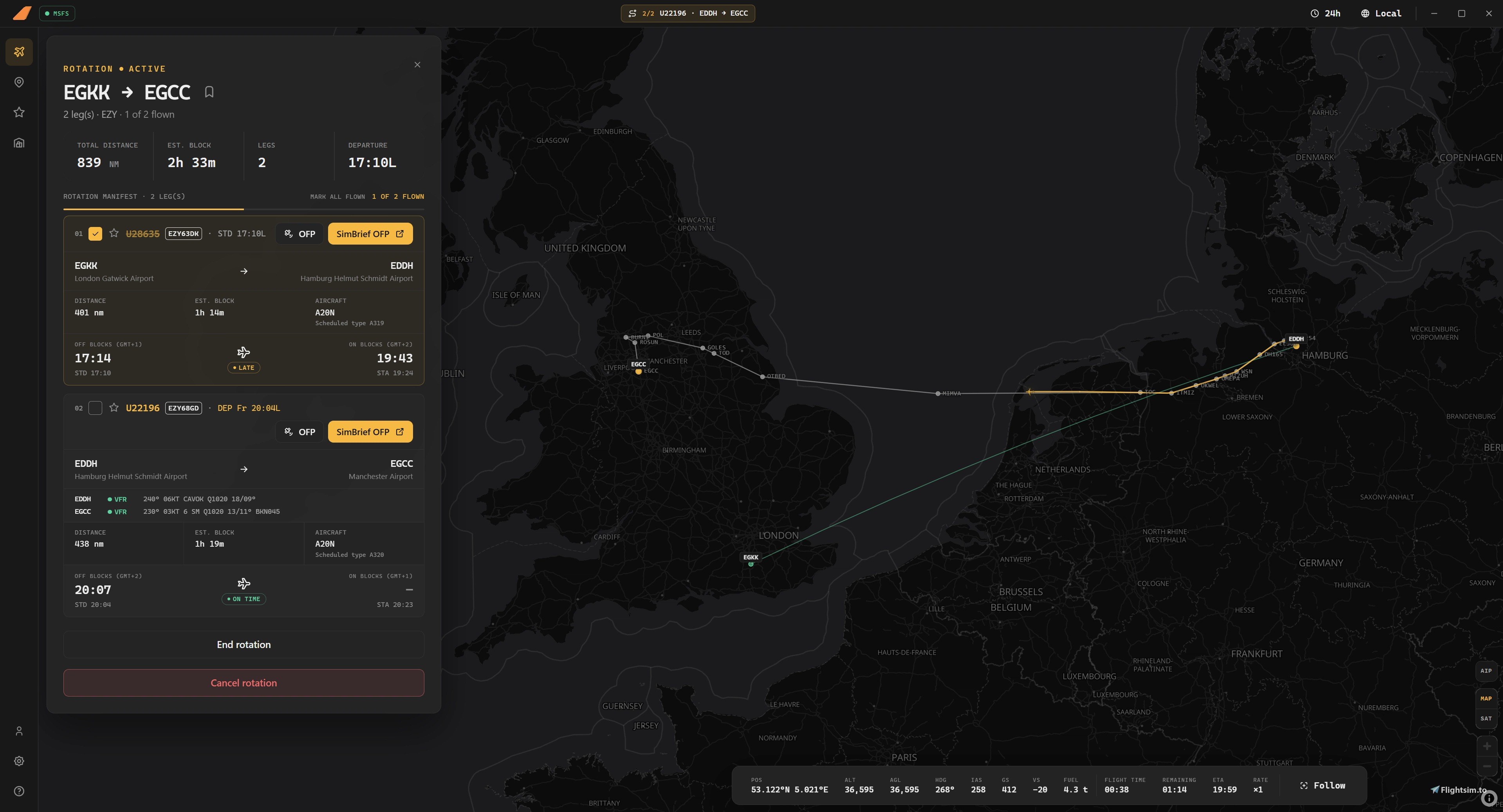
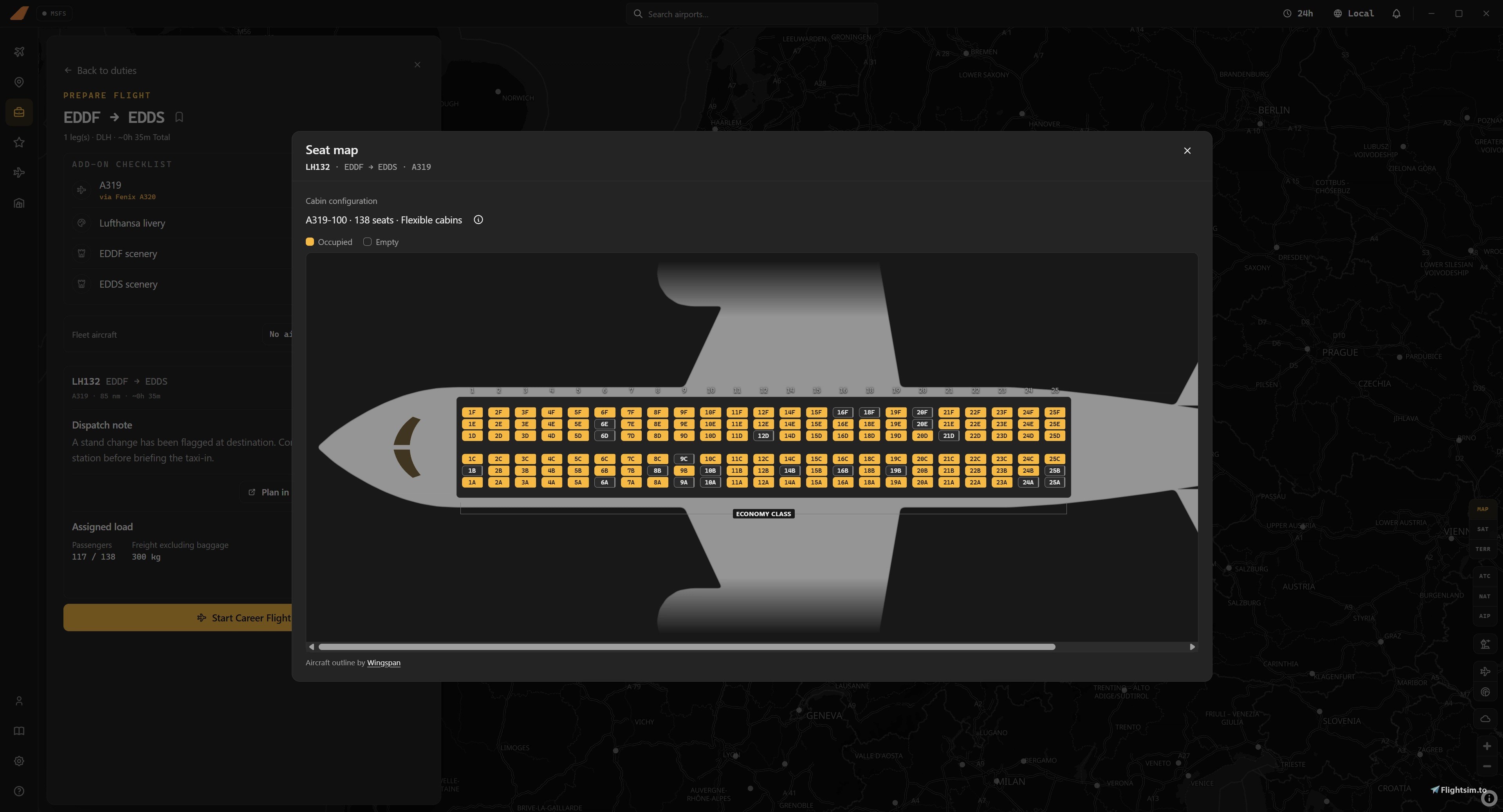
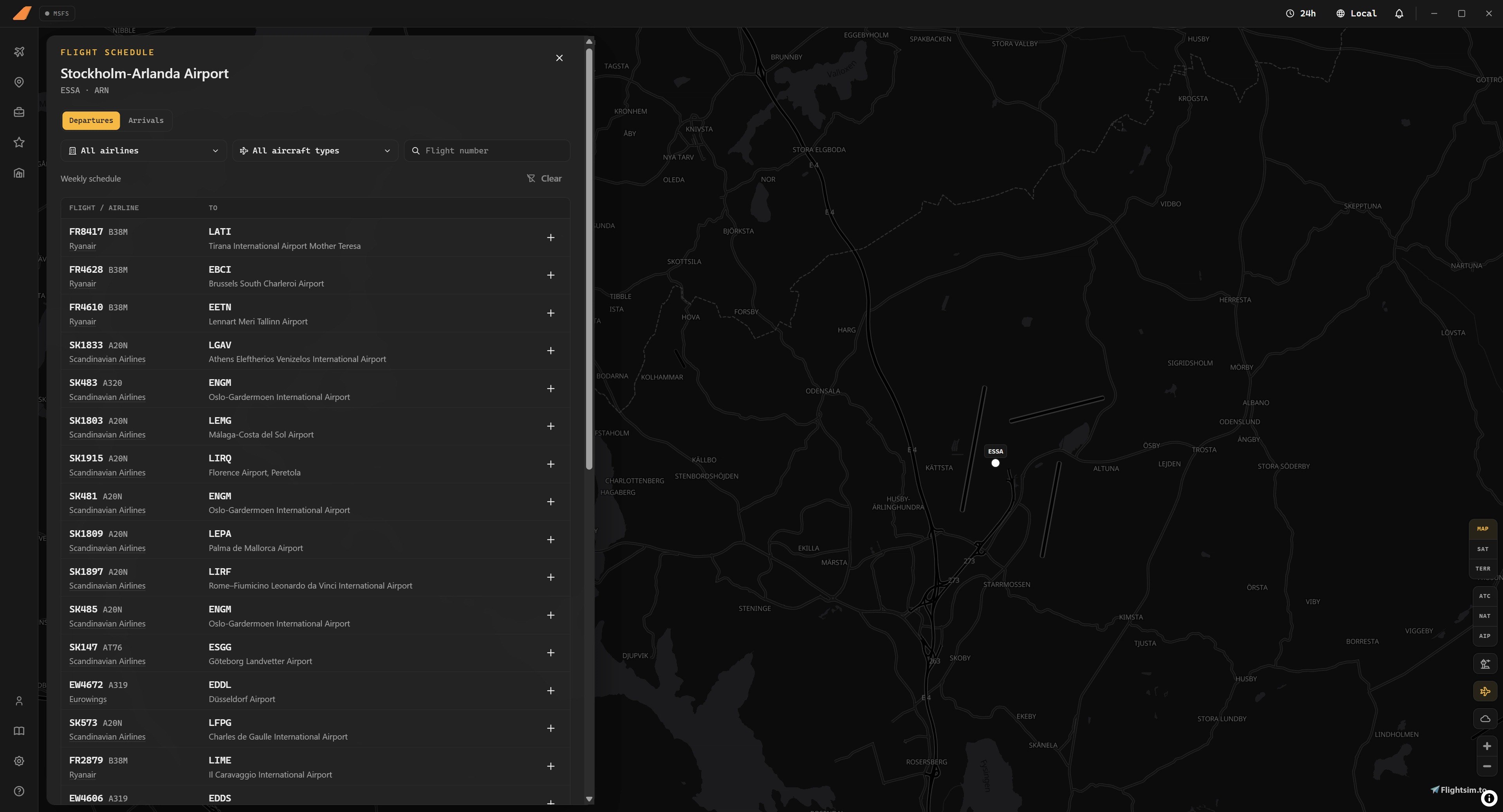
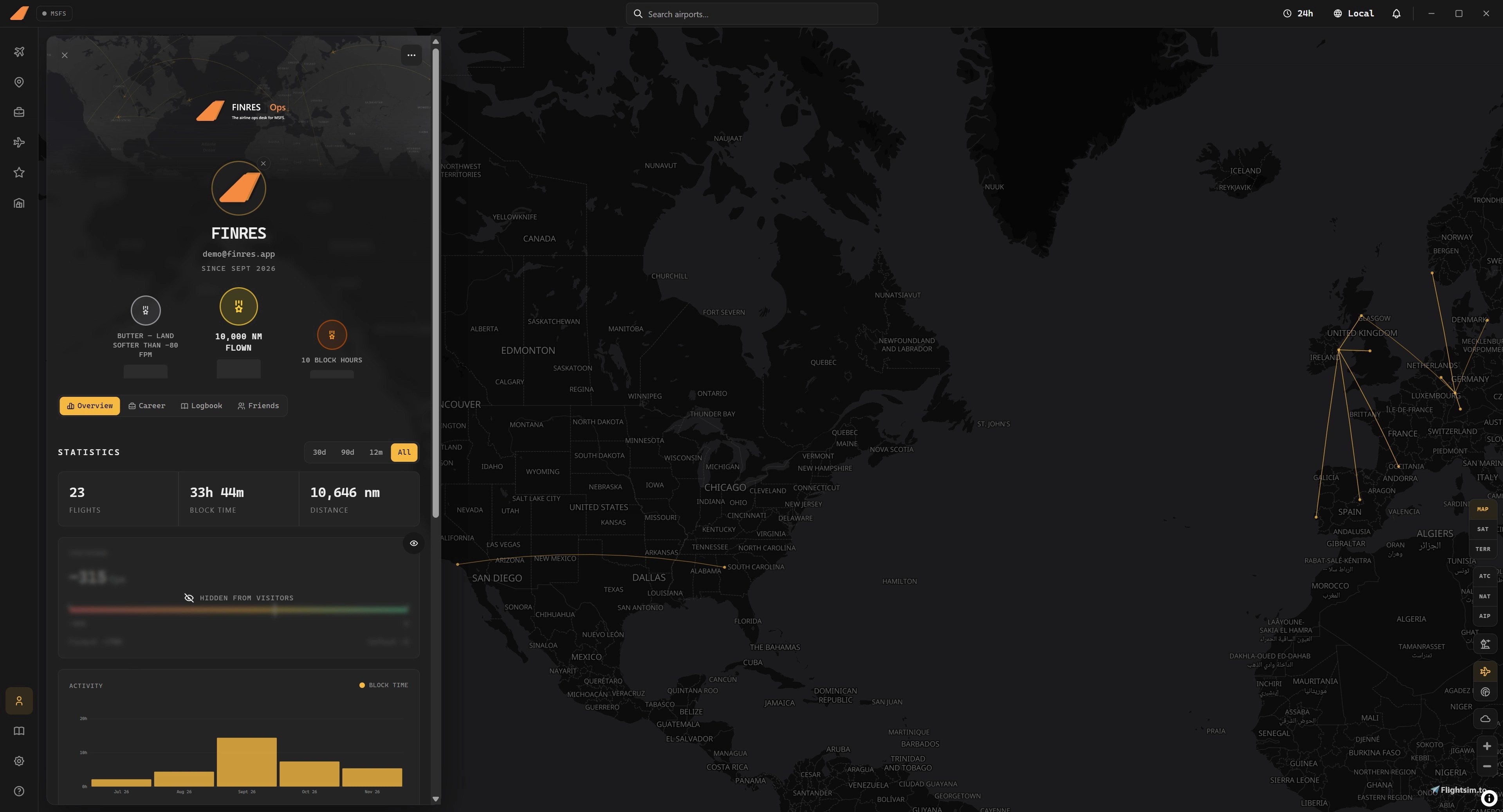

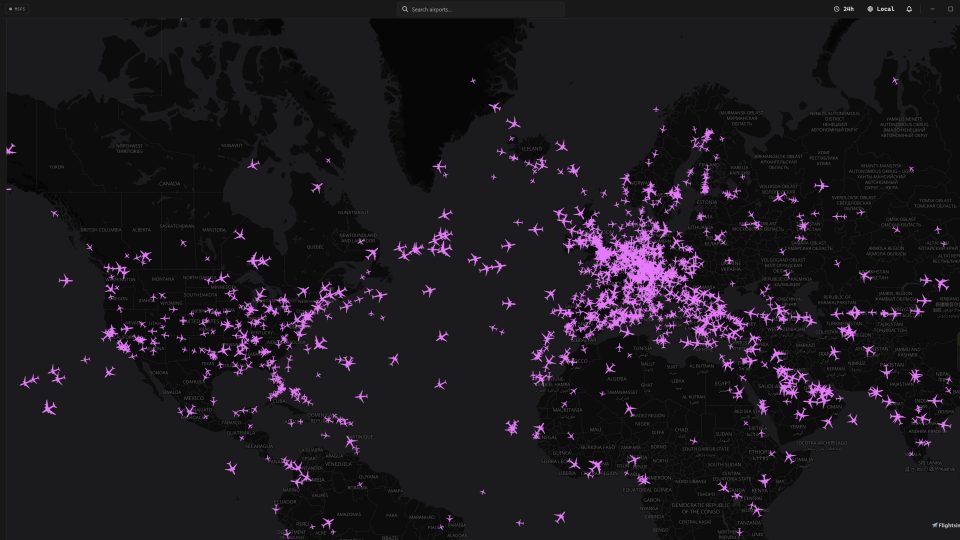
A departure board I can turn into a day's work fills a gap in the stock sim for me. FINRES makes the available flying time part of choosing that work: I filtered a random rotation by duration and owned aircraft, then used the resulting legs to plan my session rather than picking destinations one at a time. That's a useful antidote to spending half the evening deciding where to go. The board's block-time column beside each aircraft type also helps when choosing legs manually; the route map alone wouldn't answer whether a sector fits my evening. Career Light makes a sensible choice by leaving every duty type open from day one. I don't want to accumulate hours just to unlock the flying I came for, though progression here is still a basic block-hours ladder from First Officer to Captain. Before downloading, know that a free FINRES account is required; SimBrief is optional unless you want dispatch. The unsigned executable can also trigger SmartScreen, which is worth knowing before that warning appears.
FINRES Ops puts an airline operations desk alongside Microsoft Flight Simulator 2024. Developed by FINRES, this desktop utility lets you choose scheduled airline work, build multi-sector duties and follow each flight through dispatch, live tracking and a recorded logbook. It’s aimed at pilots who want continuity between sectors, with a career mode to give those hours a purpose.
The schedule database covers around 70+ major airlines and 500k+ flight schedules, with actual flight numbers, times and weekly operating patterns. Browse by carrier or airport. FINRES plans to expand the coverage.
Career Light lets you join an airline, select a home base and choose a single sector or rotation from its real schedule to fit your available time. Career block hours take you from First Officer to Captain, but every duty type is available from day one. This is the initial career implementation, with further development planned.
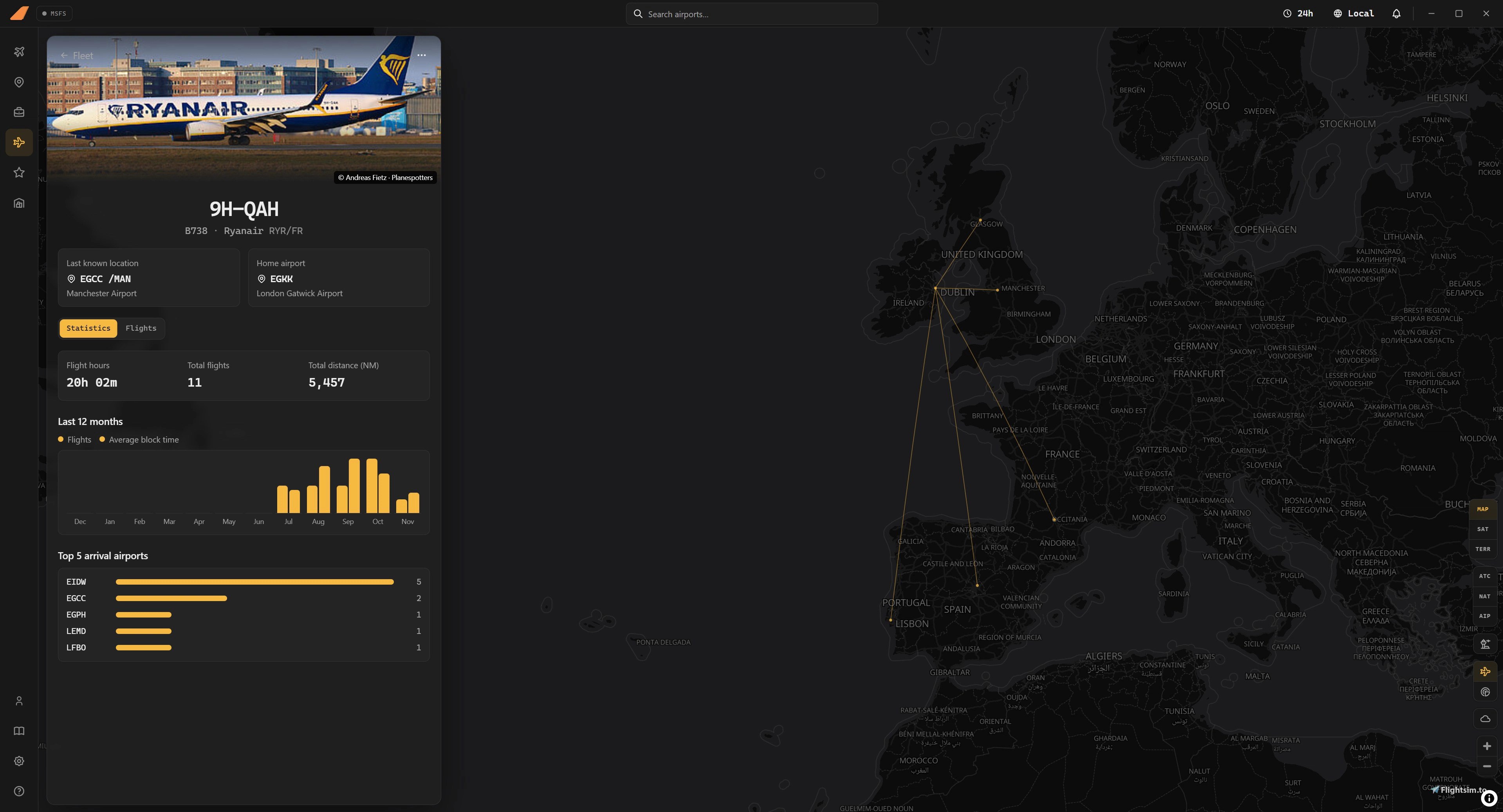
You can chain legs directly from the departure board or generate a random rotation using filters for owned aircraft, duration, time of day and hub. Fleet management lets you add aircraft, assign them to legs and review their flight hours, distance, monthly activity and most-visited arrival airports.
SimBrief integration lets you plan a leg and retrieve its operational flight plan (OFP) inside FINRES. During the flight, desktop tracking reports live telemetry, block time, ETA and punctuality.
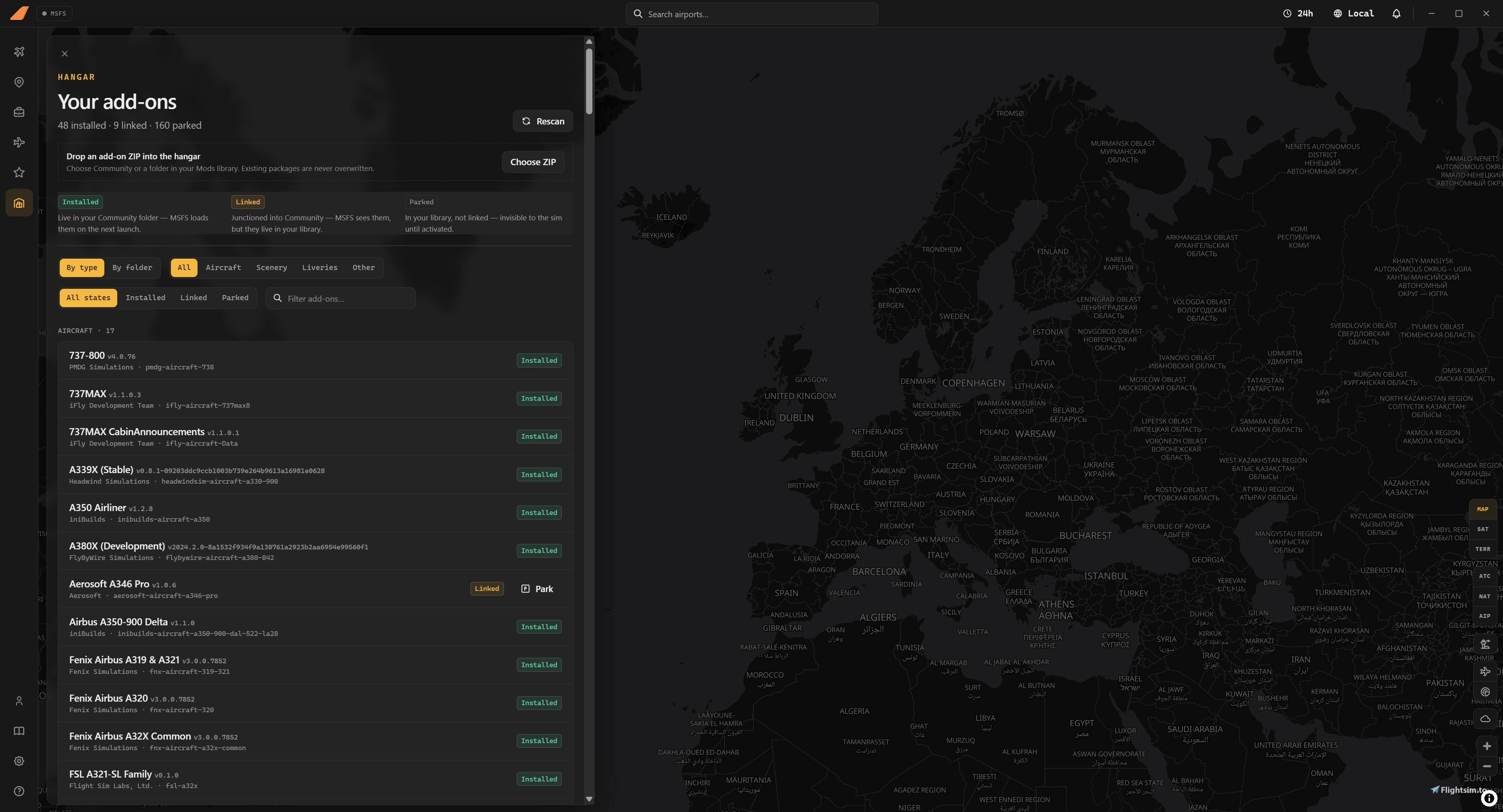
The built-in FINRES Docs reference works offline. It contains chart legends, a glossary, airport briefings, a real annotated SimBrief OFP and a datalink/CPDLC guide. The separate Hangar feature manages your MSFS mods and Community folder.
You’ll need Windows 10/11 64-bit and MSFS 2024. A free FINRES account is created inside the app on first start. A SimBrief account is optional and needed only for dispatch.
The executable is not code-signed, so Windows SmartScreen may display a warning on first start.
FINRES is a free, non-commercial fan project with no affiliation to any airline, Microsoft or Navigraph.
Weather data is provided by Open-Meteo.com (CC BY 4.0). FIR boundaries are adapted from the vatspy-data-project (CC BY-SA 4.0). North Atlantic tracks come from VATSIM natTrak, and rain radar comes from RainViewer.
Bug reports and feedback can be posted in the comments here or submitted as an issue on the FINRES GitHub releases repository.
Free for all simmers · 129.97 MB · Scanned clean Nov 2026
Download speed: Free tier is capped at 2 Mbps (this file takes approximately 9 mins at the cap). PRO members download at full line speed.
Initial release.
%LOCALAPPDATA%\Packages\Microsoft.FlightSimulator_8wekyb3d8bbwe\LocalCache\Packages\Community\. Steam version: %APPDATA%\Microsoft Flight Simulator\Packages\Community\. Tip: enable Developer Mode in MSFS to see your exact Community folder path..exe installer if provided, or follow the readme. Some utilities use SimConnect — ensure MSFS is running before launching.readme.txt or README file. It tells you exactly where files go, what dependencies are needed, and any quirks specific to this add-on.The airline ops desk for MSFS.
Are you FINRES? Sign in to Fly Away Creators for download stats, comment replies and updates. Make add-ons? Publish them here.
Only PRO members can place votes.
More MSFS add-ons hand-picked based on this download.
MSFS Utilities & Tools
Piciek’s FreightLife puts a cargo airline career around your flying in Micros…
 MSFS Utilities & Tools
Jetstream gives Microsoft Flight Simulator 2020 and Microsoft Flight Simulato…
 MSFS Utilities & Tools
AeroTuneMFS runs alongside Microsoft Flight Simulator 2020 and Microsoft Flig…
 MSFS Utilities & Tools
TechLog tracks maintenance, wear and defects across supported airliners in Mi…
 MSFS Utilities & Tools
FlightDeck Bridge by ClearedtoCode puts vPilot’s VATSIM messages on your tabl…
 MSFS Utilities & Tools
FS Voyager by JerryXiao lets you queue landmark visits and teleport between t…
 FSX Business Jet Aircraft
Black Operations Learjet 45. Textures only for the default Lear 45. "Black Op…
 FS2004 Utilities/Misc
PMDG B737NG Advanced Operations Tutorial v2 by Timothy Metzinger.
Be the first to leave a comment on this download.
Be the first to share your thoughts on this download.