

 FSX Civil Aircraft
Delta Airlines Boeing 737-900ER
FS2004/FSX/P3D Delta Airlines Boeing 737-900ER, registration N852DN. New mode…
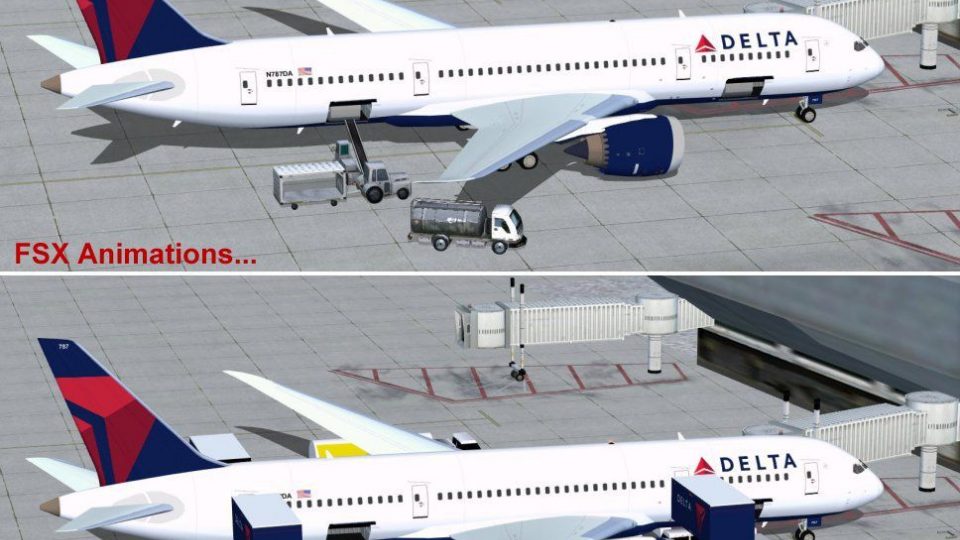
Delta Air Lines Boeing 787-8 for FSX brings the Dreamliner’s sleek widebody profile with crisp exterior textures, large windows, and tuned flight dynamics for smooth long-haul handling. Animated Ground Servicing adds interactive doors, cargo access, and ramp activity, while enhanced night lighting supports immersive dusk-to-dawn operations.
 Rate
Rate
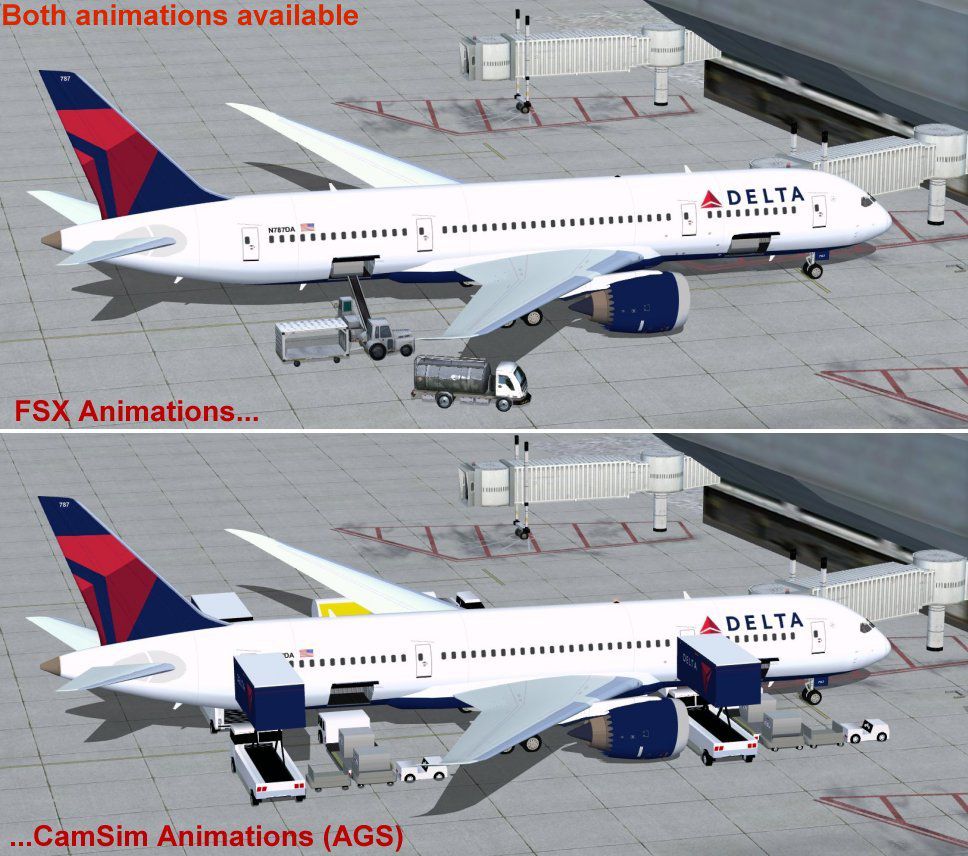
This detailed freeware package adds a complete twin-engine widebody Dreamliner to your simulator, featuring a model by Camil Valiquette with carefully applied Delta-themed exterior textures. It integrates Animated Ground Servicing (AGS) to enhance ground operations and includes an optimized visual structure. Below, you will find an overview of its key capabilities and installation instructions.
This release represents the Boeing 787-8 variant by CamSim. It incorporates design refinements to improve aerodynamics and general performance. Delta Air Lines branding is depicted on the fuselage, vertical stabilizer, and winglets. The flight deck retains standard systems for a high-fidelity experience in the simulator. Additionally, the model benefits from large windows, characteristic of the 787 family, along with a flight dynamic structure tuned for smooth handling.
Camil Valiquette has integrated numerous animation features under AGS. This system brings authentic ground procedures, such as animated cargo doors and service vehicles. The integrated triggers give you command of external elements by using several key assignments:
To ensure these features work properly, configure “Wing fold/unfold” to Shift + C and “Tail hook up/down” to Shift + D within your simulator’s controls menu.
The included night textures have additional lighting enhancements for a more immersive cockpit and external view. Ensure the Effects folder from step two is copied correctly so that these visuals function properly during dusk, night, and dawn operations.
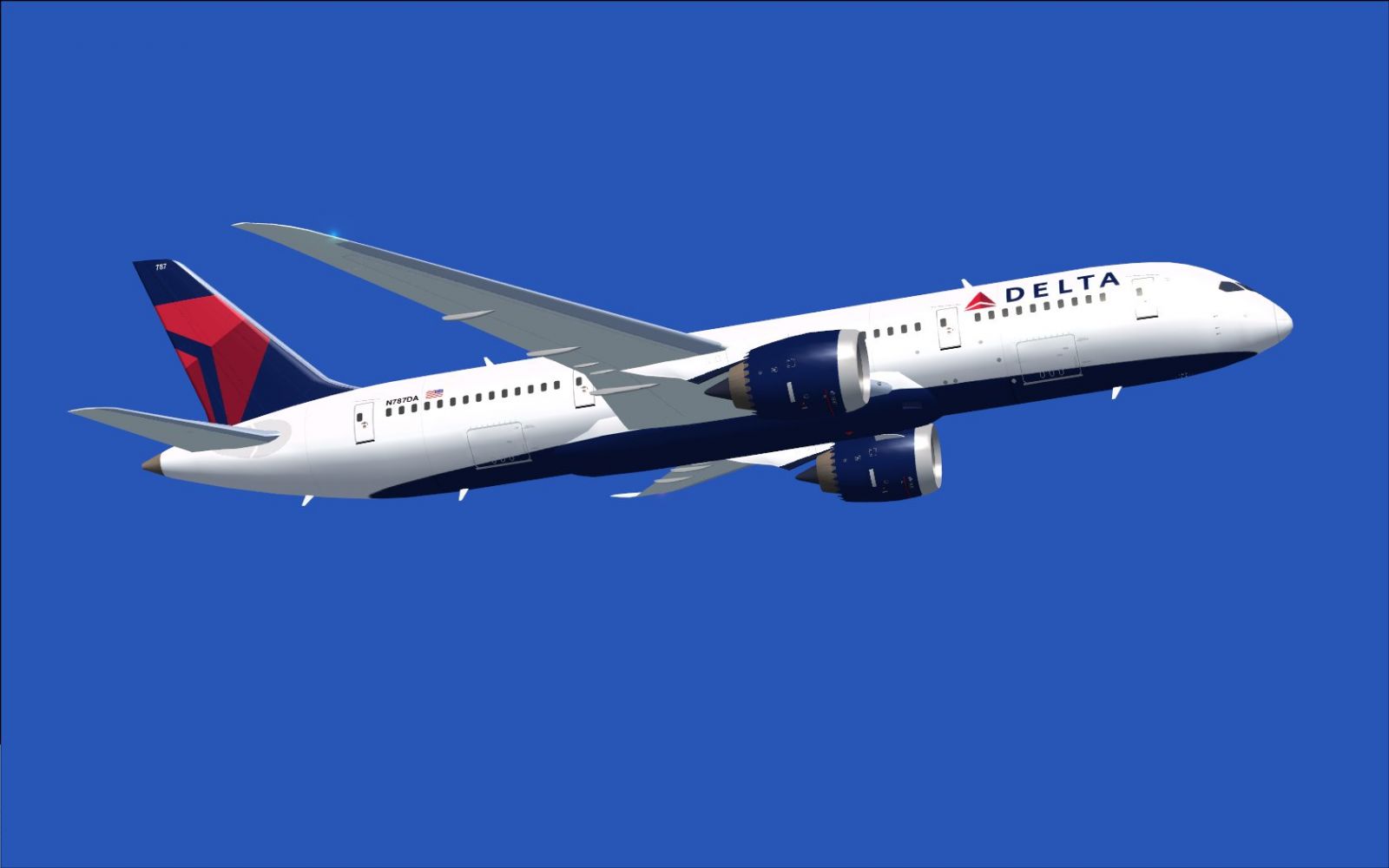
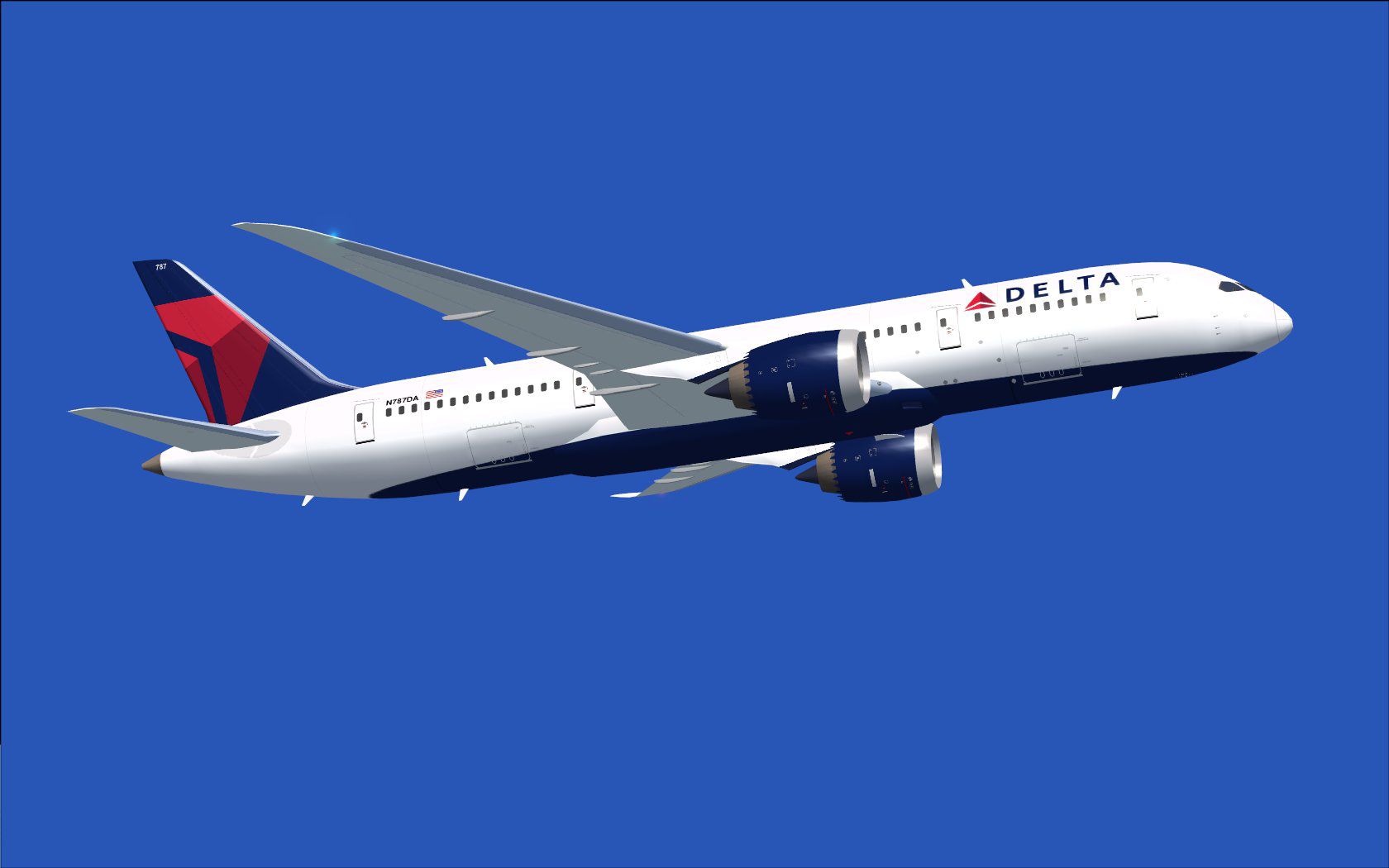
Delta Airlines Boeing 787-8 in flight.
Model design and textures by Camil Valiquette. CamSim Aviation Simulation created this rendition to illustrate a modern, efficient widebody for use in FSX.
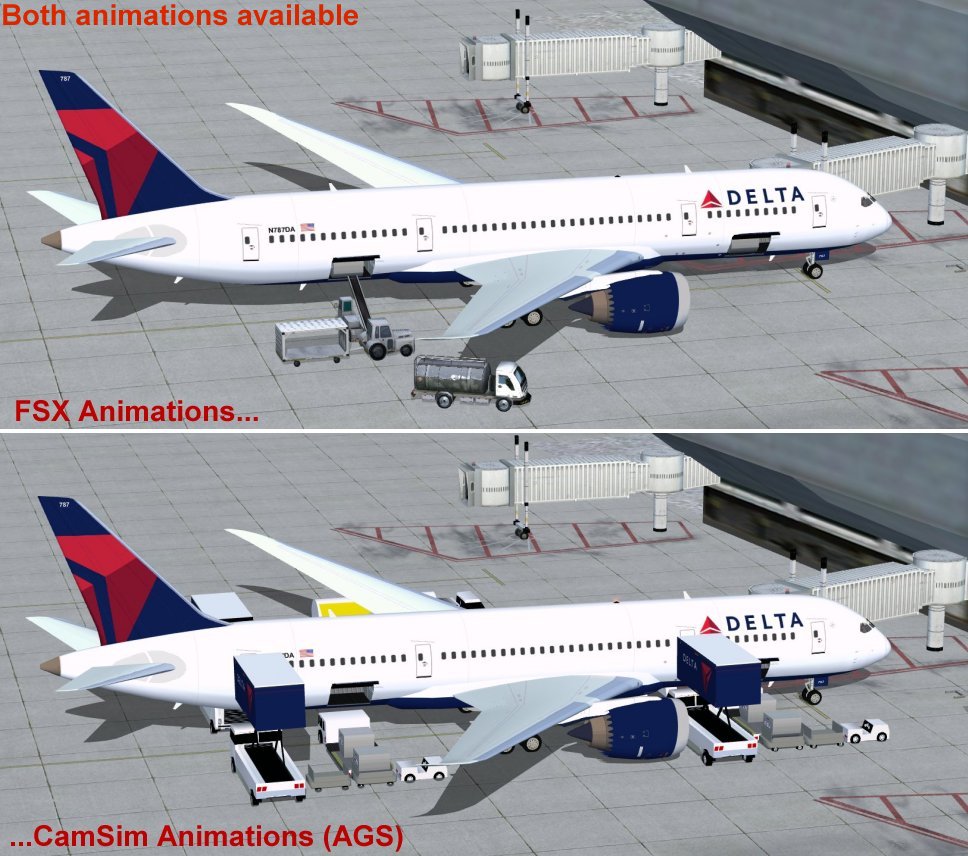
Delta Airlines Boeing 787-8.
Individuals seeking a free, complete addition to their flight simulator will find this package especially valuable, thanks to its internal systems, custom ground support animations, and faithful visual representation. Model design and paint remain credited to Camil Valiquette, honoring the effort invested in recreating this advanced airframe. This package aims to expand any virtual pilot’s fleet with a reliable long-haul aircraft under a modern Delta livery.
Free for all simmers · 2.14 MB · Scanned clean Oct 2026
Download speed: Free tier is capped at 0.5 Mbps. PRO members download at full line speed.
This add-on may require the following files to function properly. If this is a repaint, the dependency below is likely the base aircraft package.
FSX\SimObjects\Airplanes\. The folder must contain an aircraft.cfg file. Effects go into FSX\Effects\; gauges go into FSX\Gauges\.readme.txt or README file. It tells you exactly where files go, what dependencies are needed, and any quirks specific to this add-on.The archive 788v2dlx.zip has 31 files and directories contained within it.
This list displays the first 500 files in the package. If the package has more, you will need to download it to view them.
| Filename/Directory | File Date | File Size |
|---|---|---|
| CamSim Boeing 787-8 V2 Delta | 01.26.10 | 0 B |
| 787-8.air | 02.22.06 | 12.76 kB |
| 788v2 ags fsx.jpg | 01.26.10 | 160.28 kB |
| 788v2dl_FSX.jpg | 01.14.10 | 72.21 kB |
| aircraft.cfg | 01.26.10 | 15.43 kB |
| Effects.zip | 03.25.06 | 1.80 kB |
| file_id.diz | 01.26.10 | 185 B |
| model.787-8 ags | 01.26.10 | 0 B |
| 787-8 ags.mdl | 12.21.09 | 2.67 MB |
| Model.cfg | 03.16.06 | 28 B |
| Panel | 01.26.10 | 0 B |
| panel.cfg | 05.27.09 | 33 B |
| Read Me_FSX.txt | 01.26.10 | 2.45 kB |
| sound | 01.26.10 | 0 B |
| Sound.cfg | 05.27.09 | 30 B |
| texture.dl | 01.26.10 | 0 B |
| 787eng_t.bmp | 01.26.10 | 1.00 MB |
| 787ext_L.bmp | 01.26.10 | 4.00 MB |
| 787ext_t.bmp | 01.26.10 | 1.00 MB |
| 787int_L.bmp | 01.26.10 | 4.00 MB |
| 787int_t.bmp | 01.26.10 | 1.00 MB |
| 787tail_t.bmp | 01.14.10 | 1.00 MB |
| 788fuse_t.bmp | 01.13.10 | 1.00 MB |
| 789wings_t.bmp | 11.24.09 | 1.00 MB |
| gris_t.bmp | 12.09.09 | 16.07 kB |
| pilot1.bmp | 09.10.09 | 257.05 kB |
| pilot1_L.bmp | 12.06.06 | 1.00 MB |
| thumbnail.jpg | 01.26.10 | 4.23 kB |
| w_t.bmp | 12.06.08 | 16.07 kB |
| flyawaysimulation.txt | 10.29.13 | 959 B |
| Go to Fly Away Simulation.url | 01.22.16 | 52 B |
Only PRO members can place votes.
More FSX & P3D add-ons hand-picked based on this download.
FSX Civil Aircraft
FS2004/FSX/P3D Delta Airlines Boeing 737-900ER, registration N852DN. New mode…
 FSX Civil Aircraft
FSX Delta Airlines Boeing 737-800, registration N3744F. A repaint for the def…
 FSX Civil Aircraft
FSX Eastern Airlines Boeing 757-200 and Delta Airlines B757-200. Liveries for…
 FSX Civil Aircraft
Elevate your virtual cockpit in Microsoft Flight Simulator X with a freeware …
 FSX Civil Aircraft
These textures are for the payware QualityWings 757. They depict Delta Air Li…
 FSX Civil Aircraft
A repaint of the default B747-400. By Cassidy Dietrich. Screenshot of Delta A…
 FSX Civil Aircraft
Immerse yourself in a detailed simulation of the Boeing 737-700 wearing the d…
 FSX Civil Aircraft
FSX Delta Airlines Boeing 767-300 GE in "Habitat For Humanity" livery, regist…
Be the first to leave a comment on this download.
Be the first to share your thoughts on this download.