

 FSX Civil Aircraft
Qantas Boeing 787-8 V2
This release highlights a second-generation rendition of a popular wide-body,…
Qantas Boeing 787-9 V2 brings a polished long-haul Dreamliner to FSX with refined exterior shaping, higher-resolution textures, and enhanced night lighting. A fully functional virtual cockpit pairs with an upgraded Animated Ground Servicing module that animates doors, boarding steps, and cargo handling for more lifelike gate turnarounds.
 Rate
Rate
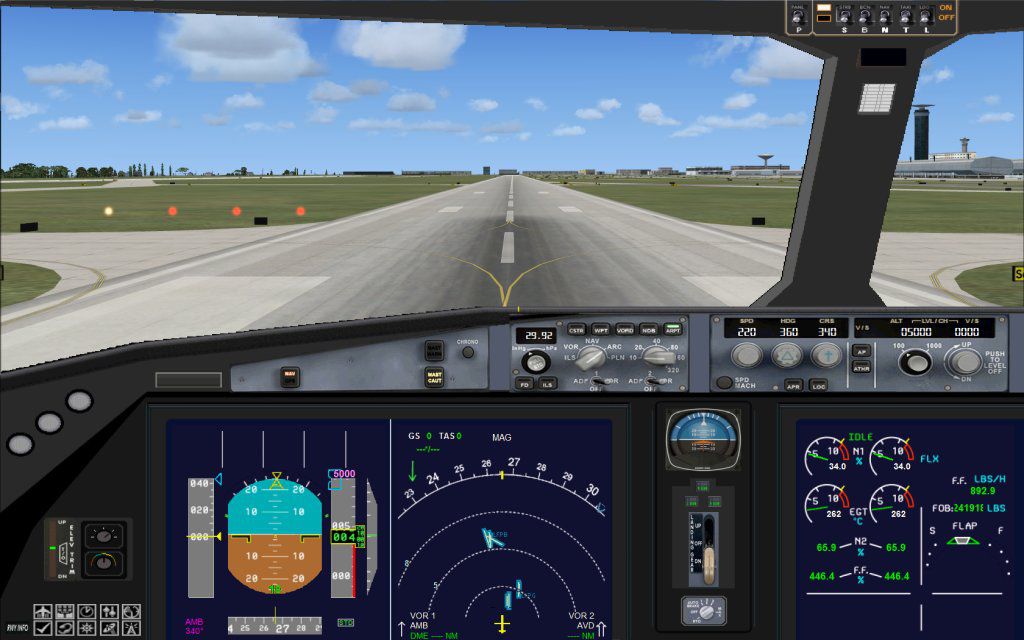

The FSX Qantas Boeing 787-9 v2 freeware package introduces a refined long-haul twin-engine model featuring efficient fuel burn and advanced onboard systems. This release, brought to you by Camil Valiquette, includes fully functional cockpit features, custom exterior detailing, and an upgraded AGS (Animated Ground Servicing) module for a more immersive ground operation experience.
In this version, the Boeing 787-9 reflects a modernized structure, incorporating refined aerodynamics and optimized visual elements. Qantas, the national carrier of Australia, utilizes this wide-body jet for intercontinental routes, leveraging the Dreamliner series’ range capabilities and reliability. This iteration has improved external contours, higher-resolution textures, and subtle aerodynamic refinements.
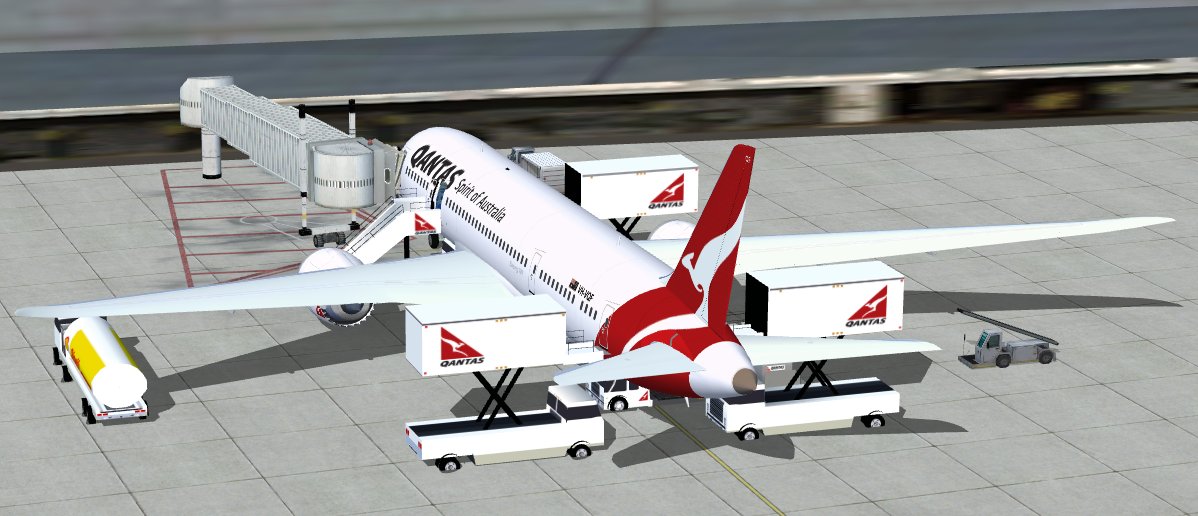
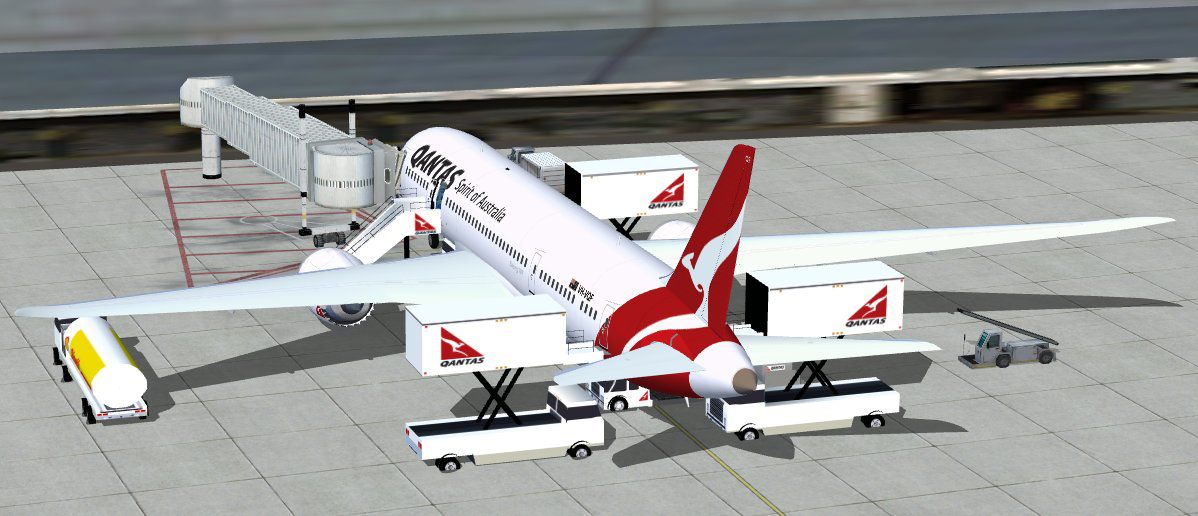
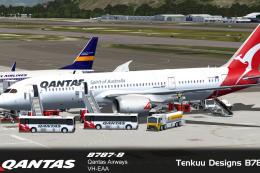
Qantas Boeing 787-9 at gate before departure.
The author and designer, Camil Valiquette, has focused on delivering a robust freeware aircraft model that captures the distinctive characteristics of the 787-9. In particular, the fuselage and wing geometry showcase the familiar swept-wing profile, while the paint scheme aligns accurately with Qantas branding. This release also integrates advanced lighting effects for night operations, enhancing immersion.
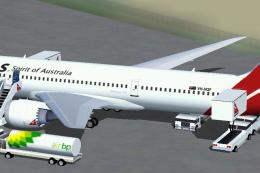
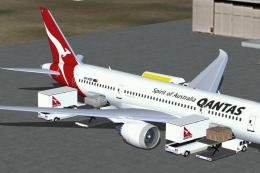
The AGS functionality animates passenger boarding steps, cargo loaders, and other airport ground vehicles in real time. This feature allows a more interactive experience, ensuring that the simulation environment feels dynamic. For quick reference, the default commands for activating these animations involve:
Operators can view and manage these animated vehicles directly around the jet for a more realistic turnaround procedure. In many cases, this ground-handling system aligns well with short boarding times, reflecting real airline operations.
To take full advantage of the custom interactions, it helps to map specific key assignments within your simulator. Make sure you configure the wing fold/unfold command to Shift+C and tail hook up/down to Shift+D. These key mappings allow a streamlined method for toggling door positions and cargo hold access points. With proper assignments, the transitions look fluid and visually accurate, enhancing immersion during ground operations.
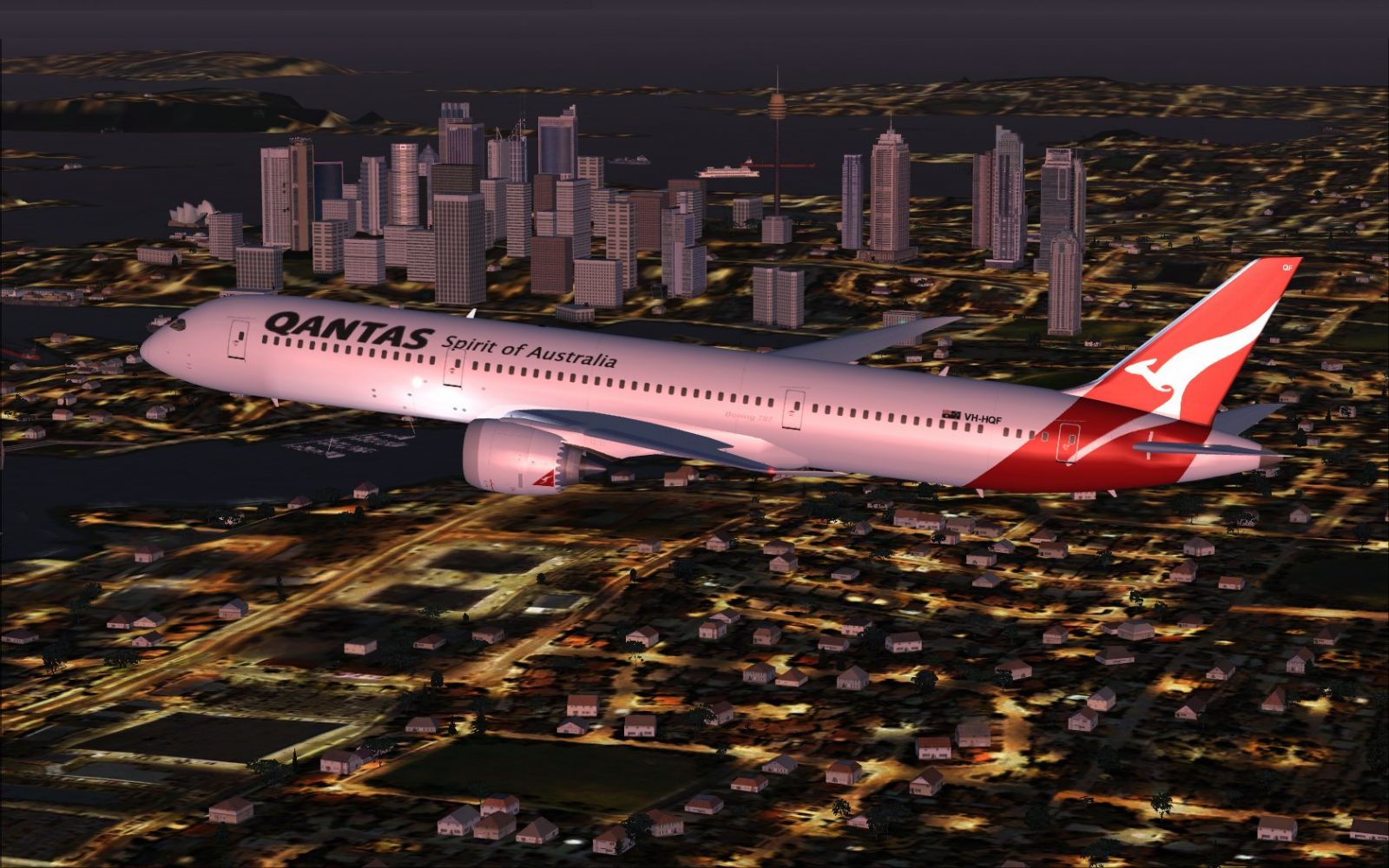
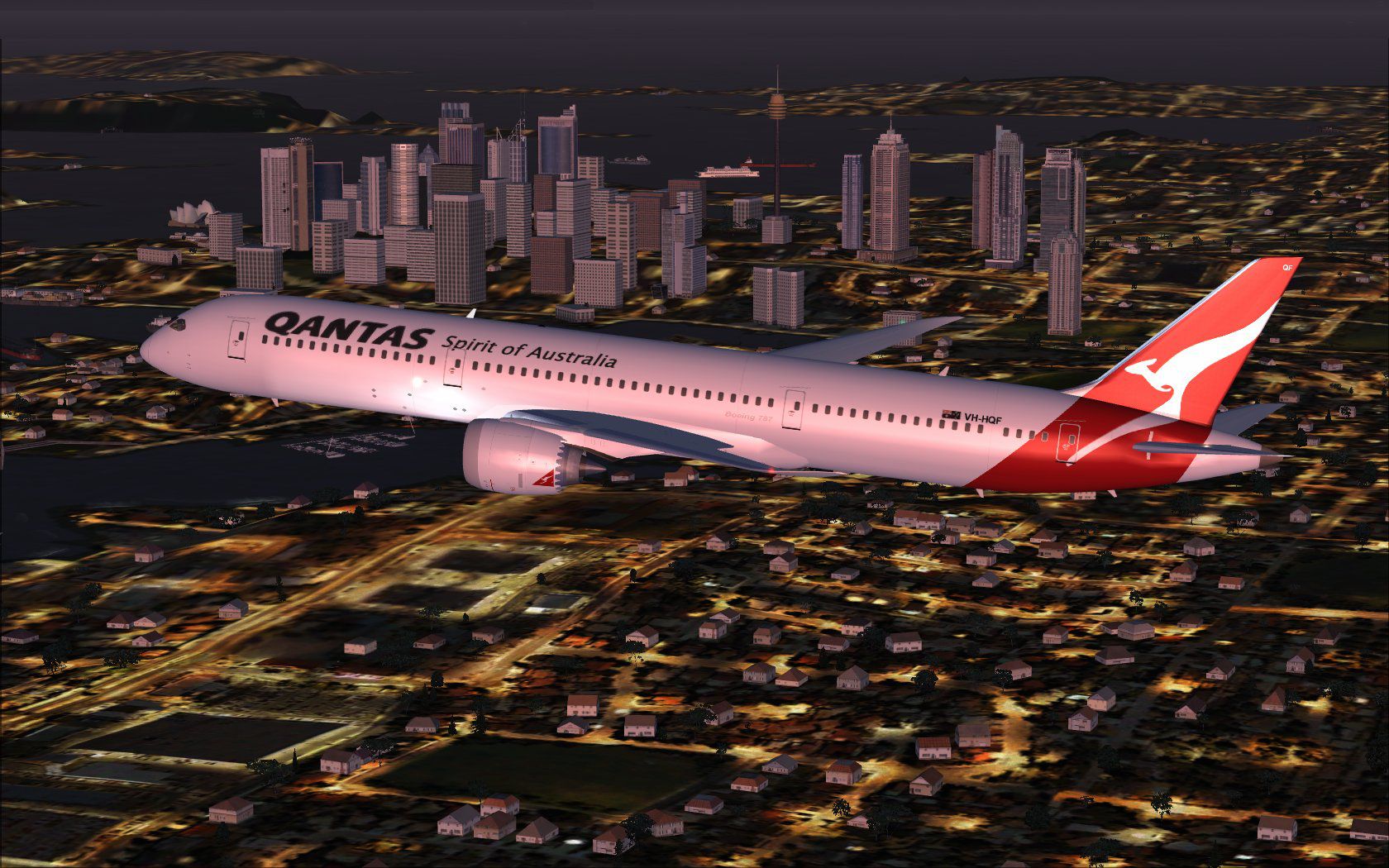
Qantas Boeing 787-9 capturing the shimmer of the night sky.
Make sure you replace any older version if prompted, although backing up previous folders can be prudent if you want to keep different variants. Once installed, the Qantas 787-9 should appear in your aircraft selection menu, ready for preflight checks and global routes.
By combining updated visuals, technical enhancements, and integrated ground handling, this freeware package highlights the Boeing 787-9’s most recognizable traits. The partnership of large-scale innovation and Qantas livery details offers a balanced package suitable for both short domestic hops and extensive intercontinental operations. Model design and paint by Camil Valiquette remain integral to this release, ensuring an insightful addition to your fleet.
Free for all simmers · 5.39 MB · Scanned clean Oct 2026
Download speed: Free tier is capped at 0.5 Mbps (this file takes approximately 2 mins at the cap). PRO members download at full line speed.
This add-on may require the following files to function properly. If this is a repaint, the dependency below is likely the base aircraft package.
FSX\SimObjects\Airplanes\. The folder must contain an aircraft.cfg file. Effects go into FSX\Effects\; gauges go into FSX\Gauges\.readme.txt or README file. It tells you exactly where files go, what dependencies are needed, and any quirks specific to this add-on.The archive 789v2qf0.zip has 36 files and directories contained within it.
This list displays the first 500 files in the package. If the package has more, you will need to download it to view them.
| Filename/Directory | File Date | File Size |
|---|---|---|
| CamSim Boeing 787-9 V2 Qantas | 03.13.10 | 0 B |
| 787-9.air | 02.25.10 | 12.76 kB |
| 788v2qf_ags fsx.jpg | 03.13.10 | 110.51 kB |
| 789qf_fsx.jpg | 03.11.10 | 347.62 kB |
| aircraft.cfg | 03.13.10 | 15.45 kB |
| Effects.zip | 09.09.08 | 1.81 kB |
| file_id.diz | 03.11.10 | 186 B |
| fsx cpit_d.jpg | 03.03.10 | 107.14 kB |
| fsx cpit_n.jpg | 03.03.10 | 85.82 kB |
| model.787-9 ags | 03.13.10 | 0 B |
| 787-9 ags 1 pax stair 3 services.mdl | 02.11.10 | 2.67 MB |
| Model.cfg | 02.04.10 | 51 B |
| Panel | 03.13.10 | 0 B |
| 787_350_panel_background.bmp | 02.25.10 | 2.25 MB |
| 787_350_panel_background_night.bmp | 02.25.10 | 2.25 MB |
| Airbus_A321.cab | 09.04.06 | 2.72 MB |
| panel.cfg | 02.25.10 | 5.48 kB |
| Read Me_FSX.txt | 03.11.10 | 2.45 kB |
| sound | 03.13.10 | 0 B |
| Sound.cfg | 05.27.09 | 30 B |
| texture.qf | 03.13.10 | 0 B |
| 787eng_t.bmp | 03.11.10 | 1.00 MB |
| 787ext_L.bmp | 07.08.08 | 4.00 MB |
| 787ext_t.bmp | 03.11.10 | 1.00 MB |
| 787int_L.bmp | 03.11.10 | 4.00 MB |
| 787int_t.bmp | 03.11.10 | 1.00 MB |
| 787tail_t.bmp | 07.07.08 | 1.00 MB |
| 789fuse_t.bmp | 03.11.10 | 1.00 MB |
| 789wings_t.bmp | 11.24.09 | 1.00 MB |
| gris_t.bmp | 12.09.09 | 16.07 kB |
| pilot1.bmp | 03.04.10 | 257.05 kB |
| pilot1_l.bmp | 12.06.06 | 1.00 MB |
| thumbnail.jpg | 03.11.10 | 4.73 kB |
| w_t.bmp | 12.06.08 | 16.07 kB |
| flyawaysimulation.txt | 10.29.13 | 959 B |
| Go to Fly Away Simulation.url | 01.22.16 | 52 B |
Only PRO members can place votes.
More FSX & P3D add-ons hand-picked based on this download.
FSX Civil Aircraft
This release highlights a second-generation rendition of a popular wide-body,…
 FSX Civil Aircraft
Qantas Boeing 787-8 including the Animated Ground Servicing (AGS). Model desi…
 FSX Civil Aircraft
Immerse yourself in a detailed simulation of Qantas’ Boeing 787-8 Dreamliner …
 FSX Civil Aircraft
This freeware release brings a detailed Boeing 787-9 wearing Qantas’s updated…
 FSX Civil Aircraft
This comprehensive freeware package showcases a Qantas Boeing 787-8 in the ai…
 FSX Civil Aircraft
Qantas Boeing 737-800NGX aboriginal livery "Mendoowoorrji". Textures only, re…
 FSX Civil Aircraft
This comprehensive freeware package offers a faithful representation of the L…
 FSX Civil Aircraft
This updated package offers a refined AeroMexico 787 Dreamliner rendition fea…
Be the first to leave a comment on this download.
Be the first to share your thoughts on this download.