

 FSX Civil Aircraft
Martinair Boeing 777-200LR PH-MCE
This fictional repaint package offers a customized Martinair-themed look for …
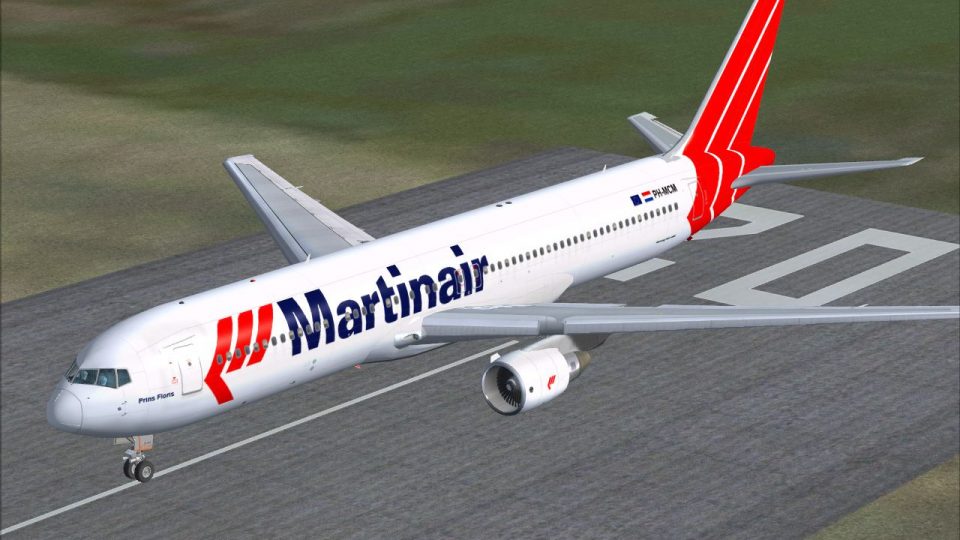
Martinair Boeing 767-300 livery brings registration PH-MCM to life with crisp airline markings and authentic tail branding for realistic long-haul operations in Microsoft Flight Simulator X. Designed as textures only, it integrates cleanly into the simulator’s aircraft menu and requires the Level-D 767-300 base package.
 Rate
Rate


Martinair Boeing 767-300, registration PH-MCM. Textures only for Level-D B767-300. By Harro Lippmann.
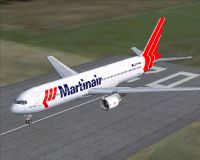
Martinair Boeing 767-300 on runway.
Martinair Boeing 767-300 PH-MCM
Repaint only of LevelD Boeing 767-300 for FSX
--------
Install instructions:
1.unzip this file to a temporary folder
2.place 'Texture.mcm' folder into X:\[main FSX folder]\SimObjects\Airplanes\LVLD_B763\. When asked to overwrite, say yes.
3.Open aircraft.cfg (main FSX folder\SimObjects\Airplanes\feelThere pic 737-300\aircraft.cfg) file with notepad and add following lines:
[fltsim.xx]

title=Level D Simulations B767-300ER - Martinair

sim=B767-300

model=PW

panel=

sound=

texture=MCM

kb_checklists=767LVLD_CHECK

kb_reference=767LVLD_REF

atc_id=PH-MCM

atc_heavy=1

atc_airline=MARTINAIR

atc_flight_number=1912

ui_createdby="Level-D Simulations"

ui_type="767-300ER"

ui_manufacturer="Boeing"

ui_variation="Martinair"

ui_typerole="Commercial Airliner"

description="Boeing 767-300ER, configured for a long haul flight\n\nDry Operating Weight -\t197000 lb (89359 kg)\nMax Allowable TO Weight -\t408000 lb (185068 kg)\nTotal Zero Fuel Weight -\t244976 lb (111120 kg)\nMax Allowable Fuel Weight -\t161000 lb (73029 kg)"
4. Replace xx by the next number according to your liveries installed.
i.e. if your last livery was [fltsim.15] this will be [fltsim.16]
Harro Lippmann
Free for all simmers · 2.12 MB · Scanned clean Oct 2026
Download speed: Free tier is capped at 0.5 Mbps. PRO members download at full line speed.
texture.{airline}) inside FSX\SimObjects\Airplanes\{base-aircraft}\.aircraft.cfg in Notepad. Add a new [fltsim.X] section per the readme.readme.txt or README file. It tells you exactly where files go, what dependencies are needed, and any quirks specific to this add-on.The archive b763ld_phcm.zip has 25 files and directories contained within it.
This list displays the first 500 files in the package. If the package has more, you will need to download it to view them.
| Filename/Directory | File Date | File Size |
|---|---|---|
| readme.txt | 08.18.10 | 1.27 kB |
| FILE_ID.DIZ | 08.18.10 | 96 B |
| 767taxion_left_l.bmp | 06.18.10 | 1.00 MB |
| 767taxion_right_l.bmp | 06.18.10 | 1.00 MB |
| b763antenna.bmp | 06.18.10 | 16.07 kB |
| b763belly_l.bmp | 06.18.10 | 512.07 kB |
| b763belly_t.bmp | 06.18.10 | 2.00 MB |
| b763eng_pw_l.bmp | 06.18.10 | 256.07 kB |
| b763eng_pw_t.bmp | 08.08.10 | 1.33 MB |
| b763fuse_left_l.bmp | 06.18.10 | 1.00 MB |
| b763fuse_left_t.bmp | 08.18.10 | 1.33 MB |
| b763fuse_right_l.bmp | 06.18.10 | 1.00 MB |
| b763fuse_right_t.bmp | 08.18.10 | 1.33 MB |
| b763wing_left_l.bmp | 06.18.10 | 1.00 MB |
| b763wing_left_t.bmp | 08.18.10 | 1.33 MB |
| b763wing_right_l.bmp | 06.18.10 | 1.00 MB |
| pw_lighton_l.bmp | 06.18.10 | 1.00 MB |
| texture.cfg | 05.20.07 | 215 B |
| thumbnail.jpg | 08.07.10 | 31.44 kB |
| wing_lefton_l.bmp | 06.18.10 | 1.00 MB |
| wing_righton_l.bmp | 06.18.10 | 1.00 MB |
| b763ld_phmcm.gif | 08.18.10 | 14.48 kB |
| ph_mcm.jpg | 08.18.10 | 445.03 kB |
| flyawaysimulation.txt | 10.29.13 | 959 B |
| Go to Fly Away Simulation.url | 01.22.16 | 52 B |
Only PRO members can place votes.
More FSX & P3D add-ons hand-picked based on this download.
FSX Civil Aircraft
This fictional repaint package offers a customized Martinair-themed look for …
 FSX Civil Aircraft
Martinair Cargo Boeing 747-400, registration PH-MPQ. Textures only for the iF…
 FSX Civil Aircraft
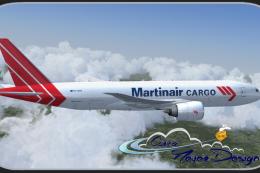
This fictional Martinair Cargo repaint brings a customized look to the PMDG 7…
 FSX Civil Aircraft
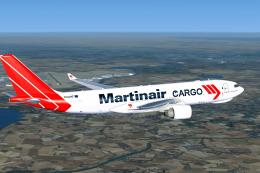
Martinair Cargo Airbus A330-200F. Fictive textures only of a Martinair A330-2…
 FSX Civil Aircraft
This release features custom exterior textures for the Commercial Level Simul…
 FSX Civil Aircraft
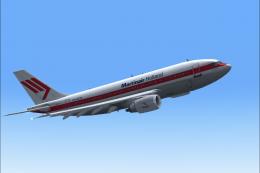
This repaint showcases Martinair Holland’s Airbus A310-203C (PH-MCB), known a…
 FSX Civil Aircraft
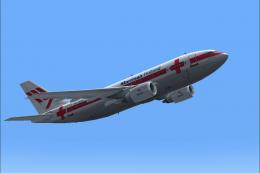
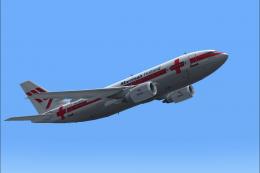
Experience a meticulously crafted “Prins Bernhard Red Cross” paint scheme cre…
 FSX Civil Aircraft
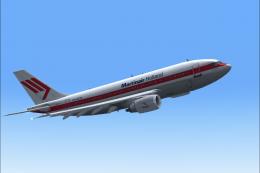
Experience a carefully crafted livery for the payware Commercial Level Simula…
Be the first to leave a comment on this download.
Be the first to share your thoughts on this download.